
 Mini tools
▼ Most saved
Organization
Free mode
100% free
Freemium
Free Trial
Featured matches
-
 Open
Open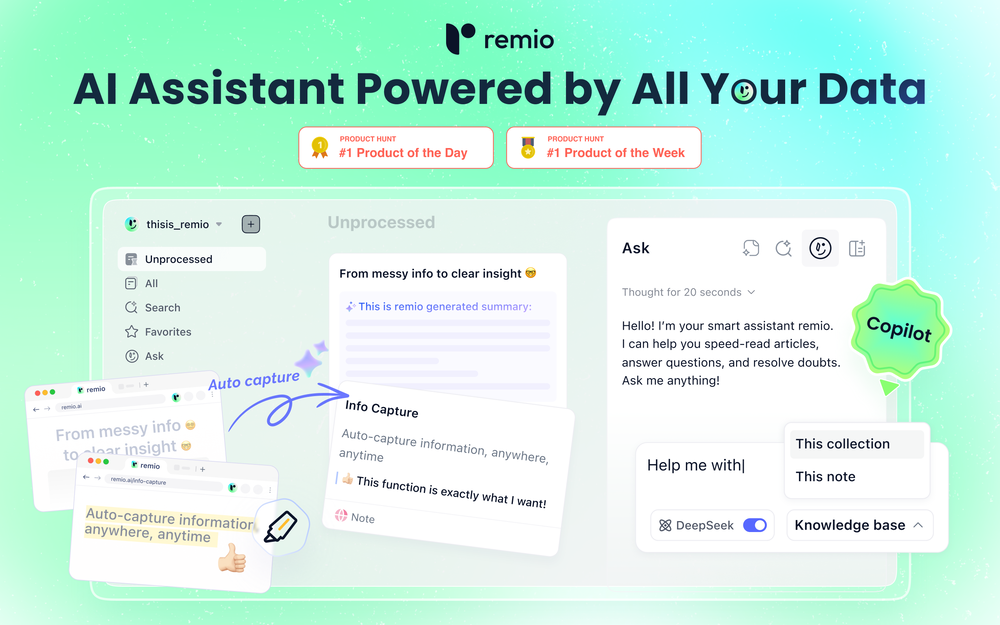 🚀Meet remio v2.12.0, which added lots of new and useful features to boost your productivity! Let's dive in! 1.🍌 Visualize thoughts faster with Nano Banana 2 Turn complex logic into professional diagrams and infographics instantly with the most affordable model. 2.🎧 Put Podcasts into your personal library Simply paste a link to save full transcripts from your favorite podcasts and get instant summaries. You can chat with your podcast library to find specific insights without listening to every second. 3.💬 Write at the speed of thought With global voice input, remio transforms natural speech into clear and polished writing across all your apps. Experience a creation process up to 5x faster than typing. 4.🔗 Seamless sharing of notes & recordings Knowledge is most powerful when it flows. You can now generate shareable links for your notes and recordings, and move insights from your personal library into team discussions. 5.🆙Advanced models upgrade Switch to the latest Gemini 3.1 and Claude Sonnet 4.6 models for superior accuracy and speed.
 -
-
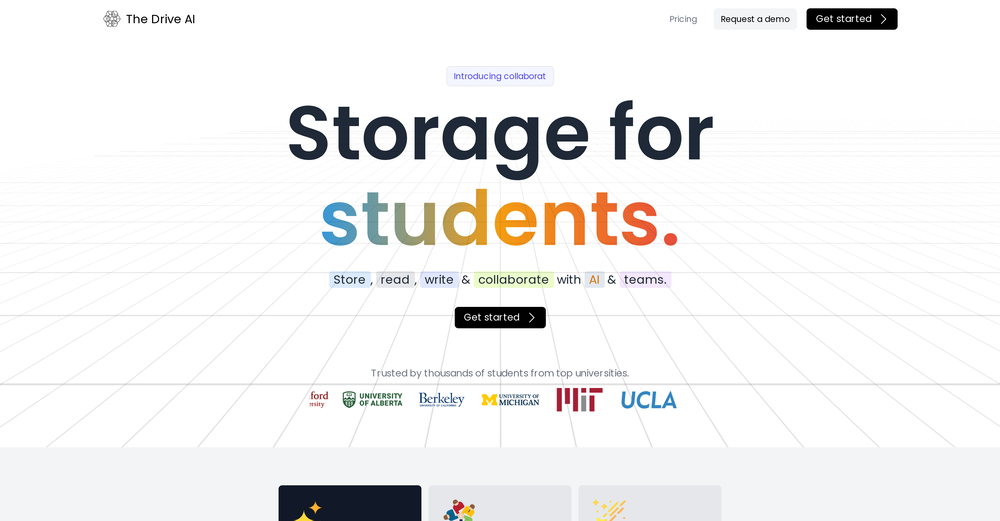
 Turn your voice into structured notes and action items with AIOpen
 Béatrice Duval🙏 267 karmaJan 19, 2025@Mumble Note: AI Voice NotetakerVery interesting tool and useful ❤️👌🏽👏🏽🙏🏽
 -
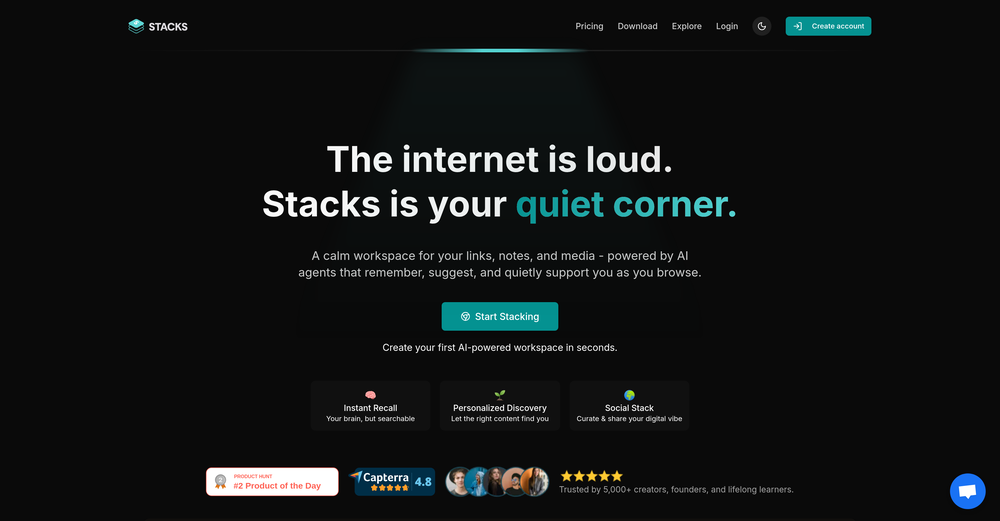 It's a powerful AI-powered personal knowledge system that brings together links, files, notes, and documents in one unified workspace. It's like Notion meets Raindrop meets Google Drive, but with an AI layer that helps you resurface forgotten content, cluster related topics, and even draft documents based on your saved materials.
 -
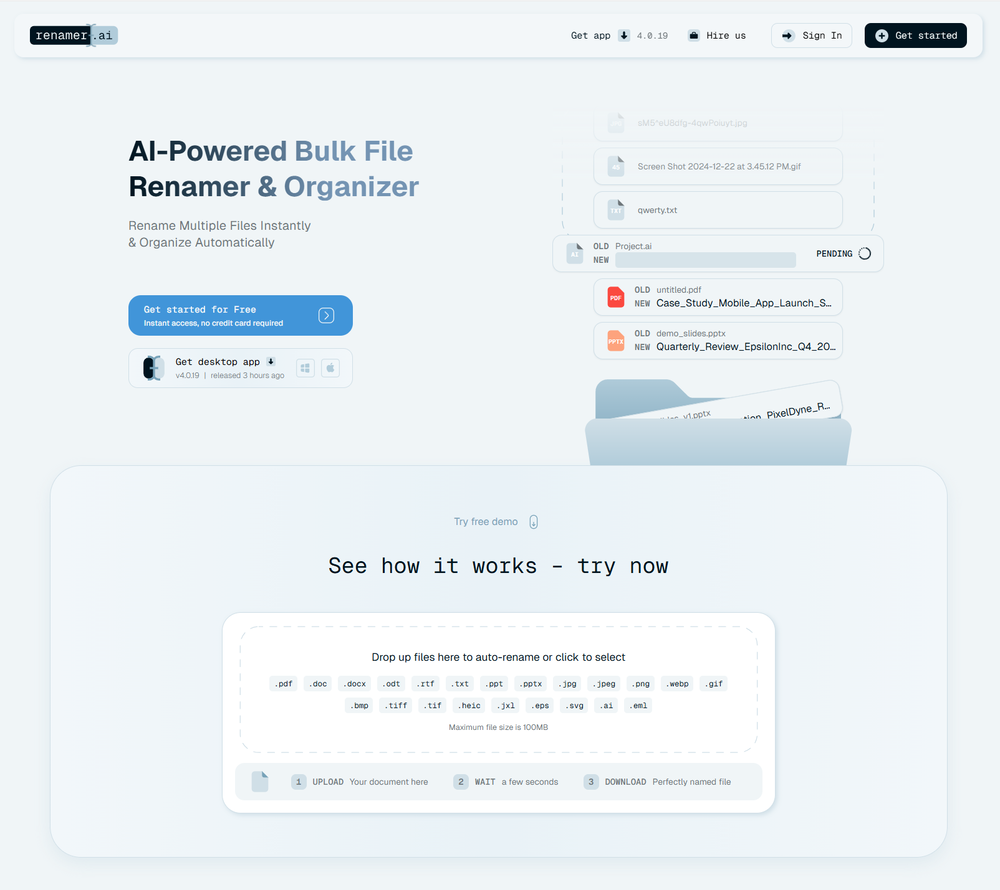 A very simple-to-use, yet very powerful app. It made my work so much easier, my scanned and downloaded files are no longer a mess.
 -
-
 Open
Open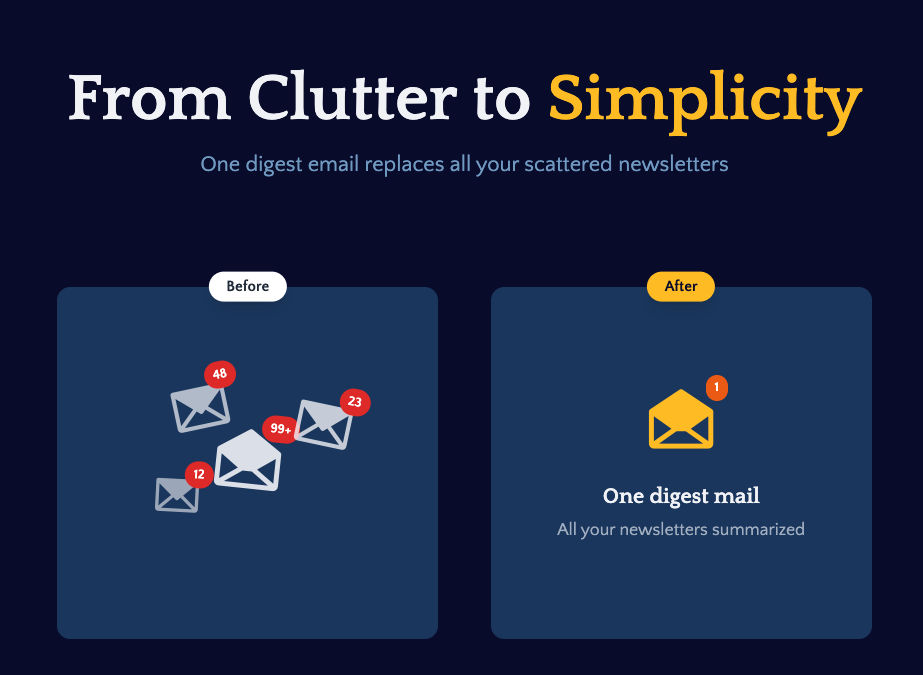 I built Remy to solve a problem I face every day: Newsletter overload 📬 Remy is your personal AI assistant that summarizes all your newsletters into a single digest email. Go from a cluttered inbox to a clear, concise briefing in one go.
 -
 Pay-as-you-go productivity. Meeting transcription at $0.25/hour, AI tasks, document search — noOpen
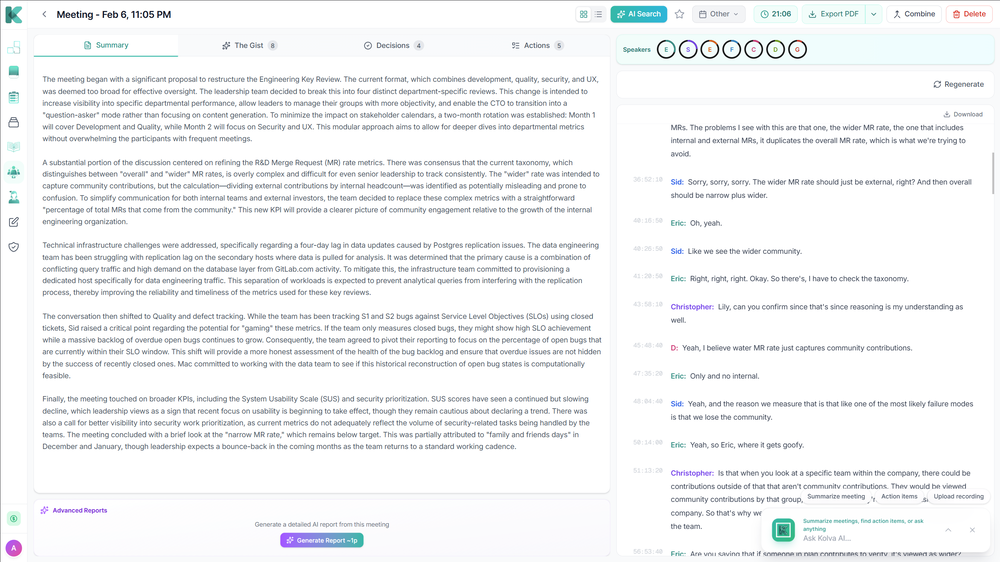 Kolva is a game changer! I use it almost every day and works every time! can't recommend it enough! I use it for every meeting. Give it go!
 -
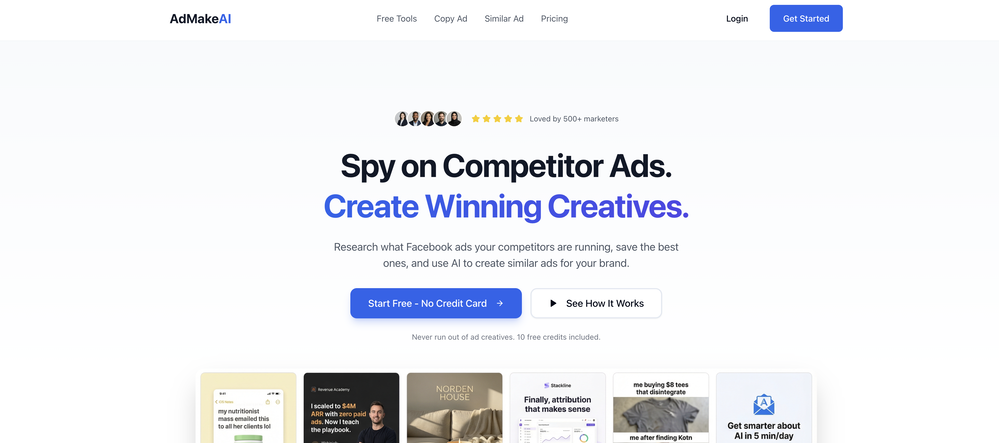 - Added Adset studio, for when you want to experiment with similar ideas while keeping it organized - Better quality ads with Nano Banana 2 - Better UGC video generation with LTX2.3, Veo 3.1 and Sora - Added SaaS and product templates
 -








Other tools
-
I would highly recommend for researches and students. useful to manage your articles and use AI to get the key points.
-
I’ve been using it for a month now and I have decided to keep it for a year. There definitely are some kinks they can still work out like file management, but it’s very good at it’s core function: it generally does a good job answering questions and most times identifies PDFs automatically and correctly. The browser plugin works great, and it’s very nice that Papers allows you to add your university’s library API so you can automatically download PDFs that are accessible through your institution (sometimes it refuses to download some papers, so you just have to downlow it yourself and manually add it). The iPad and Android apps are serviceable. Every once in a while it will mess up the PDF identification, especially with papers from either very old sources or online-only journals. Things they must work on: * A much better system to annotate PDFs (the post-it type notes are cumbersome). * Introduce a notepad attached to each PDF or some way to easily link and save the AI’s output to the PDF. Currently, you have to add a little post it note and then paste the text there. * Keep the AI answers available after closing the documents. If you close the document by mistake or have several open and wish to close some, the ai conversation will be reset. * I REALLY wish that you could get citations and links to where the info was from extracted from PDFs. Currently, I have found Coral.ai does a much better job of showing you where the info came from and it even highlights it for you. Give it a try, their 30-day no credit card needed trial allowed me to truly test it, and now I’m a yearly subscriber looking forward for new additions and releases.
-
Super student Ai is a genius idea! It makes studying more fun by turning practice questions into a scrollable format like TikTok. Perfect for students who want to learn smarter and stay engaged."
-
Would love to see this in other lenguages. works great.
- Sponsor
 Rocket - Think it. Type it. Launch it.
 -
 Transform subjects into structured, easy-to-digest notes.Open
 -
I like the details in the error reports, it makes it easy to share with the students, and the bulk upload feature makes it really fast to grade a lot of essays at once.
-
Great tool. I use it a lot. It's free, you don't have to sign up, and it's quick. I also made a video on it https://youtu.be/wWQHOtY6cYE
-
Not really what I was looking for. But did a good job
-
- Didn't find the AI you were looking for?
-
Matt here from Dokkio support! Thanks for checking out our page. If you'd like a free demo of Dokkio, please do not hesitate to reach out to [email protected]
-
Love this!! 100x better than Notion, this should get more attention
-
it has a lot of potential but is pretty crappy due to lack of features
-
 OpenVery useful, but for me, who only needs the simplest feedback functions, the on-boarding where they force me to do things I don't need to do is unbearable. I've done it once, but I'll never create an account on it again just for that reason.
 -
Warp is probably the best CLI on the Mac Platform, even better when you are in the middle of that complex linux string and you think How do I...just ask the AI and it will give you that answer you forget all those years ago.
-
Hey AI fans, I am Kalo, co-founder of Breezemail. If your inbox is anything like mine, you spend at least 20% of your life opening, answering, and unsubscribing from emails. Arguably, the only thing more tedious than this is fixing your grandma’s Windows XP (arguably). Or you just gave up, and your inbox app has a cute red dot with a truncation ellipsis (…), also known as the symbol of inbox doom. Either way, the whole inbox situation is an absolute disaster. We wanted to solve this challenge using AI. Breezemail will help you enter the holy land of Inbox Zero. It’s an email categorizer tool that keeps important emails in your inbox and categorizes the rest into folders using natural language prompts. How does it work? 1. Breezemail has a default Important category which leaves all your real human emails in your inbox. 2. Everything else is organized into AI folders (or labels). Labels using natural language prompts, for example, “All emails from my family”. 3. We give you a bunch of pre-defined categories to start with, and you can create your own custom categories, the same way you would write a ChatGPT prompt (yes, our tool also uses ChatGPT). We’ve been testing it in-house for both our personal and business emails, and it worked so well that I no longer hate link builders and outreach people because their requests are neatly organized into a couple of folders. For my personal inbox, I can finally see all my receipts in one place, and all stock newsletters are ready for daily review in a different folder. Go try it out now for free. We’d love to hear your feedback, so please don’t be shy and drop me a line back. Currently, the tool is only available for Outlook, but we are working on a Gmail app, too. If you’d like to try it for Gmail, please let us know. Thank you, Kalo
-
Way too expensive You have to pay $19 just to get a sample of the podcast. Basic: $199/month for 1 podcast per month, up to 15 minutes per episode, with PodPilot audio watermark. Standard: $499/month for 2 podcasts per month, up to 20 minutes per episode, without audio watermark. Professional: $1,999/month for 4 podcasts per month, up to 30 minutes per episode, also without audio watermark.
-
This is a very useful tool, especially for me as a small business owner. It keeps everything in one place
-
 Extract data instantly: Grab text, images, emails & links from any websiteOpen
 -
Great for small assignments and trying to parse through a large document. Got a subscription last month, pretty cheap which is a good benefit, totally worth the cost.
-
Pretty handy, not always helpful since sometimes notes are not in a simple text format, but it does the job
-
 Open
Open -
It was great in terms of the data linked with email but very limited in functionality
-
Who doesn’t have a never-ending list of saved items they never go back to? This app alleviates that by automatically tagging and grouping what you save. A chore becomes a joy!
-
the autocomplete suggestions actually matched my tone and flow. the referencing tool is a lifesaver too, no more flipping between tabs. super smooth inside Word. gonna keep using it for sure
-
👋 Hey, I'm the founder of Flowova! We built this because we were tired of spending hours dragging boxes in traditional flowchart tools. A few things you might not know: - Works with anything — text, images, PDFs, Word, PPT, Excel, even photos of whiteboard sketches - 40+ themes designed for presentations - Full Mermaid code support for developers Happy to answer any questions! 🚀
-
🚀 Supercharge Your AI Workflow with Keymate! AI enthusiasts, researchers, and productivity power-users — meet Keymate, your new favorite AI-powered assistant to collect, manage, search, and chat with your digital knowledge. ✨ Why Keymate? 🔹 Collect any source – PDFs, Google Docs, YouTube videos, emails, web links — all in one private memory space. 🔹 Chat with your content – Ask complex questions and get grounded answers directly from your own documents. 🔹 Add notes and organize collections – Structure your memory the way you think. 🔹 Boost with AI context – Keymate uses a 128K context window and multi-LLM setup to deliver better, focused results. 🔹 Secure
-
If you are just starting a company and need an All in one place for your operation, this is the tool you need!
-
 Expert AI organizer for clutter-free living.Open
 -
I was part of the beta trials and TidyDocs has made it so much easier to manage my receipts and invoices.
-
 PDF Bank Statements to Spreadsheets with High Accuracy AI & SecurityOpenHighly accurate.. Superb!
 -
-
The app looks great, and options are wonderful. I just hope if you can add memory section so the LLM knows and retrieve Data about you.
-
 Open
Open -
-
 AI-powered whiteboard for marketers to create winning content fast.Open
 -
 Your AI-powered file organizer that respects privacy for macosOpenGood Replacement for the sparkle. Keep it up
 -
Clever email management design and easy to use. I love the kanban board style with summarize and auto response.
-
 OpenFree to try, sadly Image Generation is too expensive to be 100% free. I update the info to be more clear about that!
 -
Hi there, Markus from Convo here. Let us know if you have any questions we can answer :)
-
The Advert generator buil in web it's such a good time saver. Must be worked on better details in the adverts though.
-
Good idea, very mediocre execution. Not there yet. Contextual search is a complete joke, task generation from emails do not recognise taks owners (if I ask someone to do something or if someone asks me to do something). Useless at this stage. Will revisit it in an year, hopefully with some money form YC they can develop the product.
-
-
-
 AI email co-pilot: Draft, triage, and capture notes effortlessly.OpenGreat tool! Look forward to trying!
 -
Really helpful in improving lessons on AI! THANK YOU VERY MUCH!
-
-
 Turn your messy closet into a digital wardrobe with AI-powered outfit suggestions.Open
 -
Been loving this tool so far, it's awesome to keep my inbox organized with the auto-tagging feature. I'll try the auto-draft as well, seems promising 🙏
-
 Search real papers and write literature reviews without AI hallucinations.Open
 -
 Write smarter, not harder. QuillMinds helps you craft high-quality essays and researchOpen
 -
-
-
 Transform messy lyrics into polished song structures.Open
 -
-
Finally, an AI that makes fine-tuning simple and fast. No infrastructure, no coding, just results. This is exactly what the community needs!
-
 Open
Open -
The Crisp team has done a very good job with this. I'm a very happy customer!
-
I’ve tried almost every AI slide generator out there, and Tosea is in a league of its own. Most tools just scrape the surface, but Tosea actually digs into my research PDFs. It captures the nuance and logical flow of the original document without the usual AI hallucinations. The slides it produced for my last project were surprisingly deep and well-structured. Plus, being able to export directly to PPTX and make my own tweaks is a lifesaver. It’s easily saved me hours of manual formatting this week.
-
Kampfire is an AI-based photo-sharing web app for business events. It’s designed to extend the event experience beyond the day itself by turning the excitement around personalized albums into post-event engagement. More survey responses and photo shares boost ROI, reach, and social visibility. It’s great for conferences, trade shows, company meetings, holiday parties, and incentive events.
-
 Create unique AI birthday invitations in under a minute.OpenBirthdayInvitation.ai is a surprisingly polished and practical tool. It lets you generate beautiful birthday invitations in under a minute, and the built-in online RSVP feature is a huge bonus — no more spreadsheets or manual tracking. I especially love that you can upload your own custom design and still get a free RSVP form. It works well for kids’ parties and adult birthdays alike, and the interface is clean and easy to use. If you’re looking for a fast, modern alternative to traditional invitation templates, this is absolutely worth trying.
 -
Used this for scheduling my last 3 interviews and honestly forgot how annoying it was before. One company wanted to do 4 rounds and instead of me going back and forth with their HR person a dozen times, Workmate just handled it. Saved me from that weird anxiety of 'did I respond fast enough' or 'is this time actually gonna work.'
-
Registration before trial is a bad 1st impression and even worse user experience.
-
 AI planning partner that simplifies executive function and focus.Open
 -
 Open
Open -
-
 Open
Open -
 Ensures proper organization and preservation of company records.Open
 -
 File organization assistant with a flexible table of contents.Open
 -
 Analyzes photos for detailed cleaning and organizing instructions.OpenI think it is a pretty helpful a.i tool to help someone figure out what to do when decluttering their spaces. The use of photo is exactly ehat I was hoping to find. So I totally recommend this cleaning and Organizing guide.
 -
 Expert in digital organization using Second Brain methodology.Open
 -
 Guiding optimization of organizational structures.Open
 -
 Guiding organizational effectiveness with team strategies.Open
 -
 Enhancing performance through skills developmentOpen
 -
 Open
Open -
 Facilitates effective communication between organization and investors.Open
 -
 Communicating policy changes effectively within the organization.Open
 -
 Analyzes and categorizes books in images.Open
 -
 Supports organization growth through strategic talent acquisition.Open
 -
 Guides technical skill development within an organization.Open
 -
 Promotes inclusive culture and diversity within the organization.Open












































































































































































Post





