TAAFT Tutorial
Generate image
Tasks
Generate text
Free mode
Trending
Leaderboard
Characters
 Mini tools
New
Featured
Lists
Agents
Requests
Jobs
Map
Newsletter
Starter pack
Free tools
Speech to text
Text translator
Remove background
Settings
Edit profile
My tools
Gallery
Dashboard
Inbox
Get featured
Contact TAAFT
For you
Popular
Job impact index
Most saved
Affiliate program
Submit AI tool
Notification preferences
Glossary
Home
Timeline
My profile
Create tool
Deals
Companies
Models
Robots
Papers
Fundraises
Repositories
Devices
Organizations
Events
Prompt Pack
Merchendise
APIs
Features
Tools
Countries
Collections
Videos
Mini tools
New
Featured
Lists
Agents
Requests
Jobs
Map
Newsletter
Starter pack
Free tools
Speech to text
Text translator
Remove background
Settings
Edit profile
My tools
Gallery
Dashboard
Inbox
Get featured
Contact TAAFT
For you
Popular
Job impact index
Most saved
Affiliate program
Submit AI tool
Notification preferences
Glossary
Home
Timeline
My profile
Create tool
Deals
Companies
Models
Robots
Papers
Fundraises
Repositories
Devices
Organizations
Events
Prompt Pack
Merchendise
APIs
Features
Tools
Countries
Collections
Videos
Mini tools
New
Featured
Lists
Agents
Requests
Jobs
Map
Newsletter
Starter pack
Free tools
Speech to text
Text translator
Remove background
Settings
Edit profile
My tools
Gallery
Dashboard
Inbox
Get featured
Contact TAAFT
For you
Popular
Job impact index
Most saved
Affiliate program
Submit AI tool
Notification preferences
Glossary
Home
Timeline
My profile
Create tool
Deals
Companies
Models
Robots
Papers
Fundraises
Repositories
Devices
Organizations
Events
Prompt Pack
Merchendise
APIs
Features
Tools
Countries
Collections
Videos

▼ State of the art
Party
Free mode
100% free
Freemium
Free Trial
Other tools
-
 Open
Open
-
Rick🙏 28 karmaMar 13, 2024@Instant Singerawful, voice is incredibly robotic
-
Honestly, with the website looking the way it does on 5.4.2024, I feel discouraged to even try it for free. First impressions matter IMO. It would be great to have a showcase of products, etc
-
 Sync your sound, elevate your lyrics with AI-powered video creation.Open
 - Sponsor
 Tripo AI 3D Generator
 -
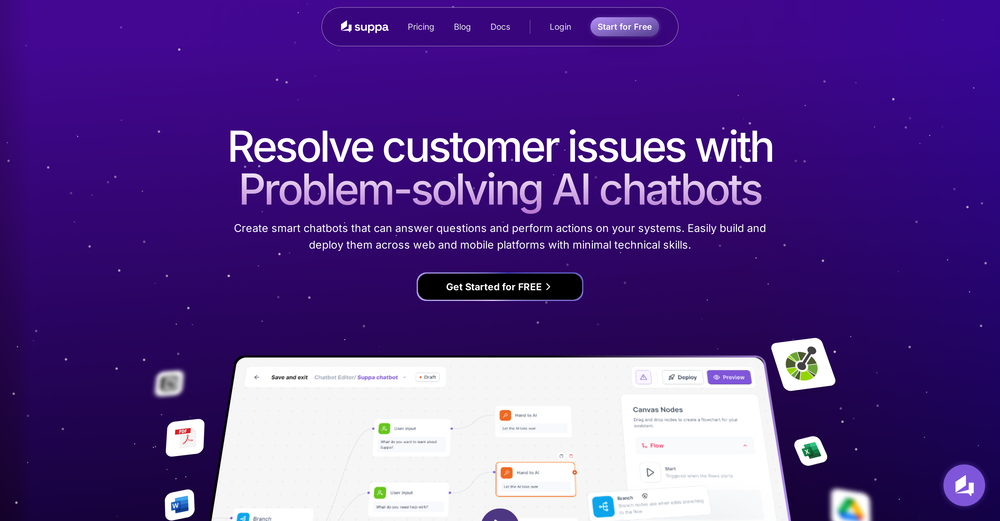 Currently using it for handling basic FAQs and simple actions and it's doing the job. The no code part makes everything straightforward. Replies are fast and natural. Nice tool option if you're looking to simply add a chatbot without dealing with the complex stuff.
 -
Photobooth AI allows users to create events in a fully self-service process! The configurator is intuitive, letting you choose the number of credits, event type, layout options (like adding your own logo and overlay), and more. Once the event is set up, the virtual Photobooth is available both from the desktop web version and the native mobile apps, making it easy for guests to participate. The pricing is fair, and the flexibility is perfect for customizing events to your exact needs!
-
Seems good , but do not have single easy to use step guide to help use it. Its like your learn and then it works . They could prepared a small cheat sheet to make their product easy to use . I am logging out
- Didn't find the AI you were looking for?
-
Awesome site that provides a fun way to create new cocktails using AI
-
-
 Boost ROAS with AI-powered audience targetingOpen
 -
-
-
AI-generated names inspire creativity with unique meanings, enhancing character creation.
-
-
opened this tool between client calls. quiet UI, no fluff. gave it a mood and to must haves and it came back with room comps that stick to the idea instead of drifting. not a mind melt, but it moves a concept board forward fast. give me auto retry on fails and i'd park this in my daily kit.
-
-
The process of actually creating a bot is so simple, even the free chatbot. Although the mobile compatibility was issue before, it seems to have been resolved by now.
-
It works great and is super easy to use. There are several different layouts to choose frim that are all quite nice.
-
 Open
Open -
 OpenVideo editing is the process of selecting, trimming, and arranging footage to create a cohesive story or visual narrative. Here are some fundamental concepts and techniques: Types of Video Editing Linear editing: A straightforward, sequential approach to editing, where clips are arranged in a linear timeline. Non-linear editing: A more flexible approach, where clips can be arranged and rearranged freely in a timeline. Key Video Editing Techniques Cutting: A transition between two clips, where one clip ends and another begins. Cutting on action: Cutting between two clips while an action is in progress, to create a seamless transition. J-cut: Cutting from one clip to another while audio from the second clip starts playing before the video cuts to it. L-cut: Cutting from one clip to another while audio from the first clip continues to play. Video Editing Software Popular video editing software includes: Adobe Premiere Pro: A professional-level editing software with advanced features and integration with other Adobe tools. Final Cut Pro: A professional-level editing software for Mac users, known for its user-friendly interface and advanced features. DaVinci Resolve: A free and paid editing software that offers advanced color grading and audio editing tools. Best Practices for Video Editing Plan your edit: Develop a clear vision and storyboard before starting to edit. Organize your footage: Label and categorize your clips to make them easily accessible. Keep it simple: Avoid overusing transitions and effects; focus on telling a clear story. Advanced Video Editing Techniques Color grading: Adjusting the color and brightness of footage to create a specific mood or atmosphere. Audio ducking: Automatically reducing the volume of background audio when dialogue is present. Motion graphics: Adding animated text, logos, or other graphics to enhance the visual narrative. Video editing involves selecting, trimming, and arranging footage to create a cohesive story. Linear and non-linear editing are two fundamental approaches. Key techniques include cutting, cutting on action, J-cuts, and L-cuts. Popular software includes Adobe Premiere Pro, Final Cut Pro, and DaVinci Resolve. Best practices involve planning, organizing footage, and keeping it simple. Advanced techniques include color grading, audio ducking, and motion graphics. Capcat pro Capcat pro Download image-to-image-generator generated imagetransparent pixel Image to Image Generator Image to Image Generator Download image-to-image-generator generated imagetransparent pixel Image to Image Generator Image to Image Generator Download image-to-image-generator generated imagetransparent pixel Image to Image Generator Image to Image Generator Download image-to-image-generator generated imagetransparent pixel Image to Image Generator Image to Image Generator Download image-to-image-generator generated imagetransparent pixel Image to Image Generator Image to Image Generator Download image-to-image-generator generated imagetransparent pixel Image to Image Generator Image to Image Generator Download image-generator generated imagetransparent pixel Image Generator Image Generator Copy Video Editing Basics Video editing is the process of selecting, trimming, and arranging footage to create a cohesive story or visual narrative. Here are some fundamental concepts and techniques: Types of Video Editing Linear editing: A straightforward, sequential approach to editing, where clips are arranged in a linear timeline. Non-linear editing: A more flexible approach, where clips can be arranged and rearranged freely in a timeline. Key Video Editing Techniques Cutting: A transition between two clips, where one clip ends and another begins. Cutting on action: Cutting between two clips while an action is in progress, to create a seamless transition. J-cut: Cutting from one clip to another while audio from the second clip starts playing before the video cuts to it. L-cut: Cutting from one clip to another while audio from the first clip continues to play. Video Editing Software Popular video editing software includes: Adobe Premiere Pro: A professional-level editing software with advanced features and integration with other Adobe tools. Final Cut Pro: A professional-level editing software for Mac users, known for its user-friendly interface and advanced features. DaVinci Resolve: A free and paid editing software that offers advanced color grading and audio editing tools. Best Practices for Video Editing Plan your edit: Develop a clear vision and storyboard before starting to edit. Organize your footage: Label and categorize your clips to make them easily accessible. Keep it simple: Avoid overusing transitions and effects; focus on telling a clear story. Advanced Video Editing Techniques Color grading: Adjusting the color and brightness of footage to create a specific mood or atmosphere. Audio ducking: Automatically reducing the volume of background audio when dialogue is present. Motion graphics: Adding animated text, logos, or other graphics to enhance the visual narrative. Video editing involves selecting, trimming, and arranging footage to create a cohesive story. Linear and non-linear editing are two fundamental approaches. Key techniques include cutting, cutting on action, J-cuts, and L-cuts. Popular software includes Adobe Premiere Pro, Final Cut Pro, and DaVinci Resolve. Best practices involve planning, organizing footage, and keeping it simple. Advanced techniques include color grading,
 -
-
-
 OpenHi everyone! 👋 I’m the developer behind a little project called PleaseRSVP.ai — a simple tool that helps parents create beautiful AI-generated birthday invitations in under a minute. 🎂✨ The idea came from my own struggle as a parent — every year, I’d spend hours trying to design a nice invite for my kid’s party. Between juggling work and family, I wanted something that looked great but didn’t take forever to make. So… I built it! You just enter your child’s name, age, date, and location — and the system instantly creates a themed invitation with a built-in RSVP page. Guests can respond directly online without signing up or logging in — super easy for everyone! 🙌 Right now, new users can generate one invitation for free — no signup hassles, no limits. If you have a few minutes to try it, I’d really love your honest feedback or suggestions! ❤️ Thanks so much! — Ned
 -
-
 Open
Open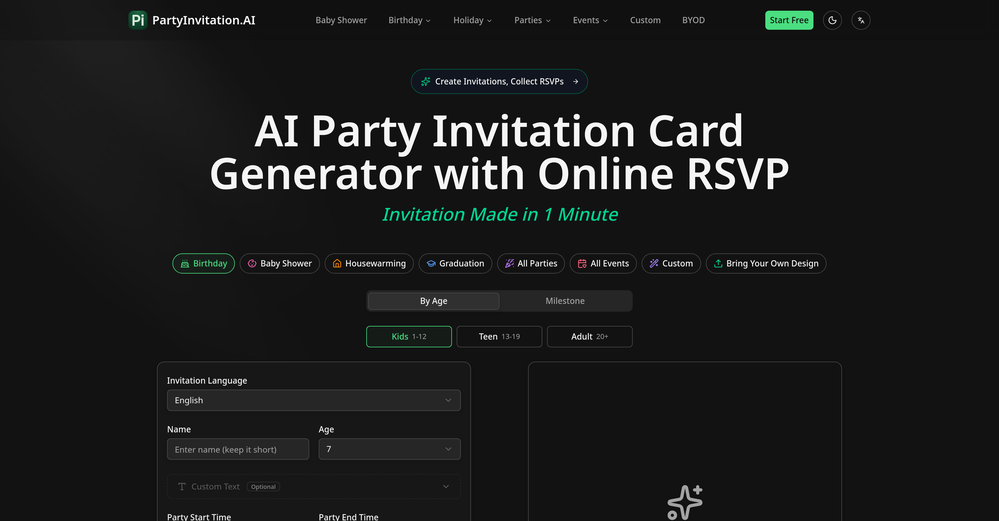
-
Looks very interesting. However, no numbers can be purchased outside US or CA.
-
 Create unique AI birthday invitations in under a minute.OpenBirthdayInvitation.ai is a surprisingly polished and practical tool. It lets you generate beautiful birthday invitations in under a minute, and the built-in online RSVP feature is a huge bonus — no more spreadsheets or manual tracking. I especially love that you can upload your own custom design and still get a free RSVP form. It works well for kids’ parties and adult birthdays alike, and the interface is clean and easy to use. If you’re looking for a fast, modern alternative to traditional invitation templates, this is absolutely worth trying.
 -
Pretty useful tool for decorating ideas, but they are a bit unrealistic
-
Great tool for content creation. It automatically finds context on your brand and learns your brand voice
-
 Open
Open -
 Generate Honey Singh-style lyrics instantlyOpen
 -
 Open
Open -
-
 Save hours by auto-replying to YouTube comments with context-aware AI.Open
 -
 AI-powered guide for custom PC buildsOpen
 -
 AI party planner: Tailored drinks, stress-free gatherings.Open
 -
 AI-powered Truth or Dare Generator creates unique questions and challenges.Open
 -
 Unified customer insights across every channel, every moment.Open
 -
 Open
Open -
 Supercharge digital campaigns with the world's leading independent DSP.Open
 -
 AI-powered Truth or Dare for unforgettable parties.Open
 -
 AI-generated truth questions and dare challenges for parties.Open
 -
 Create hyper-realistic beach party scenes for personal branding.Open
 -
 Open
Open -
 Discover shows based on your tastes, goodbye decision paralysis!Open
 -
Step into the distant future with our dystopian murder party game.Open
-
 Specializes in PlantUML diagrams with structured API and microservice groupsOpen
 -
 Open
Open -
 Simplify UK construction laws with AI.Open
 -
Open
-
 Event planning assistant for parties and formal gatherings.Open
 -
 Open
Open -
 Explica imparcialmente as propostas do LivreOpen
 -
 Impartially explains Social Democratic Party proposals.Open
 -
 Providing detailed table game rules, always with multiple options.Open
 -
 Impartially explains Pessoas–Animais–Natureza party proposals.Open
 -
 Open
Open -
 Open
Open -
 Legal Expert in reviewing Unilateral Non-Disclosure AgreementOpen
 -
 Expert in drafting Part-Time Employment Agreements.Open
 -
 Open
Open -
 Sign up to chat with birthday party candidate, Paul B. JohnsonOpen