
 Mini tools
▼ Latest
Pol
Free mode
100% free
Freemium
Free Trial
Verified tools
-
 Unlimited transcripts, summaries, 99.8% accuracy, speaker recognition, superfastOpen
 dunn🙏 13 karmaAug 3, 2024@Transcript LOLI already have another transcription tool, but this one is much better. I love the different features such as the summary, quiz, and chapters. It does a great job of them. I've only done one transcript so far to try it out, but I'm truly impressed and am going to grab another code. A couple things that would make it even better are: - the ability to rename the files and organize them through folders. - the ability to download a copy of the other features as well as the transcript. Copying and pasting it works, but doesn't keep the format.
 -
-
The pool design consultants best friend. If you don't know complicated design software, you can create amazing pool design concepts for potential clients in seconds using the AI in this tool.
- Sponsor:
 Base44💻 Vibe coding
 -
-
link is taking to pollo.ai which simply uses vidu ai model and charges double for extra some extra tools please either fix the link to actual vidu ai or change the name to pollo ai very misleading actual vidu ai link www.vidu.com












Other tools
-
They recently changed to a “point based system” where free users get 3000 daily point. Subscribers get 100,000,000 points monthly plus the 3000 daily. Each model has a wide range of costs. Some are cheap and some are more expensive. There is no longer unlimited messages for subscribers. It has since sparked an outrage among the community with many ending their subscriptions and moving away from Poe.
-
 Open
Open -
-
Contradictory, even misleading ad. They claim ”unlimited Messages” and then they cap it with 100000 words.
- Didn't find the AI you were looking for?
-
 Create videos with consistent characters and scenes.OpenSays free trial but then there's not enough credits. False marketing in my book.
 -
Easy to use and the support for Romanian and Hungarian is excellent! Even my mom uses it.
-
Such a nice tool. I uploaded a few integrals that had me completely stuck and it solved them INSTANTLY, with step by step super clear explanations. Great tool if you’re struggling with math
-
It worked only once and then failed consistently every time.
-
-
 Transform any idea into stunning minimalist 3D artwork.OpenChanged the prompt to improve results.
 -
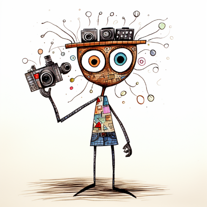
 Create hilariously bad 3D art from ideas.Open
 -
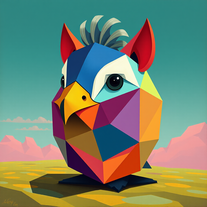
 Transform subjects into vibrant, low-poly portraits.Open
 -
 Transform photos into vibrant comic book illustrations.Open
 -
 OpenVideo editing is the process of selecting, trimming, and arranging footage to create a cohesive story or visual narrative. Here are some fundamental concepts and techniques: Types of Video Editing Linear editing: A straightforward, sequential approach to editing, where clips are arranged in a linear timeline. Non-linear editing: A more flexible approach, where clips can be arranged and rearranged freely in a timeline. Key Video Editing Techniques Cutting: A transition between two clips, where one clip ends and another begins. Cutting on action: Cutting between two clips while an action is in progress, to create a seamless transition. J-cut: Cutting from one clip to another while audio from the second clip starts playing before the video cuts to it. L-cut: Cutting from one clip to another while audio from the first clip continues to play. Video Editing Software Popular video editing software includes: Adobe Premiere Pro: A professional-level editing software with advanced features and integration with other Adobe tools. Final Cut Pro: A professional-level editing software for Mac users, known for its user-friendly interface and advanced features. DaVinci Resolve: A free and paid editing software that offers advanced color grading and audio editing tools. Best Practices for Video Editing Plan your edit: Develop a clear vision and storyboard before starting to edit. Organize your footage: Label and categorize your clips to make them easily accessible. Keep it simple: Avoid overusing transitions and effects; focus on telling a clear story. Advanced Video Editing Techniques Color grading: Adjusting the color and brightness of footage to create a specific mood or atmosphere. Audio ducking: Automatically reducing the volume of background audio when dialogue is present. Motion graphics: Adding animated text, logos, or other graphics to enhance the visual narrative. Video editing involves selecting, trimming, and arranging footage to create a cohesive story. Linear and non-linear editing are two fundamental approaches. Key techniques include cutting, cutting on action, J-cuts, and L-cuts. Popular software includes Adobe Premiere Pro, Final Cut Pro, and DaVinci Resolve. Best practices involve planning, organizing footage, and keeping it simple. Advanced techniques include color grading, audio ducking, and motion graphics. Capcat pro Capcat pro Download image-to-image-generator generated imagetransparent pixel Image to Image Generator Image to Image Generator Download image-to-image-generator generated imagetransparent pixel Image to Image Generator Image to Image Generator Download image-to-image-generator generated imagetransparent pixel Image to Image Generator Image to Image Generator Download image-to-image-generator generated imagetransparent pixel Image to Image Generator Image to Image Generator Download image-to-image-generator generated imagetransparent pixel Image to Image Generator Image to Image Generator Download image-to-image-generator generated imagetransparent pixel Image to Image Generator Image to Image Generator Download image-generator generated imagetransparent pixel Image Generator Image Generator Copy Video Editing Basics Video editing is the process of selecting, trimming, and arranging footage to create a cohesive story or visual narrative. Here are some fundamental concepts and techniques: Types of Video Editing Linear editing: A straightforward, sequential approach to editing, where clips are arranged in a linear timeline. Non-linear editing: A more flexible approach, where clips can be arranged and rearranged freely in a timeline. Key Video Editing Techniques Cutting: A transition between two clips, where one clip ends and another begins. Cutting on action: Cutting between two clips while an action is in progress, to create a seamless transition. J-cut: Cutting from one clip to another while audio from the second clip starts playing before the video cuts to it. L-cut: Cutting from one clip to another while audio from the first clip continues to play. Video Editing Software Popular video editing software includes: Adobe Premiere Pro: A professional-level editing software with advanced features and integration with other Adobe tools. Final Cut Pro: A professional-level editing software for Mac users, known for its user-friendly interface and advanced features. DaVinci Resolve: A free and paid editing software that offers advanced color grading and audio editing tools. Best Practices for Video Editing Plan your edit: Develop a clear vision and storyboard before starting to edit. Organize your footage: Label and categorize your clips to make them easily accessible. Keep it simple: Avoid overusing transitions and effects; focus on telling a clear story. Advanced Video Editing Techniques Color grading: Adjusting the color and brightness of footage to create a specific mood or atmosphere. Audio ducking: Automatically reducing the volume of background audio when dialogue is present. Motion graphics: Adding animated text, logos, or other graphics to enhance the visual narrative. Video editing involves selecting, trimming, and arranging footage to create a cohesive story. Linear and non-linear editing are two fundamental approaches. Key techniques include cutting, cutting on action, J-cuts, and L-cuts. Popular software includes Adobe Premiere Pro, Final Cut Pro, and DaVinci Resolve. Best practices involve planning, organizing footage, and keeping it simple. Advanced techniques include color grading,
 -
 Transform into an ultra-realistic 8K jungle warrior.Open
 -
 Create hyper-realistic beach party scenes for personal branding.Open
 -
 Transform portraits into cinematic sunset moments.Open
 -
 Transform photos into cinematic Funko-Pop portraits.Open
 -
 Transform faces into hilarious peephole distortions.OpenThese are SO FUN!!! One of the best minitools on this site, idea is so unique
 -
 Transform photos into bold WPA-style geometric art.Open
 -
 Creates immersive first-person perspective images that simulate your own eyes.OpenChanged the prompt to improve results.
 -
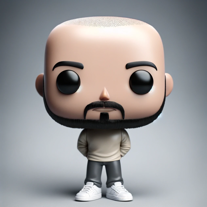
 Create adorable Funko Pop-style characters from any concept!OpenChanged the prompt to improve results.
 -
Changed the prompt to improve results.
-
 Transform photos into Lichtenstein pop-art portraits.Open
 -
 Transform words into vibrant pop art portraits.Open
 -
 Transform ideas into 3D anime-inspired battle scenes.Open
 -
 Transform ideas into vibrant pop art masterpieces.Open
 -
 Create AI-powered coloring books with whimsical pop culture mashups.Open
 -
-
 Craft multilingual pop-rock lyrics effortlessly.Open
 -
 Open
Open -
-
 Strategy tool for politicians providing in-depth policy and polling analysis.Open
 -
 Open
Open -
 Adaptable expert on current entertainment and media trends.Open
 -
 Creating FAQs for dropshipping/POD from blog titles.Open
 -
 Open
Open -
 Your go-to helper for tasty recipes, meal plans, and nutrition advice.Open
 -
 Open
Open -
 Transform your photos into Funko Pop style characters.Open
 -
 A supportive virtual parenting assistant offering tailored advice and insights.Open
 -
 Open
Open -
 Assists with pregnancy-related queries, empathetically and informatively.Open
 -
 Creating royalty-free alternative descriptions.Open
 -
 Your GPT expert on League of Legends for tips, lore, and updates.Open
 -
 Explore Poe's classic tale with rich insights.Open
 -
 Leading in Latin America in Forensics and Criminal Investigation.Open
 -
 Open
Open -
 Open
Open -
 Open
Open






































































































Lists


Post





