
 Mini tools
▼ Latest
Pon
Free mode
100% free
Freemium
Free Trial
Featured matches
-
 AI custom design, print-on-demand clothing, from your idea to your closet.Open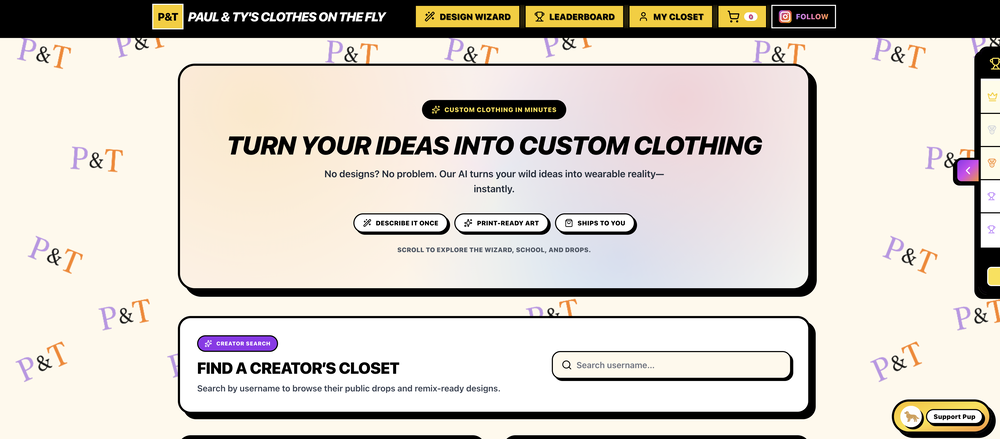
 August🙏 8 karmaJan 22, 2026@Paul & Ty's Clothes on the FlyAlright so this site actually does what it says. You get 5 free generations a day which I thought was more than enough. My wife is really into those ACOTAR books lol and we got her Night Court shirt in and it looks amazing!!! Thanks Paul and Ty whoever you guys are haha
 -
 Open
Open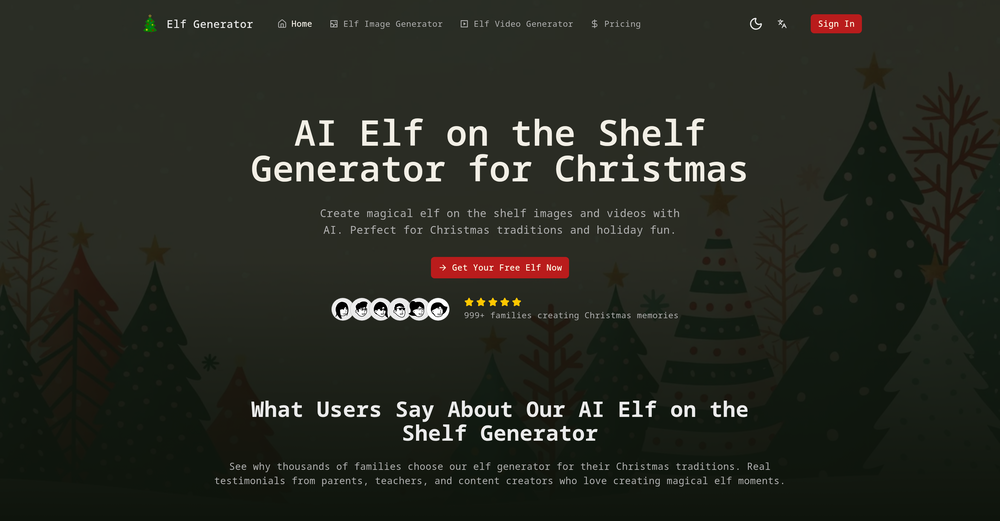
-
-
 Cool tool. Used it to see my business sucks on ChatGPT :/ Will start improving!


Verified tools
-
-
 OpenHi, this is Zeeshaan, co-founder of The Influencer AI. Virtual try on technology has recently taken a massive jump with new core models, and we wanted to let people to see what it's like for themselves. I think this could be genuinely value-creating, and just enable things that weren't possible before. Open to all feedback. Appreciate the community!
 -
 Change the clothes in any model photo using another reference imageOpenGive it a try on the web app and be amazed by the results. The AI image processing is outstanding, and the intuitive flow makes it a pleasure to use. Highly recommended for anyone looking for a seamless and impressive experience!
 -
I recently started using Pin Generator, and I can confidently say it’s a game-changer for Pinterest creators. This tool is the best combination of all current Pinterest creation tools, including Canva, but it takes things to a whole new level. Compared to Tailwind, Pin Generator is far superior, allowing me to create everything I need quickly and effortlessly. One of the standout features of Pin Generator is its bulk creation capability, which feels like Canva Bulk Creation on steroids. I no longer have to manually add backgrounds, making the process of creating quotes and other bulk content incredibly fast and easy. The options for using it across multiple accounts are exceptional, providing flexibility and efficiency. Pin Generator has revolutionized my Pinterest workflow, saving me not just hours, but days of work. The efficiency it brings is unparalleled, allowing me to focus on other important tasks while maintaining a robust Pinterest presence. A special shoutout to Ollie, the creator of Pin Generator. His responsiveness to emails and openness to suggestions for future additions have been impressive. He’s even helped me figure out how to use some features I was initially unsure about. His support and dedication to improving the tool make a significant difference. Overall, I couldn’t be happier with Pin Generator. If you’re looking for a powerful, efficient, and user-friendly Pinterest creation tool, Pin Generator is the way to go.
- Sponsor
 Base44 Superagents-AI agent that does it all
 -
 Private Q&A with your Documents on Windows or Mac.Open
 -
 AI Chat assistant & Chatbots for productivity & creativity automation.Open
 -
I am a youtuber, I need a demo account to make videos
-
-
If you are a LinkedIn Premium member sure. If not, this is useless.
-













Other tools
-
They recently changed to a “point based system” where free users get 3000 daily point. Subscribers get 100,000,000 points monthly plus the 3000 daily. Each model has a wide range of costs. Some are cheap and some are more expensive. There is no longer unlimited messages for subscribers. It has since sparked an outrage among the community with many ending their subscriptions and moving away from Poe.
- Didn't find the AI you were looking for?
-
Hey I'm the creator of the app! Thanks for sharing. Happy to answer any questions or concerns :)
-
Easy to use, no app downloads or whatsoever. It also supports audio messaging in many languages.
-
 AI phone agent for restaurants: answers calls, takes orders, books reservationsOpen
 -
tried using it for an essay i had to write and honestly it was a struggle, the whole thing was super confusing and didn’t really help with what i needed. maybe i just couldn't figure it out. ended up doing it the old way lol :(
-
At the moment it works for me, perhaps try again?
-
 Create magical My Little Pony characters with friendship themes.Open
 -
 AI-powered Bible study companion for deep scriptural insights.Open
 -
 Open
Open -
 Transform portraits into cinematic Italian street-style magazine shots.Open
 -
 Open
Open -
 Transform yourself into cinematic dessert scenes.Open
 -
 Transform yourself into ultra-realistic scenes with impossible scale.Open
 -
 Open
Open -
 Ultra-realistic AI photo generator creating cinematic 8K images.Open
 -
 Transform photos into ultra-realistic miniature chef figurines.Open
 -
 Create cinematic photos with giant and miniature versions of yourself.Open
 -
 Open
Open -
 Transform photos into ultra-realistic 8K cinematic scenes.Open
 -
Simply upload your photo; you don't need to type anything in the prompt field. Just click "generate" and watch the magic happen.
-
 Open
Open -
 Open
Open -
 Transform photos into vibrant comic book illustrations.Open
 -
 OpenVideo editing is the process of selecting, trimming, and arranging footage to create a cohesive story or visual narrative. Here are some fundamental concepts and techniques: Types of Video Editing Linear editing: A straightforward, sequential approach to editing, where clips are arranged in a linear timeline. Non-linear editing: A more flexible approach, where clips can be arranged and rearranged freely in a timeline. Key Video Editing Techniques Cutting: A transition between two clips, where one clip ends and another begins. Cutting on action: Cutting between two clips while an action is in progress, to create a seamless transition. J-cut: Cutting from one clip to another while audio from the second clip starts playing before the video cuts to it. L-cut: Cutting from one clip to another while audio from the first clip continues to play. Video Editing Software Popular video editing software includes: Adobe Premiere Pro: A professional-level editing software with advanced features and integration with other Adobe tools. Final Cut Pro: A professional-level editing software for Mac users, known for its user-friendly interface and advanced features. DaVinci Resolve: A free and paid editing software that offers advanced color grading and audio editing tools. Best Practices for Video Editing Plan your edit: Develop a clear vision and storyboard before starting to edit. Organize your footage: Label and categorize your clips to make them easily accessible. Keep it simple: Avoid overusing transitions and effects; focus on telling a clear story. Advanced Video Editing Techniques Color grading: Adjusting the color and brightness of footage to create a specific mood or atmosphere. Audio ducking: Automatically reducing the volume of background audio when dialogue is present. Motion graphics: Adding animated text, logos, or other graphics to enhance the visual narrative. Video editing involves selecting, trimming, and arranging footage to create a cohesive story. Linear and non-linear editing are two fundamental approaches. Key techniques include cutting, cutting on action, J-cuts, and L-cuts. Popular software includes Adobe Premiere Pro, Final Cut Pro, and DaVinci Resolve. Best practices involve planning, organizing footage, and keeping it simple. Advanced techniques include color grading, audio ducking, and motion graphics. Capcat pro Capcat pro Download image-to-image-generator generated imagetransparent pixel Image to Image Generator Image to Image Generator Download image-to-image-generator generated imagetransparent pixel Image to Image Generator Image to Image Generator Download image-to-image-generator generated imagetransparent pixel Image to Image Generator Image to Image Generator Download image-to-image-generator generated imagetransparent pixel Image to Image Generator Image to Image Generator Download image-to-image-generator generated imagetransparent pixel Image to Image Generator Image to Image Generator Download image-to-image-generator generated imagetransparent pixel Image to Image Generator Image to Image Generator Download image-generator generated imagetransparent pixel Image Generator Image Generator Copy Video Editing Basics Video editing is the process of selecting, trimming, and arranging footage to create a cohesive story or visual narrative. Here are some fundamental concepts and techniques: Types of Video Editing Linear editing: A straightforward, sequential approach to editing, where clips are arranged in a linear timeline. Non-linear editing: A more flexible approach, where clips can be arranged and rearranged freely in a timeline. Key Video Editing Techniques Cutting: A transition between two clips, where one clip ends and another begins. Cutting on action: Cutting between two clips while an action is in progress, to create a seamless transition. J-cut: Cutting from one clip to another while audio from the second clip starts playing before the video cuts to it. L-cut: Cutting from one clip to another while audio from the first clip continues to play. Video Editing Software Popular video editing software includes: Adobe Premiere Pro: A professional-level editing software with advanced features and integration with other Adobe tools. Final Cut Pro: A professional-level editing software for Mac users, known for its user-friendly interface and advanced features. DaVinci Resolve: A free and paid editing software that offers advanced color grading and audio editing tools. Best Practices for Video Editing Plan your edit: Develop a clear vision and storyboard before starting to edit. Organize your footage: Label and categorize your clips to make them easily accessible. Keep it simple: Avoid overusing transitions and effects; focus on telling a clear story. Advanced Video Editing Techniques Color grading: Adjusting the color and brightness of footage to create a specific mood or atmosphere. Audio ducking: Automatically reducing the volume of background audio when dialogue is present. Motion graphics: Adding animated text, logos, or other graphics to enhance the visual narrative. Video editing involves selecting, trimming, and arranging footage to create a cohesive story. Linear and non-linear editing are two fundamental approaches. Key techniques include cutting, cutting on action, J-cuts, and L-cuts. Popular software includes Adobe Premiere Pro, Final Cut Pro, and DaVinci Resolve. Best practices involve planning, organizing footage, and keeping it simple. Advanced techniques include color grading,
 -
 AI-powered stencil silhouette design tool.Open
 -
 Transform into an ultra-realistic 8K jungle warrior.Open
 -
 Create hyper-realistic beach party scenes for personal branding.Open
 -
 Transform photos into whimsical art masterpieces.Open
 -
-
 Transform images into stunning coastal art installations.Open
 -
 Transform photos into cinematic Funko-Pop portraits.Open
 -
 Transform faces into hilarious peephole distortions.OpenThese are SO FUN!!! One of the best minitools on this site, idea is so unique
 -
 Open
Open -
 Transform photos into bold WPA-style geometric art.Open
 -
 Creates immersive first-person perspective images that simulate your own eyes.OpenChanged the prompt to improve results.
 -
 Create adorable Funko Pop-style characters from any concept!OpenChanged the prompt to improve results.
 -
Changed the prompt to improve results.
-
 Transform photos into Lichtenstein pop-art portraits.Open
 -
 Transform text into surreal pen-and-pencil sketches with watercolor washes.Openhmmm yeah great, i'm sure i could also recreate these in real life, with pencils
 -
 Transform any text into vibrant street art!Open
 -
 Create kawaii embroidery designs with AI magicOpen
 -
 Transform words into vibrant pop art portraits.Open
 -
 Transform ideas into 3D anime-inspired battle scenes.Open
 -
 AI-powered dog names for your unique pupOpen
 -
 Transform ideas into vibrant pop art masterpieces.Open
 -
 Create AI-powered coloring books with whimsical pop culture mashups.Open
 -
-
 Create vibrant AI art with geometric patterns and whimsical designs.Open
 -
 Create dazzling metallic statues on the Seine.Open
 -
 Create captivating minimalist portraits with AIOpenI think the pictures are amazing.
 -
 Open
Open -
 Craft multilingual pop-rock lyrics effortlessly.Open
 -
 Craft AI-powered TV schedules for Brazilian viewers.Open
 -
 AI-powered book recommendations based on stories you loveOpen
 -
cool concept. the cartoons look nice and pretty accurate, though some feel a bit basic.still a fun tool overall.
-
 Unleash your podcast potential with professionally crafted scripts.Open
 -
 Open
Open -
-
 Mastering business storytelling for brand presentations and pitches.Open
 -
 Ask the transcripts any question.Open
 -
Answering any question about the universe.Open
-
Expert on Urawa Red Diamonds, offering detailed club history and player info.Open
-
 Crafting exceptional t-shirt designs for POD platforms.Open
 -
 Adaptable expert on current entertainment and media trends.Open
 -
 Creating FAQs for dropshipping/POD from blog titles.Open
 -
 Open
Open -
 Your virtual assistant to explore and understand any topic.Open
 -
Expert on non-profit organizations, philanthropic and informative.Open
-
 Open
Open -
 Capture today's world history with easy sketches.Open
 -
 Open
Open -
 Comprehensive guide for NCLEX-PN strategies and prioritization.Open
 -
 Expert in conflict resolution and non-violent communicationOpen
 -
 Open
Open -
 Creating print on demand designs, titles, and keywords.Open
 -
 Expert in non-fiction book outlines with various content suggestionsOpen
 -
 Open
Open -
 Open
Open -
 Upload and perfect your non-profit grant applications.Open
 -
 Discover something about the history of Markvartice village near Děčín.Open























































































Post





