Go to section
Spotlight SureThing.io - "OpenClaw" for BeginnersTask automation
The front page of AI.Used by 90M+ humans.

Generate image
Tasks
Generate text
Free mode
Trending
Leaderboard
Characters
 Mini tools
New
Featured
Lists
Agents
Requests
Jobs
Map
Newsletter
Starter pack
Free tools
Speech to text
Text translator
Remove background
Settings
Edit profile
My tools
Gallery
Dashboard
Inbox
Get featured
Contact TAAFT
For you
Popular
Job impact index
Most saved
Affiliate program
Submit AI tool
Notification preferences
Glossary
Home
Timeline
My profile
Create tool
Deals
Companies
Models
Robots
Papers
Fundraises
Repositories
Devices
Organizations
Events
Prompt Pack
Merchendise
APIs
Features
Tools
Countries
Collections
Videos
Mini tools
New
Featured
Lists
Agents
Requests
Jobs
Map
Newsletter
Starter pack
Free tools
Speech to text
Text translator
Remove background
Settings
Edit profile
My tools
Gallery
Dashboard
Inbox
Get featured
Contact TAAFT
For you
Popular
Job impact index
Most saved
Affiliate program
Submit AI tool
Notification preferences
Glossary
Home
Timeline
My profile
Create tool
Deals
Companies
Models
Robots
Papers
Fundraises
Repositories
Devices
Organizations
Events
Prompt Pack
Merchendise
APIs
Features
Tools
Countries
Collections
Videos
Mini tools
New
Featured
Lists
Agents
Requests
Jobs
Map
Newsletter
Starter pack
Free tools
Speech to text
Text translator
Remove background
Settings
Edit profile
My tools
Gallery
Dashboard
Inbox
Get featured
Contact TAAFT
For you
Popular
Job impact index
Most saved
Affiliate program
Submit AI tool
Notification preferences
Glossary
Home
Timeline
My profile
Create tool
Deals
Companies
Models
Robots
Papers
Fundraises
Repositories
Devices
Organizations
Events
Prompt Pack
Merchendise
APIs
Features
Tools
Countries
Collections
Videos

▼ Latest
Subtitle-creation
Free mode
100% free
Freemium
Free Trial
Featured matches
-
 Jen🙏 3 karmaMay 22, 2026@Link To Text | Video To TextTried this with a couple clips and the speed was honestly impressive. Feels super useful for creators and research workflows.
 -
 You are absolutely right. There are a lot of founder and certain types of tools that assume their users are experts, making their products very technical. GeekLink is not that kind of product. A creator shouldn't have to know the exact parameters, meanings, and depths behind it. All of that is handled behind GeekLink.
 -
-
 AI video translation with dubbing and lip-sync.Open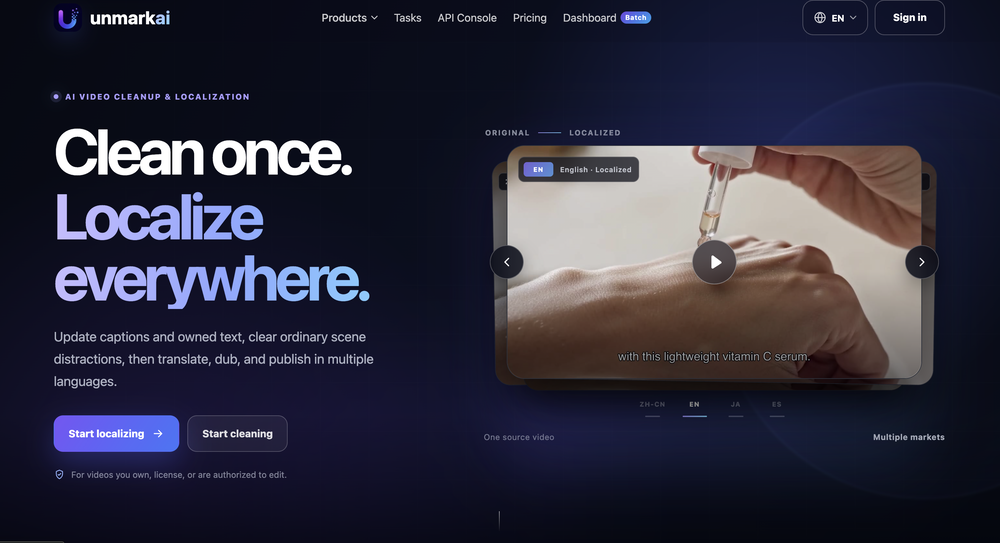




Verified tools
-
Generating captions was super fast like seconds. Wish they had Anton font though
- SpotlightSureThing.io - "OpenClaw" for BeginnersTask automation
-
 Sync your sound, elevate your lyrics with AI-powered video creation.Open
 -
-
 Open
Open -
I tried Animon for a bit and it’s actually pretty solid. It does a good job with simple animations and keeps the original image style pretty well, so the results usually look clean.
-
 Convert YouTube videos to text with 99% accuracy.OpenI’ve used Riverside before and it’s a really solid tool for recording and producing high-quality audio and video. If you’re looking for a YouTube transcript generator, I’ve also been using Saveto AI. It’s been pretty handy for turning videos into clean text and quick notes.
 -
I'm giving it two stars because it does do an ok job on videos but I would NOT recommend this. The "free trial" gives you 80 credits. It's not even enough to make a 60 second video so you can't really "trial" anything. I then spent $35 to make a 60 second video and I did two edits to it and I only have 451 credits left for the month. Until the costs come down, this is not feasible.
-
Hoox app is a very easy and simple app to navigate and generate your script video for social media. My experience so far has been top-notch and the customer service in the name of Alan Hoox is always pronto to assist whenever needed. I recommend it for anyone that want to create a faceless youtube Ai without editing, selecting or mixing all you details. All you need is just drop your script and wellah your video is ready .
-
Hello Gilson, We disabled free credits because we observed many abusers. Could you please let me know more about the audio quality, surprised to hear this feedback. Thanks
-
Amazing tool! Just started working on my videos and I’m loving everything RenderCut offers. It’s super easy to use and saves me a ton of time with subtitles. 5 tacos, no doubt!
-
-
-
I’ve been using this AI video quiz tool and it’s honestly super useful. It automatically creates quizzes from videos, so you can test your knowledge without any extra effort. Great for learning, especially if you’re someone who retains better through interaction.
-
 Add accurate, multilingual subtitles to videos - fast, right in your browser.OpenThis one is CRAAAAAZY! drop your MP4/MOV, it locks captions to speech cleanly (also multi-language), the in-browser editor is solid and you can either export SRT for youtube or burn the subs in shorts with a couple clicks. it's a W for creators :D
 -
 AI-powered transcription and translation services with unparalleled accuracy.OpenI've been using SubEasy.ai for a while now, and it has completely transformed my workflow. As a content creator working with a multilingual audience, the platform's automatic transcription and translation services are revolutionary tools for me.






















Other tools
-
It's good for me to make my videos into different languages.
-
-
 AI-powered subtitle translation for global content creators.Open
 -
 Open
Open - Didn't find the AI you were looking for?
-
no way to test the product before purchase of a subscription.
-
-
-
-
-
tried submagic and it does the job, auto captions came out clean and it’s super easy to use. free trial lets you upload 3 vids which is enough to test it out, but the watermark on them means you can’t really use those exports anywhere. still, pretty solid tool overall :p
-
-
 AI-powered video editing for YouTube creators.OpenSelamat siang saya akan membagikan tutorial gimana caranya mengedit video di aplikasi capcut
 -
It doesn't create the subtitles and it doesn't let you upload them. You can only create them manually
-
Amazing functionality! I created stunning animations for my online courses.
-
Bro, Captions is actually straight fire for short-form content. Script in, clean captions and edits out, and it makes talking-head clips feel way more polished in minutes. Big w for creators
-
Supertranslate est un outil basé sur l'IA qui permet aux utilisateurs d'ajouter automatiquement des sous-titres anglais aux vidéos dans n'importe quelle langue. Il est alimenté par Whisper d'OpenAI, le moteur de synthèse vocale le plus précis au monde. Le processus est simple et direct : les utilisateurs peuvent télécharger une vidéo dans n'importe quelle langue sur la plateforme, générer des sous-titres, puis télécharger le fichier .srt ou .vtt. La plateforme dispose également d'un éditeur de sous-titres intuitif qui permet aux utilisateurs de diviser, fusionner et ajuster les codes temporels des sous-titres générés. Supertranslate est gratuit, sans carte de crédit requise et peut être annulé à tout moment.
-
 Open
Open -
Works amazing and super quickly, very suprised that you dont need to sign in or pay
-
 Subtitles in multiple languages with dialect and colloquial options.Open
 -
 Open
Open -
 Transforming YouTube subtitles into blog articles.Open