Go to section
Sponsor
 Flow - 4x faster than typing
🎤 Dictation
Flow - 4x faster than typing
🎤 Dictation
The front page of AI.Used by 90M+ humans.

Generate image
Tasks
Generate text
Free mode
Trending
Leaderboard
Characters
 Mini tools
New
Featured
Lists
Agents
Requests
Jobs
Map
Newsletter
Starter pack
Free tools
Speech to text
Text translator
Remove background
Settings
Edit profile
My tools
Gallery
Dashboard
Inbox
Get featured
Contact TAAFT
For you
Popular
Job impact index
Most saved
Affiliate program
Submit AI tool
Notification preferences
Glossary
Home
Timeline
My profile
Create tool
Deals
Companies
Models
Robots
Papers
Fundraises
Repositories
Devices
Organizations
Events
Prompt Pack
Merchendise
APIs
Features
Tools
Countries
Collections
Videos
Mini tools
New
Featured
Lists
Agents
Requests
Jobs
Map
Newsletter
Starter pack
Free tools
Speech to text
Text translator
Remove background
Settings
Edit profile
My tools
Gallery
Dashboard
Inbox
Get featured
Contact TAAFT
For you
Popular
Job impact index
Most saved
Affiliate program
Submit AI tool
Notification preferences
Glossary
Home
Timeline
My profile
Create tool
Deals
Companies
Models
Robots
Papers
Fundraises
Repositories
Devices
Organizations
Events
Prompt Pack
Merchendise
APIs
Features
Tools
Countries
Collections
Videos
Mini tools
New
Featured
Lists
Agents
Requests
Jobs
Map
Newsletter
Starter pack
Free tools
Speech to text
Text translator
Remove background
Settings
Edit profile
My tools
Gallery
Dashboard
Inbox
Get featured
Contact TAAFT
For you
Popular
Job impact index
Most saved
Affiliate program
Submit AI tool
Notification preferences
Glossary
Home
Timeline
My profile
Create tool
Deals
Companies
Models
Robots
Papers
Fundraises
Repositories
Devices
Organizations
Events
Prompt Pack
Merchendise
APIs
Features
Tools
Countries
Collections
Videos

▼ Latest
Text editing tool
Free mode
100% free
Freemium
Free Trial
Featured matches
-
-
-
-
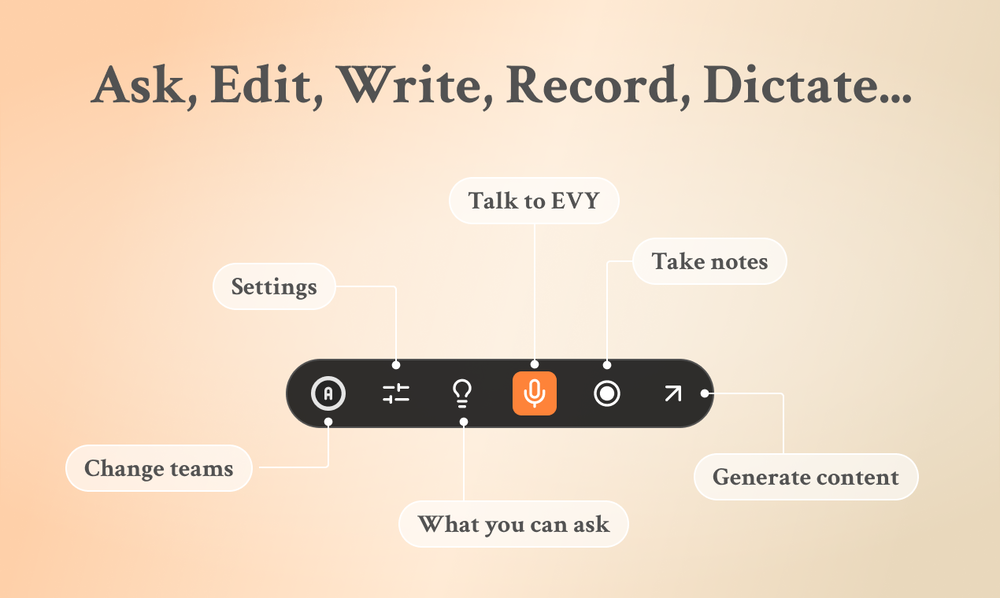
 Eugen Petersen🛠️ 1 tool 🙏 3 karmaFeb 13, 2026@EVY - your AI co-creatorUse it every day! Best AI support for work
 -
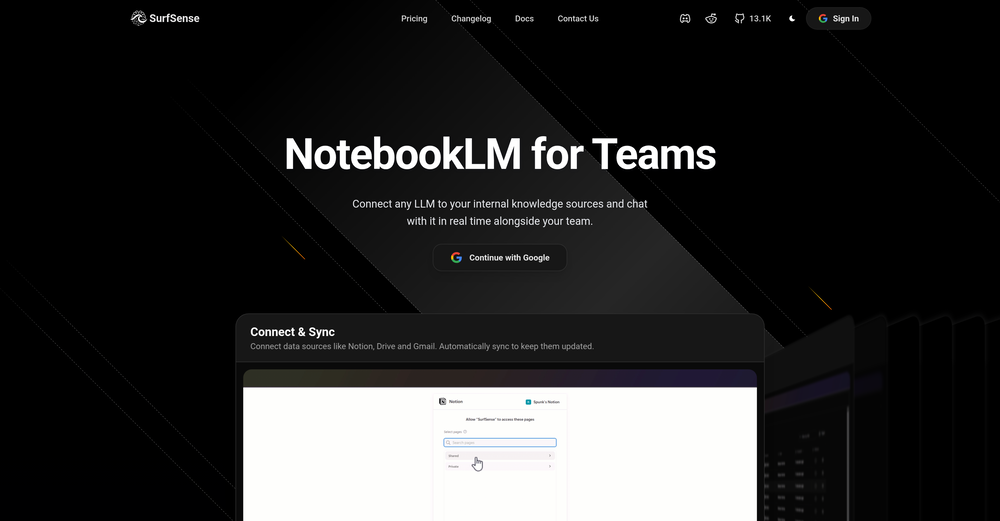 Honestly SurfSense is amazing, I use it almost every morning to get an mp3/podcast of my Gmail, Gcal and urgent Linear tickets so I know exactly what's going on that day. It's also insane for board games because I just throw the rulebooks in and share it with my friends so we can chat with the AI together to figure out how to play. And it is scarily good at untangling and explaining really complex rules when we encounter some weird situation!
 -
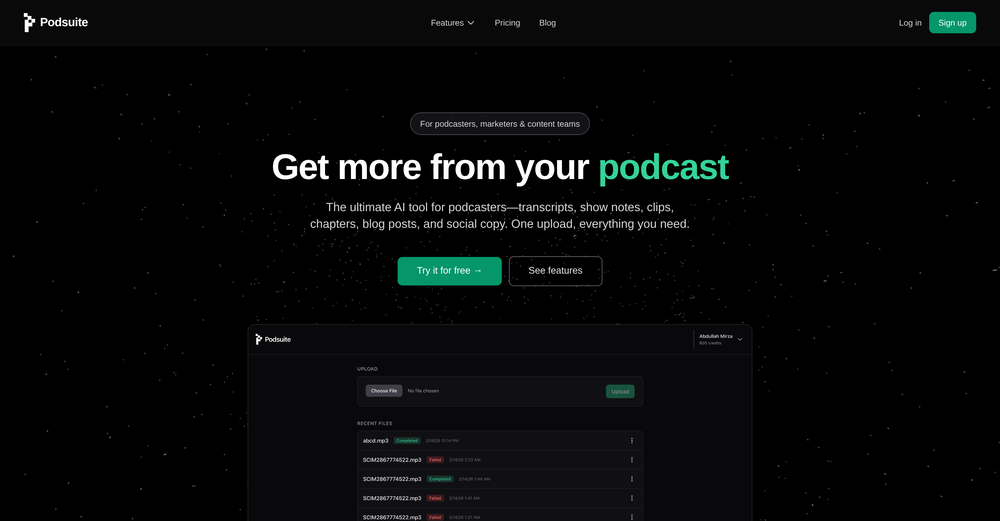 I think it delivers on all of its claims, specially the transcription and Blogs.
 -
-
-
-





Verified tools
- SponsorFlow - 4x faster than typing🎤 Dictation
-
As a student, I regularly work with research papers and long PDFs. PodcastorAI has been a helpful way to turn that content into something I can listen to while commuting or walking. I like that it creates a structured podcast rather than simply reading the text aloud. The dialogue format is surprisingly engaging and makes dense material easier to get through. I still rely on the original documents for deeper study, but for review and knowledge retention, it's been a genuinely useful tool.
-
I use Finepoint all the time. it just makes things easy. I tend to be wordy, and Finepoint captures the context perfectly and delivers much more succinct copy.
-
 ⚡ Your everyday writing companion: Fix grammar, Reply emails, Paraphrase, and more...Open🧩 TextWisely was born from a personal itch ⚠️ Sending numerous Emails and Slack messages daily, I found myself constantly switching apps and re-entering the same prompts into ChatGPT to refine my writing 💡 This inspired me to create TextWisely to boost writing speed, reduce context switching, and improve quality with instant text actions: → Grammar corrections → Email drafts → Structured writing → Tone changes → Translations ...and more 👉 It's a native macOS desktop app – shortcut-heavy for power users, but also click-friendly for those just starting out 🚀 Give it a try – Share your feedback and experience 👋 Edgar, creator of TextWisely
 -
prompted a few different styles and it handled them pretty well. images came out detailed and didn’t take long either. solid for quick ideas.
-
 Open
Open -
made a presentation for my site with just 1 prompt, lol how did the AI get so much information out of my website lol
-
Vireel offers the best realistic ai image to video and ai text to video tools. Incredible no watermark quality!
-
Works wonders for anime, has me taking it in consideration for a tool rotation.
-
typed in my prompts and boooooom. clean descriptions in secs lol. handy if you suck at writing (like me). lowkey a cheat code (no san andreas)
-
-
⭐⭐⭐⭐⭐ Great AI Presentation Tool! I really liked the Brand PPT feature. It helped me create professional, on-brand presentation slides in under 60 seconds. The AI-generated content was well-structured, the design looked polished, and the editing process was simple. It has saved me a lot of time compared to creating presentations manually. Highly recommended for anyone who needs fast, professional-quality PowerPoint presentations.
-
 Edit smarter, faster and easier with Filmora’s powerful AI video tools.Open
 -
 OpenI love this extension, mobile app and desktop software! I use it everyday and everywhere. Generated text are amazing. Well done to the team and continue your incredible work! For me, Voilà is the best AI assistant, copilot and AI writer on the market. I stopped my ChatGPT plus subscription since I discoverer it.
 -
👋 Hey, I'm the founder of Flowova! We built this because we were tired of spending hours dragging boxes in traditional flowchart tools. A few things you might not know: - Works with anything — text, images, PDFs, Word, PPT, Excel, even photos of whiteboard sketches - 40+ themes designed for presentations - Full Mermaid code support for developers Happy to answer any questions! 🚀
-
Didn't really do the graphs that i thought it would do. Good for simple graphs, like for a presentation
-
only the part of my own voice is not possible, but it's amazing as application
-
Every time i switch to a new mac -> this is the first tool i install
-
 Turn prompts into polished images and videos, instantly.Open
 -
-
The "Lion and Sun" symbol is seen on streets where protests are underway, fires are spreading, and the nation has risen up for freedom.
-
Very simple and easy to use. The premium feature of Lyrics helper really helped me to write lyrics exactly the way i wanted.
-
 Transform any image into stunning AI-enhanced visuals.OpenIt can generate any image I want freely, it's amazing!
 -
 Get 99.9% accurate TikTok transcripts in seconds.OpenOne tool that really impressed me—I honestly can’t believe something this good is free. Even if it becomes paid later, I’d still keep using it. The results are just that good.
 -
 Open
Open -
-
AITextSong.com is a solid choice for creators who need high-quality music without a background in production. The ability to extend tracks up to 8 minutes is a standout feature, and the built-in vocal remover is a massive plus for those who want to remix or create karaoke versions. While it could use more vocal customization options, it’s one of the most efficient tools I've found for turning lyrics into fully produced WAV files.
-
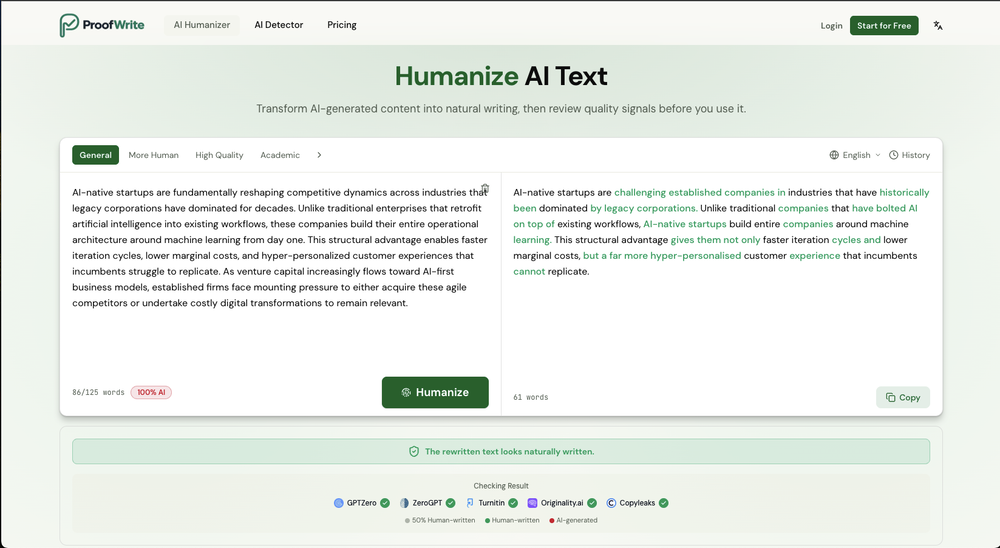
 Transform AI-generated content into natural, human-like text.Open
 -
I tried Animon for a bit and it’s actually pretty solid. It does a good job with simple animations and keeps the original image style pretty well, so the results usually look clean.
-
The infographic maker lets you use it once for free without signing in. This infographic maker is simple and easy to use, even more so than Canva or Venngage. However, the available styles and templates are still limited. I hope they add more design options and customization in future updates. Overall, a good choice for quickly creating infographics.
-
 Remove subtitles, captions, and watermarks from videos instantly.Open
 -
I tested a few AI presentation tools and this one works smoothly inside Google Slides.
-
It's a pity I got a red line saying there is an error Actually, after a while, I got an email with the presentation So it was created, delivery was average I'd say, I didn't use it
-
Pretty good tool for writing assignments or essays even, easy to use, gives a structured way to use AI and the outputs are better than expected, looks human.
-
It's super easy to use, and the humanizer works. I tried a sample text, and it could pass ZEROGPT and GPTZERO (as a human). Recommended.
-
The workflow is straightforward, the output quality is clean, and it’s especially useful for marketing videos, product demos, and social media content. Overall, it’s a solid AI video generator that saves a lot of time. Highly recommended.
-
 Convert YouTube videos to text with 99% accuracy.OpenI’ve used Riverside before and it’s a really solid tool for recording and producing high-quality audio and video. If you’re looking for a YouTube transcript generator, I’ve also been using Saveto AI. It’s been pretty handy for turning videos into clean text and quick notes.
 -
needed broll for a travel vlog and didn't have footage of certain locations. generated some establishing shots with this and they blend in perfectly. not replacing my camera but great for filling gaps
-
needed background instrumentals for a demo track and this delivered. the beats are clean and royalty free which is huge.
-
-
-
Although the results are slightly inferior to Nano Banana, it has more relaxed content restrictions, including NSFW content.
-
 OpenThe watermark was removed so cleanly, it's amazing!
 -
 Open
Open -
It's very easy to use, completely free, and even supports files up to 1GB in size.
-
✨ Key Advantages of Pixwith: 1. Wide range of AI models: From video generation to image creation, enhancement, and style transformation — you get access to a full suite of cutting-edge AI models in one place. 2. Affordable and transparent pricing: Our credit-based system is flexible and offers better value compared to many similar platforms. 3. Free trials available: Several models can be used for free, allowing you to test the quality before purchasing credits. 4.Beginner-friendly interface: Simple and intuitive design — generate high-quality content in just a few clicks. 5.Constant updates: We continuously add new models and features, ensuring you always have access to the latest AI capabilities.
-
Hey everyone 👋 I’m excited to introduce VidFab, an AI-powered tool that turns text and images into cinematic videos in seconds. We built VidFab to help creators and startups make beautiful videos without complex editing or long render times. Just type an idea — and our AI brings it to life. I’d love to hear your feedback and ideas for what features you’d like to see next. Your thoughts really help us shape the future of VidFab!
-
 vocal remover, remove vocal, vocal remover online free, vocal remover AIOpen
 -
Glad to see LitVideo listed here. Have been using it for a while. Easy to use, and LitVideo provides a relatively low-cost entry point into AI video creation.
-
 Remove unwanted text, watermark or logo from images online free.Open
 -
 Turn scripts into creator-style videos instantly.OpenI built this because I had a spare RTX 5090 sitting idle and friends in e-commerce kept telling me UGC videos were too expensive. Most AI UGC tools cost 80 to 110 dollars a month, about 10 dollars per video. My prototype can already create 3-minute videos, but it takes almost an hour on one GPU, so I limited the public version to 30 seconds while I scale to 4 GPUs. Would love feedback on the best pricing model and go-to-market.
 -
-
 OpenIf you care about control over your data, this tool is for you! Looking forward to your questions and feedback. Thank you ❤️
 -
A very clean website — simple, clear, and fast to generate results.
-
 OpenI often struggle to find the right words, but this tool helps me polish my expressions and make my writing flow naturally.
 -
Made writing my first book simple and fast. I turned scattered ideas into a full, professional manuscript in a weekend. The guided flow kept me focused, and the editing felt natural.
-
 AI chat with images – Create, edit, innovate for free!Openthis is completely free, and it is amazing that you can change pictures into art and animations without paying anything.
 -
 Transform AI-Generated text into content that feels like it's written by humanOpenThanks for reaching out. We are committed to provide great user experience.
 -
 Create Celebrity voices and voiceovers in 120 languages with 800+ AI voices.OpenThis is a cool little generator for a quick clip! Could see some potential quick use cases if you needed to generate something with an accent on the fly. Not a bad little tool!
 -
Amazing app and really easy-to-use! It has all the things I need to create a neat, functional, and clear-cut mindmap.
-
For me, watching Pointer AI in action is like witnessing magic - editing even the longest documents is a breeze. Thanks for being such a supportive community. I hope you find as much joy in using Pointer AI as I did in creating it! 😊
-
This is so encouraging — thank you! ❤️ We’re putting everything into the next version to make it even better.
-
Love it!!! It still need work, I wish I can add 3 or 4 more voices in my podcast. I trying to make callers call in. That would help.
-
 Humanize AI text into undetectable and convincing human content.OpenBest one! The only one that does not add mistakes to fool AI detectors.
 -
At least! I’ve always wanted an easy way to make karaoke tracks, and this app does exactly that. Everything I need is all in one place, and it’s super simple to use. My inner frustrated singer approves!
-
Wonderful tool for generation short videos may add options for more voices
-
-
The fact that it's available as a Chrome and Firefox extension makes it super convenient to integrate into my workflow. I love how it not only helps with proofreading and editing but also tracks changes, which is incredibly useful.
-
 Instantly rewrite, polish, and perfect any text without leaving your current tabOpen
 -
 OpenEasily saves me an hour every day - I no longer have to type long winded “professional” sounding email replies to my colleagues, I just speak roughly with minimal effort 👏

















































































































Other tools
-
 Open
Open -
I recently started using Napkin AI, and I couldn't be more impressed! This tool is incredibly user-friendly and intuitive, making it easy to generate clear visual representations from text. Moreover, the interface is clean and visually appealing, which enhances the overall user experience. Napkin AI is a fantastic companion. Highly recommended for anyone looking to elevate their creative process!
-
-
-
-
 Open
Open -
Really useful tool here. Saves a lot of time when creating diagrams. Made a video about it here: https://www.youtube.com/watch?v=ClySYyEBvno
-
Says "free during testing," but keeps telling me I have insufficient credits. I also can't seem to find a way to delete my account.
- Didn't find the AI you were looking for?
-
I’ve used this product, and the AI video generation quality is excellent. Most importantly, it offers the best value for money I’ve ever seen. In addition, if you need help optimizing your video prompts, you can email their professional advisors for free consultation.
-
This tool is just rewriting the text, and the limit is 1500 words.
-
Not sure what I'm doing wrong but I downloaded the extension to my chrome browser and then highlighted my email copy and then clicked on the extension link but there is no button to provide updated copy.
-
-
I hope students will enjoy using Olovka: AI Essay Writer as much as I enjoyed developing the product. Looking forward to your feedback and feature suggestions!
-
You can't do anything without paying
-
-
couldn't even use it... i signed up, had to rewrite my prompt, but then i had to sign in, then rewrite my prompt, then sign in...
-
good one compare with others as it clearly refelect what it said even hindi was clear and perfect where most software fail to produce correct prononciation ramesh rajani
-
The major problem with this product is the limited word count. I tried an article with 975 words and it only humanized about 160 words.
-
Really cool and intuitive tool, it helps me a lot with my articles!
-
nice and easy to use, hopefully we can get more ways of creating questions and topics one day, say from an image or a video
-
it's a useful tools for me , i also use https://wallegent.com and olly.social for my daily work
-
its a language simulator but it comes up in text editor results. it only reveals its not an editor after we create an account. the creator has no integrity
-
Hello! I am writing about an error When using Asc Isaac. It is not the answer that appears, but the text of the HTML code. here is the first half of <!DOCTYPE html> <html> <head> <meta name="viewport" content="width=device-width, initial-scale=1" /> <meta charset="utf-8" /> <title>Server Error</title> <style media="screen"> :root { --bg: hsl(250, 24%, 9%); --fg: hsl(0, 0%, 100%); --pink: hsl(270, 60%, 52%); } html,
-
 Transforms verbose text into razor-sharp, high-impact language.Open
 -
 Transform messy lyrics into polished song structures.Open
 -
 AI-powered writing enhancer for polished, professional text.OpenSays I submitted inappropriate content. It's a freeking report on Puerto Rico.