Go to section
Sponsor
 MongoDB - Build AI That Scales
🗄️ Database
MongoDB - Build AI That Scales
🗄️ Database
The front page of AI.Used by 90M+ humans.

TAAFT Tutorial
Generate image
Tasks
Generate text
Free mode
Trending
Leaderboard
Characters
 Mini tools
New
Featured
Lists
Agents
Requests
Jobs
Map
Newsletter
Starter pack
Free tools
Speech to text
Text translator
Remove background
Settings
Edit profile
My tools
Gallery
Dashboard
Inbox
Get featured
Contact TAAFT
For you
Popular
Job impact index
Most saved
Affiliate program
Submit AI tool
Notification preferences
Glossary
Home
Timeline
My profile
Create tool
Deals
Companies
Models
Robots
Papers
Fundraises
Repositories
Devices
Organizations
Events
Prompt Pack
Merchendise
Credits
APIs
Features
Tools
Countries
Collections
Mini tools
New
Featured
Lists
Agents
Requests
Jobs
Map
Newsletter
Starter pack
Free tools
Speech to text
Text translator
Remove background
Settings
Edit profile
My tools
Gallery
Dashboard
Inbox
Get featured
Contact TAAFT
For you
Popular
Job impact index
Most saved
Affiliate program
Submit AI tool
Notification preferences
Glossary
Home
Timeline
My profile
Create tool
Deals
Companies
Models
Robots
Papers
Fundraises
Repositories
Devices
Organizations
Events
Prompt Pack
Merchendise
Credits
APIs
Features
Tools
Countries
Collections
Mini tools
New
Featured
Lists
Agents
Requests
Jobs
Map
Newsletter
Starter pack
Free tools
Speech to text
Text translator
Remove background
Settings
Edit profile
My tools
Gallery
Dashboard
Inbox
Get featured
Contact TAAFT
For you
Popular
Job impact index
Most saved
Affiliate program
Submit AI tool
Notification preferences
Glossary
Home
Timeline
My profile
Create tool
Deals
Companies
Models
Robots
Papers
Fundraises
Repositories
Devices
Organizations
Events
Prompt Pack
Merchendise
Credits
APIs
Features
Tools
Countries
Collections

▼ Latest
User productivity tool
Free mode
100% free
Freemium
Free Trial
Featured matches
-
 Turn Any Workshop Recording Into a Process Map in 60 SecondsOpen
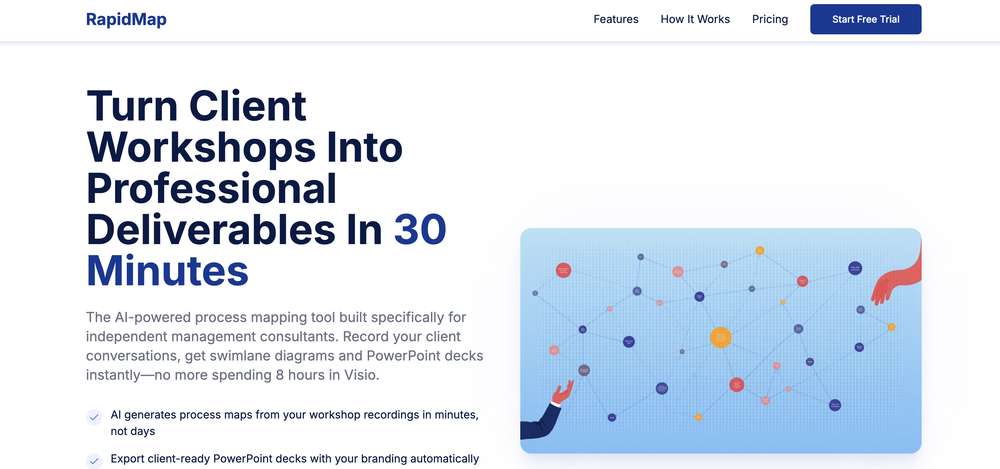 The fastest way to turn workshop notes and transcripts into process maps and streamlined workflows - Added Leanify Intelligence to review process maps for Lean Six Sigma-style flow issues, evidence gaps, rework, handoffs and decision points. - Improved Level 1 and Level 2 process maps with clearer decision paths, labelled branch outcomes and stronger evidence traceability. - Added smarter evidence-needed handling so weak or unsupported subprocesses are flagged for review instead of being over-mapped. - Improved regeneration and map-quality checks so refreshed maps retain clearer labels, provenance and review status.
 -
 Amanda Nelson🙏 1 karmaFeb 3, 2026@WorkmateUsed this for scheduling my last 3 interviews and honestly forgot how annoying it was before. One company wanted to do 4 rounds and instead of me going back and forth with their HR person a dozen times, Workmate just handled it. Saved me from that weird anxiety of 'did I respond fast enough' or 'is this time actually gonna work.'
 -
 Impressive work from the team at Tented.ai, their approach to AI-driven automation is genuinely next-level.
 -
-
-
 Finally, process optimization without the 10k consultant fees" Review: As a small business owner, I've always known we could be more efficient, but hiring a business consultant was way out of budget. Maxee.me changed that completely. What I love: ✅ Takes 60 seconds to get concrete optimization suggestions ✅ Shows actual numbers (% efficiency gain, % revenue increase) ✅ Industry-specific recommendations (not generic advice) ✅ First 3 suggestions free - perfect to test before buying I run a hair salon and got suggestions like "digital booking system" (+18% efficiency) and "product sales at point-of-service" (+18% revenue). Actually implemented them and saw results within 2 weeks! The full analysis (€29.95) is worth it if you're serious about optimization. Way cheaper than any consultant and gives you actionable steps immediately. Only minor con: Currently German-focused, but they're working on English version. Best for: Small businesses (1-50 employees), retail, restaurants, service providers Not for: Large enterprises with existing process management systems
 -
-
-
 Use it every day! Best AI support for work
 -







Verified tools
- SponsorMongoDB - Build AI That Scales🗄️ Database
-
 AI-powered construction site safety and compliance management.Open
 -
This started from a small frustration that wouldn't go away: I'd open 12 tabs for "research," skim none of them properly, and close my laptop feeling more behind than when I started. The web rewards reading speed, not reading depth — and I wanted a tool that flipped that. So I built GetTheGists: a Chrome extension that gives you the gist of any page in 3 seconds, then lets you ask follow-up questions like you would a smart friend who already read it. A few things we went out of our way to get right: - Cognitive hierarchy, not walls of text. Every summary is structured as Gist → Why It Matters → Key Takeaways → Implications. Compression before precision. - Ask, don't just read. Hit the page with follow-ups, get answers grounded in the content. - 20 languages, full dark mode, and a resizable side panel that actually respects your screen. What surprised me building this: the hardest part wasn't the AI — it was deciding what not to show. Every iteration was about removing a section, not adding one. It's free to try (Premium and Pro tiers if you want higher limits). I'd love your honest feedback — especially on the summary format and where it falls short on your favorite kind of page. I'll be in the comments all day. Thank you for taking a look 🙏
-
Really impressed with Junior.so so far. Having an AI teammate inside Slack that can handle CRM updates and follow-ups without me constantly prompting it feels genuinely useful, especially for small teams juggling sales and ops. Setup was pretty smooth, and the daily reports are a nice bonus.
-
-
As a student juggling classes and deadlines, this tool is a lifesaver. It helps me stay on track without having to manually check everything.
-
Saves me from rewatching hour-long recordings just to find one decision point. The recap feature is clutch when back-to-back calls pile up and I need to remember who committed to what.
-
Hey everyone! I’m Martin — co-founder, builder, and creator of OneTask 🚀 OneTask is specifically designed for people with ADHD and other creatives who can’t be bothered to spend time “managing” their tasks, and instead need an app that just helps them get things done. We have a Todoist and Google Calendar integration, and offer many other features that will help you optimize your life. Let me know if you have any questions! As of this writing, we have a special lifetime deal featured on our website — be sure to catch it before it’s gone! Martin
-
 Break creative barriers with AI for marketing teams.OpenUnite is amazing! The ultimate tool for marketing teams.
 -
I've been using AI Presentations for creating slides for my educational YouTube channel, and it's been really helpful. Usually, making presentation slides takes me a lot of time, especially when covering study topics, but this tool speeds up the process a lot. I like that it gives a good structure for the content and creates clean-looking slides that don't need much editing. It helps me focus more on researching and explaining topics instead of spending hours on design. It's not perfect, and I still make some changes to fit my style, but it saves enough time that it's become part of my regular workflow. For teachers, students, and educational content creators, it's definitely worth trying.
-
This is truly a wonderful experience that brings joy and delight.
-
Thank you everyone for trying 1UI! If you haven't yet, give it a spin and use code ‘TAAFT’ to get $5 credits to try 1UI.
-
👋 Hey, I'm the founder of Flowova! We built this because we were tired of spending hours dragging boxes in traditional flowchart tools. A few things you might not know: - Works with anything — text, images, PDFs, Word, PPT, Excel, even photos of whiteboard sketches - 40+ themes designed for presentations - Full Mermaid code support for developers Happy to answer any questions! 🚀
-
 Turn any browser workflow into a polished, AI-narrated video guide in minutes.OpenHey everyone, I’m Evaldas, co-founder of Guideless, the fastest way to turn any browser workflow into a polished, AI-narrated video guide in minutes. No screen recording. No tedious editing. Just turn on the extension, click through your process as you normally would, and instantly get a share-ready guide. We recently shipped a major update: a sleeker UX and new high-quality AI voiceover characters — making guides sound and feel more vibrant than ever. Give Guideless a try and see how effortless creating high-quality tutorials can be 🪄
 -
 AI-powered whiteboard for marketers to create winning content fast.Open
 -
Spoken Punctuation Say punctuation and symbols by name and Voibe types them as you dictate, instantly and on your Mac. On by default, and you can turn it off anytime in Settings. Spoken Punctuation & Symbols Say a mark or symbol by name and Voibe types it instead of the words. Say "comma" for a comma or "open paren" for an opening bracket, plus @, math signs, currency, and even full email addresses. It happens the instant you speak, entirely on your Mac. Structure By Voice Use "new line", "new paragraph", "bullet point", or "numbered list" to lay out paragraphs and lists while you dictate. Cleaner Transcripts Custom dictionary words are recalled accurately without leaking into your text. Stability & Setup Fixes More Reliable Model Downloads Models now download with an integrity check, so a wrong or corrupted download no longer breaks transcription. If a download does fail, you can reach us directly with a new Contact Support option. Audio Handling While Dictating Improved how Voibe manages other audio playing on your Mac while you dictate. Live Dictation Watch your words appear as you speak, and edit them before they land. Live Dictation A new third dictation mode. Your words appear on screen as you speak, so you can read along and make edits before the text lands in your app. Like every mode, it transcribes entirely on your Mac. Cancel a Dictation Instantly Press Escape to discard the current dictation before it's inserted. Improved Simpler Default Hotkeys Hands-Free now starts with Fn+Space, and a quick double-tap of Fn works too. You can also assign function keys like F1 and F2, and choose your own key combination for Push-to-Talk. Refreshed App Icon A cleaner look for the Dock and menu bar icons.
-
 Your AI presentation agent for instant professional slides.OpenA great AI presentation maker
 -
the founder is cool, definitely a recommendation if you have personal requests and grow the app along with you.
-
Hey this is Tan, I'm the creator of NotesBot. I created this tool because I needed it for my own meetings. After using myself and getting great summarization reviews from my peers, I decided to release it to the public. After release, we realized people were also using it for Dungeons and Dragons, I then added a DnD mode. This tool is non-invasive, very easy to set up, and perfect for meetings. I hope you enjoy using it!
-
Every time i switch to a new mac -> this is the first tool i install
-
Hey AI fans, I am Kalo, co-founder of Breezemail. If your inbox is anything like mine, you spend at least 20% of your life opening, answering, and unsubscribing from emails. Arguably, the only thing more tedious than this is fixing your grandma’s Windows XP (arguably). Or you just gave up, and your inbox app has a cute red dot with a truncation ellipsis (…), also known as the symbol of inbox doom. Either way, the whole inbox situation is an absolute disaster. We wanted to solve this challenge using AI. Breezemail will help you enter the holy land of Inbox Zero. It’s an email categorizer tool that keeps important emails in your inbox and categorizes the rest into folders using natural language prompts. How does it work? 1. Breezemail has a default Important category which leaves all your real human emails in your inbox. 2. Everything else is organized into AI folders (or labels). Labels using natural language prompts, for example, “All emails from my family”. 3. We give you a bunch of pre-defined categories to start with, and you can create your own custom categories, the same way you would write a ChatGPT prompt (yes, our tool also uses ChatGPT). We’ve been testing it in-house for both our personal and business emails, and it worked so well that I no longer hate link builders and outreach people because their requests are neatly organized into a couple of folders. For my personal inbox, I can finally see all my receipts in one place, and all stock newsletters are ready for daily review in a different folder. Go try it out now for free. We’d love to hear your feedback, so please don’t be shy and drop me a line back. Currently, the tool is only available for Outlook, but we are working on a Gmail app, too. If you’d like to try it for Gmail, please let us know. Thank you, Kalo
-
“AI replies in your voice, not AI’s” is actually such a smart positioning line 👀
-
Finally, a productivity tool that doesn't overcomplicate things. Caret's tab-complete works seamlessly across apps — once you get used to it, going back feels impossible. Exactly what macOS was missing.
-
-
-
These are sooo cool, I love them, so many cute outfits I can create for Roblox
-
 Instantly summarize and translate any YouTube video or website with AIOpen
 -
 Chrome extension that turns lazy prompts into pro-level instructions.Open
 -
 AI email co-pilot: Draft, triage, and capture notes effortlessly.OpenGreat tool! Look forward to trying!
 -
This AI PDF Summarizer worked really well
-
-
-
wow, I just tried this and I'm actually shocked as to how good this is... Half the price of using GPT/Claude to help me with my notetaking and it's honestly 10x faster. This is a gamechanger for me, thank you!!
-
 Transform your codebase into comprehensive, beautiful documentation automatically.Open
 -
 AI-native operating system for strategic execution in founder-led B2B companiesOpenSuper cool, super useful, super use friendly!
 -
The best home renovation tool with a great user experience and stunning 4K outputs, to visualize imagination into reality.
-
 OpenLove this app! So great at implementing several proven concepts to help with efficiency, productivity, and the ability to be consistent with tracking, rewards and gasification. Game changer in this space.





















































Other tools
-
Tried AnyGen for a bit and I like how flexible it feels compared to more rigid AI generators. Seems useful for quickly experimenting with different types of content and ideas without overcomplicating the workflow.
-
I just generated a strategy for my idea. I’ve never seen such a clear document. It’s non-generic and very creative. I don’t know what the recipe is behind it, but it’s very well written. Thank you, Elena!
-
Not bad, its freemium and the feature is good like private pdf and support OCR
-
Its actually good. I was able to make 3 screens using the promo code and they were better than the other UI tools.
-
Didn't really like the output, made some good directives for me and insight that i haven't came across so far. Not really sure if i will trust it with my main projects though. How safe is it?
- Didn't find the AI you were looking for?
-
-
Registration before trial is a bad 1st impression and even worse user experience.
-
 Ignite creativity with AI-powered whiteboarding and mind mappingOpenNo competition, the Fine-tuning is second to none.
 -
Ayyyy this thing's actually valid! It starts spitting lyrics right away and they're kinda fire too
-
-
Hey! I reached out to you via email - should be all fixed now 😅 Not sure if it was a Stripe or a me issue
-
Clipmove text to video is the best Ive tried so far,turned out better than expected. It can generate 2k 60fps engaging videos with captions, I'm impressed 👍
-
couldn't even use it... i signed up, had to rewrite my prompt, but then i had to sign in, then rewrite my prompt, then sign in...
-
 Open
Open -
-
-
-
This is a nice concept. Anyway app needs to be more polished. Can’t delete notes. I was expecting auto assign of topics, or at least suggestions to be more creative instead of just showing some random words from the text I’ve entered.
-
Yeah, Chatgot is really amazing. I used it for over two months, it was really precise and helpful with every kind of question. I used to ask it to explain math problems to me, and any other questions. It gave detailed and comprehensive explanations. It used to be free, but now it is premium so I can't use it anymore. Overall, it's really great.
-
A knowledge base that doesn’t tie to revenue impact (less churn / faster onboarding) often sits unused -> ~20–30% drop in retention vs teams that quantify value. What metric are you using to prove Userdoc moves revenue, not just pages?
-
Uizard is so great for spinning out ideas and iterating. You can generate designs from text prompts as well as individual screens and themes. Also has a ton of other cool AI features like turning screenshots into editable designs and attention heatmaps. I suck at design so this is a game changer for me.
-
 Generates personalized, adjustable study schedules tailored to your unique preferences.Open
 -
-
 Open
Open -
doesn't generate anything 3d, nor animated. images also took a long time to make :(
-
 Enables salespeople to write best practice sales agendasOpen
 -
 Maximize efficiency with Mojju's AI Personal Assistant.Open
 -
 Efficient at web browsing, video transcription, and financial data retrieval.Open
 -
 Expert in PowerPoint structures, slide descriptions, and speaker notes.Open