
 Mini tools
▼ Latest
Ai presentation generator
Free mode
100% free
Freemium
Free Trial
Featured matches
-
 NextDocs v1.7.0 - Motion Animations, Video Export, and More Released: March 2026 Animate any object on your slides. Export to video. Present with confidence. NextDocs v1.7.0 adds motion animations to presentations. Select any element on the canvas and assign entrance, exit, or emphasis animations. Preview directly in the editor, then present full-screen with keyboard controls. The AI assigns appropriate animations automatically when generating slides. Describe what you need. AI generates animated presentations. You get ready-to-present results. --- Motion Animations Every object on the canvas can be animated. Text, images, shapes, charts, diagrams. Select an element, open the motion panel, and choose an animation. Animations are organized in beats. Logical groups that play together. Each presentation supports up to 20 beats, reorderable by dragging in the sidebar. What makes this powerful: - Stagger animations: group objects and have them animate one by one with a delay - Drag-and-drop ordering: rearrange animation sequences visually - In-editor preview: see animations without entering presentation mode - Auto-play after generation: AI picks sensible animations and plays them automatically - Keyboard navigation: arrow keys to advance, spacebar to play, escape to exit Use cases: - Pitch decks: reveal key numbers one at a time for dramatic effect - Lecture slides: step through formulas and diagrams progressively - Sales presentations: build visual stories that guide attention - Conference talks: control pacing so the audience focuses on what you are saying --- Video Export Create animated content and export the full sequence as an MP4 file. No external video editing software needed. What you can create: - Short explainer videos for social media - Animated infographics for reports - Product walkthroughs and demos - Educational video content for courses The AI generates motion-ready slides designed for video output. The export pipeline handles concurrent frame capture and produces a clean MP4 you can share directly. --- Page Transitions Presentations now support smooth fade and slide transitions between pages. Combined with motion animations, your slides flow naturally from one to the next. --- Also in v1.7.0 Keyboard Shortcuts Full keyboard control in presentation mode. Arrow keys, spacebar, escape. Faster Template Browsing Images preload in the background for instant display. WebP Blog Images Blog pages load faster with optimized image formats. i18n System New unified management system with audit tooling across 13 languages. About Page New company About page with full localization. Redesigned Marketing Pages New hero section, animated statistics, improved template browsing with category chip labels. Mobile responsiveness improved across all pages. --- Who is this for? Business Professionals Pitch decks, sales presentations, and quarterly reviews with animated reveals. Teachers and Professors Lecture slides with progressive reveal of complex concepts. Students Thesis defenses and coursework presentations with professional animations. Content Creators Animated explainer videos and social media content, exported as MP4. Engineers and Designers Technical walkthroughs and product demos with controlled pacing. --- Try It Go to nextdocs.io. Open a presentation. Add your first animation. If you have ever wished your AI-generated slides had more visual storytelling, v1.7.0 delivers that. - The NextDocs Team
 -
 hvdraxx🙏 2 karmaMar 4, 2026@Bobr AII'm absolutely blown away by the design quality of the presentations they look so vibrant and stylish. I was also pleasantly surprised that the AI asks lots of clarifying questions to make sure the final result is exactly what I wanted, not just something random. Vibes 🔥
 -
 I tested a few AI presentation tools and this one works smoothly inside Google Slides.
 -
-
 made a presentation for my site with just 1 prompt, lol how did the AI get so much information out of my website lol
 -

-
-
-
-
 The only AI designed to disagree with you.Open











Verified tools
-
 Create stunning presentations in seconds with AIOpen
 -
 Your AI presentation agent for instant professional slides.OpenA great AI presentation maker
 -
Thanks for your note. Pi is independently developed, with more than Gamma: richer themes, interactive surveys, AI copilot. 7-day free trial—try it to see! We value innovation and users.
-
 Generate professional presentations in seconds with AIOpenDid not allow to download the slides.... ideally they should keep it free till sufficient traffic hits the platform and allow people to share feedback.
 - Sponsor
 Rocket - Think it. Type it. Launch it.
 -
-
 OpenYou spent half of hour on describing how your presentation should look like, and just after that getting informed that you need to pay subscription to proceed. Who’ll pay my time back?
 -
Used it for PPT generation and performed extremely well, especially the numbers and data part.
-
 AI-powered outreach and multimedia delivery to help sales and marketing teams close.Open
 -
 OpenThere is nothing here that meets the presentation requirements. The slides are monotonous and boring; it's as if I just copied my entire text and pasted it onto 10 slides - there's no value in that. The information is inconvenient and uninteresting to read. It's even summarised and organized worse than I could do it in 5 mins. It's better to use free GPT and put all into slides then use this. Omg it's really very bad, extremely poor, and I will never use it again.
 -
We're live folks! Do check us out and drop your feedback or requests.
-
 From idea to launch: professional AI-generated content in one place.OpenHi everyone! I am Adnan, the author of MakerSuite.AI. I am a content creator as well as a software engineer (16+ years of experience). MakerSuite has been created firstly for my own needs with a goal to help me organize content creation workflow (from YouTube scripts to blog and social media posts). The application covers a lifecycle from idea generation to complete script, thumbnail, description, and all the necessary things to prepare you for video recording or to provide you with a script that you can use on your blog or social media platforms. MakerSuite is a result of continuous work from more than 6 months of active day-night and weekend hard work on it. In the end I decided to share it with the world so other people could benefit from it, and also in return I can pay off the hard work and support the platform's future development and maintenance costs. As the models and infrastructure cost a lot. I am open to any form of suggestions or comments; even negative ones are always welcome. The platform has a lot of planned future developments that have to be added to make it even better. Please share your thoughts and feedback in the comments section, as it will help me improve it more! Thanks, everyone! Best, Adnan
 -
Just tried yesterday. The first productivity tool which allowed me to create professional slides, reports, and sheets with my data in a few minutes. Was able to connect 20 of my tools in less than 5 minutes.
-
Hello Everyone, My name is Mohamed, the Co-Founder of linesNcircles.com. At linesNcircles our mission is to revolutionize AI & Humen Interaction. Our first product TheBar is an AI agent which can build websites for you, edit them, saves files locally, browses the internet and provide you with answers to your questions all in very simple interface. TheBar runs on your computer without signup. Your website files are saved locally with the option to publish them under our website with one click. All your files are under your creations folders. We built TheBar to be simple to use, super fast in building things for you and we are working tirelessly, to bring in more features for you like writing pdf documents and making presentations which are coming soon. Check TheBar out it is available for free now on our website https://www.linesncircles.com. We would love to hear your feedback and comments
-
 AI-powered insights to optimize your LinkedIn presence.OpenGreat to hear, glad it was helpful for you.
 -
 Open
Open -
It works surprisingly well. Clean plus you can actually try it first without having to drop money right away. helps if you are not sure it'll fit your needs. Solid stuff.
-
A very useful AI slides tool! The content it generates is genuinely smart.
-
It does it's job and I love that it has a lifetime plan
-
ppt.ai has saved me at least 80% of the time spent on making PPTs. I just need to submit rough ideas or drafts to ppt.ai, and it can create a relatively usable PPT. This is simply amazing! Although some revisions and optimizations are still needed afterward, it’s already a huge relief compared to starting from scratch.
-
-
Great tool, offers a lot of data story suggestion and detailed charts.
-
Best PDF to Explainer Videos AI Tool
-
-
Surprisingly Powerful & Underrated I originally used TeraBox just to back up my photos and save lecture materials—but the new AI features blew me away. The built-in paraphrasing tool has become my go-to for refining academic writing. It’s a hidden gem that deserves way more attention!
-
I’ve tried almost every AI slide generator out there, and Tosea is in a league of its own. Most tools just scrape the surface, but Tosea actually digs into my research PDFs. It captures the nuance and logical flow of the original document without the usual AI hallucinations. The slides it produced for my last project were surprisingly deep and well-structured. Plus, being able to export directly to PPTX and make my own tweaks is a lifesaver. It’s easily saved me hours of manual formatting this week.
-
I really gotta let my heart out, got so many great reviews from my peers. It has helped me make my school work so much easier. I work with little children so when i make it cartoonish it's giving me the best one's yet.
-
 Blazingly fast multi-view consistent rendering of 3D models with SketchUp supportOpen
 -
 AI render enhancer built for archviz professionals.Open
 -
 OpenWorked well to fill my room. Would love to see more options in terms of what I can configure in the future releases.
 -
I dont see eny progect! after promt saying "image" is done and.. thats it> nothing.
-
 Transform one photo into complete Etsy media kits.Open
 -
-
Cool tool. I hope you continue to develop this tool to reach its full potential. Keep it up
-
 Studio-quality AI headshots in 30 minutes.Open
 -
I got some free credits to try the app when I signed up, I could create a few great infographics
-
We built UPCV with a simple intention: to make writing a resume no longer the most frustrating part of the job search. We’ve spent a long time refining our guided questions, real-time formatting engine, ATS-friendly structure, and multilingual support. We’ve also talked to many real job seekers to better understand their challenges. Whether you’re writing your first resume, switching careers, coming off a gap, or just struggling with layout and structure — we hope UPCV helps you take that step more easily and frees up your time for what truly matters: building a better future for yourself. Thank you for choosing to click on us in a sea of tools. We’ll keep working hard to make it even better.
-
-
Nice art! This tool seems promising, keep up the good work
-
 OpenThe PowerPoint presentation I made met my expectations very well
 -
 Turn your slides into narrated videos with AI voiceoverOpenWe built Vidsembly to make video creation from presentations as simple as having a conversation. Just upload your slide deck, pick a voice, and get a clean narrated video in minutes. No editing software or mic needed. Great for creators, educators, and sales teams who want their message to land. You can try it free with 30 credits.
 -
Generate decks in seconds that are indistinguishable from top consulting firms. Using only verified data and credible sources. Xavier specializes exclusively in business and consulting presentations, unlike general AI presentation tools.
-
Six months ago I was building some landing pages and found myself wasting way too much time downloading stock photos, cropping them, resizing, rehosting... the whole thing felt broken. I looked around for a tool that just let me describe the image I wanted and get it in the right format instantly—but nothing really existed. So I built Inliner AI. Now when I need an image, I just write what I want directly into a URL like this: https://img.inliner.ai/my-project/panda-playing-guitar-on-stage_1200x750.png Hit enter and boom Inliner generates an original AI image, intelligently cropped, resized for the web, and served instantly via CDN. Need a quick edit? Just append it to the URL: .../remove-the-guitar_900x750.png No uploads, no UI, no waiting. You can also upload your own products, people, or logos and compose them into generated scenes. For more control, there's a Studio web GUI where you can play with prompts and dimensions and compare variants side by side before committing. Where this gets really powerful is when you show your LLM how to use these URLs. Once it knows the pattern like: https://img.inliner.ai/my-project/xxx-yyy-zzz.png It can generate, tweak, and iterate on image assets dynamically, right inside your prompts or your code. Everything stays self contained in the link. We also include copy/pasteable instructions for Claude, GPT, Cursor, and more so you can wire this up in minutes. If you're building a product, designing a page, or just prototyping something new try it out and let me know what you think!
-
I felt there is need of more ready made templates. But, it does what it claims. I chose one question suggested by the AI agent, and it created the infographics in few seconds. It's cool. Saving it for future reference.
-
I had to tweak a few things to match my brand style, but overall it saved me a ton of time. Definitely handy if you need something fast and professional-looking.
-
 Open
Open -
An AI that can present slides! I used to only use AI that could create PowerPoint presentations, but this is the first time I've encountered an AI that can present slides for me! I hope it will provide even more help with my work in the future.
-
Thanks for free credits. Please 🙏 adapt for mobile💪
-
 We provide brand-consistent and fully customisable illustration sets at speed and scaleOpenLoved the app! I see real life use case for this and the opportunities are insane! Keep going you guys!































































Other tools
-
I have been using z.ai for two weeks for web development and it's mind blowing for me. What amaze me more is its capacity to understand my existing code with very little context and suggest -or just write- lot of improvement. I did some test to compare it with ChatGPT, Claude, etc. but the results were no even close. And I keep pushing the limits but it doesn't even blink.
-
Makes it easy to get started with a presentation if you have an outline, but as soon as you want more control, you're better off using Google Slides. Gamma's feature that I used the most was image generation - you can select among a variety of models (Ideogram, Flux, DALL-E, but not Midjourney), and it shows 3 variations to choose from. Performance is slow and a little janky, even in Chrome. Prompts and settings are often not respected - e.g. you set it to "preserve text" and just generate slides, and it goes onto dumping an entire 3 paragraphs of text in one slide. You can't overlay text over images (e.g. for image attribution), and there's no precise positioning control, or grouping elements. No way to control table layout, e.g. to have two images slide-by-side in full bleed mode. I tried Gamma for a new presentation, but next time I need to make a presentation, I'll go back to Google Slides and generate images independently.
-
It’s more than just a presentation maker, it also helps organize information.A great alternative to PowerPoint or Google Slides when you need something fast and professional. It has become part of my daily workflow at the office.
-
-
Takes input (full presentation text in my case) as prompt and generates its own copy. Poor image quality. Boring layout. No bullets etc. You can try once with your free credits. no fun
-
Asked it to create an animation. Took a few tries but it managed to create a very good one for the purpose I wanted it to use.
- Didn't find the AI you were looking for?
-
Really useful tool here. Saves a lot of time when creating diagrams. Made a video about it here: https://www.youtube.com/watch?v=ClySYyEBvno
-
Says "free during testing," but keeps telling me I have insufficient credits. I also can't seem to find a way to delete my account.
-
Data narration and augmentation are valuable tools from datumfuse.ai
-
-
 Create stunning hand-drawn flowcharts from text instantly.OpenI use AI Flowchart Generator to create flowcharts for my blog posts. It’s incredibly easy to use and saves me so much time. Now, I can turn my text to flowchart and make my posts more interesting and helpful for readers!
 -
You can't do anything without paying
-
Seems good , but do not have single easy to use step guide to help use it. Its like your learn and then it works . They could prepared a small cheat sheet to make their product easy to use . I am logging out
-
It's really a cool concept, but for a year is over $1000 subscription price, and you can't even try it first ONCE before having to pay! When you sign up, you should get (x)# of free trials, even if it's like... limited. The fact you can't even try it is super lame!
-
This is the first slide creator I found that actually creates an outline, and nice looking slides with images. The one negative/con is it takes yoursubject and title and generates an outline, but it doesn't allow you to put in your own outline
-
-
don't see how this is different form DALL-E or midjourneu
-
 Transform subjects into stunning mixed-media collages.Open
 -
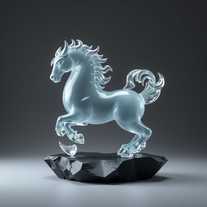 Transform ideas into surreal glass-slate sculptures.Open
 -
 Generate professional cookbook-quality food photography prompts instantly.Open
 -
 Creates stunning, high-resolution technological visuals from futuristic gadgets to AI concepts.Open
 -
 Open
Open -
 AI that turns home descriptions into stunning architectural visualizations.Open
 -
 Transform ordinary product photos into stunning, market-ready e-commerce images.Open
 -
pretty solid minitool for food renders, it gets close to the prompt and the plates look believable but it can miss tiny details, so the image sometimes lands a bit flat. works ok, not great, not terrible.
-
 Your AI writing coach for expert, motivating feedback.Open
 -
 Open
Open -
 Open
Open -
Hi Christian! Looks like it's working for me, can you give it another try?
-
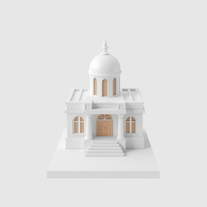 AI-powered 3D renders for stunning architectural concepts.OpenNice experience, selection of materials to play with imagination and ease!
 -
An experience you will be totally impressed with
-
 Transform products into vintage or modern masterpieces.Open
 -
 AI-powered image generation for stunning business visuals.Open
 -
 Transform food ideas into mouthwatering visual masterpieces.Opennot baaad. it turned my prompts into something that actually looked... tasty? def better than i expected for a mini tool like this. good stuff
 -
 AI-powered backgrounds for stunning visuals.Open
 -
Thanks so much ! So glad you’re enjoying it too
-
-
Plus AI makes creating engaging presentations a breeze. I’m impressed by the smart suggestions that align perfectly with my needs. It’s like having an AI co-worker always ready to help!
-
 Crafting stunning PowerPoint presentations from research to product.Open
 -
 Upload your startup presentation, get a Silicon Valley-style Elevator PitchOpen
 -
 Expert in creating tailored clinical psychology workshop presentations.Open
 -
 Creating professional PowerPoint slides tailored to your tone.Opensimple, easy and effective. Thanks
 -
 Crafting best presentations by enhancing narrative and visuals.Open
 -
 Expert in PowerPoint structures, slide descriptions, and speaker notes.Open
 -
 Crafting stunning, detailed PowerPoint presentations from research to final product.Open
 -
 Improves PowerPoint presentation in content and timing.Open
 -
 Creative ideas for plating dishes with visual appeal and practicality.Open
 -
 Enhanced PowerPoint Assistant for comprehensive, linked outlines.Open
 -
 Adaptable to your Level of experience Google Slides Assistant.Open
 -
 Data-driven analysis and PPT creation for all industriesOpen
 -
 OpenCould be helpful. Currently seems to have frequent networking and communication issues. Slides tend to be very basic currently.







































































































Post





