Go to section
Spotlight SureThing.io - "OpenClaw" for BeginnersTask automation
The front page of AI.Used by 90M+ humans.

Generate image
Tasks
Generate text
Free mode
Trending
Leaderboard
Characters
 Mini tools
New
Featured
Lists
Agents
Requests
Jobs
Map
Newsletter
Starter pack
Free tools
Speech to text
Text translator
Remove background
Settings
Edit profile
My tools
Gallery
Dashboard
Inbox
Get featured
Contact TAAFT
For you
Popular
Job impact index
Most saved
Affiliate program
Submit AI tool
Notification preferences
Glossary
Home
Timeline
My profile
Create tool
Deals
Companies
Models
Robots
Papers
Fundraises
Devices
Organizations
Events
Prompt Pack
Merchendise
APIs
Features
Tools
Countries
Collections
Videos
News
Investors
Repositories
Modalities
Mini tools
New
Featured
Lists
Agents
Requests
Jobs
Map
Newsletter
Starter pack
Free tools
Speech to text
Text translator
Remove background
Settings
Edit profile
My tools
Gallery
Dashboard
Inbox
Get featured
Contact TAAFT
For you
Popular
Job impact index
Most saved
Affiliate program
Submit AI tool
Notification preferences
Glossary
Home
Timeline
My profile
Create tool
Deals
Companies
Models
Robots
Papers
Fundraises
Devices
Organizations
Events
Prompt Pack
Merchendise
APIs
Features
Tools
Countries
Collections
Videos
News
Investors
Repositories
Modalities
Mini tools
New
Featured
Lists
Agents
Requests
Jobs
Map
Newsletter
Starter pack
Free tools
Speech to text
Text translator
Remove background
Settings
Edit profile
My tools
Gallery
Dashboard
Inbox
Get featured
Contact TAAFT
For you
Popular
Job impact index
Most saved
Affiliate program
Submit AI tool
Notification preferences
Glossary
Home
Timeline
My profile
Create tool
Deals
Companies
Models
Robots
Papers
Fundraises
Devices
Organizations
Events
Prompt Pack
Merchendise
APIs
Features
Tools
Countries
Collections
Videos
News
Investors
Repositories
Modalities

▼ Most saved
Creative app
Free mode
100% free
Freemium
Free Trial
Featured matches
-
 Build web apps and websites without writing any code.Open
 Domantas Patinskas🙏 31 karmaSep 8, 2025@AI Builder | Hostinger HorizonsHey! My name is Domantas and I invite all fellow solopreneurs, business and product owners to try Hostinger Horizons. Using it is super simple - you are creating a website or application just by prompting - chatting with AI. No struggle, code or design skills are needed. You can literally have your website live in few minutes. Looking forward for your feedback!
 -
-
-
 man it literally says that you have to pay to use it
 -
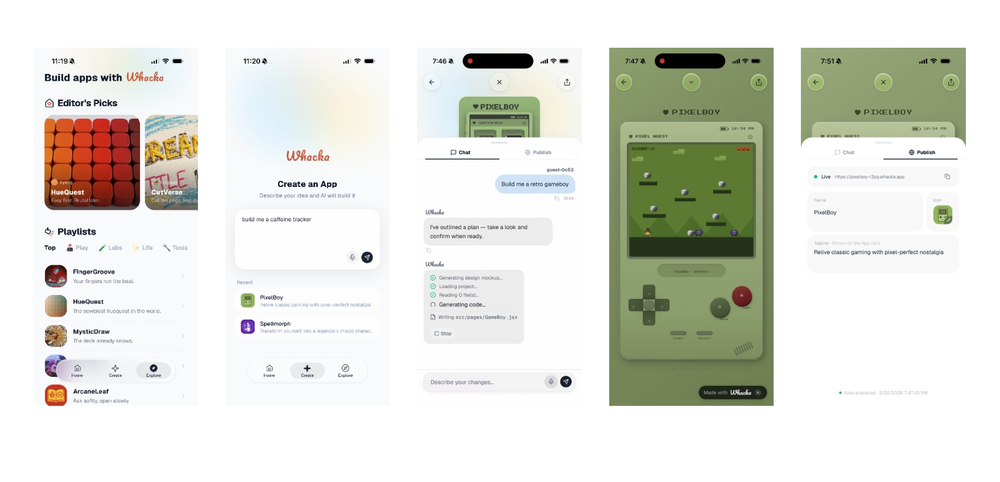
Whacka now lives in your chat.
On Telegram. On Discord. Just say hi once.
It answers anything.
Remembers what matters.
Reminds you before you ask.
And turns one sentence into a real app. -
-
-
-
 Open
Open I was struggling to create some free Christmas and New Year's e-cards, and these templates are really good. I recommend giving them a try. The only downside is that each free template can only be used once.











Other tools
-
eh, not the best, but with a liiiittle bit of shaping your prompt, you can get great results
-
It’s super easy to use! Trickle can handle everything from forms to analytics, and you can deploy your project in no time. Impressive!
-
Rocket is fast as heeeelll for spinning up prototypes when an idea hits. I've shipped small tools and MVPs with this as the foundation, saves days of boilerplate setup. Great one :)
-
I told my team to use this for their projects and it's a huge help!
- SpotlightSureThing.io - "OpenClaw" for BeginnersTask automation
-
They removed the face swap features without any warning. This app should not appear when you search a face swap app anymore.
-
I started using Calvin for my channel and results looks really good. Also, the experience feels amazing
-
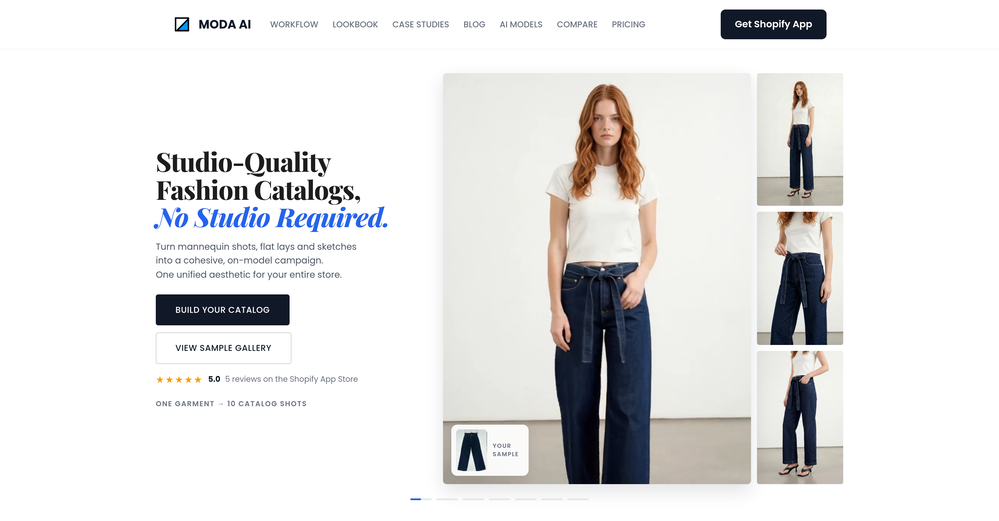
 AI-powered mobile app designs, tailored to you.Open
 -
-
- Didn't find the AI you were looking for?
-
 Supercharge your Google Play Store success with AI.Open
 -
 Transform faces into hilarious peephole distortions.OpenThese are SO FUN!!! One of the best minitools on this site, idea is so unique
 -
-
The Remove Background tool is designed to be quite simple and easy to use. As long as the image is uploaded, the machine can automatically recognize the subject and background range, quickly remove the background, turn it into a transparent background or apply a specific color
-
Was really impressed with the quality of logo gen! I created a logo for my business in 5 minutes and was able to convert it to a vector
-
Tested this out a few days ago for my project and I really like how the icons turned out! Very nice quality, will definitely use it again in the future :)
-
Melo - AI Song Generator
-
 Transform flat icons into glowing visual masterpieces.Open
 -
This app is awesome. So much appreciation for the developer and community and all the hard work they put in.
-
 Open
Open -
-
-
Wow, Vondy sounds like a game changer! So many cool AI tools in one place. Definitely gonna check this out, might save me a ton of time! Hope it's as good as it sounds!
-
It’s easy to plan and test app ideas and the AI helps a bit with coding. Some things could be smoother, but it works fine for simple projects.
-
Generating both Android and iOS while staying native is impressive.
-
-
Has anyone made anything with these tools they could share? Curious about the AI capabilities.
-
i use nova almost every day, mostly for work and learning new things. the app is straightforward and does what i need without a lot of extra clutter. definitely one of the better ai apps i've tried so far.
-
 Open
Open -
Tried this logo tool and it was actually great. It did a really good job incorporating some of the elements I mentioned in the prompt into the design. Definitely helpful for getting ideas.
-
 Create enchanting, personalized bedtime stories for kids.Open
 -
 Open
Open -
 Open
Open -
It *can* be super helpful but it is very regularly wrong when giving you specific how-to instructions. Somewhere in the instructions it's told to default to PrusaSlicer even though you tell it you're working in a different slicer so it's a coin toss whether or not it gives you something helpful or something fabricated that doesn't exist in the slicer you're using. The bro-y-ness is a lot sometimes, especially because it's a text based medium... no one writes like that. Overall, it's fine for general advice and reviewing models but step by step instructions aren't its thing.
-
 Assisting with troubles in game creation using Adobe Animate.Open
 -
 Open
Open