Go to section
Spotlight SureThing.io - "OpenClaw" for BeginnersTask automation
The front page of AI.Used by 90M+ humans.

TAAFT Tutorial
Generate image
Tasks
Generate text
Free mode
Trending
Leaderboard
Characters
 Mini tools
New
Featured
Lists
Agents
Requests
Jobs
Map
Newsletter
Starter pack
Free tools
Speech to text
Text translator
Remove background
Settings
Edit profile
My tools
Gallery
Dashboard
Inbox
Get featured
Contact TAAFT
For you
Popular
Job impact index
Most saved
Affiliate program
Submit AI tool
Notification preferences
Glossary
Home
Timeline
My profile
Create tool
Deals
Companies
Models
Robots
Papers
Fundraises
Repositories
Devices
Organizations
Events
Prompt Pack
Merchendise
APIs
Features
Tools
Countries
Collections
Videos
Mini tools
New
Featured
Lists
Agents
Requests
Jobs
Map
Newsletter
Starter pack
Free tools
Speech to text
Text translator
Remove background
Settings
Edit profile
My tools
Gallery
Dashboard
Inbox
Get featured
Contact TAAFT
For you
Popular
Job impact index
Most saved
Affiliate program
Submit AI tool
Notification preferences
Glossary
Home
Timeline
My profile
Create tool
Deals
Companies
Models
Robots
Papers
Fundraises
Repositories
Devices
Organizations
Events
Prompt Pack
Merchendise
APIs
Features
Tools
Countries
Collections
Videos
Mini tools
New
Featured
Lists
Agents
Requests
Jobs
Map
Newsletter
Starter pack
Free tools
Speech to text
Text translator
Remove background
Settings
Edit profile
My tools
Gallery
Dashboard
Inbox
Get featured
Contact TAAFT
For you
Popular
Job impact index
Most saved
Affiliate program
Submit AI tool
Notification preferences
Glossary
Home
Timeline
My profile
Create tool
Deals
Companies
Models
Robots
Papers
Fundraises
Repositories
Devices
Organizations
Events
Prompt Pack
Merchendise
APIs
Features
Tools
Countries
Collections
Videos

▼ Latest
Video upscaling
Free mode
100% free
Freemium
Free Trial
Featured matches
-
-
-
 Open
Open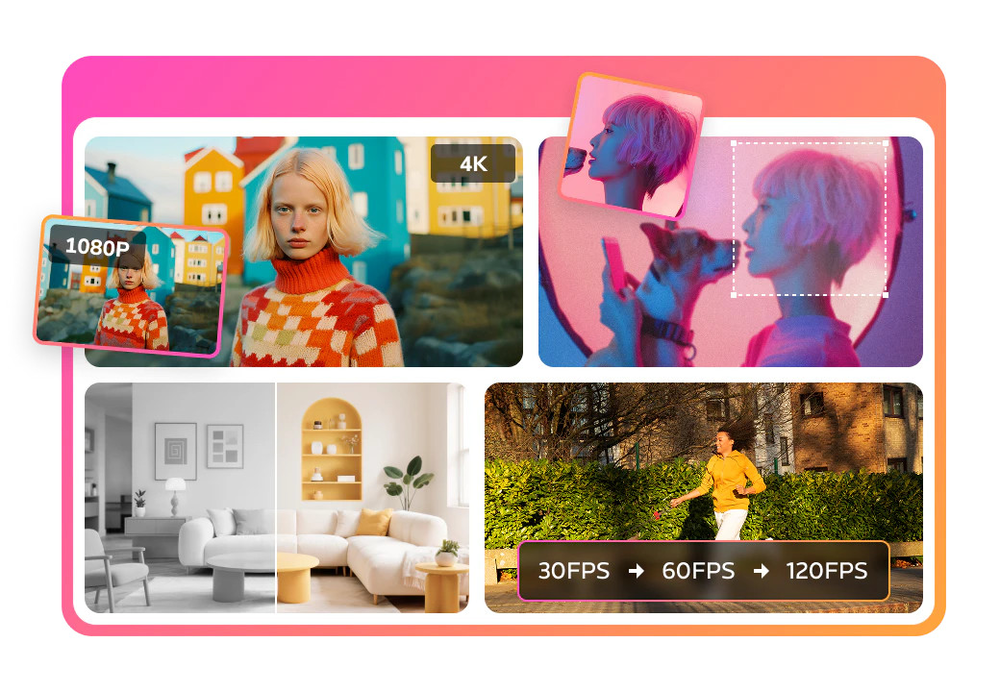 Bella Hong🙏 8 karmaJun 30, 2026@Any Video Converter | AI Video EnhancerI mainly use the AVC AI Video Enhancer to process old videos and those with poor quality. The overall experience is quite stable. The most obvious feeling is that the video clarity has indeed improved. Especially for the parts that were originally blurry and had lost details, after upscaling, the edges become cleaner. On some low-resolution videos, the detail restoration is quite good. For example, the facial features and background outlines will be clearer than before.
 -
-
-
 Open
Open GoEnhance's production from video to animation is impressive. It can go up to 2k 60fps, so exciting.






Verified tools
-
 Upscale videos or images with AI for free, right in your browserOpen
 - SpotlightSureThing.io - "OpenClaw" for BeginnersTask automation
-
Cool service. Used it just now on a video I took of my son's soccer game, which came out a bit blurry. The final result was significantly sharper.
-
 AI Video Enhancer software; AI Video upscaling; Audio Upscaling; Video ConversionOpenNot even close to being worth the heavy pricing.
 -
I was lucky enough to join the early canary testing for this platform, and it’s been impressively simple and transparent to use.
-
I tried Animon for a bit and it’s actually pretty solid. It does a good job with simple animations and keeps the original image style pretty well, so the results usually look clean.
-
-
 Open
Open -
-
his platform is amazing! The AI-generated images exceed expectations in quality. Fast creation speed and professional results. Highly recommended for all creators!
-
It's simple and easy to use. There are multiple AI models to choose from. The veo3 model produces very good videos with natural sound and is attractive. There are also economical and affordable AI models that also produce good videos.
-
-
Excellent to restore old interlaced video, and to add FPS in order to make the motion smooth. The best part is that is accessible in browser, from any device, no equipment request.
-
The output images are great, there are many features, and you can upload any picture to generate a complete set of e-commerce product images with one click. I feel like I can fire my company's graphic designer.
-
 OpenHere's the rundown. If you thought image editing like Photoshop or Affinity Photo, you were wrong. It's 100% insert a photo and put a filter over it or change it into another AI image. Signing up for an account gets you 4 credits. Enough for one image to image generation. Instead, you should go to aistudio.google.com. This Dreamega site is just using google to generate their stuff anyways. You can do this yourself without paying per generation, the only difference is you need to type the prompt yourself. Is it worth paying some overblown monthly subscription on Dreamega for something you can do yourself or something you'll probably only do once?
 -
 Upscale, Enhance, Restore, Colorize, Stabilize & Blur Videos with AIOpenI love it, this software surprisingly colors my black and white family video images and fits this video perfectly. The effect is so stunning.
 -
Watch out! I canceled the trial period 2 or 3 days before its end but I was still charged.
-
Pixelcut is not free if you want to generate AI images (5$). They lie about it on their website.
-
Really great at creating your "actor" and producing any scenario you prompt. Video creation lacks definition but images are exceptional
-
Fast & straightforward with acceptable quality


































Other tools
-
Clipmove text to video is the best Ive tried so far,turned out better than expected. It can generate 2k 60fps engaging videos with captions, I'm impressed 👍
-
Create tool for AI image generation, image and video enhancement and other tools on your computer. No usage limits like online services.
-
It does not load the processor. Fast in operation.
-
I want a logo for a traditional Persian carpet workshop in red color.
-
Very good job. File size concerns me, it was 10.2mb from a 1.63mb file. That was only one image, what if I had 50?
-
Results are ok, you maynget nothing younget results thatbare barley acceptable, but they are very generous with their free offerings.
-
kaspersky notified me of this platform when I registered it leaked personal data, ip history, name, password, email address.
- Didn't find the AI you were looking for?
-
I really enjoy using Remini, but I can only rate it three stars for two main reasons: 1. The ads in the free version are too long and disrupt the experience. 2. The pro version is extremely expensive, making it hard to justify the upgrade.
-
I completely trust this product. Privacy is the major priority.
-
No imprint with business location, owner or contact. Also no contact form or email for support. Trying the free version the test videos are showing onyl 'in progress' after several days. Scam?
-
-
 Open
Open -
-
It worked very good to upscale the image. But it upscaled the size as well from 1.63mb to 10.7mb.
-
This is basically Magnific Ai integrated into this service since they have bought the company.
-