Go to section
Spotlight SureThing.io - "OpenClaw" for BeginnersTask automation
The front page of AI.Used by 90M+ humans.

TAAFT Tutorial
Generate image
Tasks
Generate text
Free mode
Trending
Leaderboard
Characters
 Mini tools
New
Featured
Lists
Agents
Requests
Jobs
Map
Newsletter
Starter pack
Free tools
Speech to text
Text translator
Remove background
Settings
Edit profile
My tools
Gallery
Dashboard
Inbox
Get featured
Contact TAAFT
For you
Popular
Job impact index
Most saved
Affiliate program
Submit AI tool
Notification preferences
Glossary
Home
Timeline
My profile
Create tool
Deals
Companies
Models
Robots
Papers
Fundraises
Repositories
Devices
Organizations
Events
Prompt Pack
Merchendise
APIs
Features
Tools
Countries
Collections
Videos
Mini tools
New
Featured
Lists
Agents
Requests
Jobs
Map
Newsletter
Starter pack
Free tools
Speech to text
Text translator
Remove background
Settings
Edit profile
My tools
Gallery
Dashboard
Inbox
Get featured
Contact TAAFT
For you
Popular
Job impact index
Most saved
Affiliate program
Submit AI tool
Notification preferences
Glossary
Home
Timeline
My profile
Create tool
Deals
Companies
Models
Robots
Papers
Fundraises
Repositories
Devices
Organizations
Events
Prompt Pack
Merchendise
APIs
Features
Tools
Countries
Collections
Videos
Mini tools
New
Featured
Lists
Agents
Requests
Jobs
Map
Newsletter
Starter pack
Free tools
Speech to text
Text translator
Remove background
Settings
Edit profile
My tools
Gallery
Dashboard
Inbox
Get featured
Contact TAAFT
For you
Popular
Job impact index
Most saved
Affiliate program
Submit AI tool
Notification preferences
Glossary
Home
Timeline
My profile
Create tool
Deals
Companies
Models
Robots
Papers
Fundraises
Repositories
Devices
Organizations
Events
Prompt Pack
Merchendise
APIs
Features
Tools
Countries
Collections
Videos

▼ Most saved
Opp
Free mode
100% free
Freemium
Free Trial
Featured matches
-
-

-
-

-

-
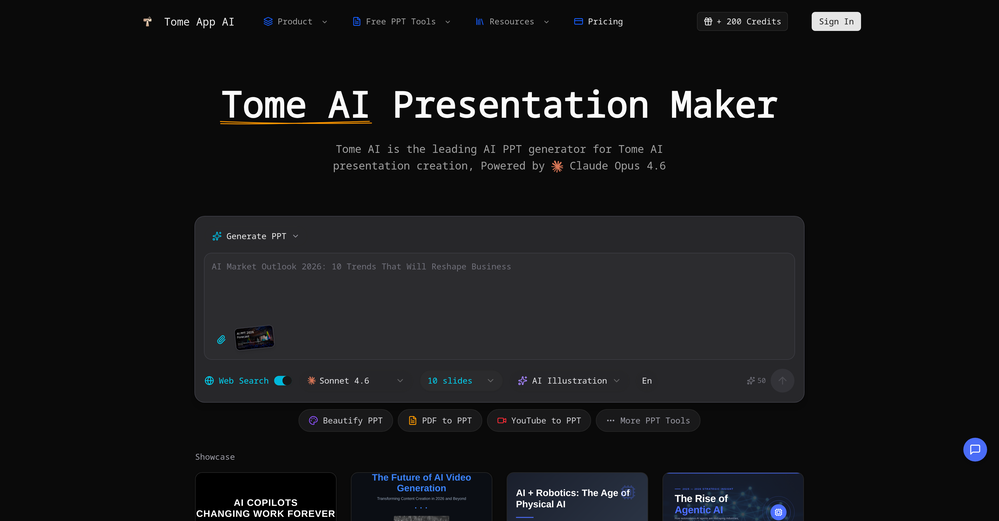
 Jon Hillstrom🛠️ 2 tools 🙏 45 karmaMar 6, 2026@Tome App AImade a presentation for my site with just 1 prompt, lol how did the AI get so much information out of my website lol
 -
-
-
 Open
Open Hi! I just tested the Android app myself, installed it, created an account and everything worked smoothly for me, including the login. I didn’t run into the lock issue you described.It might have been a one-off glitch.
 -
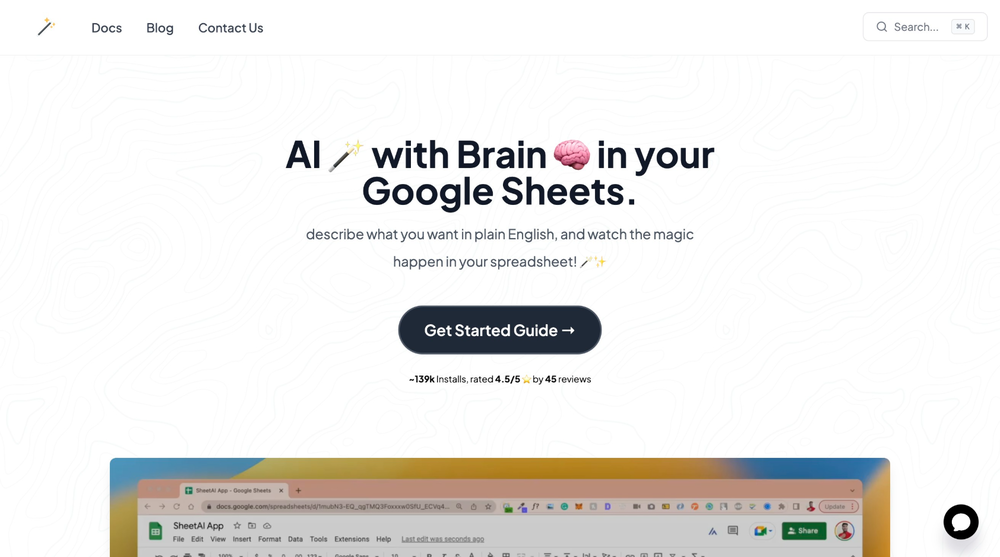 SheetAI was very handy in sorting, fixing and all sorts of tools. This tool is also well documented, so if you need help figuring something out, chances are they will have the info you need.











Other tools
-
-
 OpenVideo editing is the process of selecting, trimming, and arranging footage to create a cohesive story or visual narrative. Here are some fundamental concepts and techniques: Types of Video Editing Linear editing: A straightforward, sequential approach to editing, where clips are arranged in a linear timeline. Non-linear editing: A more flexible approach, where clips can be arranged and rearranged freely in a timeline. Key Video Editing Techniques Cutting: A transition between two clips, where one clip ends and another begins. Cutting on action: Cutting between two clips while an action is in progress, to create a seamless transition. J-cut: Cutting from one clip to another while audio from the second clip starts playing before the video cuts to it. L-cut: Cutting from one clip to another while audio from the first clip continues to play. Video Editing Software Popular video editing software includes: Adobe Premiere Pro: A professional-level editing software with advanced features and integration with other Adobe tools. Final Cut Pro: A professional-level editing software for Mac users, known for its user-friendly interface and advanced features. DaVinci Resolve: A free and paid editing software that offers advanced color grading and audio editing tools. Best Practices for Video Editing Plan your edit: Develop a clear vision and storyboard before starting to edit. Organize your footage: Label and categorize your clips to make them easily accessible. Keep it simple: Avoid overusing transitions and effects; focus on telling a clear story. Advanced Video Editing Techniques Color grading: Adjusting the color and brightness of footage to create a specific mood or atmosphere. Audio ducking: Automatically reducing the volume of background audio when dialogue is present. Motion graphics: Adding animated text, logos, or other graphics to enhance the visual narrative. Video editing involves selecting, trimming, and arranging footage to create a cohesive story. Linear and non-linear editing are two fundamental approaches. Key techniques include cutting, cutting on action, J-cuts, and L-cuts. Popular software includes Adobe Premiere Pro, Final Cut Pro, and DaVinci Resolve. Best practices involve planning, organizing footage, and keeping it simple. Advanced techniques include color grading, audio ducking, and motion graphics. Capcat pro Capcat pro Download image-to-image-generator generated imagetransparent pixel Image to Image Generator Image to Image Generator Download image-to-image-generator generated imagetransparent pixel Image to Image Generator Image to Image Generator Download image-to-image-generator generated imagetransparent pixel Image to Image Generator Image to Image Generator Download image-to-image-generator generated imagetransparent pixel Image to Image Generator Image to Image Generator Download image-to-image-generator generated imagetransparent pixel Image to Image Generator Image to Image Generator Download image-to-image-generator generated imagetransparent pixel Image to Image Generator Image to Image Generator Download image-generator generated imagetransparent pixel Image Generator Image Generator Copy Video Editing Basics Video editing is the process of selecting, trimming, and arranging footage to create a cohesive story or visual narrative. Here are some fundamental concepts and techniques: Types of Video Editing Linear editing: A straightforward, sequential approach to editing, where clips are arranged in a linear timeline. Non-linear editing: A more flexible approach, where clips can be arranged and rearranged freely in a timeline. Key Video Editing Techniques Cutting: A transition between two clips, where one clip ends and another begins. Cutting on action: Cutting between two clips while an action is in progress, to create a seamless transition. J-cut: Cutting from one clip to another while audio from the second clip starts playing before the video cuts to it. L-cut: Cutting from one clip to another while audio from the first clip continues to play. Video Editing Software Popular video editing software includes: Adobe Premiere Pro: A professional-level editing software with advanced features and integration with other Adobe tools. Final Cut Pro: A professional-level editing software for Mac users, known for its user-friendly interface and advanced features. DaVinci Resolve: A free and paid editing software that offers advanced color grading and audio editing tools. Best Practices for Video Editing Plan your edit: Develop a clear vision and storyboard before starting to edit. Organize your footage: Label and categorize your clips to make them easily accessible. Keep it simple: Avoid overusing transitions and effects; focus on telling a clear story. Advanced Video Editing Techniques Color grading: Adjusting the color and brightness of footage to create a specific mood or atmosphere. Audio ducking: Automatically reducing the volume of background audio when dialogue is present. Motion graphics: Adding animated text, logos, or other graphics to enhance the visual narrative. Video editing involves selecting, trimming, and arranging footage to create a cohesive story. Linear and non-linear editing are two fundamental approaches. Key techniques include cutting, cutting on action, J-cuts, and L-cuts. Popular software includes Adobe Premiere Pro, Final Cut Pro, and DaVinci Resolve. Best practices involve planning, organizing footage, and keeping it simple. Advanced techniques include color grading,
 -
Would rate 4.9 if possible, but rounding up to 5 stars because this app truly excels compared to other AI coding tools. Why 5 Stars: Best-in-class AI coding assistance Huge improvements over competitors Actually works for real development Real Impact: I successfully built and published an actual app using this tool - that's game-changing for non-developers like me. Bottom Line: Yes, there's room for improvement, but this is already the top AI coding app available. The fact that ordinary people can create real apps with it says everything. Perfect for anyone wanting to turn ideas into actual apps!
- SpotlightSureThing.io - "OpenClaw" for BeginnersTask automation
-
I was just trying it out at first, used some free credits a few hours ago to build a simple app. Turns out, it actually came out pretty decent! I got to test it on my phone without spending a dime, and even showed it to my wife, she was pretty surprised too. So we decided to go ahead and pay to polish it up and download it properly. So far, everything’s running smooth
-
Thanks for noticing this Tyler, we really liked the idea of getting back to lifetime one-time purchases. Alice is a desktop app and it doesn’t use our cloud resources much, so this should be also feasible for the long run. Please, give Alice a try, you won’t regret it!
-
 Transform photos into bold WPA-style geometric art.Open
 -
 Transform ideas into 3D anime-inspired battle scenes.Open
 -
If you are a LinkedIn Premium member sure. If not, this is useless.
-
 Transform words into vibrant pop art portraits.Open
 -
 Open
Open - Didn't find the AI you were looking for?
-
 Create AI-powered coloring books with whimsical pop culture mashups.Open
 -
📊 Analytics & Productivity • Visitor analytics • AI credits overview • Easier domain management • Stop generation with one click
-
This generator came out with some awesome app ideas! Just picked my next project, time to get to work xD
-
 Transform photos into vibrant comic book illustrations.Open
 -
 Supercharge your Google Play Store success with AI.Open
 -
Among mobile apps this is the best tool making AI-written texts out of speech
-
Once you get the hang of it, you can def make some nice shit. Lots of customization options, but it's a bit tricky at first figuring out where everything is. Just gotta keep using it to get to its full potential.
-
 Ship Your Full-Stack MVP in Hours, No CodeOpenThe AI tool that turns Figma design into production-ready websites, automates complex backend tasks like auth and payments, adds AI capabilities, and I like their support team service.
 -
 Turn ideas into full-stack apps instantly with GDPR-compliant builder.OpenI tried their Form Builder template to see how it converts descriptions into a user interface. And it produced a functional form almost exactly as I expected. Good for me 👍
 -
ATS optimisation with the help of AI insights is very helpful.
-
 Craft multilingual pop-rock lyrics effortlessly.Open
 -
 Create adorable Funko Pop-style characters from any concept!OpenChanged the prompt to improve results.
 -
Changed the prompt to improve results.
-
From my experience, this can only assist by pulling information from websites of competitors. If you're in an industry that doesn't provide pricing online, this will not work for you.
-
 Open
Open -
-
It's pretty good. transformed my regular selfie into a professional-quality portrait in seconds. Highly recommend!
-
 Transform photos into Lichtenstein pop-art portraits.Open
 -
The automatic translation feature is a time saver. Definitely worth a try if you have a large project!
-
 Transform ideas into vibrant pop art masterpieces.Open
 -
 Turn app reviews into actionable insights—quickly and efficientlyOpen
 -
 Retain the power of language models without sacrificing your data privacy with Dot.OpenAll great things are simple to use! Safe and useful app.
 -
 Hosted Hermes or OpenClaw AI agents. Use in-app or via Telegram.Open
 -
Sadly they no longer offer this. It was exactly what I was looking for/needed. I chatted with them and they said I could build it using their platform, but nothing more.
-
 Open
Open -
 Transform photos into cinematic Funko-Pop portraits.Open
 -
i HATE naming my apps, im never creative enough for that, so this AI is really helpful for me, thank you very much
-
very helpful for quick answers and everyday questions. simple to use and saves a lot of time.
-
 Increase App Downloads & Keyword Rankings with AI-driven ASOOpenHi, GrowASO is only meant for mobile apps and not for websites and this is clearly stated in all our marketing/landing pages. If you have questions, please feel free to contact us at [email protected]
 -
 Open
Open -
-
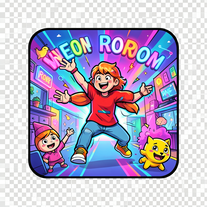 Create vibrant comic-style illustrations with neon energy.Open
 -
-
 Open
Open -
 Open
Open -
Onboarding was vey easy, I just gave my platform link. Test Strategy and Test cases were automatically generated and I could see the defects. Very easy to use and very useful too
-
 Open
Open -
 Open
Open -
-
 Upload a photo and explore simple ways to refresh your look.Open
 -
 Open
Open -
 Expert in mobile app idea generation and development guidanceOpen
 -
 Recommends mobile apps for productivity, entertainment, and lifestyle.Open
 -
Finds the best Shopify app for your needs and budget.Open
-
 Guiding your mobile app development process with AI.Open
 -
 Analyze, tailor, review, and evaluate your app's success.Open
 -
 Planning guide for rapid app development with Microsoft Power AppsOpen
 -
 Formal, professional editor for app content, bilingual in English and Japanese.Open
 -
 Grades op-eds with reasoning, engagement, and open-mindedness.Open
 -
 Managing software card writing, time estimation, and image interpretation.Open
 -
 A guide for iOS app builders to navigate App Store guidelinesOpen
 -
 Open
Open -
 Open
Open -
 Your expert for Quantum Computing and Neural Machine Learning.Open
 -
 Adaptable expert on current entertainment and media trends.Open
 -
 Open
Open -
 Transform your photos into Funko Pop style characters.Open
 -
 Impartial explanations of CDS-PP proposals.Open
 -
 Crafting cutting-edge web applications with seamless integration.Open