Go to section
Sponsor
 Flow - 4x faster than typing
🎤 Dictation
Flow - 4x faster than typing
🎤 Dictation
The front page of AI.Used by 90M+ humans.

Generate image
Tasks
Generate text
Free mode
Trending
Leaderboard
Characters
 Mini tools
New
Featured
Lists
Agents
Requests
Jobs
Map
Newsletter
Starter pack
Free tools
Speech to text
Text translator
Remove background
Settings
Edit profile
My tools
Gallery
Dashboard
Inbox
Get featured
Contact TAAFT
For you
Popular
Job impact index
Most saved
Affiliate program
Submit AI tool
Notification preferences
Glossary
Home
Timeline
My profile
Create tool
Deals
Companies
Models
Robots
Papers
Fundraises
Repositories
Devices
Organizations
Events
Prompt Pack
Merchendise
APIs
Features
Tools
Countries
Collections
Videos
Mini tools
New
Featured
Lists
Agents
Requests
Jobs
Map
Newsletter
Starter pack
Free tools
Speech to text
Text translator
Remove background
Settings
Edit profile
My tools
Gallery
Dashboard
Inbox
Get featured
Contact TAAFT
For you
Popular
Job impact index
Most saved
Affiliate program
Submit AI tool
Notification preferences
Glossary
Home
Timeline
My profile
Create tool
Deals
Companies
Models
Robots
Papers
Fundraises
Repositories
Devices
Organizations
Events
Prompt Pack
Merchendise
APIs
Features
Tools
Countries
Collections
Videos
Mini tools
New
Featured
Lists
Agents
Requests
Jobs
Map
Newsletter
Starter pack
Free tools
Speech to text
Text translator
Remove background
Settings
Edit profile
My tools
Gallery
Dashboard
Inbox
Get featured
Contact TAAFT
For you
Popular
Job impact index
Most saved
Affiliate program
Submit AI tool
Notification preferences
Glossary
Home
Timeline
My profile
Create tool
Deals
Companies
Models
Robots
Papers
Fundraises
Repositories
Devices
Organizations
Events
Prompt Pack
Merchendise
APIs
Features
Tools
Countries
Collections
Videos

▼ Latest
Youtube video
Free mode
100% free
Freemium
Free Trial
Featured matches
-
-
-
-
-
-
-
 Open
Open
-

-
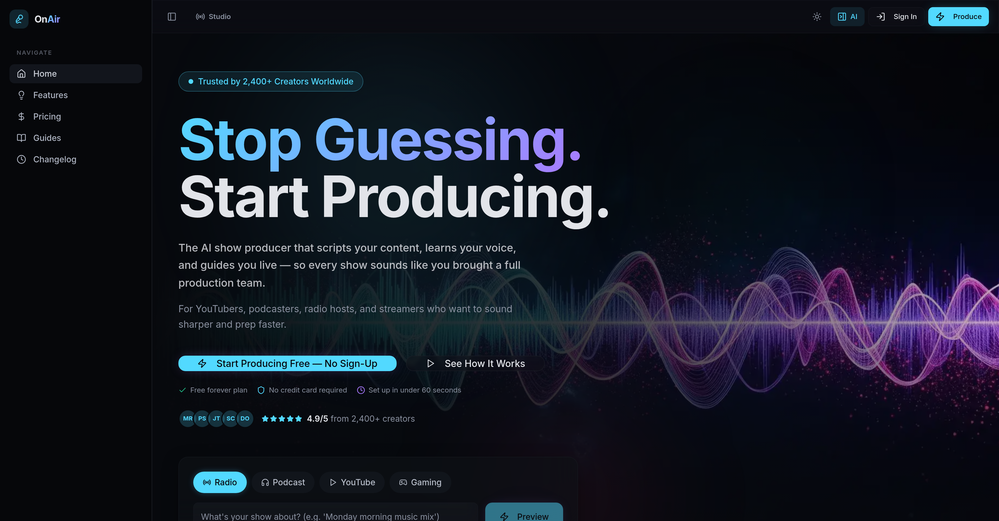 Luna Coverdale🛠️ 1 tool 🙏 3 karmaApr 26, 2026@OnAir StudioThank you for the feedback, Bella Blast. All of the issues you mentioned have been addressed, and the Learn My Voice engine has been fixed and improved. We really appreciate you taking the time to share this — feedback like yours helps us make the experience better.
 -







Verified tools
- SponsorFlow - 4x faster than typing🎤 Dictation
-
Great tool to grow on YouTube with actionable insights👏🏼
-
Tried Teno for a quick product ad — surprisingly simple. Chat your idea, get image/video outputs in minutes. Good free tier to test. Handy if you need creatives fast without a full production team.
-
 OpenI mainly use the AVC AI Video Enhancer to process old videos and those with poor quality. The overall experience is quite stable. The most obvious feeling is that the video clarity has indeed improved. Especially for the parts that were originally blurry and had lost details, after upscaling, the edges become cleaner. On some low-resolution videos, the detail restoration is quite good. For example, the facial features and background outlines will be clearer than before.
 -
As the developer behind Pixado, I built this because I was tired of spending hours on design tools just to get a decent thumbnail. I wanted to create something that focuses purely on CTR and production-ready output, not just 'artistic' images. I’m constantly refining the models to handle real YouTube layouts. Would love to hear your feedback on the latest results—what features would make your content production even faster?
-
The Agent is really handy. It's much more streamlined and convenient than canvas-based AI tools. There's a bit of a learning curve at the start, but once you get the hang of it, it's incredibly useful
-
Really like how it finds connection in the content that I save. I don't think any other tool can do that.
-
-
 OpenIn addition to creating AI YouTube Thumbnails by just pasting your YouTube Video URL, you can now turn your video into Short Form Content, Blog Posts, Email Newsletters, Infographics & More with AI & just a button click!
 -
Tried this with a couple videos and the comment insights were actually pretty useful for spotting content patterns and new ideas.
-
VideoIdeas.ai Creates YouTube Video Ideas & Scripts
-
 Process YouTube playlists faster — extract signal without watching every minuteOpenTubeYakker matches how I already use YouTube. Saving things for later and processing them bit by bit. The UI is pretty minimal, which I like, though it took me a minute to understand the intended workflow. Keep it up ;-)
 -
 OpenGoEnhance's production from video to animation is impressive. It can go up to 2k 60fps, so exciting.
 -
KeywordSearch creates AI Ad Targeting audiences for YouTube
-
 Transcribe audio, video, or links into text. 1,000+ platforms, 100+ languages.OpenI built Vocova to solve a simple problem — people consume content across languages and platforms every day, but turning that content into accurate, readable text is still painfully fragmented. You need one tool to download, another to transcribe, another to translate. It should be one step. We build Vocova the way you'd build a piece of art — every detail is intentional. How natural the speaker labels read, how precisely timestamps align with every word, how a bilingual export looks like a polished document rather than a raw data dump. We don't ship anything that we wouldn't be proud to put our name on. Vocova supports 100+ languages, imports from 1,000+ platforms, and translates into 145+ languages. Try it and let me know what you think — your feedback directly shapes what we build next.
 -
An amazing app, I love the share feature and the comment section summaries
-
-
hello carlo sorry to hear that i will check this right away, sorry for the delay
-
 Create Stunning PPTs in Seconds with the AI PPT MakerOpen
 -
Currently, generating course videos is basically free, and everyone is welcome to use it! If you have any problems during use, you can complain and we will quickly iterate! Thank you~!
-
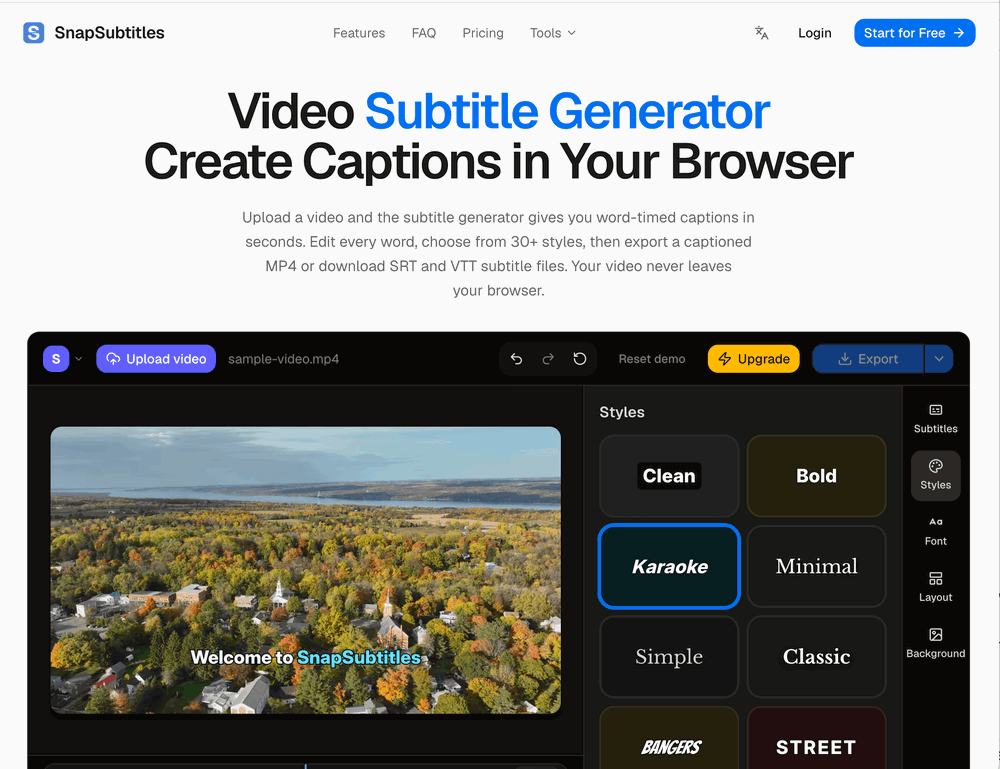
Generating captions was super fast like seconds. Wish they had Anton font though
-
-
 OpenI played around with PodScribe.IO for just 5 minutes, and it helped me save at least 35 minutes when transcribing my first podcast (for free - have not subscribed to the paid version yet). That's pretty sweet! The way it presents and separates podcast data into different formats is really well done. It makes it super easy to find what you're looking for.
 -
 Use every top AI model and 100+ effects in one account.Opena friend sent me this the other day. veo, grok, seedance all run from one upload and it's actually fast. ui doesn't fight me. no complaints.
 -
Using Meloflow felt almost magical—it instantly turned my rough ideas into music that sounded alive, polished, and truly my own.
-
-
 From idea to launch: professional AI-generated content in one place.OpenHi everyone! I am Adnan, the author of MakerSuite.AI. I am a content creator as well as a software engineer (16+ years of experience). MakerSuite has been created firstly for my own needs with a goal to help me organize content creation workflow (from YouTube scripts to blog and social media posts). The application covers a lifecycle from idea generation to complete script, thumbnail, description, and all the necessary things to prepare you for video recording or to provide you with a script that you can use on your blog or social media platforms. MakerSuite is a result of continuous work from more than 6 months of active day-night and weekend hard work on it. In the end I decided to share it with the world so other people could benefit from it, and also in return I can pay off the hard work and support the platform's future development and maintenance costs. As the models and infrastructure cost a lot. I am open to any form of suggestions or comments; even negative ones are always welcome. The platform has a lot of planned future developments that have to be added to make it even better. Please share your thoughts and feedback in the comments section, as it will help me improve it more! Thanks, everyone! Best, Adnan
 -
Thanks! So happy to hear you're liking FlowPost.
-
It looks interesting, they give demos of their AI work but no way to test it with your own script or image prompts just demos from what could be anywhere.
-
 Generate full-length faceless YouTube videos from text and earnOpenNoodle Tomato is an amazing video creation tool. You can create shorts or full length videos on ANY subject. Choose your voice, bullet points about what you want the video to be about. It then creates the script, all of the videos into parts that are editable. After it compiles the video you can download it directly, post it to YouTube and it's that simple. You need 0 knowledge of AI prompting or video editing.
 -
 Transform YouTube videos into polished documents and quizzes.OpenSuper helpful tool for content creators like myself. I have a Patreon where I give my Patreons quizzes and video summaries based on my YouTube video and this website speeds the whole process up tremendously.
 -
 Summarize any YouTube video, any size, under 30 seconds, for free.Open
 -
After trying this feature for a few days, I found that it writes more human-like articles than ordinary AI-generated ones, with higher depth and less wordiness than traditional AI articles.
-
Hello, I want to assure you that the tool has not been removed by Google. Everything is fine on that front. There was a temporary issue with the domain name, but it has been resolved now. We appreciate your feedback and invite you to try the tool again. Your satisfaction is important to us, and we're here to assist you if you have any other questions.
-
Particularly useful in scenarios where human voices are clear but background noise is complex.
-
Very simple and easy to use. The premium feature of Lyrics helper really helped me to write lyrics exactly the way i wanted.
-
Hi 👋 I'm Vera, the maker of Whisper Web. I built it because I needed a frictionless way to turn recordings into structured text — meeting notes, interview quotes, podcast transcripts, YouTube research. Whisper Web runs entirely in your browser. Drop an audio or video file (up to 2GB), record from your mic, or paste a YouTube URL. You get a clean transcript with automatic speaker labels and a structured AI summary covering key points, action items, decisions, and quotes — all in under 3 minutes. 100+ languages, auto-detected. Six export formats: TXT, DOCX, PDF, SRT, VTT, and JSON. Privacy-first by design. Free to try, no credit card. Would love your feedback — drop a recording you've been putting off and tell me how it went. — Vera
-
 Remove subtitles, captions, and watermarks from videos instantly.Open
 -
 Convert YouTube videos to text with 99% accuracy.OpenI’ve used Riverside before and it’s a really solid tool for recording and producing high-quality audio and video. If you’re looking for a YouTube transcript generator, I’ve also been using Saveto AI. It’s been pretty handy for turning videos into clean text and quick notes.
 -
 OpenAbsolutely HUGE. This gonna be the top AI for YouTube creators!
 -
 Chain AI tasks with no-code into workflows for chatbots, video, documents, andOpenThis tool removes all of the prep work of getting an LLM API endpoint running. I can try out ideas quickly and see within minutes whether an endpoint concept actually works. And when it does, moving it into a production app is about as easy as it gets.
 -
 Instantly summarize and translate any YouTube video or website with AIOpen
 -
YouTube to Doc is freaking awesome! Total lifesaver for turning videos into text. Just paste the URL → boom, you’ve got a doc. Perfect for notes or quotes. 10/10 recommend!
-
This software helps me watch various educational videos on YouTube without any obstacles, significantly improving my learning efficiency.
-
 OpenThanks - are you looking to generate business ideas from the transcript as an extra feature?
 -
-
I have kept a free tier so everyone can still use SnapSummary. After working full time to build it and running it at a loss, I had to switch to freemium to keep it going and continue improving. :)
-
AI Notebook does what it promises, it's a decent on the go note-taking app. I like the automated tweak of these newer note-taking apps. I can just throw in pdfs, voice memos or youtube videos, and it'll generate all type oof different format like summaries, mind maps or flashcards. Extremely useful for students and professionals as it digest lengthy materials into small chunks of text. Recommended for anyone looking for a no-frills note taker tool
-
 Open
Open -
 Open
Open -
 Get 99.9% accurate TikTok transcripts in seconds.OpenOne tool that really impressed me—I honestly can’t believe something this good is free. Even if it becomes paid later, I’d still keep using it. The results are just that good.
 -
 AI-powered YouTube thumbnail maker for click-ready designs.Open
 -
-
 Open
Open -
Vocallab AI is honestly the easiest tool I’ve ever used. The interface is super simple and intuitive. Generations take less than 2 seconds. The quality is also incredible. The voices sound very realistic — almost like real people. You can even add emotions and details like coughs, laughs, sighs, and other subtle effects, which makes everything feel much more natural and alive. Highly recommend it to anyone working with content, videos, or voice projects.
-
Preplo really helped me cook more at home. Can't wait to see what new features they will add in the future.
-
 Instantly analyze YouTube community sentiment and generate audience insights.OpenMost YouTube analytics tools track views and retention, but sentiment analysis could reveal why audiences react the way they do. Are creators mainly using it for content strategy or for brand monitoring?
 -
 Open
Open -
I like it a lot. It's quite fast, and the summary quality is high.
-
Pricing is fair since it would take me days to clip 4 hour videos
-
lots of video styles available; more templates would be nice
-
One platform gives me access to various high-quality video models — it’s been used to generate 110k viral social media posts.
-
I think this is the best app to learn English.









































































































Other tools
-
 Generate SEO-friendly YouTube descriptions with AI instantly.Open
 -
 AI-powered video editing for YouTube creators.OpenSelamat siang saya akan membagikan tutorial gimana caranya mengedit video di aplikasi capcut
 -
Been using Knowcast to keep up with new ideas and information, and I like how easy it is to discover and revisit useful content. The experience feels straightforward and helps cut through a lot of the noise, making it easier to stay informed without getting overwhelmed.
-
-
-
- Didn't find the AI you were looking for?
-
Been using it for the past few days and it is exactly what I hoped it was. Nothing complicated, does exactly what it says it does without the fluff. The analysis section is great, does not produce canned summaries. It appears to be doing something different for every different type of topic, which is great. Still playing with it.
-
 Open
Open -
 Convert YouTube videos to text fast and freeOpenHands down the best ai tool for content creators. Their free YouTube transcriptor is always on point
 -
its really good, works super well. I use a lot for resumes at classes.
-
it gives multiple shorts to pick from and lets you tweak stuff like caption style, duration etc. makes the whole process super easy. Works great.
-
-
 AI chat for every YouTube video, with instant summaries and search.Open
 -
 Open
Open -
-
So right away, when you go to their site, it allows you to create a video. I punched in a short sentence about Hannahbelle And Tami, 2 women in pink ski masks that rob a bank and get away in a pink dodge charger, a recurring theme in many of my AI Generated tests. I didnt expect too much but i have to say, while I would have liked to have more control over the voiceover, and perhaps some of the images used, it wasnt bad for just going to the site and really without even signing up, getting a demo of what the site is capable of. The features are...few...but there is potential. No free tier, but you do get one free video. With little to no editing or manipulation available, the prices seem high. Also, not sure if you can change this, but the voiceover is auto-captioned inside the video.
-
I've tried several Youtube summarizers and this is...by far...the best.
-
Just tried it and the subscribe button shows up fine on my side. Maybe try disabling any ad blocker or switch browsers and refresh the page.
-
-
-
Well, it is not that good as expected It only transcribes the outline of the video. Don't expect the notes from the website I think the paid versions work better than this and it just gives you the outline. That's it
-
Thank you for featuring ChapterMe! Feel free to send us an email at [email protected] if you have any questions. Happy chaptering!
-
-
I just used LumiClip to make clips from my long podcast video and Im so amazed how it differs from other ai video clipper tools like Opus or vizard, It does the highlight finding very well and reframe comes our so clean with no editing required. Only thing i would suggest is adding b-roll videos to clips automaticaly.
-
 Create cinematic YouTube breakout visuals that conquer algorithms.Open
 -
 Quickly generate creative YouTube video concepts from the latest news.Open
 -
 Script feedback expert for YouTube videos, with rewriting ability.Open
 -
 Generates viral Tiktok video scripts from YouTube video.Open
 -
Could you please guide me step by step on how you found the pricing page? All I can find is a Pro subscription page that doesn't display any prices.
-
 YouTube video enhancement expert with trend and audience analysis skills.Open
 -
 Open
Open -
A ai which make pdf from a yt video. Very accurate
-
 Open
Open