 Base44 Superagents-AI agent that does it all
 Mini tools
 Remove backgrounds from hundreds of images at once.
 Remove Background by Picsart
 remove.bg
 Merchant Floor | Background Remover
 AI Background Remover - Picsman
 Remove Background
 Removal.ai
 Freepik Background Remover
 Slazzer
 Erase.bg
 Unlimitedbg
 Retoucher
 Pixian.AI
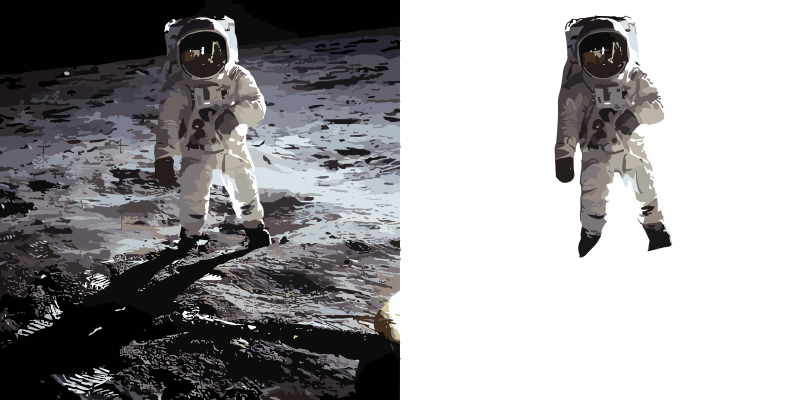 Backgroundremoverai
 AI Background Remover by HTML Zone
 BG Remaker
 Krisp
Krisp
 Bg Eraser
 EzRemove
 Img-Cut
 Lensto: AutoBackground Changer
 So You Want To Be A Writer?
 Ancient AI powered spirits
 Minka
Minka
 Jvb ai
 somacguffin
 Cuty
Cuty
 Superfly Stoner
 Photo AI
 Freepik AI Image Generator
 Stockimg AI
 Midjourney
 CreativePixel
 INLINER
 Ideogram
 BestPhotoAI
 Imagine Anything
 SD Telegram bot
 Getimg.ai
 Shoots by Diktatorial
 Seedream
 Picsman - AI Photo Editor
 NewHero AI
 GenTube
 Reface
 FLUX
FLUX
 TinderProfile.ai
 Stable Diffusion
 Funy AI: Video, Image
 Image to Image Generator
 Viyou AI Image Generator
 Cleanup pictures
 Photoleap
 ObjectRemover
 Luminar AI
 Img2Img AI
 Deep Art Effects
 img2img AI
 AI Photo Editor by The Influencer AI
 Magic Eraser
 Retouch4me
 ExtendImage
 FaceApp
 HeyPhoto
 AVCLabs PhotoPro AI
 PixPretty AI
 Image Editor Online
 Pixlr
Pixlr

Bulk BG Remove.com

 RemoveBGVideo
 TeeDIY
 MuseCraft
 Keycon
 Video Text Remover
Overview
Bulk Background Remove is an AI-powered tool that assists in removing backgrounds from numerous images simultaneously. The tool is primarily catered towards the needs of e-commerce, photography, and design professionals.
The platform provides the convenience of uploading multiple images at once and offers the functionality of releasing all processed images as a single ZIP file, or as individual transparent PNG files.
The AI technology embedded in the software ensures precise edge detection, effectively separating subjects from any background, even in complex scenes.
The platform ensures high-level data privacy, with all images processed securely in the cloud, never shared or used for training purposes. It also provides the comfort of in-browser operation, eliminating the need for downloads, installs, or the requirement of additional photo-editing software.
The capability of bulk processing significantly reduces editing time and enhances workflow efficiency. The available plans accommodate varying user needs with differences in processing capacity.
The tool is user-friendly, with an easy-to-use interface, providing straightforward performance: upload images, remove backgrounds in bulk and receive the finished, transparent PNG files.
Releases


Pricing
Top alternatives
-
 Instantly remove backgrounds for clean, transparent images—perfect for products, designs, and creativeOpenHrach Tamrazyan🙏 28 karmaAug 19, 2025@Remove Background by PicsartUse it daily and the results are incredibly good…
 -
It works! It is fast and you have many choices for the background. Also the pricing seems to be ok
-
 Remove the background & retouch your product photosOpen- New shadow & reflection options to make your product stand out - Rotate individual images to fine-tune positioning - Improved UI
 -
Thank you for your support. We value your feedback. If you have any questions or suggestions, please send us your feedback.
-
 Easily eliminate the background from any image to isolate the subject. Perfect for creating clean product shots, profile pictures, and creative designs with transparent or custom backgrounds.Openstill background removing accuracy is required. it only 80% not 100%
 -
Removal.AI is fast and easy to use, especially useful when removing backgrounds in batches. However, with complex backgrounds, manual adjustments are sometimes required. Overall, this is a useful tool that is fast and saves time.


 0
0





