Notis
Notis
 Mini tools
▼ Popular
Invideo
Free mode
100% free
Freemium
Free Trial
-
 yuri boyka🙏 15 karmaAug 22, 2024@InVideoVery use full video generator nice.......


Featured matches
-
 Speed is amazing ! I will definitely utilize the tool in the future for film generation
 -
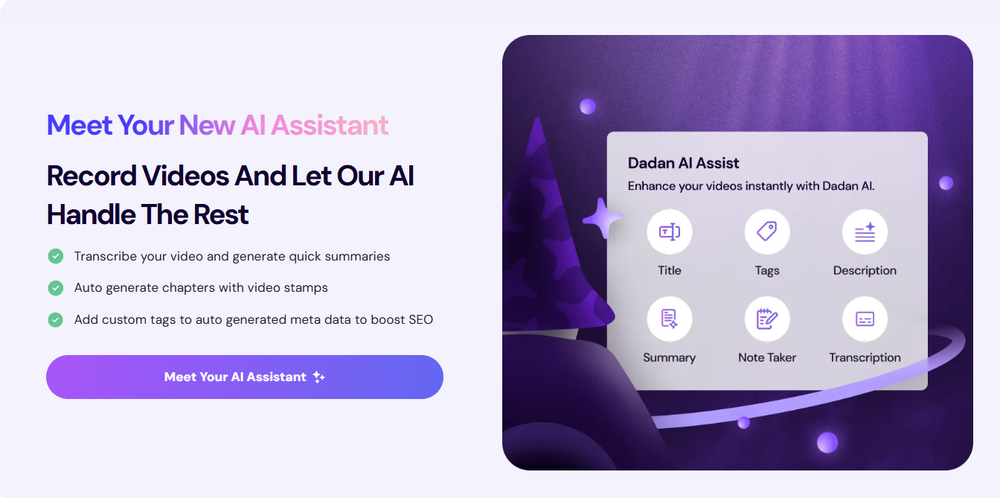 Love Dadan's new AI features. I used to hate searching through videos to find specific points and actions. Now I just get AI Assist to transcribe them and use one of the meeting templates to find what I need in a few seconds.
 -

-
 Rapidly generate AI training videos without equipment or editing.Open
-

-

-

-

-
-











Other tools
-
-
 OpenIf you can put right text you will get best result.
 -
not that good it cant generate your prompt it can only generate custom prompt as saved by itself
- Spotlight: Notis (Personal assistant)
-
This video generator did much better than I expected on complex subjects. Unfortunately, it isn't as free as I wished. I could not iterate my creation to create a resolved result.
-
 OpenWorks better than expected honestly, they somehow managed to always crop the part where the action happens
 -
-
 Upscale videos or images with AI for free, right in your browserOpenThis is not upscaling video!! This is upscaling your image only!! I got cheating just now!!
 -
 AI Video Generator by RenderFlow AI - Wan, Sora 2, Kling etc.OpenHello. Thanks for your feedback. The amount of credits coming with the free plan still covers 1 video from either Kling 2.1 standard model or Hailuo 2 standard model. It also can cover a couple of images from all image models. Hope this could help. Thanks
 -
-
I tried to look at what their avatars look and sound like but could not find it on their website. I'm not going to make a purchase if I can't see what I'm buying.
- Didn't find the AI you were looking for?
-
 Open
Open -
5 star and Ai is the best to guide anybody Ai helps many things like hardwork is easy due to use of Ai .You help in your study
-
I’ve found Jogg.ai to be super convenient, especially for creating short ad videos for products! If you haven’t tried it yet, you should check out this tutorial: https://www.jogg.ai/blog/4-steps-to-create-your-product-video-ads-in-minutes/
-
after uploading pictures, nothing can generated.
-
I have a hard time with doing video presentations - I have to brainstorm on paper, write the whole thing out, then painfully spread them out on powerpoint. And after all that I gotta prep for the actual presentation part, which is agonizing (for many different reasons). But Keytake solves all of that, as long as I’ve got a basic idea about what I want to talk about. There’s a couple things I’d wish the team would add like brand kits, but I know they are coming soon so I can’t wait
-
Translation and sound cloning are very useful~
-
It's simple and easy to use. There are multiple AI models to choose from. The veo3 model produces very good videos with natural sound and is attractive. There are also economical and affordable AI models that also produce good videos.
-
v03 ai is the only veo 3 videos generator supporting vertical videos for instagram, tiktok and other social media platforms, try it now!
-
 Sync your sound, elevate your lyrics with AI-powered video creation.Open
 -
Cool service. Used it just now on a video I took of my son's soccer game, which came out a bit blurry. The final result was significantly sharper.
-
This software helps me watch various educational videos on YouTube without any obstacles, significantly improving my learning efficiency.
-
It increased a lot of productivity for writing blog posts. like the feature to publish on wordpress sites in one click
-
good platform to create my short video
-
Crazy stuff, it's so useful, i feel like a weight's been lifted off my shoulders. Real game changer 10/10
-
 Turn photos into stunning videos with AI.OpenHi! This is Neo, Founder of Diffra. My goal is to build the most affordable AI model platform on the market. On Diffra, users will be able to access the latest and best AI models, while also experiencing the most popular AI effects. With our plans, users can generate up to 50% more creations at the same price compared to other AI model platforms. We’d love to hear your feedback and suggestions!
 -
-
Greetings Kalyani. Tool offers you 1 credit upon sign up, you can use that in order to test it out. That counts as a free trial. Have fun !
-
 Create romantic kissing videos from images with AI.Open
 -
-
You can find the customer service with chat button. Tina help me a lot
-
-
 AI Video Enhancer software; AI Video upscaling; Audio Upscaling; Video ConversionOpenNot even close to being worth the heavy pricing.
 -
-
Not really worth it, not only does it only support Youtube, but can only generate up to 30s of video and has no options to control the image style.
-
Experimented with the image to video mode. You are limited to 8 creations per day on the free plan, a 3s preset duration and no prompt inputting as the AI analyze the image to decide the most likely possible animation. So far from the given results with eight different picture type, it clearly looks like the AI engine is more prone to animate subject rather than anything else.
-
Hey SFS, it seems the app works with credits via an API key, priced at $0.01 per credit. The lowest generation cost is 0.9 credits, and the highest is 8 credits. We’ve also updated the app’s price description. Thank you very much!
-
Best PDF to Explainer Videos AI Tool
-
AutoEditor is a tool powered by AI that allows users to create highly customized short videos. It is primarily designed to make video editing easier and more efficient, thus enabling users to focus more on content creation. Distinct features include the automatic generation of subtitles in more than 40 languages, detection of silence or non-relevant content in videos, and the ability to enhance videos by adding b-rolls, watermarks, and other effects. The platform provides an easy-to-use interface for video editing, putting users in complete control of their content. Users can change text, styles, and various other aspects of their videos without prior knowledge in video editing. Furthermore, AutoEditor supports editing of long videos, which can be broken down into smaller parts without pre-cutting them. Videos for editing can be directly processed from YouTube, eliminating the need for separate downloading websites. Users can also customize their captions, save their unique styles as presets, and create videos with a few simple clicks for a fast editing experience. AutoEditor's pricing is designed to be simple and affordable, with plans tailored to suit different needs. Users can also access a free tier to get started. Flexibility is one of its key advantages, providing users the means to edit their videos exactly how they want them. The software works best with videos containing any type of voice or talking, such as podcasts, talk shows, documentaries, educational videos, or speeches.
-
 Generate romantic kissing videos from two photos.OpenI like the AI Kissing Video Generator in AI facefy. It's interesting to generate my romanatic video with my girlfriends
 -
tried it on selfies and random shots and it did fine. faces look good objects get weird if the source is rough. free tier is tight too on my account it gave 20 credits which basically covered one export then a small daily drip of +2 or +5 before I could play more. would love more runway up front. paid packs lift the watermark and quality if you need it.
-
 Transform static images into animated videos instantly.OpenHi everyone! I'm the creator of AI Video Maker. It's completely free to use and doesn't require any signup. You can instantly generate unlimited 5-second AI videos from text or images. Great for testing ideas before upgrading to HD or commercial plans. Excited to see what you all create!
 -
VideoWeb AI is an useful AI tool for my video creation. I like the video to video feature that I can create the anime video with my videos.
-
it does only do one image per time i am looking for multiple images to video
-
 LinkedIn Email Finder & Copilot (DeepSeek Inside)OpenLinkedCRM is a practical tool, especially its email finder feature, which is quite accurate and has saved me a lot of time searching for client emails. The one-click sync to CRM is also convenient, eliminating the need for manual copy-pasting. The AI email writing feature, while free, works surprisingly well, helping me draft emails quickly.
 -
Great! the first tests are convincing, I'm going to use it for my cosmetics store !
-
it's kinda disappointing that all you get upon registration is enough to make only one 4 second clip that gets hit or miss. it looked promising tho
-
I’ve used this product, and the AI video generation quality is excellent. Most importantly, it offers the best value for money I’ve ever seen. In addition, if you need help optimizing your video prompts, you can email their professional advisors for free consultation.
-
Amazing tool! Just started working on my videos and I’m loving everything RenderCut offers. It’s super easy to use and saves me a ton of time with subtitles. 5 tacos, no doubt!
-
 OpenThe features are incredibly comprehensive. I really love it — the AI videos I created got a ton of praise when I shared them. Likes galore!
 -
It is easy to use, has a low threshold for getting started, and is inexpensive.
-
TopView is a very good tools to make tiktok/youtube/ig ads video, ecommerce video.
-
-
 Transform YouTube videos into polished documents and quizzes.OpenSuper helpful tool for content creators like myself. I have a Patreon where I give my Patreons quizzes and video summaries based on my YouTube video and this website speeds the whole process up tremendously.
 -
This software helped me achieve the results I wanted! It’s incredible!
-
 WhatsApp AI agent for multi-format content and video short creationOpenThis app is so cool, I use it daily to find trending topics then make a little short video! I’m already seeing results from views on socials like TikTok
 -
-
-
 OpenThanks - are you looking to generate business ideas from the transcript as an extra feature?
 -
 Slash 70% time-to-hire with one-way video interviewsOpenA perfect solution for candidate screening! 🔥 Very convenient and efficient for interviews. Saves time, automates the process, and helps quickly assess candidates. Highly recommend!
 -
-
Works amazing and super quickly, very suprised that you dont need to sign in or pay
-
 All-in-one AI Video Generator of Veo3,Hailuo,Seedance,Kling and more.OpenYa I would like to receive them as well
 -
Incredible generation quality, truly impressive!
-
 Create videos with consistent characters and scenes.OpenSays free trial but then there's not enough credits. False marketing in my book.
 -
I love it, this software surprisingly colors my black and white family video images and fits this video perfectly. The effect is so stunning.
-
Keeps giving me an error, no good
-
It's working very well. AI chat is 100% free, but image and video are not free, though they are still good. You get a few daily credits, but at least you still have some
-
Hello Gilson, We disabled free credits because we observed many abusers. Could you please let me know more about the audio quality, surprised to hear this feedback. Thanks
-
Many ai models help me create videos I love
-
It has most popular video models on the platform
-
 Fast, Intelligent Video Generation at Your FingertipsOpenThanks for letting us know. We've updated the pricing on TAAFT accordingly!
 -
-
-
 Bring still images to life—instantly animate your art with Midjourney Video V1OpenThe highlighted images on the home page are stunning. I wish I could have just one free try to really understand the extent of it. :(
 -
The quality is definitely there, but yeah... would be dope to get a few more free credits to explore it properly. hard to decide if it's worth upgrading when you barely get to try it out. still, the stuff it does is clean so there's that
-
This tool not only transcribes videos and audio, but also automatically generates summaries, which greatly helps me organize my study notes.
-
I ama YouTuber, scrambling to put out content,this AI video maker works.No weird,glitchy stuff here—just realistic footage that doesn’t make my viewers go‘that’s AI?’Total lifesaver when I’m tight on time.
-
I forgot to take videos on my trip, so I gave this a shot with just the photos I had. Surprisingly, it created a short clip that actually looked real, super cool. Just wish it didn’t take forever to render
-
 Convert audio and video to text with AI precisionOpen
 -
This tool has completely transformed my social media content. I can now create engaging talking videos from my photos in minutes. The lip sync is incredibly realistic!
-
 Turn your slides into narrated videos with AI voiceoverOpenWe built Vidsembly to make video creation from presentations as simple as having a conversation. Just upload your slide deck, pick a voice, and get a clean narrated video in minutes. No editing software or mic needed. Great for creators, educators, and sales teams who want their message to land. You can try it free with 30 credits.
 -
The one day free version works really well and hepls you a lot by searching and optimizing your search time, good to considerate to pay for the long time version
-
-
Glad to see LitVideo listed here. Have been using it for a while. Easy to use, and LitVideo provides a relatively low-cost entry point into AI video creation.
-
 Bulk Image Downloader & AI Video Generator in Your BrowserOpenThis plugin is super useful! It not only extracts images from webpages for bulk download, but its smart selection feature is faster and more accurate than other image downloaders. The most amazing part is that it can even turn images into videos, making static pictures on a page come alive. Such a fun experience!
 -
Step 1 . Registered first for you to have an access. Make sure you let people in your advert first that registration is required. Not misleading them .
-
 Generate custom copyright-free music that fits to your video automaticallyOpenWe built Vidsembly’s Video Music-Score tool to make adding background music simple and fast. Upload your MP4 video, choose a music style, and get a copyright-free soundtrack that is automatically fit to your video and ready for export. No editing skills needed. You can try it free with 15 credits.
 -
Hey Cherryl, seems to be working just fine for me, can you give it another try?
-
# Semantic Search - use multi-modal semantic search across your entire video library to find key moments, objects in scenes, # Teams - Create organizations to share videos and analyses # Improved Analyses - Automated analysis of all uploaded videos, better AI models for bulk analysis, faster response times # Improved user experience - the UI is more polished and easier to use
-
its really good, works super well. I use a lot for resumes at classes.
-
-
Feels illegal to be this early, quick run with Grok Imagine: great for teaser bits. The image-to-video pass holds up for shorts ~6s loops with decent motion and sound sync. Style range is solid. Access sits behind the Grok sub on mobile, so not fully free and I’d love longer clips!
-
-
the whole script popped up in like 3 seconds and i also really liked how it came out, added to the collection :)
-
bro you're such a hater, your comments all sound the same, I doubt you even tried this tool.
-
 Edit smarter, faster and easier with Filmora’s powerful AI video tools.OpenNew Features, Enhancements & Improvements: - AI Extend Effortlessly extend video and audio clips directly on the timeline. Generates seamless, natural-looking continuations for smoother storytelling. - Pen Tool Draw custom paths and shapes with full stroke controls. Bind paths to clips to create dynamic motion tracking and advanced visual effects. - Animated Charts Create animated data visuals with one-click data import. Includes adjustable styles, presets, and motion options for presentations and info-driven videos. - Source & Timeline Preview Editing Dual-preview workflow with a Source Monitor for reviewing raw footage and a Timeline Monitor for project playback. Enables faster, more accurate editing decisions. - Dual-Timeline Editing Work with multiple timelines through tabs, making it easier to manage compound clips, navigate edits, and organize complex projects. - Import Subprojects Import multiple Filmora project files as compound clips to support multi-project workflows and cross-project material reuse. Optimized Performance: - AI Object Remover Upgrade Introduces the new Magic Box engine with significantly improved removal results. Removes watermarks, subtitles, people, and distractions while maintaining natural clarity. - Smart Cutout Upgrade Improved edge detection and smudging interaction for cleaner extractions and fewer repetitive adjustments. - Dynamic Captions Enhanced subtitle editing with batch text processing and new, exclusive animation presets. - 32-Bit Audio Pipeline New high-fidelity audio processing engine with greater dynamic range. Projects needing V14 compatibility can be saved as Legacy Projects. System & Compatibility Improvements: - Improved overall system stability, faster rendering performance, enhanced GPU utilization, and better compatibility across supported devices for a smoother editing experience.
 -
After trying it out, I find the price is indeed more friendly.
-
Amazing functionality! I created stunning animations for my online courses.
-
I have been using this since 2 months, and have been able to reach out to French audience for my course. Thank you.
-
Doesnt work. Also even if it would work the free Version offers only 5 seconds of video generation per month which is almost nothing. but then again, doesnt work in the first place
-
Looks promising. Although they need a credit card even for the basic $0 plan
-
 Add accurate, multilingual subtitles to videos - fast, right in your browser.OpenThis one is CRAAAAAZY! drop your MP4/MOV, it locks captions to speech cleanly (also multi-language), the in-browser editor is solid and you can either export SRT for youtube or burn the subs in shorts with a couple clicks. it's a W for creators :D
 -
UI is chill, export is fine. Free credits disappear fast if you experiment. 3/5 for now, nothing extremely special :j
-
-
 Open
Open -
-
 Turn scripts into creator-style videos instantly.OpenI built this because I had a spare RTX 5090 sitting idle and friends in e-commerce kept telling me UGC videos were too expensive. Most AI UGC tools cost 80 to 110 dollars a month, about 10 dollars per video. My prototype can already create 3-minute videos, but it takes almost an hour on one GPU, so I limited the public version to 30 seconds while I scale to 4 GPUs. Would love feedback on the best pricing model and go-to-market.
 -
 Instant compression, zero restrictions just fast, free, and flawless.Open
 -
-
 Create 3D art of subjects in glass bottles by the sea.Open
 -
 Transform yourself into a tiny figure trapped in a pickle jar.Open
 -
 Transform imagination into reality with AI-powered art.Open
 -
-
 Guides users in creating engaging short-form videos for social media.Open
 -
 Open
Open -
 A scriptwriting assistant for explainer videos.Open