Go to section
Spotlight SureThing.io - "OpenClaw" for BeginnersTask automation

 Mini tools
New
Featured
Lists
Agents
Requests
Jobs
Map
Newsletter
Starter pack
Free tools
Speech to text
Text translator
Remove background
Settings
Edit profile
My tools
Gallery
Dashboard
Inbox
Get featured
Contact TAAFT
For you
Popular
Job impact index
Most saved
Affiliate program
Submit AI tool
Notification preferences
Glossary
Home
Timeline
My profile
Create tool
Deals
Companies
Models
Robots
Papers
Fundraises
Devices
Organizations
Events
Prompt Pack
Merchendise
APIs
Features
Tools
Countries
Collections
Videos
News
Investors
Repositories
Modalities
Mini tools
New
Featured
Lists
Agents
Requests
Jobs
Map
Newsletter
Starter pack
Free tools
Speech to text
Text translator
Remove background
Settings
Edit profile
My tools
Gallery
Dashboard
Inbox
Get featured
Contact TAAFT
For you
Popular
Job impact index
Most saved
Affiliate program
Submit AI tool
Notification preferences
Glossary
Home
Timeline
My profile
Create tool
Deals
Companies
Models
Robots
Papers
Fundraises
Devices
Organizations
Events
Prompt Pack
Merchendise
APIs
Features
Tools
Countries
Collections
Videos
News
Investors
Repositories
Modalities

Media editing
Featured matches
-
-
-
-
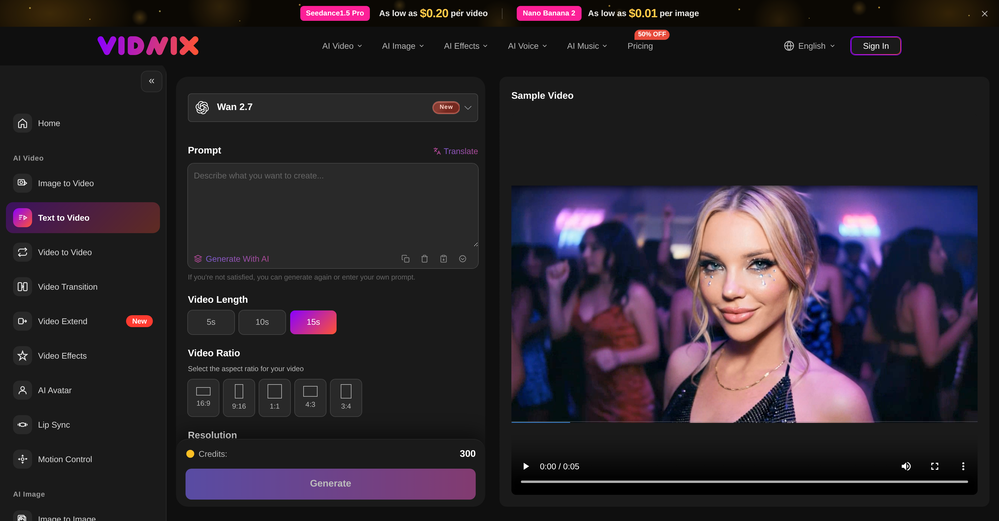 smith tom🙏 23 karmaJun 9, 2026@Vidnix | AI Text to Video GeneratorSolid. Not perfect but it gets the job done and the updates have been pretty consistent
 -
Waitlist
 Open
Open
-
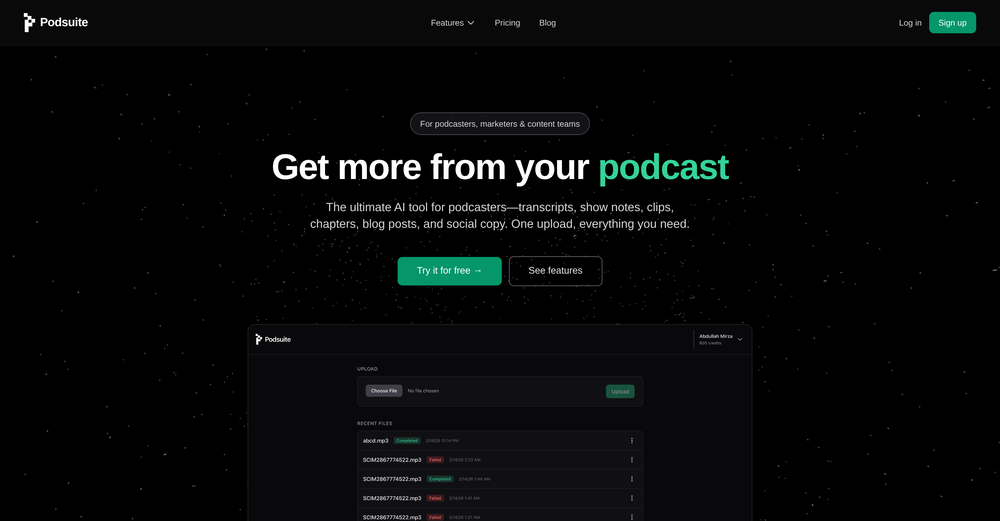 I think it delivers on all of its claims, specially the transcription and Blogs.
 -

-
-
-










Verified tools
- SpotlightSureThing.io - "OpenClaw" for BeginnersTask automation
-
 Open
Open -
-
-
-
GoFaceless turns a single prompt into a finished, ready-to-post video — script, AI voiceover, B-roll, music, titles, and captions, fully assembled. No timeline to wrestle with, no stock clips to hunt down.
New in this release:
- Edit by chatting — change the voice, script, pacing, language, or any setting just by typing, and it re-renders instantly.
- Full timeline control when you want it — trim, split, reorder, and adjust volume on any track.
- Reusable AI presenters + faceless B-roll — pick a character once, reuse it across every video.
- 30+ languages, vertical and landscape (16:9), with grounded visuals that match real places and facts.
Describe your video, get a finished one back, then refine it in plain English. Faceless content on autopilot.
-
I run an online store and regularly need product images and promotional graphics. What I like about Playyy is that I can edit the text, images, and layout after generating—so if something feels off, I can just fix it instead of starting over. It saves me a lot of time.
-
The Agent is really handy. It's much more streamlined and convenient than canvas-based AI tools. There's a bit of a learning curve at the start, but once you get the hang of it, it's incredibly useful
-
The world first multi-angle virtual staging tool for all room types and style!
-
 Generate AI images. No subscription. Credits never expire.Open
 -
Pay-as-you-go without subscription
-
 AI video translation with dubbing and lip-sync.Open
 -
 Open
Open -
-
 Web platform for video translation, text-to-speech conversion, image creation, media editingOpenGenerated a pretty accurate video translation. Also, was quite impressed with a price tag.
 -
They offer a wide range of options, including Corporate, Festive, and Pet themes. The platform is incredibly user-friendly, and each headshot features a thoughtfully curated color palette that complements the look, ensuring a polished and professional result.
-
Love Dadan's new AI features. I used to hate searching through videos to find specific points and actions. Now I just get AI Assist to transcribe them and use one of the meeting templates to find what I need in a few seconds.
-
 Edit smarter, faster and easier with Filmora’s powerful AI video tools.Open
 -
 OpenGoEnhance's production from video to animation is impressive. It can go up to 2k 60fps, so exciting.
 -
 OpenTried it with one photo and was surprised how natural the video looked — lots of effects and models to play with too
 -
I am the builder of WUI.AI, an innovative content repurposing application designed to help global individual creators transform their text, audio, and video content into platform-optimized short and long videos for YouTube, TikTok, Reels, and more, with automated publishing capabilities. I try to build in public so any feedbacks will be appreciated
-
Hi Marwa — thank you for the love on your first try and for the candid update. We’re sorry about the frustration with verification and downloads — that’s on us. A quick update based on your feedback: • We’ve removed the human‑verification step entirely. It was only in place during our early launch (before login) to prevent abuse; now that sign‑in is live, it’s no longer needed. • The free plan currently includes 2 song generations per day plus unlimited listening/streaming. (Downloads are available on paid plans.) AI music generation is expensive to run, so we can’t make unlimited usage completely free, but we’re committed to keeping a useful free tier and transparent pricing. If you decide to upgrade, use the code TAAFT at checkout for 20% off any plan. If anything still doesn’t work as expected, please email us at [email protected] — we’ll jump on it. Thanks again for helping us make Eleven Music better!
-
 Turn baby photos into talking podcast videos.OpenWow, The AI tool is so interesting for the AI talking baby podcast. I like it. Thank you for the AI
 -
I tried TheMultiverse.ai and was genuinely impressed — the headshots it generated look sharp, professional, and true to me. The editing options gave me just enough control without feeling overwhelming. I think it is more affordable than other ai headshot options out there.
-
Insanely easy to use yet reliable automation tool. Recommend to give it a try.
-
Generating captions was super fast like seconds. Wish they had Anton font though
-
Smarter Music Analysis, Better AI Music Videos, and Lyrics Video Creation
AirMusic v2.6 introduces major improvements across music analysis and video creation workflows.
This update upgrades AI Music Analyzer with deeper song insights, improves the AI Music Video Generator experience, adds subtitle editing for MVs, and introduces a new Lyrics Video Maker for creating lyric-based music videos.
🎵 AI Music Analyzer — Deeper Music Understanding
AirMusic’s AI Music Analyzer has been redesigned with more detailed song analysis capabilities.
The analyzer now provides:
- BPM analysis — detect the tempo and rhythm of your track
- Key detection — identify the musical key of the song
- Genre analysis — understand the main music category
- Mood analysis — identify emotional tone and atmosphere
- Style analysis — understand the overall musical direction
- Detailed instrument analysis — detect instruments used in the track
- Vocal style analysis — analyze singing characteristics and vocal expression
- Song structure analysis — identify sections such as intro, verse, chorus, bridge, and outro
- Style description — generate a detailed description of the song’s sound and creative direction
These improvements help creators better understand their music and provide richer input for AI-powered music creation and video generation.
🎬 AI Music Video Generator — Cleaner Interface, Smoother Workflow
The AI Music Video Generator interface has been redesigned with a cleaner and more intuitive layout.
Improvements include:
- Simplified page structure
- Clearer creation steps
- Easier video style selection
- More focused controls for music video generation
The updated workflow makes it easier to go from song upload to finished AI music video.
💬 Subtitle Editing for AI Music Videos
AirMusic now supports subtitle editing for generated music videos.
Creators can customize subtitles and lyrics display to better match their video style, making it easier to create:
- Lyric-based music videos
- Social media music clips
- Performance videos with synced lyrics
🎤 New Lyrics Video Maker
AirMusic v2.6 introduces Lyrics Video Maker, a new tool for creating engaging lyric videos from songs.
Users can turn their music into visual lyric content with synchronized text and AI-generated visuals, making it easier to create shareable videos for:
- YouTube music uploads
- TikTok and Instagram Reels
- Song promotion and artist branding
🛠️ Bug Fixes & Improvements
Based on user feedback, AirMusic v2.6 also includes multiple bug fixes and stability improvements.
These updates improve overall reliability across music analysis, video generation, and content creation workflows.
🎯 Best For
- Musicians and independent artists who want deeper insights into their songs and better tools for promoting their music
- AI music creators who need detailed song analysis before generating music videos
- YouTube, TikTok, and Instagram creators who want to create lyric videos and music content faster
- Suno and AI-generated music users who want to transform songs into polished visual content
- Creators producing multiple music videos who need a simpler and more efficient workflow
With AirMusic v2.6, creators get a more intelligent music analysis system, a smoother AI music video creation experience, and new ways to turn songs into engaging visual content.
-
 Turn any song into scroll-stopping videos in minutes with AI-directed scripts andOpen
 -
 Start from real examples. Turn one good clip into a full video.OpenI was surprised by MotionGen's image2 model. I've uploaded a photo and it accurately suggested hairstyle variations I actually loved. Didn't expect that at all.
 -
Best Free Movie Maker App on the Market
-
Clean UI, multiple video models in one place, and fair credit refunds when generations fail. Nice that you can try it for free before committing.
-
-
I like it but sometimes it changes some features in somone
-
Não conseguir testar pois a plataforma fica toda hora caindo, então não conseguir gerar a imagem. Mas gostaria de conseguir testar pois a proposta é muito boa.
-
very good tool. done your work in seconds with Retouch Pro
-
It works surprisingly well. Clean plus you can actually try it first without having to drop money right away. helps if you are not sure it'll fit your needs. Solid stuff.
-
Thanks for the feedback. We would love to know more about your issue. Could you please provide more details at [email protected] ?
-
 Get Realistic, Natural-Looking AI-Generated Professional Headshots in 2 Hours.OpenI never thought I’d be using an AI service for something like this, but I’m glad I did. The headshot looks like it was taken by a professional photographer, without the pain.
 -
Can't test without entering a credit card directly after sign up, I won't be using without testing it first. sorry!
-
 OpenThe watermark was removed so cleanly, it's amazing!
 -
 Turn prompts into polished images and videos, instantly.Open
 -
 Turn images into videos with advanced AI All with Fylia AI.Open
 -
 Open
Open -
-
 Open
Open -
As a student, I regularly work with research papers and long PDFs. PodcastorAI has been a helpful way to turn that content into something I can listen to while commuting or walking. I like that it creates a structured podcast rather than simply reading the text aloud. The dialogue format is surprisingly engaging and makes dense material easier to get through. I still rely on the original documents for deeper study, but for review and knowledge retention, it's been a genuinely useful tool.
-
 Open
Open -
 Turn simple prompts into viral videos, stunning images, and realistic audio.Open
 -
I’ve been using Image Combiner for quick image blending tests, and it does exactly what I need without making the workflow complicated. The interface is clean, uploads are simple, and the generated combinations are useful enough to iterate on quickly.
-
Very simple and easy to use. The premium feature of Lyrics helper really helped me to write lyrics exactly the way i wanted.
-
 OpenAI Inspo is an excellent all-in-one AI platform. With trending templates and advanced AI generation models, creating engaging videos becomes fast and effortless in just a few clicks.
 -
-
 Open
Open -
 Get 99.9% accurate TikTok transcripts in seconds.OpenOne tool that really impressed me—I honestly can’t believe something this good is free. Even if it becomes paid later, I’d still keep using it. The results are just that good.
 -
 Generate full-length faceless YouTube videos from text and earnOpenNoodle Tomato is an amazing video creation tool. You can create shorts or full length videos on ANY subject. Choose your voice, bullet points about what you want the video to be about. It then creates the script, all of the videos into parts that are editable. After it compiles the video you can download it directly, post it to YouTube and it's that simple. You need 0 knowledge of AI prompting or video editing.
 -
 Open
Open -
-
 Open
Open -
Steer clear of this by any cost ! it gives you ONE video for free and then ask you for no less than FIFTY dollars a month for only FIVE videos ! they must be crazy with all the alternatives.
-
Vocallab AI is honestly the easiest tool I’ve ever used. The interface is super simple and intuitive. Generations take less than 2 seconds. The quality is also incredible. The voices sound very realistic — almost like real people. You can even add emotions and details like coughs, laughs, sighs, and other subtle effects, which makes everything feel much more natural and alive. Highly recommend it to anyone working with content, videos, or voice projects.
-
-
I tried Animon for a bit and it’s actually pretty solid. It does a good job with simple animations and keeps the original image style pretty well, so the results usually look clean.
-
The infographic maker lets you use it once for free without signing in. This infographic maker is simple and easy to use, even more so than Canva or Venngage. However, the available styles and templates are still limited. I hope they add more design options and customization in future updates. Overall, a good choice for quickly creating infographics.
-
Pricing is fair since it would take me days to clip 4 hour videos
-
I tried using stuvio, but honestly the experience was disappointing. The platform looks promising at first, but many features feel unfinished and confusing. The interface is not very user-friendly, and it takes a lot of time to understand how things actually work.
-
 Transform casual selfies into studio-quality business headshots instantly.Open
 -
I was skeptical about the "one-click video" claim, but I gave TemVideo a shot for a new product I'm testing. The biggest headache with AI video tools is usually the prompt engineering—you spend 30 minutes typing descriptions just to get a weird-looking hand. TemVideo completely bypasses that. My honest take after using it: The "From Raw Footage" feature is the real MVP. You know those random 10-second clips you take on your phone just to check lighting? The AI somehow turns those messy scraps into coherent ads. It’s almost spooky how well it edits around the product. It’s built for speed. If you are a dropshipper who needs to test 5 different products today, this workflow is unbeatable. Upload, click, done. I had an export ready faster than I could find a coffee. Multi-language is a bonus. It’s smart they included localization. If you sell globally, having the AI handle the lip sync and narration in different languages from one workflow is a massive time-saver. Best part? The built-in "Viral Hooks" library. It takes the guesswork out of what text to put on screen to stop the scroll.
-
-
I'm giving it two stars because it does do an ok job on videos but I would NOT recommend this. The "free trial" gives you 80 credits. It's not even enough to make a 60 second video so you can't really "trial" anything. I then spent $35 to make a 60 second video and I did two edits to it and I only have 451 credits left for the month. Until the costs come down, this is not feasible.
-
I think this is the future of movies, but I have to give you some advice : 1. Make all images automatically animated and animating them does not cost additional credits 2. Make sure it doesn't all have to be family friendly, put age ratings (PG, PG-13, R) This way all your creations won't have to be family friendly and your site will be much more successful.
































































































































Other tools
-
Tried AnyGen for a bit and I like how flexible it feels compared to more rigid AI generators. Seems useful for quickly experimenting with different types of content and ideas without overcomplicating the workflow.
-
Been using Knowcast to keep up with new ideas and information, and I like how easy it is to discover and revisit useful content. The experience feels straightforward and helps cut through a lot of the noise, making it easier to stay informed without getting overwhelmed.
-
-
When uploading a 30-minute video file, I was surprised to receive the transcript in just a few seconds. The speed and quality of the transcription process blew me away, especially considering the complexity of the video content.
-
Hey SFS, it seems the app works with credits via an API key, priced at $0.01 per credit. The lowest generation cost is 0.9 credits, and the highest is 8 credits. We’ve also updated the app’s price description. Thank you very much!
-
- Didn't find the AI you were looking for?
-
I uploaded a video and edited it, then downloaded shorter clips for free. The free version only allows one video upload
-
The tool has good features and useful prompts, but I hope it becomes faster and offers more free options. Overall, it has potential and can improve with future updates.
-
MusicAura is an AI music generation tool designed to help creators quickly turn ideas into royalty-free music. It focuses on a simple workflow where users can generate music from text prompts in seconds, making it useful for content creators, indie developers, and marketers who need fast audio ideas without complex production tools.
-
I just used LumiClip to make clips from my long podcast video and Im so amazed how it differs from other ai video clipper tools like Opus or vizard, It does the highlight finding very well and reframe comes our so clean with no editing required. Only thing i would suggest is adding b-roll videos to clips automaticaly.
-
 Create AI-generated content for events and webinars.Open