Go to section
Spotlight SureThing.io - "OpenClaw" for BeginnersTask automation
The front page of AI.Used by 90M+ humans.

TAAFT Tutorial
Generate image
Tasks
Generate text
Free mode
Trending
Leaderboard
Characters
 Mini tools
New
Featured
Lists
Agents
Requests
Jobs
Map
Newsletter
Starter pack
Free tools
Speech to text
Text translator
Remove background
Settings
Edit profile
My tools
Gallery
Dashboard
Inbox
Get featured
Contact TAAFT
For you
Popular
Job impact index
Most saved
Affiliate program
Submit AI tool
Notification preferences
Glossary
Home
Timeline
My profile
Create tool
Deals
Companies
Models
Robots
Papers
Fundraises
Repositories
Devices
Organizations
Events
Prompt Pack
Merchendise
APIs
Features
Tools
Countries
Collections
Videos
Mini tools
New
Featured
Lists
Agents
Requests
Jobs
Map
Newsletter
Starter pack
Free tools
Speech to text
Text translator
Remove background
Settings
Edit profile
My tools
Gallery
Dashboard
Inbox
Get featured
Contact TAAFT
For you
Popular
Job impact index
Most saved
Affiliate program
Submit AI tool
Notification preferences
Glossary
Home
Timeline
My profile
Create tool
Deals
Companies
Models
Robots
Papers
Fundraises
Repositories
Devices
Organizations
Events
Prompt Pack
Merchendise
APIs
Features
Tools
Countries
Collections
Videos
Mini tools
New
Featured
Lists
Agents
Requests
Jobs
Map
Newsletter
Starter pack
Free tools
Speech to text
Text translator
Remove background
Settings
Edit profile
My tools
Gallery
Dashboard
Inbox
Get featured
Contact TAAFT
For you
Popular
Job impact index
Most saved
Affiliate program
Submit AI tool
Notification preferences
Glossary
Home
Timeline
My profile
Create tool
Deals
Companies
Models
Robots
Papers
Fundraises
Repositories
Devices
Organizations
Events
Prompt Pack
Merchendise
APIs
Features
Tools
Countries
Collections
Videos

▼ Popular
Text editing
Free mode
100% free
Freemium
Free Trial
Featured matches
-
-
 smith tom🙏 13 karmaJun 9, 2026@Vidnix | AI Text to Video GeneratorSolid. Not perfect but it gets the job done and the updates have been pretty consistent
 -
-
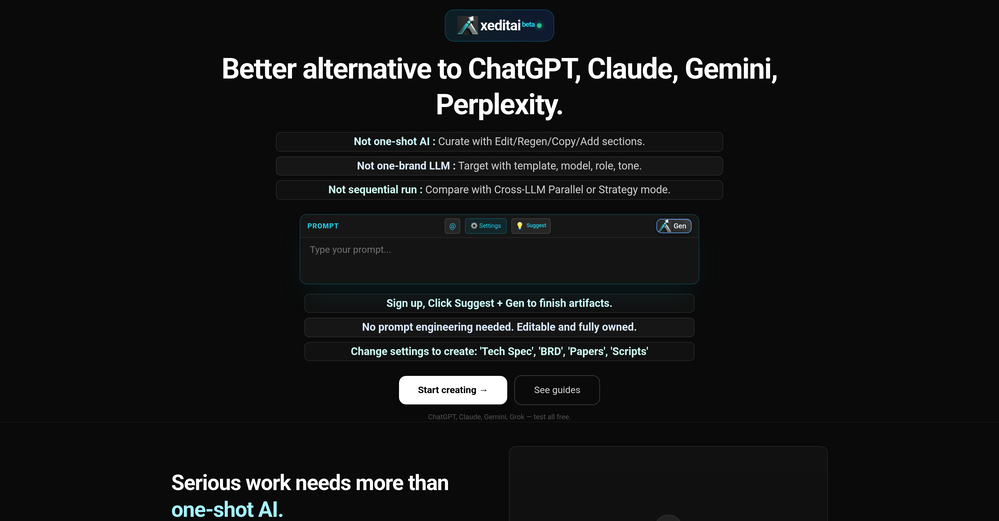 xeditai.com has options that most chat AIs lack, 1) Options to choose multiple vendor 2) Save content online 3) Regenerate by Section/Paragraph switch model to regenerate 4) Edit/Add text or image 5) Add branding and export 6) Run Parallel and copy across by Section/Paragraph 7) Run Strategy mode to a maximum of 3 LLMs to evaluate/synthesize/debate 8) Optionally switch templates to target output to different format 9) Tweak roles, thinking, model params 10) Use suggested next steps to follow up or target next template by process for e.g. BRD-> PRD
 -
-
-
-
 Use it every day! Best AI support for work
 -
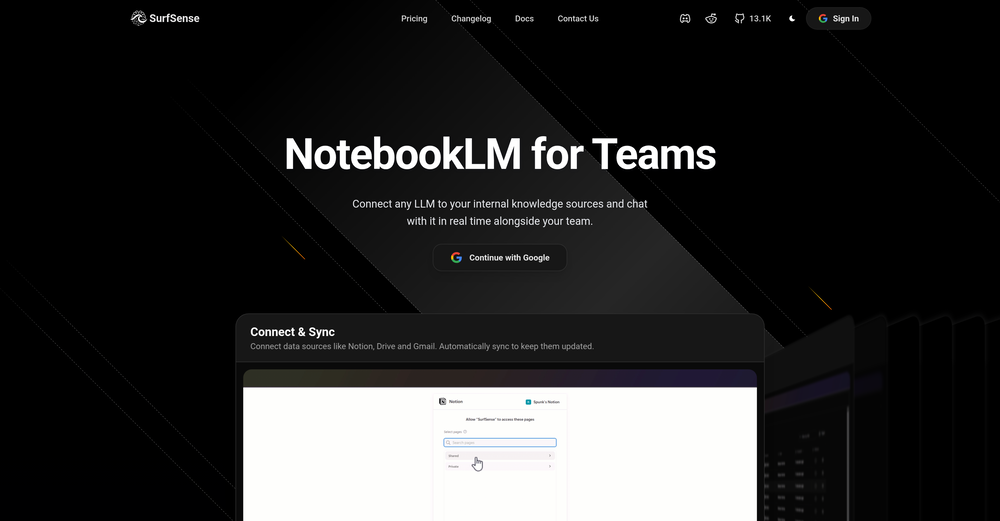 Honestly SurfSense is amazing, I use it almost every morning to get an mp3/podcast of my Gmail, Gcal and urgent Linear tickets so I know exactly what's going on that day. It's also insane for board games because I just throw the rulebooks in and share it with my friends so we can chat with the AI together to figure out how to play. And it is scarily good at untangling and explaining really complex rules when we encounter some weird situation!
 -
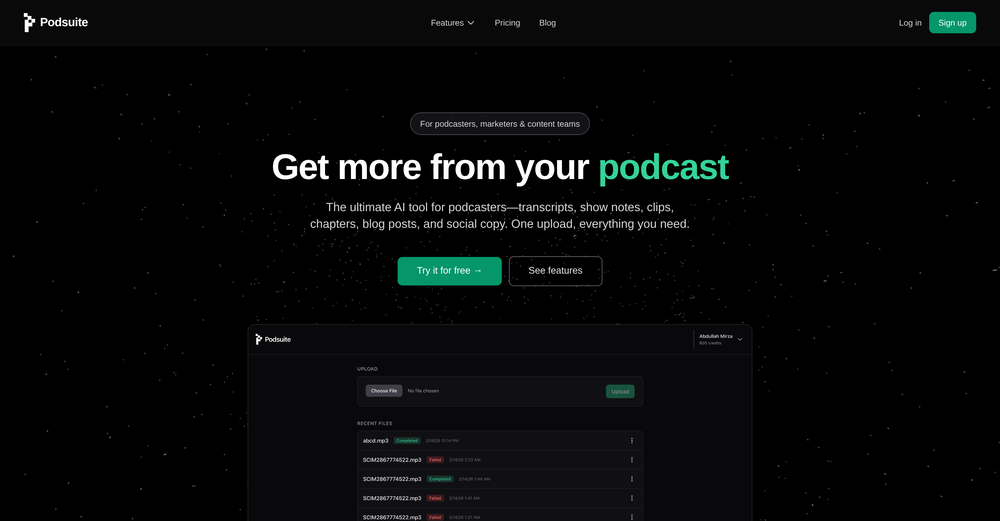 I think it delivers on all of its claims, specially the transcription and Blogs.









Other tools
-
too expensive for me, I just want to make memes, not pay that much
-
I recently started using Napkin AI, and I couldn't be more impressed! This tool is incredibly user-friendly and intuitive, making it easy to generate clear visual representations from text. Moreover, the interface is clean and visually appealing, which enhances the overall user experience. Napkin AI is a fantastic companion. Highly recommended for anyone looking to elevate their creative process!
-
- SpotlightSureThing.io - "OpenClaw" for BeginnersTask automation
-
-
Can't test without entering a credit card directly after sign up, I won't be using without testing it first. sorry!
-
The first one I see that is free and can bypass even Originality AI. Super dope
-
The fact that it's available as a Chrome and Firefox extension makes it super convenient to integrate into my workflow. I love how it not only helps with proofreading and editing but also tracks changes, which is incredibly useful.
- Didn't find the AI you were looking for?
-
 OpenEasily saves me an hour every day - I no longer have to type long winded “professional” sounding email replies to my colleagues, I just speak roughly with minimal effort 👏
 -
typed in my prompts and boooooom. clean descriptions in secs lol. handy if you suck at writing (like me). lowkey a cheat code (no san andreas)
-
 Transform your music into stunning visual experiences with AIOpenThe generation effect is good, the pictures are exquisite, and the transition animations of the pictures are smooth The only drawback is that it would be better if the generation time were a little faster
 -
Absolutely terrible! Spinning at it's worst and still 100% detected by GPTZero!
-
best part? it doesn't fight my process. i can iterate fast, try different moods and play with compositions while the idea's still hot.
-
Hello! I am writing about an error When using Asc Isaac. It is not the answer that appears, but the text of the HTML code. here is the first half of <!DOCTYPE html> <html> <head> <meta name="viewport" content="width=device-width, initial-scale=1" /> <meta charset="utf-8" /> <title>Server Error</title> <style media="screen"> :root { --bg: hsl(250, 24%, 9%); --fg: hsl(0, 0%, 100%); --pink: hsl(270, 60%, 52%); } html,
-
Every time i switch to a new mac -> this is the first tool i install
-
 Open
Open -
only the part of my own voice is not possible, but it's amazing as application
-
Hi Marwa — thank you for the love on your first try and for the candid update. We’re sorry about the frustration with verification and downloads — that’s on us. A quick update based on your feedback: • We’ve removed the human‑verification step entirely. It was only in place during our early launch (before login) to prevent abuse; now that sign‑in is live, it’s no longer needed. • The free plan currently includes 2 song generations per day plus unlimited listening/streaming. (Downloads are available on paid plans.) AI music generation is expensive to run, so we can’t make unlimited usage completely free, but we’re committed to keeping a useful free tier and transparent pricing. If you decide to upgrade, use the code TAAFT at checkout for 20% off any plan. If anything still doesn’t work as expected, please email us at [email protected] — we’ll jump on it. Thanks again for helping us make Eleven Music better!
-
it removed the watermark cleanly while keeping the original quality.
-
I forgot to take videos on my trip, so I gave this a shot with just the photos I had. Surprisingly, it created a short clip that actually looked real, super cool. Just wish it didn’t take forever to render
-
 Humanize AI text into undetectable and convincing human content.OpenBest one! The only one that does not add mistakes to fool AI detectors.
 -
Clean UI, multiple video models in one place, and fair credit refunds when generations fail. Nice that you can try it for free before committing.
-
This is one of those apps that when you use it for the first time, it feels like magic. It is one of the apps that has led to me using it the most every day. It's almost as integral to me now as ChatGPT.
-
It works surprisingly well. Clean plus you can actually try it first without having to drop money right away. helps if you are not sure it'll fit your needs. Solid stuff.
-
 Open
Open -
I like it but sometimes it changes some features in somone
-
AIReel provides a convenient way to generate videos or images from text prompts or photos using several AI models in one place. When trying different prompts and images, the platform produced AI creations with noticeably different visual styles depending on the model selected. Compared with accessing many AI video models directly on their native platforms, the overall cost is more affordable, making it easier to experiment with AI-generated content, including both AI videos and AI images.
-
Since discovering this tool in January 2024, my workflow as an entrepreneur, educator, and content creator has undergone a complete transformation, becoming far more efficient. With a total of +13,617 snippets used, I have managed to save +3,811 hours of work that were previously spent on repetitive and tedious tasks. Its ability to combine web scraping features with AI Blaze instructions makes it far superior and more user-friendly compared to other technical alternatives. This system has truly become a bridge for me to stop worrying about exhausting operational details and shift my focus entirely to things that are essential in my career. Although the features that currently exist are already very solid and comprehensive, I see a great opportunity for improvement if AI Blaze supported open-source models like DeepSeek or GLM. Giving users the option to add external API keys independently would be an amazing update that provides unlimited flexibility for users. Overall, this is the best productivity solution that continues to provide exceptional value to my community even after two years of active use.
-
 Start from real examples. Turn one good clip into a full video.OpenI was surprised by MotionGen's image2 model. I've uploaded a photo and it accurately suggested hairstyle variations I actually loved. Didn't expect that at all.
 -
 Transform AI-Generated text into content that feels like it's written by humanOpenThanks for reaching out. We are committed to provide great user experience.
 -
👋 Hey, I'm the founder of Flowova! We built this because we were tired of spending hours dragging boxes in traditional flowchart tools. A few things you might not know: - Works with anything — text, images, PDFs, Word, PPT, Excel, even photos of whiteboard sketches - 40+ themes designed for presentations - Full Mermaid code support for developers Happy to answer any questions! 🚀
-
I tried testing Seedance 2.0 on several platforms, but most of them required a membership upgrade first — even Dreamina. SeeGen AI offers a free trial, and that’s the main reason I recommend it.
-
its a language simulator but it comes up in text editor results. it only reveals its not an editor after we create an account. the creator has no integrity
-
 Generate AI images. No subscription. Credits never expire.OpenImproved page interactions for a smoother and more intuitive user experience. Added support for the latest Nana Banana 2 Lite and MJ V8.1 image models, now available with a free trial. We're still keeping it simple—no subscription required. Pay only for what you use.
 -
Colleagues "writers"), and just curious! Get ready for a story about how one service decided that writing books is not magic, but just a very difficult job that can be... a little automated. As is customary in polite society, I will immediately reveal the cards: this is not about "click one button - get a bestseller". It's more like a very smart and hardworking intern who does the dirty work for you, which requires tons of time and computing resources. And damn, he's good at it, if you know how to manage him. How I apply the product Longreads for my sites and great lead magnets for my clients. I don't just write in the field "I want a book about quantum physics for dummies." No. I create an entire project: 1. I upload sources. I have a whole library of PDF articles, my own sketches, and research. 2. I select a "voice." Essentially, these are custom-trained GPT models that generate text with a specific intonation and vocabulary, rather than following a template. The result is much more lively. 3. I start it and wait. The process is not fast. I like it better than not. Services that spit out a book in 5 minutes make me suspicious. This product works thoughtfully: it conducts research, builds a plan, and writes a draft, almost like a living author, but without the need for coffee or the lament of a creative crisis. What I liked - A workflow worthy of an engineer. The creators clearly have firsthand knowledge of the strengths and weaknesses of AI. This is not just a wrapper for ChatGPT. It is a well-thought-out pipeline. - "Human Models" The ability to train a model on specific texts and get a text with character instead of a faceless mush is priceless. - Respect for the process. Slow generation is not a bug, but a feature. The system is actually working on your book, not just parodying its creation. - The result is 80-90% complete. Yes, the final file is not a ready-to-print manuscript. This is a great draft, full of high-quality content that I, as the author, only need to polish. This is how a writer's tool should work - it takes care of the routine, leaving you with the creative part. - Honesty and transparency. The developer on the site explicitly says that the service cannot do this. In a world where marketers promise mountains of gold, this is honest and captivating. - You can upload your own reference materials, which he will rely on when creating a book. - The support is just wonderful, always clear and to the point. - The interface is simple and intuitive What would you like to pay attention to And where without a spoonful of tar? Without her, the review would be unfair. - Sometimes, instead of the requested 10,000-word book, he does twice as much, although it doesn't seem to affect my credits, but I needed 10,000 words) - Problems with language and accuracy. There may be minor errors when working with languages other than English. What would you like to see in the future 1. Links to sources that the AI uses during writing. 2. Any instructions that will help us create a task for releasing material in the most effective and efficient way. Maybe there is one, but I couldn't find it. I can tell you that it's definitely not a toy. It's a serious, powerful, and, most importantly, cleverly designed tool for those who understand that AI is not a replacement for the author, but rather their personal workaholic assistant. It will save you days or even weeks of work by providing you with a wealth of draft material. Yes, this material will need to be proofread, edited, and supplemented. However, it does so with such grace and produces such a high volume of high-quality content that the only real criticism is for the minor details. If you approach it as an engineer and not a dreamer, and you are willing to invest some time in learning its features, then it will be the best assistant you can buy for the money. Final rating: 5 stars out of 5. For the potential, for the unique workflow, and for the fact that it is already the most interesting in its class.
-
-
 Open
Open -
made a presentation for my site with just 1 prompt, lol how did the AI get so much information out of my website lol
-
 OpenI often struggle to find the right words, but this tool helps me polish my expressions and make my writing flow naturally.
 -
Not sure what I'm doing wrong but I downloaded the extension to my chrome browser and then highlighted my email copy and then clicked on the extension link but there is no button to provide updated copy.
-
 Edit smarter, faster and easier with Filmora’s powerful AI video tools.Open
 -
It's super easy to use, and the humanizer works. I tried a sample text, and it could pass ZEROGPT and GPTZERO (as a human). Recommended.
-
Didn't really do the graphs that i thought it would do. Good for simple graphs, like for a presentation
-
I'd love to help you breathe some life into your article about the benefits of exercise. To get started, could you share the text with me? That way, I can get a feel for your writing style and the tone you're aiming for. Also, just to clarify, are you looking for a casual and conversational tone, or something more professional and informative? Any guidance you can provide will help me tailor the rewrite to your needs. Please go ahead and share the article, and I'll do my best to make it engaging, easy to read, and true to your original message. (If you have any specific instructions or a preferred tone in mind, feel free to let me know and I'll do my best to accommodate them.)
-
-
 ⚡ Your everyday writing companion: Fix grammar, Reply emails, Paraphrase, and more...Open🧩 TextWisely was born from a personal itch ⚠️ Sending numerous Emails and Slack messages daily, I found myself constantly switching apps and re-entering the same prompts into ChatGPT to refine my writing 💡 This inspired me to create TextWisely to boost writing speed, reduce context switching, and improve quality with instant text actions: → Grammar corrections → Email drafts → Structured writing → Tone changes → Translations ...and more 👉 It's a native macOS desktop app – shortcut-heavy for power users, but also click-friendly for those just starting out 🚀 Give it a try – Share your feedback and experience 👋 Edgar, creator of TextWisely
 -
 OpenIf you care about control over your data, this tool is for you! Looking forward to your questions and feedback. Thank you ❤️
 -
⭐⭐⭐⭐⭐ Great AI Presentation Tool! I really liked the Brand PPT feature. It helped me create professional, on-brand presentation slides in under 60 seconds. The AI-generated content was well-structured, the design looked polished, and the editing process was simple. It has saved me a lot of time compared to creating presentations manually. Highly recommended for anyone who needs fast, professional-quality PowerPoint presentations.
-
 Apply spooky Halloween filters and scary makeup effects online for free.Open
 -
I hope students will enjoy using Olovka: AI Essay Writer as much as I enjoyed developing the product. Looking forward to your feedback and feature suggestions!
-
I have been using this app for a month on a laptop with just 4GB of VRAM, and it has been performing exceptionally well. Surprisingly, it's the only available option for local voice recognition that operates without an internet connection. The developer is actively making continuous improvements, enhancing the program's functionalities progressively. I strongly recommend it.
-
 AI video translation with dubbing and lip-sync.Open
 -
couldn't even use it... i signed up, had to rewrite my prompt, but then i had to sign in, then rewrite my prompt, then sign in...
-
-
I use Finepoint all the time. it just makes things easy. I tend to be wordy, and Finepoint captures the context perfectly and delivers much more succinct copy.
-
 Turn academic jargon into human conversation.Open
 -
This keyboard app stands out as one of the top choices thanks to its built-in AI assistants. It's not only user-friendly but also exceptionally helpful and distinctive. Whether you're correcting grammar or using writing assistants, I can also create any assistants for fast typing. I created one for my customer support service. This app simplifies the process of accessing LLM directly, eliminating the need to open a browser.
-
 AI-powered writing enhancer for polished, professional text.OpenSays I submitted inappropriate content. It's a freeking report on Puerto Rico.
 -
As a student, I regularly work with research papers and long PDFs. PodcastorAI has been a helpful way to turn that content into something I can listen to while commuting or walking. I like that it creates a structured podcast rather than simply reading the text aloud. The dialogue format is surprisingly engaging and makes dense material easier to get through. I still rely on the original documents for deeper study, but for review and knowledge retention, it's been a genuinely useful tool.
-
 Instantly rewrite, polish, and perfect any text without leaving your current tabOpen
 -
 Open
Open -
 Open
Open -
 Unleash your creativity with AI for Creative Writing.Open
 -
 Open
Open -
 Professional proofreading and editing with CriticMarkup tracking.Open
 -
 Transform AI text into human-like content with sophistication!Open
 -
 Open
Open -
 Specializing in correcting your spelling and grammar.Open
 -
 Open
Open -
 Expert in reformatting text for clarity and engagementOpen
 -
 Transforms text into Charles Bukowski's style - raw, direct, unpolished.Open