Go to section
Spotlight SureThing.io - "OpenClaw" for BeginnersTask automation
The front page of AI.Used by 90M+ humans.

Generate image
Tasks
Generate text
Free mode
Trending
Leaderboard
Characters
 Mini tools
New
Featured
Lists
Agents
Requests
Jobs
Map
Newsletter
Starter pack
Free tools
Speech to text
Text translator
Remove background
Settings
Edit profile
My tools
Gallery
Dashboard
Inbox
Get featured
Contact TAAFT
For you
Popular
Job impact index
Most saved
Affiliate program
Submit AI tool
Notification preferences
Glossary
Home
Timeline
My profile
Create tool
Deals
Companies
Models
Robots
Papers
Fundraises
Devices
Organizations
Events
Prompt Pack
Merchendise
APIs
Features
Tools
Countries
Collections
Videos
News
Investors
Repositories
Mini tools
New
Featured
Lists
Agents
Requests
Jobs
Map
Newsletter
Starter pack
Free tools
Speech to text
Text translator
Remove background
Settings
Edit profile
My tools
Gallery
Dashboard
Inbox
Get featured
Contact TAAFT
For you
Popular
Job impact index
Most saved
Affiliate program
Submit AI tool
Notification preferences
Glossary
Home
Timeline
My profile
Create tool
Deals
Companies
Models
Robots
Papers
Fundraises
Devices
Organizations
Events
Prompt Pack
Merchendise
APIs
Features
Tools
Countries
Collections
Videos
News
Investors
Repositories
Mini tools
New
Featured
Lists
Agents
Requests
Jobs
Map
Newsletter
Starter pack
Free tools
Speech to text
Text translator
Remove background
Settings
Edit profile
My tools
Gallery
Dashboard
Inbox
Get featured
Contact TAAFT
For you
Popular
Job impact index
Most saved
Affiliate program
Submit AI tool
Notification preferences
Glossary
Home
Timeline
My profile
Create tool
Deals
Companies
Models
Robots
Papers
Fundraises
Devices
Organizations
Events
Prompt Pack
Merchendise
APIs
Features
Tools
Countries
Collections
Videos
News
Investors
Repositories

▼ State of the art
Automatic editing
Free mode
100% free
Freemium
Free Trial
Other tools
-
Google Manager🙏 4 karmaJun 5, 2025@Cutout.Prokaspersky notified me of this platform when I registered it leaked personal data, ip history, name, password, email address.
- SpotlightSureThing.io - "OpenClaw" for BeginnersTask automation
-
Annoying... apparently some words or phrases are blacklisted and you get a message saying to change the prompt and try again but not what part of the prompt was a problem, a on top of that the prompt has been replaced with their standard random nonsense so you have to start over inside of editing your input
-
-
 Apply spooky Halloween filters and scary makeup effects online for free.Open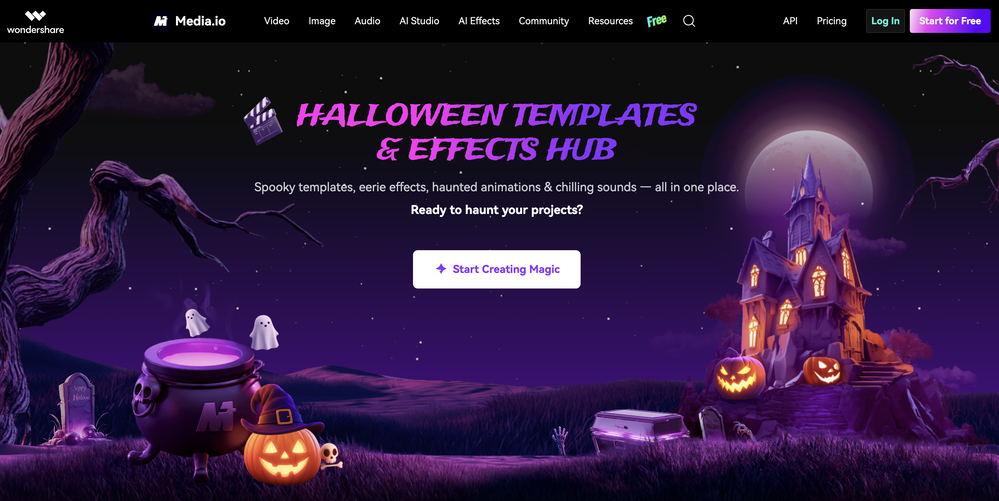
-
Generating captions was super fast like seconds. Wish they had Anton font though
-
Waitlist
 OpenWorks better than expected honestly, they somehow managed to always crop the part where the action happens
 -
cant test before i pay. autocut doesnt work,but i can install it and watch that it doesnt work autopod cant do it
- Didn't find the AI you were looking for?
-
-
Really useful for podcast work. the transcription is accurate and speeds things up a lot.
-
Hey! We'd love to have you test our tool again after a year! It should work much better now :)
-
-
 Transform your music into stunning visual experiences with AIOpenThe generation effect is good, the pictures are exquisite, and the transition animations of the pictures are smooth The only drawback is that it would be better if the generation time were a little faster
 -
 Turn any song into scroll-stopping videos in minutes with AI-directed scripts andOpen
 -
you have build an incorrect customer journey where you mostly feel user feel cheated and dissapointed as you dont even allow to try your product before payment. I wont use this tool again unless you change your model.
-
it's a must-have for optimizing video ad strategies. Highly recommended for staying ahead in the digital landscape.
-
-
-
AutoEditor is a tool powered by AI that allows users to create highly customized short videos. It is primarily designed to make video editing easier and more efficient, thus enabling users to focus more on content creation. Distinct features include the automatic generation of subtitles in more than 40 languages, detection of silence or non-relevant content in videos, and the ability to enhance videos by adding b-rolls, watermarks, and other effects. The platform provides an easy-to-use interface for video editing, putting users in complete control of their content. Users can change text, styles, and various other aspects of their videos without prior knowledge in video editing. Furthermore, AutoEditor supports editing of long videos, which can be broken down into smaller parts without pre-cutting them. Videos for editing can be directly processed from YouTube, eliminating the need for separate downloading websites. Users can also customize their captions, save their unique styles as presets, and create videos with a few simple clicks for a fast editing experience. AutoEditor's pricing is designed to be simple and affordable, with plans tailored to suit different needs. Users can also access a free tier to get started. Flexibility is one of its key advantages, providing users the means to edit their videos exactly how they want them. The software works best with videos containing any type of voice or talking, such as podcasts, talk shows, documentaries, educational videos, or speeches.
-
-
It doesn't create the subtitles and it doesn't let you upload them. You can only create them manually
-
Although the results are slightly inferior to Nano Banana, it has more relaxed content restrictions, including NSFW content.
-
I’ve used this product, and the AI video generation quality is excellent. Most importantly, it offers the best value for money I’ve ever seen. In addition, if you need help optimizing your video prompts, you can email their professional advisors for free consultation.
-
-
Since discovering this tool in January 2024, my workflow as an entrepreneur, educator, and content creator has undergone a complete transformation, becoming far more efficient. With a total of +13,617 snippets used, I have managed to save +3,811 hours of work that were previously spent on repetitive and tedious tasks. Its ability to combine web scraping features with AI Blaze instructions makes it far superior and more user-friendly compared to other technical alternatives. This system has truly become a bridge for me to stop worrying about exhausting operational details and shift my focus entirely to things that are essential in my career. Although the features that currently exist are already very solid and comprehensive, I see a great opportunity for improvement if AI Blaze supported open-source models like DeepSeek or GLM. Giving users the option to add external API keys independently would be an amazing update that provides unlimited flexibility for users. Overall, this is the best productivity solution that continues to provide exceptional value to my community even after two years of active use.
-
-
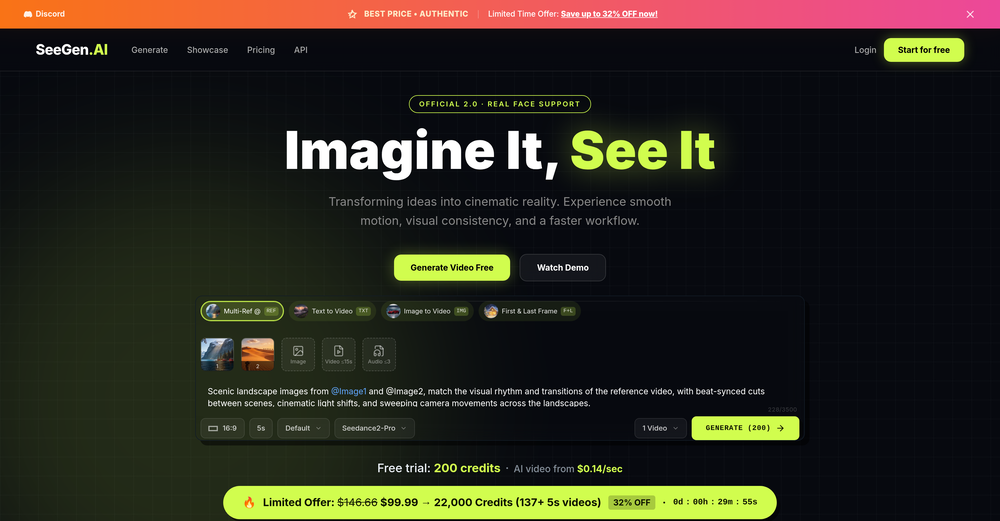 AI Video Prompt (1 Minute): > Create a 1-minute ultra-realistic cinematic video about a poor 12-year-old boy named Ali. Ali lives with his widowed mother in a small mud house in a village. They struggle to afford food, but Ali is hardworking, humble, and always smiles. Every morning, Ali wakes up before sunrise, helps his mother, carries vegetables to the market, shines shoes, and works honestly all day. One afternoon, he finds a wallet full of money on the road. Although his family is poor, Ali chooses to return the wallet to its owner. The owner is deeply touched by Ali's honesty and rewards him with a good job and financial support. In the final scene, Ali and his mother are smiling in their improved home, grateful for a brighter future. Ultra-realistic, emotional storytelling, cinematic lighting, realistic facial expressions, smooth camera movements, golden-hour colors, inspiring background music, 4K, movie-quality visuals.
 -
Amazing tool! Just started working on my videos and I’m loving everything RenderCut offers. It’s super easy to use and saves me a ton of time with subtitles. 5 tacos, no doubt!
-
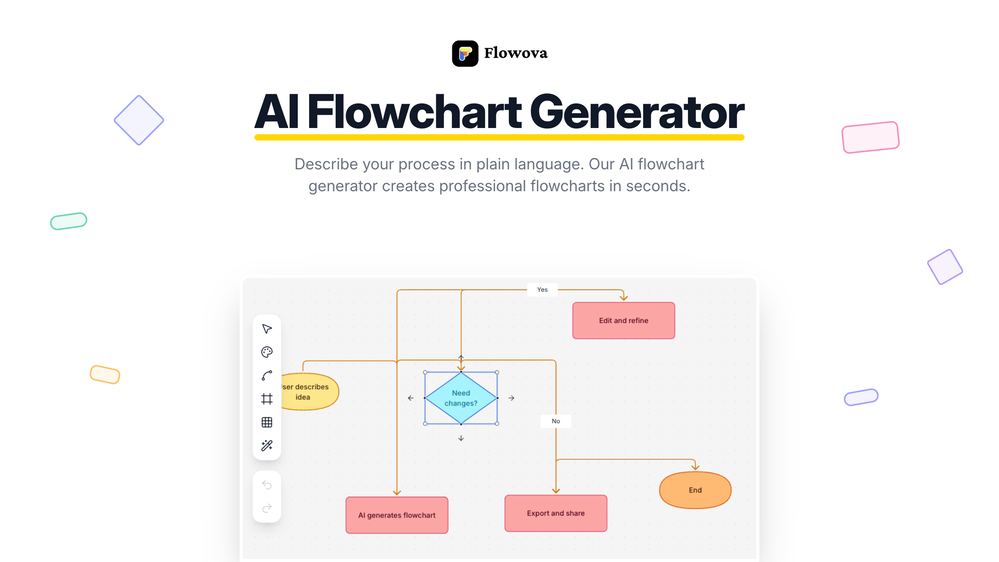 👋 Hey, I'm the founder of Flowova! We built this because we were tired of spending hours dragging boxes in traditional flowchart tools. A few things you might not know: - Works with anything — text, images, PDFs, Word, PPT, Excel, even photos of whiteboard sketches - 40+ themes designed for presentations - Full Mermaid code support for developers Happy to answer any questions! 🚀
 -
Transcriptions seem pretty accurate, especially Piano2Notes does a great job!
-
Great that you like it! Due to a lot of abuse, we had to disable exports in the free trial. We do have a 14 day money back guarantee for one-time licenses, so you can try out all the features.
-
 Transform YouTube videos into polished documents and quizzes.OpenSuper helpful tool for content creators like myself. I have a Patreon where I give my Patreons quizzes and video summaries based on my YouTube video and this website speeds the whole process up tremendously.
 -
its a language simulator but it comes up in text editor results. it only reveals its not an editor after we create an account. the creator has no integrity
-
You can't do anything without paying
-
 Open
Open -
made a presentation for my site with just 1 prompt, lol how did the AI get so much information out of my website lol
-
I have used this tool. From two months of uses I can say, this is the best option for any google update for your blog. Not a single post has been deindexed still now. Thx Auto Ai Assistant team.
-
-
-
 Generate custom copyright-free music that fits to your video automaticallyOpen
-Complete redesign with the new AI Soundtrack experience.
-Improved soundtrack generation workflow from upload to export.
-Better preview and audio controls for fine-tuning your soundtrack.
-Numerous performance improvements, bug fixes, and UI refinements.
-
Didn't really do the graphs that i thought it would do. Good for simple graphs, like for a presentation
-
It's good for me to make my videos into different languages.
-
 Instantly create professional screen recordings in perfect English.OpenHi folks - I'm Charles, the founder of Wizardly. I built this app to help marketing, product, and sales teams instantly create polished product videos without requiring expensive professional video editing. Try it out to see how to turn a quick screen recording into professional, customer-ready video today. We have lot's of cool features in the pipe but feel free to share feedback and suggestions once you give the app a spin! 🙏🏻
 -
I was skeptical about the "one-click video" claim, but I gave TemVideo a shot for a new product I'm testing. The biggest headache with AI video tools is usually the prompt engineering—you spend 30 minutes typing descriptions just to get a weird-looking hand. TemVideo completely bypasses that. My honest take after using it: The "From Raw Footage" feature is the real MVP. You know those random 10-second clips you take on your phone just to check lighting? The AI somehow turns those messy scraps into coherent ads. It’s almost spooky how well it edits around the product. It’s built for speed. If you are a dropshipper who needs to test 5 different products today, this workflow is unbeatable. Upload, click, done. I had an export ready faster than I could find a coffee. Multi-language is a bonus. It’s smart they included localization. If you sell globally, having the AI handle the lip sync and narration in different languages from one workflow is a massive time-saver. Best part? The built-in "Viral Hooks" library. It takes the guesswork out of what text to put on screen to stop the scroll.
-
 Auto remove people from photos with AI.OpenMaybe not the best tool, I uploaded an image and it removed the main subject, didnt even think it was possible. Literally only the background was left
 -
Glitched output at best, that can’t even be exported unless you pay.
-
Klayn looks really solid — simple to use, clean interface, and genuinely useful. It saves a lot of time on tasks that would normally take way longer. Definitely a tool worth trying!
-
Realistic couple photo merge and creative generation!
-
Não conseguir testar pois a plataforma fica toda hora caindo, então não conseguir gerar a imagem. Mas gostaria de conseguir testar pois a proposta é muito boa.
-
The "Lion and Sun" symbol is seen on streets where protests are underway, fires are spreading, and the nation has risen up for freedom.
-
I’ve been using Image Combiner for quick image blending tests, and it does exactly what I need without making the workflow complicated. The interface is clean, uploads are simple, and the generated combinations are useful enough to iterate on quickly.
-
 Open
Open -
 Remove unwanted text, watermark or logo from images online free.Open
 -
Says "free during testing," but keeps telling me I have insufficient credits. I also can't seem to find a way to delete my account.
-
 Open
Open -
 Open
Open -
 AI-powered YouTube thumbnail maker for click-ready designs.Open
 -
 Convert YouTube videos to text with 99% accuracy.OpenI’ve used Riverside before and it’s a really solid tool for recording and producing high-quality audio and video. If you’re looking for a YouTube transcript generator, I’ve also been using Saveto AI. It’s been pretty handy for turning videos into clean text and quick notes.
 -
Well, I use Statuz myself, so maybe I'm biased. The only way to find out is to try it yourself. Let us know here.
-
 Open
Open -
-
Standard marketing has always been a challenge for small businesses and startups, given they have very little bandwidth for devoting time to activities (such as marketing) other than the core business activities. AutoText AI is a rescue tool here as it takes care of idea and content generation, including images, followed by scheduling, posting content on various platforms, and providing analysis at the end. AutoText AI shines among social media marketing tools due to its well-thought-out, simple user journey that performs just the right amount of work. The QuickPost feature saves a lot of time. The tool is highly recommended to subscribe. The key features that solve my marketing problems are standard content creation, standard image creation, posting, and scheduling options, cost benefits, time savings, and ease of understanding and interpreting analytics.
-
I’ve been using this tool for a while, and it’s made a huge difference. I now create 40–50 reels a month in half the time. It helps me generate videos automatically with realistic avatars, create images, edit clips easily, and see which types of content perform best. It really feels like having a creative team by my side.
-
-
I paid for the subscription and the video generation has failed. I found no way to access support and the site says no refunds allowed. Hoping to find some help on here with this and I revisit my review
-
The tool is powerful, combining multiple AI modes and features. It can enhance images with just one click, colorize black-and-white photos, and remove watermarks effortlessly.
-
works wonderfully, really good for cleaning up writing. just wish the monthly plan was a bit cheaper.
-
I just used LumiClip to make clips from my long podcast video and Im so amazed how it differs from other ai video clipper tools like Opus or vizard, It does the highlight finding very well and reframe comes our so clean with no editing required. Only thing i would suggest is adding b-roll videos to clips automaticaly.
-
As a student, I regularly work with research papers and long PDFs. PodcastorAI has been a helpful way to turn that content into something I can listen to while commuting or walking. I like that it creates a structured podcast rather than simply reading the text aloud. The dialogue format is surprisingly engaging and makes dense material easier to get through. I still rely on the original documents for deeper study, but for review and knowledge retention, it's been a genuinely useful tool.
-
 Open
Open -
-
Really impressed with audien.to so far. I dropped in a meeting recording and got a clean transcript plus useful notes in just a few minutes, without having to tweak much. The speaker tags and filler cleanup make it way easier to share with the team.
-
 Remove background noise from any audio or video, free to preview.Open
 -
 Open
Open -
 Create AI-generated content for events and webinars.Open