Go to section
Spotlight SureThing.io - "OpenClaw" for BeginnersTask automation
The front page of AI.Used by 90M+ humans.

TAAFT Tutorial
Generate image
Tasks
Generate text
Free mode
Trending
Leaderboard
Characters
 Mini tools
New
Featured
Lists
Agents
Requests
Jobs
Map
Newsletter
Starter pack
Free tools
Speech to text
Text translator
Remove background
Settings
Edit profile
My tools
Gallery
Dashboard
Inbox
Get featured
Contact TAAFT
For you
Popular
Job impact index
Most saved
Affiliate program
Submit AI tool
Notification preferences
Glossary
Home
Timeline
My profile
Create tool
Deals
Companies
Models
Robots
Papers
Fundraises
Repositories
Devices
Organizations
Events
Prompt Pack
Merchendise
APIs
Features
Tools
Countries
Collections
Videos
Mini tools
New
Featured
Lists
Agents
Requests
Jobs
Map
Newsletter
Starter pack
Free tools
Speech to text
Text translator
Remove background
Settings
Edit profile
My tools
Gallery
Dashboard
Inbox
Get featured
Contact TAAFT
For you
Popular
Job impact index
Most saved
Affiliate program
Submit AI tool
Notification preferences
Glossary
Home
Timeline
My profile
Create tool
Deals
Companies
Models
Robots
Papers
Fundraises
Repositories
Devices
Organizations
Events
Prompt Pack
Merchendise
APIs
Features
Tools
Countries
Collections
Videos
Mini tools
New
Featured
Lists
Agents
Requests
Jobs
Map
Newsletter
Starter pack
Free tools
Speech to text
Text translator
Remove background
Settings
Edit profile
My tools
Gallery
Dashboard
Inbox
Get featured
Contact TAAFT
For you
Popular
Job impact index
Most saved
Affiliate program
Submit AI tool
Notification preferences
Glossary
Home
Timeline
My profile
Create tool
Deals
Companies
Models
Robots
Papers
Fundraises
Repositories
Devices
Organizations
Events
Prompt Pack
Merchendise
APIs
Features
Tools
Countries
Collections
Videos

▼ Popular
Presentation-design
Free mode
100% free
Freemium
Free Trial
Featured matches
-
-
-
-
-
-
-
-
-
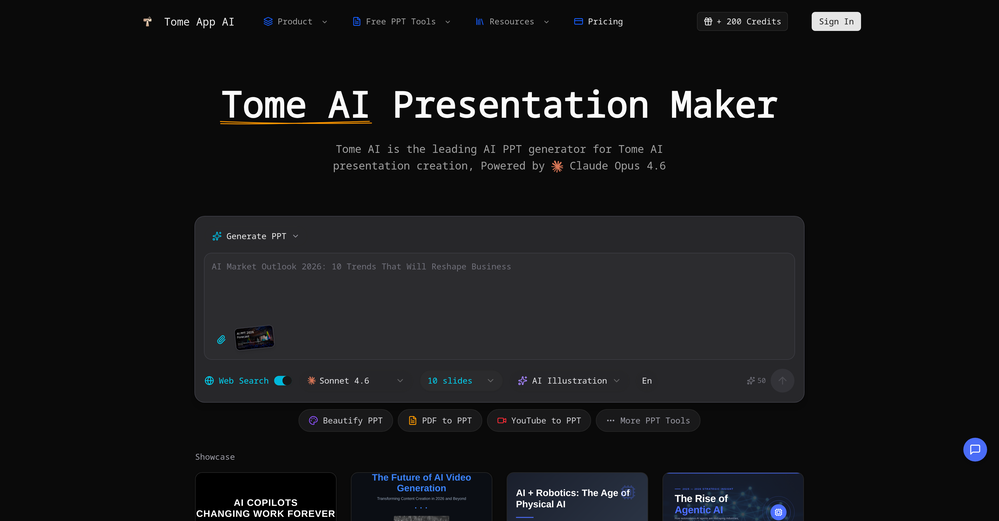
 Jon Hillstrom🛠️ 2 tools 🙏 45 karmaMar 6, 2026@Tome App AImade a presentation for my site with just 1 prompt, lol how did the AI get so much information out of my website lol
 -
 Build professional, on-brand decks — 10x faster. Inside PowerPoint or online.Open
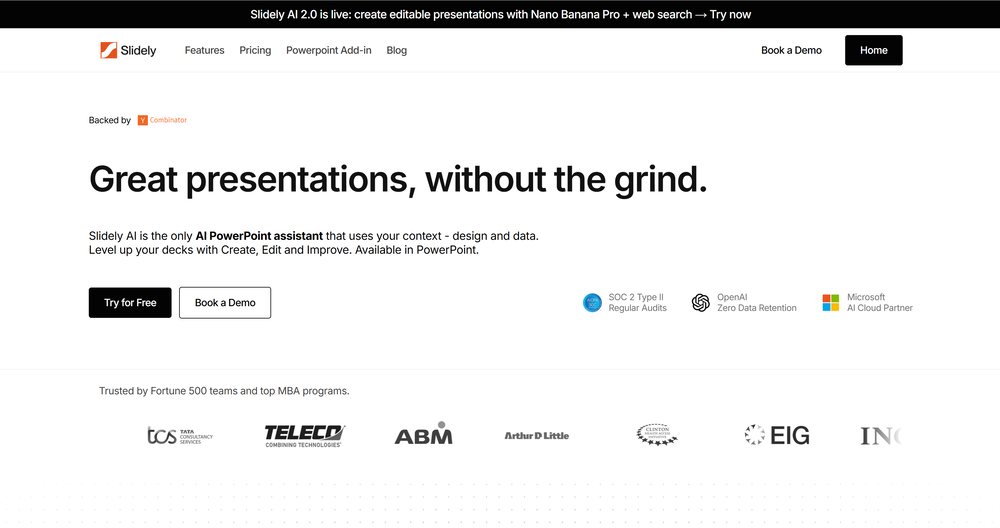 I think Slidely is the only tool that has worked for me when creating my client presentations. The presentations aren't web pages or images like the other tools but actual PowerPoint slides which I really like.










Other tools
-
Makes it easy to get started with a presentation if you have an outline, but as soon as you want more control, you're better off using Google Slides. Gamma's feature that I used the most was image generation - you can select among a variety of models (Ideogram, Flux, DALL-E, but not Midjourney), and it shows 3 variations to choose from. Performance is slow and a little janky, even in Chrome. Prompts and settings are often not respected - e.g. you set it to "preserve text" and just generate slides, and it goes onto dumping an entire 3 paragraphs of text in one slide. You can't overlay text over images (e.g. for image attribution), and there's no precise positioning control, or grouping elements. No way to control table layout, e.g. to have two images slide-by-side in full bleed mode. I tried Gamma for a new presentation, but next time I need to make a presentation, I'll go back to Google Slides and generate images independently.
-
It took me less than 20 minutes to create infographic perfection- all the other AI design sites I tried, and I tried them all, weren't able to give me what I wanted in 1 way or another. Outline Ninja helped me create my infographic
-
When testing out the free version it looked promising, but as soon as I purchased the largest package for more characters the slides were unusable with text running vertically up and beyond my slides (1 character per line). When I reached out to the supplier, they wouldn't refund me because it had been more than 48 hours since my purchase. Waste of money and time.
-
Hello Lalith! Try refreshing the page and giving it another shot,the app seems to be working fine.
- SpotlightSureThing.io - "OpenClaw" for BeginnersTask automation
-
You have the option to waitlist or you can login with your email/pass or google account. I chose google. Once inside you have a suite of tools but im sure when you go to publish you have to sign up for a paid plan. So if your looking for a free option it will be branded. Use at your own risk. Thanks
-
 Generate professional presentations in seconds with AIOpenDid not allow to download the slides.... ideally they should keep it free till sufficient traffic hits the platform and allow people to share feedback.
 -
PPT.AI is an outstanding AI-powered presentation tool that has completely transformed my workflow! With just a few clicks, it turns my ideas, documents, or even YouTube links into polished, professional slides in minutes. The platform offers over 800 premium templates and smart editing tools, making customization both powerful and intuitive. I especially appreciate the real-time cloud collaboration and version control features, which make working in teams seamless. Whether you’re a professional, educator, or entrepreneur, PPT.AI saves a tremendous amount of time and ensures every presentation looks visually engaging and consistent. Highly recommended—definitely a five-star experience!
-
-
I had to tweak a few things to match my brand style, but overall it saved me a ton of time. Definitely handy if you need something fast and professional-looking.
-
-
-
Looks promising and allows free image generation after signing up (with a daily limit).
- Didn't find the AI you were looking for?
-
Test based on an actual teaching topic of Social Media Marketing based on a textbook. Perhaps my prompt was not detailed enough because the .ppt output had a minimalist layout. Some textual explanations were acceptable however, the AI does not yet have enough depth to use for an education environment. The results were very fast and produced 12 slides. Images were presentation quality however, two images were repeated and the text-to-image ratio was only a 1/2 grid.
-
It's helps you get started on a presentation. Likely need to edit photos and text.
-
 Open
Open -
-
This is the first slide creator I found that actually creates an outline, and nice looking slides with images. The one negative/con is it takes yoursubject and title and generates an outline, but it doesn't allow you to put in your own outline
-
Nice art! This tool seems promising, keep up the good work
-
impressive :O quite easy to use and great designs overall
-
Wow, I can't believe it, how much can a human being cheat? You get a free data tag, you register on the site, so you don't get paid, you can't do anything. I really feel sorry for humanity.
-
This is a fake website. I was allured by its presentations and purchased their lifetime subscription amount. The money got debited from my account and they did not upgrade my account. They do not respond to their messages. No contact numbers. Kindly stay away and dont lose your money as they will not help you anyway.
-
 Your AI presentation agent for instant professional slides.Open- Added MCP support, allowing AI agents and MCP-compatible tools to connect with Dokie directly. - Enabled agent-driven presentation creation, making it easier to turn prompts, documents, and structured content into slides. - Improved workflow compatibility for AI agent use cases, including research-to-slides and report-to-PPT scenarios. - Optimized generation stability when creating presentations through external AI tools. - Improved the handoff from AI-generated content to editable, export-ready PPTs.
 -
 OpenI want a presentation on the topic **Travel**. I want words that are easy to read and pronounce and have an expressive, useful and scientific meaning.
 -
Looks promising but found it very slow to load and create templates and previews
-
At the moment it works for me, perhaps try again?
-
A very useful AI slides tool! The content it generates is genuinely smart.
-
-
Takes input (full presentation text in my case) as prompt and generates its own copy. Poor image quality. Boring layout. No bullets etc. You can try once with your free credits. no fun
-
-
quick to pick up, slick results. turned my prompts into clean logo drafts n poster layouts fast; pixel-art style worked after a couple tweaks. wish it had true vector export and tighter font control, but for fast art ideas it’s great. 5/5
-
It easy to use and you can create beautiful presentations but you can't share professionally without a HUGE cost of 50 per month thats billed annual! they try and force you to buy. Will not use as it is NOT easy to share
-
Six months ago I was building some landing pages and found myself wasting way too much time downloading stock photos, cropping them, resizing, rehosting... the whole thing felt broken. I looked around for a tool that just let me describe the image I wanted and get it in the right format instantly—but nothing really existed. So I built Inliner AI. Now when I need an image, I just write what I want directly into a URL like this: https://img.inliner.ai/my-project/panda-playing-guitar-on-stage_1200x750.png Hit enter and boom Inliner generates an original AI image, intelligently cropped, resized for the web, and served instantly via CDN. Need a quick edit? Just append it to the URL: .../remove-the-guitar_900x750.png No uploads, no UI, no waiting. You can also upload your own products, people, or logos and compose them into generated scenes. For more control, there's a Studio web GUI where you can play with prompts and dimensions and compare variants side by side before committing. Where this gets really powerful is when you show your LLM how to use these URLs. Once it knows the pattern like: https://img.inliner.ai/my-project/xxx-yyy-zzz.png It can generate, tweak, and iterate on image assets dynamically, right inside your prompts or your code. Everything stays self contained in the link. We also include copy/pasteable instructions for Claude, GPT, Cursor, and more so you can wire this up in minutes. If you're building a product, designing a page, or just prototyping something new try it out and let me know what you think!
-
We're live folks! Do check us out and drop your feedback or requests.
-
It has improved a lot. When it was launched, it was just a tool for presentation. Now, I have been using it for more than 6 months and can create professional and engaging presentations and documents in just 1 minute
-
-
 We provide brand-consistent and fully customisable illustration sets at speed and scaleOpenLoved the app! I see real life use case for this and the opportunities are insane! Keep going you guys!
 -
Uizard is so great for spinning out ideas and iterating. You can generate designs from text prompts as well as individual screens and themes. Also has a ton of other cool AI features like turning screenshots into editable designs and attention heatmaps. I suck at design so this is a game changer for me.
-
 Open
Open -
You can't do anything without paying
-
 From idea to launch: professional AI-generated content in one place.OpenHi everyone! I am Adnan, the author of MakerSuite.AI. I am a content creator as well as a software engineer (16+ years of experience). MakerSuite has been created firstly for my own needs with a goal to help me organize content creation workflow (from YouTube scripts to blog and social media posts). The application covers a lifecycle from idea generation to complete script, thumbnail, description, and all the necessary things to prepare you for video recording or to provide you with a script that you can use on your blog or social media platforms. MakerSuite is a result of continuous work from more than 6 months of active day-night and weekend hard work on it. In the end I decided to share it with the world so other people could benefit from it, and also in return I can pay off the hard work and support the platform's future development and maintenance costs. As the models and infrastructure cost a lot. I am open to any form of suggestions or comments; even negative ones are always welcome. The platform has a lot of planned future developments that have to be added to make it even better. Please share your thoughts and feedback in the comments section, as it will help me improve it more! Thanks, everyone! Best, Adnan
 -
don't see how this is different form DALL-E or midjourneu
-
Thanks for your note. Pi is independently developed, with more than Gamma: richer themes, interactive surveys, AI copilot. 7-day free trial—try it to see! We value innovation and users.
-
It's a pity I got a red line saying there is an error Actually, after a while, I got an email with the presentation So it was created, delivery was average I'd say, I didn't use it
-
 Create stunning presentations in seconds with AIOpen
 -
Hello Everyone, My name is Mohamed, the Co-Founder of linesNcircles.com. At linesNcircles our mission is to revolutionize AI & Humen Interaction. Our first product TheBar is an AI agent which can build websites for you, edit them, saves files locally, browses the internet and provide you with answers to your questions all in very simple interface. TheBar runs on your computer without signup. Your website files are saved locally with the option to publish them under our website with one click. All your files are under your creations folders. We built TheBar to be simple to use, super fast in building things for you and we are working tirelessly, to bring in more features for you like writing pdf documents and making presentations which are coming soon. Check TheBar out it is available for free now on our website https://www.linesncircles.com. We would love to hear your feedback and comments
-
I tested a few AI presentation tools and this one works smoothly inside Google Slides.
-
Thanks so much ! So glad you’re enjoying it too
-
We built UPCV with a simple intention: to make writing a resume no longer the most frustrating part of the job search. We’ve spent a long time refining our guided questions, real-time formatting engine, ATS-friendly structure, and multilingual support. We’ve also talked to many real job seekers to better understand their challenges. Whether you’re writing your first resume, switching careers, coming off a gap, or just struggling with layout and structure — we hope UPCV helps you take that step more easily and frees up your time for what truly matters: building a better future for yourself. Thank you for choosing to click on us in a sea of tools. We’ll keep working hard to make it even better.
-
 Transform brand logos into professional packaging designs instantly.OpenGenerate professional packaging from your logo, ready for print
 -
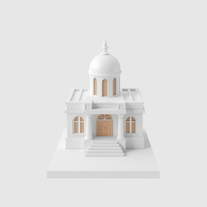 AI-powered 3D renders for stunning architectural concepts.OpenNice experience, selection of materials to play with imagination and ease!
 -
Great tool. It's a useful alternative to Gamma. I also made a video on it: https://www.youtube.com/watch?v=4V4brlTVkUc&t=1s
-
 Turn one product upload into complete ecommerce image sets.Open
 -
-
Its actually good. I was able to make 3 screens using the promo code and they were better than the other UI tools.
-
-
Says "free during testing," but keeps telling me I have insufficient credits. I also can't seem to find a way to delete my account.
-
basic image generation like any prompt on chatgpt. no value added here.
-
Cool tool. I hope you continue to develop this tool to reach its full potential. Keep it up
-
I got some free credits to try the app when I signed up, I could create a few great infographics
-
 AI render enhancer built for archviz professionals.Open
 -
-
 Blazingly fast multi-view consistent rendering of 3D models with SketchUp supportOpen
 -
I really gotta let my heart out, got so many great reviews from my peers. It has helped me make my school work so much easier. I work with little children so when i make it cartoonish it's giving me the best one's yet.
-
It’s a cute ai image generator I liked it
-
-
 AI-powered backgrounds for stunning visuals.Open
 -
An experience you will be totally impressed with
-
 OpenWorked well to fill my room. Would love to see more options in terms of what I can configure in the future releases.
 -
great job> A bit of enhancement in background would have been better
-
 AI-powered image generation for stunning business visuals.Open
 -
 Open
Open -
 AI that turns home descriptions into stunning architectural visualizations.Open
 -
 Open
Open -
 Transform ideas into charming stick figure illustrations.Open
 -
It’s minimalistic and easy to prompt and generate a image any style you needed
-
-
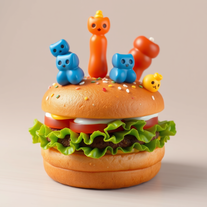 Open
Open -
pretty solid minitool for food renders, it gets close to the prompt and the plates look believable but it can miss tiny details, so the image sometimes lands a bit flat. works ok, not great, not terrible.
-
 Open
Open -
 AI-generated watercolor backgrounds for stunning visuals.Open
 -
 Open
Open -
 Generate placeholder text for design mockups instantly.Open
 -
 Creates stunning, high-resolution technological visuals from futuristic gadgets to AI concepts.Open
 -
 Transform text into mesmerizing dripping, melting letterforms.Open
 -
Plus AI makes creating engaging presentations a breeze. I’m impressed by the smart suggestions that align perfectly with my needs. It’s like having an AI co-worker always ready to help!
-
bad for creative presentations just copy paste the content in form of ppt , can't humans just not do Ctrl C and Ctrl V now ? No designs , no images, no transitions or animations, and saying bs in the chat that i am doing this not that now on your previous command blah blah ...
-
 OpenI'm hoping it's me and a user error so I can make this 5 stars but I was able to enter information, prompts seemed to show it was understanding the task but any attempt to generate a presentation failed
 -
 Crafting stunning, detailed PowerPoint presentations from research to final product.Open
 -
 Crafting stunning PowerPoint presentations from research to product.Open
 -
 Assists with PDF and template formatting for a professional look.OpenThough doesn't format pdf correctly, however saved my time, so far good tool
 -
 Crafting PowerPoint presentations tailored to your needs.Open
 -
it did not meet my expectations, ai could not create and add visuals.
-
 Aiding in design, formatting, and creative PowerPoint slide ideas.Open
 -
 Open
Open -
 Creating effective PowerPoint presentations with design and content advice.Open
 -
 Expert in creating content and voiceovers with AI & SEO.Open
 -
 Adaptable to your Level of experience Google Slides Assistant.Open
 -
 Open
Open -
 Open
Open -
 Guiding artists in crafting engaging web and social content.Open
 -
Offering marketing advice, focusing on design and innovation.Open