Go to section
Spotlight SureThing.io - "OpenClaw" for BeginnersTask automation
The front page of AI.Used by 90M+ humans.

Generate image
Tasks
Generate text
Free mode
Trending
Leaderboard
Characters
 Mini tools
New
Featured
Lists
Agents
Requests
Jobs
Map
Newsletter
Starter pack
Free tools
Speech to text
Text translator
Remove background
Settings
Edit profile
My tools
Gallery
Dashboard
Inbox
Get featured
Contact TAAFT
For you
Popular
Job impact index
Most saved
Affiliate program
Submit AI tool
Notification preferences
Glossary
Home
Timeline
My profile
Create tool
Deals
Companies
Models
Robots
Papers
Fundraises
Devices
Organizations
Events
Prompt Pack
Merchendise
APIs
Features
Tools
Countries
Collections
Videos
News
Investors
Repositories
Modalities
Mini tools
New
Featured
Lists
Agents
Requests
Jobs
Map
Newsletter
Starter pack
Free tools
Speech to text
Text translator
Remove background
Settings
Edit profile
My tools
Gallery
Dashboard
Inbox
Get featured
Contact TAAFT
For you
Popular
Job impact index
Most saved
Affiliate program
Submit AI tool
Notification preferences
Glossary
Home
Timeline
My profile
Create tool
Deals
Companies
Models
Robots
Papers
Fundraises
Devices
Organizations
Events
Prompt Pack
Merchendise
APIs
Features
Tools
Countries
Collections
Videos
News
Investors
Repositories
Modalities
Mini tools
New
Featured
Lists
Agents
Requests
Jobs
Map
Newsletter
Starter pack
Free tools
Speech to text
Text translator
Remove background
Settings
Edit profile
My tools
Gallery
Dashboard
Inbox
Get featured
Contact TAAFT
For you
Popular
Job impact index
Most saved
Affiliate program
Submit AI tool
Notification preferences
Glossary
Home
Timeline
My profile
Create tool
Deals
Companies
Models
Robots
Papers
Fundraises
Devices
Organizations
Events
Prompt Pack
Merchendise
APIs
Features
Tools
Countries
Collections
Videos
News
Investors
Repositories
Modalities

▼ Popular
Course
Free mode
100% free
Freemium
Free Trial
-
 Eva Mareckova🙏 1 karmaAug 19, 2024@CourseAII have tried Trial version to create the first course. It was possible to generate just one Quize for 1 module only (out of 5). It was not possible to create Module script. When after spending time on course preparation I wanted to generate the course, the text I could read was: "Something went wrong, contact the support".


Featured matches
-
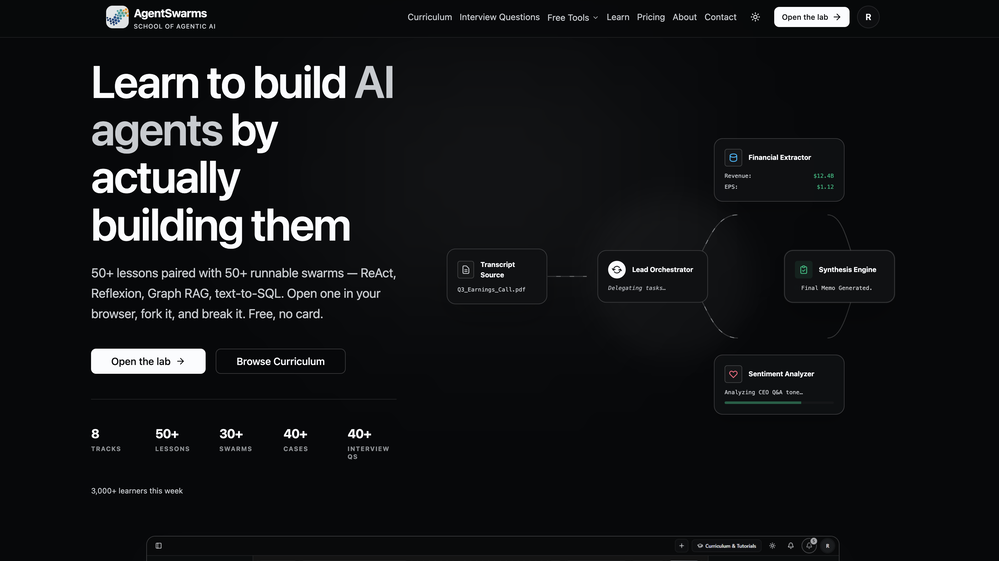 Building multi-agent AI systems shouldn’t require wrestling with messy Python boilerplate, cloud subscription or complex local setups. I built AgentSwarms (AgentSwarms.fyi) to solve this. It’s an interactive, in-browser visual sandbox for learning, building, testing, and orchestrating multi-agent AI workflows. Instead of relying on a single AI chatbot that easily hallucinates, AgentSwarms lets you drag and drop specialized AI agents—like data extractors, code reviewers, and SQL query nodes—to handle complex tasks reliably. Key features for builders: Visual Edge Tracing: Stop guessing why your AI failed. Click any connection line to see the exact JSON data passing between agents in real-time. In-Browser Execution: Powered by local DuckDB WASM. No backend setup required. Enterprise Templates: Test reverse-engineered Agenitic AI architectures for Cybersecurity, Finance, and E-commerce and 10+ industries right on the canvas. If you are tired of black-box AI debugging and want to master Agentic AI orchestration visually, come try the sandbox for free! Let me know what you think of the new execution history features. 🚀
 -

-
 Instant access to Chinese university admissions data.Open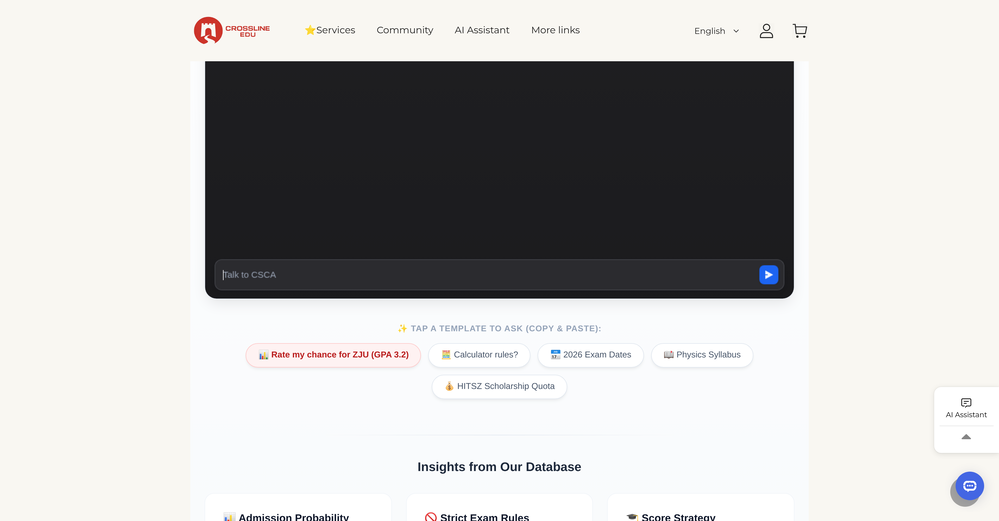
-

-

-
 Open
Open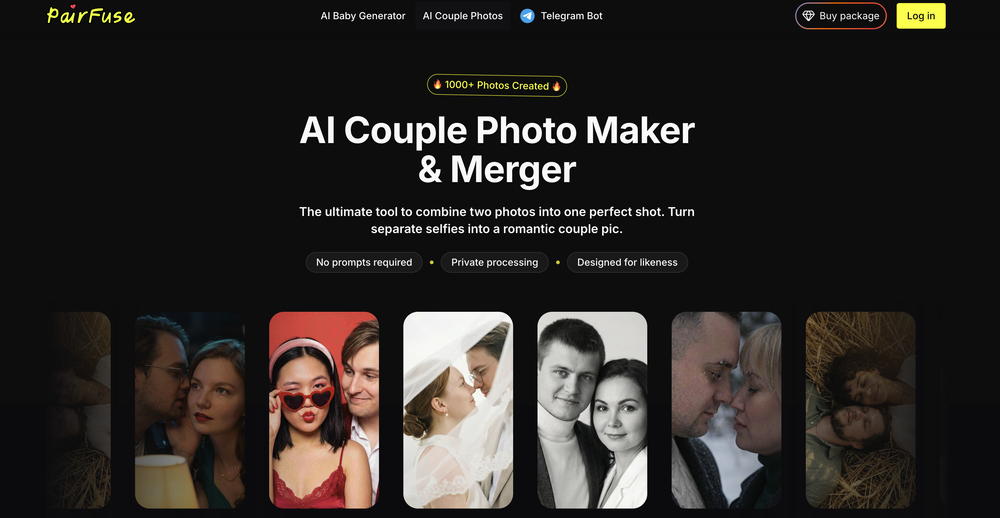 Ngl, PairFuse surprised me. I expected typical AI weirdness, but the couple photos actually looked natural and kept us recognizable. Super easy too
 -
-
-
-












Other tools
-
As the service was in beta-testing stage, I created there a dozen of AI-generated courses for free. I wanted to use them. Those courses remained in my account as they started subscription tiers. But recently I have found out that they were deleted. The support didn't answer to my e-mail at all.
-
Suppppeeeeerrr! Wowwww! Mindsmith is absolutely fantastic! It is incredibly useful, easy to use, and very professional.
- SpotlightSureThing.io - "OpenClaw" for BeginnersTask automation
-
-
-
it got nothing free (absolutely). it only lets you write 300 characters (not words) then asks to pay for the citations. but if your paying, this might be the best one your looking for.
-
its very limited, not Free at all 19 Dollars per month
-
Currently, generating course videos is basically free, and everyone is welcome to use it! If you have any problems during use, you can complain and we will quickly iterate! Thank you~!
-
 Create high-quality multimodal eLearning in minutes from text prompts or documentsOpenIt's an amazing product that generates eLearning from a document or text prompt. It also has a full editor for tweaking after the generation. We use this exclusively for producing our commercial eLearning. Ready in minutes.
 -
I’ve been using Mexty for a few weeks now and it honestly makes lesson creation so much easier. The interface is clean, and I can build interactive content in minutes without needing to code. It’s been super helpful for saving time and still getting professional results.
- Didn't find the AI you were looking for?
-
-
 OpenMagnetify's clean and simple interface makes it incredibly easy to jump in and start creating marketing materials. The lead magnet templates are a total game-changer for creating lead magnets to grow our list. Magnetify has already become an essential tool for our marketing strategy!
 -
-
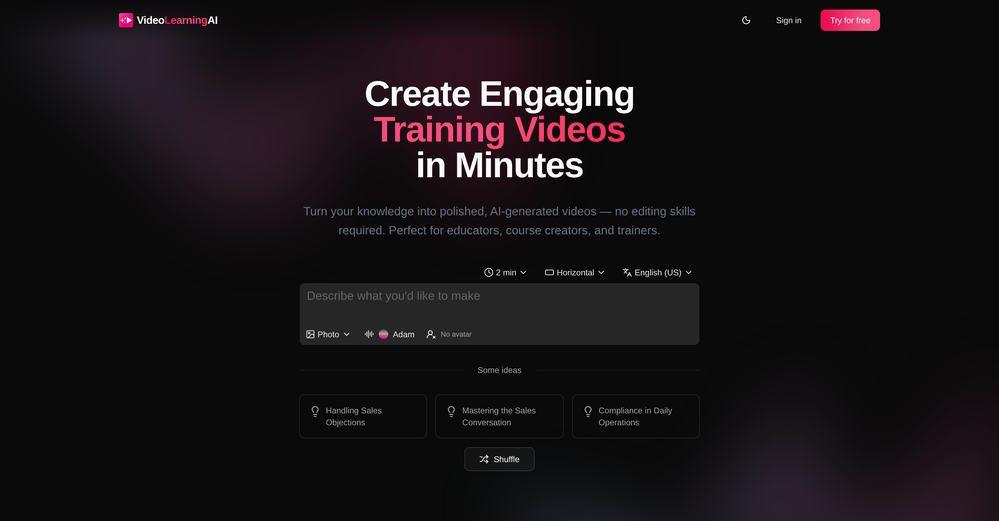
 Rapidly generate AI training videos without equipment or editing.Open
 -
Realistic couple photo merge and creative generation!
-
I gave up after problems with setting up an account - it was confusing and glitchy. There is https://www.heightsplatform.com, and after registering (which was problematic, I was redirected to https://www.creatorclimb.com/ , 2 different accounts. I'm not sure why; it was not explained; the links between them were not clear; the interface was clunky. I couldnt log in at the end and gave up (6 emails sent, password change requested, nothing worked). Abandoned this tool due to experience.
-
-
Comprehensive course outlines, lessons, and assessments within seconds.
-
 OpenVideo editing is the process of selecting, trimming, and arranging footage to create a cohesive story or visual narrative. Here are some fundamental concepts and techniques: Types of Video Editing Linear editing: A straightforward, sequential approach to editing, where clips are arranged in a linear timeline. Non-linear editing: A more flexible approach, where clips can be arranged and rearranged freely in a timeline. Key Video Editing Techniques Cutting: A transition between two clips, where one clip ends and another begins. Cutting on action: Cutting between two clips while an action is in progress, to create a seamless transition. J-cut: Cutting from one clip to another while audio from the second clip starts playing before the video cuts to it. L-cut: Cutting from one clip to another while audio from the first clip continues to play. Video Editing Software Popular video editing software includes: Adobe Premiere Pro: A professional-level editing software with advanced features and integration with other Adobe tools. Final Cut Pro: A professional-level editing software for Mac users, known for its user-friendly interface and advanced features. DaVinci Resolve: A free and paid editing software that offers advanced color grading and audio editing tools. Best Practices for Video Editing Plan your edit: Develop a clear vision and storyboard before starting to edit. Organize your footage: Label and categorize your clips to make them easily accessible. Keep it simple: Avoid overusing transitions and effects; focus on telling a clear story. Advanced Video Editing Techniques Color grading: Adjusting the color and brightness of footage to create a specific mood or atmosphere. Audio ducking: Automatically reducing the volume of background audio when dialogue is present. Motion graphics: Adding animated text, logos, or other graphics to enhance the visual narrative. Video editing involves selecting, trimming, and arranging footage to create a cohesive story. Linear and non-linear editing are two fundamental approaches. Key techniques include cutting, cutting on action, J-cuts, and L-cuts. Popular software includes Adobe Premiere Pro, Final Cut Pro, and DaVinci Resolve. Best practices involve planning, organizing footage, and keeping it simple. Advanced techniques include color grading, audio ducking, and motion graphics. Capcat pro Capcat pro Download image-to-image-generator generated imagetransparent pixel Image to Image Generator Image to Image Generator Download image-to-image-generator generated imagetransparent pixel Image to Image Generator Image to Image Generator Download image-to-image-generator generated imagetransparent pixel Image to Image Generator Image to Image Generator Download image-to-image-generator generated imagetransparent pixel Image to Image Generator Image to Image Generator Download image-to-image-generator generated imagetransparent pixel Image to Image Generator Image to Image Generator Download image-to-image-generator generated imagetransparent pixel Image to Image Generator Image to Image Generator Download image-generator generated imagetransparent pixel Image Generator Image Generator Copy Video Editing Basics Video editing is the process of selecting, trimming, and arranging footage to create a cohesive story or visual narrative. Here are some fundamental concepts and techniques: Types of Video Editing Linear editing: A straightforward, sequential approach to editing, where clips are arranged in a linear timeline. Non-linear editing: A more flexible approach, where clips can be arranged and rearranged freely in a timeline. Key Video Editing Techniques Cutting: A transition between two clips, where one clip ends and another begins. Cutting on action: Cutting between two clips while an action is in progress, to create a seamless transition. J-cut: Cutting from one clip to another while audio from the second clip starts playing before the video cuts to it. L-cut: Cutting from one clip to another while audio from the first clip continues to play. Video Editing Software Popular video editing software includes: Adobe Premiere Pro: A professional-level editing software with advanced features and integration with other Adobe tools. Final Cut Pro: A professional-level editing software for Mac users, known for its user-friendly interface and advanced features. DaVinci Resolve: A free and paid editing software that offers advanced color grading and audio editing tools. Best Practices for Video Editing Plan your edit: Develop a clear vision and storyboard before starting to edit. Organize your footage: Label and categorize your clips to make them easily accessible. Keep it simple: Avoid overusing transitions and effects; focus on telling a clear story. Advanced Video Editing Techniques Color grading: Adjusting the color and brightness of footage to create a specific mood or atmosphere. Audio ducking: Automatically reducing the volume of background audio when dialogue is present. Motion graphics: Adding animated text, logos, or other graphics to enhance the visual narrative. Video editing involves selecting, trimming, and arranging footage to create a cohesive story. Linear and non-linear editing are two fundamental approaches. Key techniques include cutting, cutting on action, J-cuts, and L-cuts. Popular software includes Adobe Premiere Pro, Final Cut Pro, and DaVinci Resolve. Best practices involve planning, organizing footage, and keeping it simple. Advanced techniques include color grading,
 -
 Creating practical assignment questions and marking criteria rapidly with AI.Open
 -
 Open
Open -
 Transform any topic into a complete online course in 15 seconds.Open
 -
 OpenSo far good just trying out
 -
Makes some pretty houses, gives a good idea for when I want to do it one day.. 4/5
-
 AI-powered tool to create engaging training course outlines instantly.OpenI used 2 of my Interest Topics and it seems to have gotten a good outline, when reading through the outline I thought of other information that I could add to it if I wanted to.
 -
ooo spooky!!! this will come in very handy now that spooky season is approaching, great
-
 Create charming cartoons of animal friends for kids.Open
 -
 Craft AI-powered storyboards for Spanish e-learning courses.Open
 -
This is simple if at first you don't get the image correct opptunity to edit until satisfied
-
 AI art generator for hauntingly beautiful abandoned placesOpen
 -
 AI-powered English courses at your fingertips.Open
 -
 AI-powered generator creating ultra-realistic photos of diverse couples.Open
 -
 Create whimsical 3D cartoon backgrounds with charming houses.Open
 -
 AI-powered scenario generator for interactive learning.Open
 -
 Open
Open -
 Transform course outlines into tailored teaching strategies.Open
 -
 Transform imagination into reality with AI-powered art.Open
 -
 Open
Open -
 AI-powered avatar creator for unique couple illustrations.OpenIts ok although the pic was quick they changed the look of the female & she looks nothing like the women i love
 -
 Create cinematic photos of specific people in surreal scenarios.OpenSimply upload your photo; you don't need to type anything in the prompt field. Just click "generate" and watch the magic happen.
 -
 AI-powered Peppa Pig wallpapers for magical kids' roomsOpen
 -
 Transform dream home ideas into stunning architectural visualizations.Open
 -
 Open
Open -
 Astonishingly powerful and freely accessible, OpenAI's latest open-source model is a mind-blowing leap in AI—your miracle tool for language, logic, and limitless creation.Open
 -
 Crafting Cursed Techniques and Domains with Jujutsu Kaisen-style visuals.Open
 -
Doesn't actually generate animations - uses Dall-e to generate 5 different images, then just sticks them together in a GIF. Seems misleading to me.
-
 Open
Open -
 OpenIt doesn’t help you find sources, it just tells you where they van be found.
 -
 OpenI regularly instruct students to use this GPT for their history assignments by showing them a compare and contrast with the base ChatGPT and this specific extension. Highly recommend for historians!
 -
 Beginner-friendly Python guide with practical projects.Open
 -
 A guide for Python programming with tailored explanations and memory feature.Open
 -
 Open
Open -
 Expert in online course creation, offering detailed feedback and tailored advice.Open
 -
 Guides couples in deepening their connection with tailored questions.Open
 -
 Open
Open -
 Open Source Guide for Everyone: First time contributors, maintainers, and the curious.Open
 -
 Creates eLearning content and assists in creative writing.Open
 -
 Expert in academic references and citations, helping you avoid plagiarism and cite correctly.Open
 -
 Defines words and generates images, excluding specific narratives.Open
 -
 Open
Open -
 Efficient planner for nurses with subtle priority management.Open
 -
![Math Lesson Plans - Common Core [GPT-4.5]](https://media.theresanaiforthat.com/icons/math-lesson-plans-common-core-gpt-4-5.png?height=207) Aligning lesson plans with Common Core standards.Open
Aligning lesson plans with Common Core standards.Open -
 Focuses on providing calculations and factual answers from course material.Open
 -
 In-depth fact checking and source evaluation for written content.Open
 -
 Specializes in Discharge Planning and Utilization Review training for Nurse Case Managers.Open
 -
 Explore Poe's classic tale with rich insights.Open
 -
 Open
Open -
 Your Personal Expert in Precise Troubleshooting AdviceOpen
 -
 Aids in informatics for nurses and midwives.Open



























































































































































Collections
-
How to create your online course using AI toolsSubscribe12426





 +11
+11 -
Courses & EducationSubscribe15







