TAAFT Tutorial
Generate image
Tasks
Generate text
Free mode
Trending
Leaderboard
Characters
 Mini tools
New
Featured
Lists
Agents
Requests
Jobs
Map
Newsletter
Starter pack
Free tools
Speech to text
Text translator
Remove background
Settings
Edit profile
My tools
Gallery
Dashboard
Inbox
Get featured
Contact TAAFT
For you
Popular
Job impact index
Most saved
Affiliate program
Submit AI tool
Notification preferences
Glossary
Home
Timeline
My profile
Create tool
Deals
Companies
Models
Robots
Papers
Fundraises
Repositories
Devices
Organizations
Events
Prompt Pack
Merchendise
APIs
Features
Tools
Countries
Collections
Videos
Mini tools
New
Featured
Lists
Agents
Requests
Jobs
Map
Newsletter
Starter pack
Free tools
Speech to text
Text translator
Remove background
Settings
Edit profile
My tools
Gallery
Dashboard
Inbox
Get featured
Contact TAAFT
For you
Popular
Job impact index
Most saved
Affiliate program
Submit AI tool
Notification preferences
Glossary
Home
Timeline
My profile
Create tool
Deals
Companies
Models
Robots
Papers
Fundraises
Repositories
Devices
Organizations
Events
Prompt Pack
Merchendise
APIs
Features
Tools
Countries
Collections
Videos
Mini tools
New
Featured
Lists
Agents
Requests
Jobs
Map
Newsletter
Starter pack
Free tools
Speech to text
Text translator
Remove background
Settings
Edit profile
My tools
Gallery
Dashboard
Inbox
Get featured
Contact TAAFT
For you
Popular
Job impact index
Most saved
Affiliate program
Submit AI tool
Notification preferences
Glossary
Home
Timeline
My profile
Create tool
Deals
Companies
Models
Robots
Papers
Fundraises
Repositories
Devices
Organizations
Events
Prompt Pack
Merchendise
APIs
Features
Tools
Countries
Collections
Videos

▼ Latest
Music editing
Free mode
100% free
Freemium
Free Trial
Featured matches
-
-
-
-
-
-

 Laliga Hel🛠️ 1 tool 🙏 4 karmaMay 21, 2026@LyricMVOne thing we kept noticing with AI music: Great songs were being generated… but most of them still looked like demos when shared online. We built LyricMV to help turn AI-generated music into something that actually feels publishable — cinematic lyric videos with synced visuals, emotional pacing, and short-form friendly formats. Would love feedback from the AI music community 👀
 -
-
-
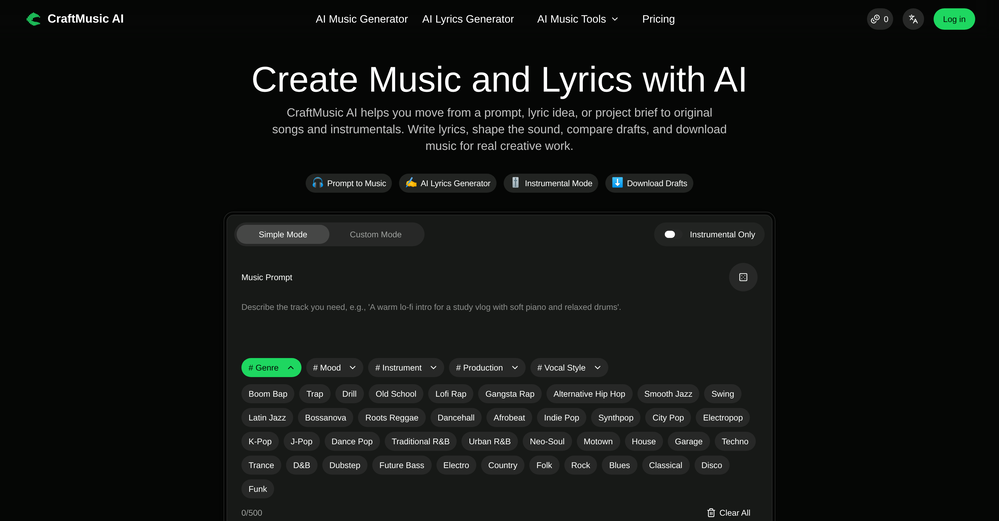
-
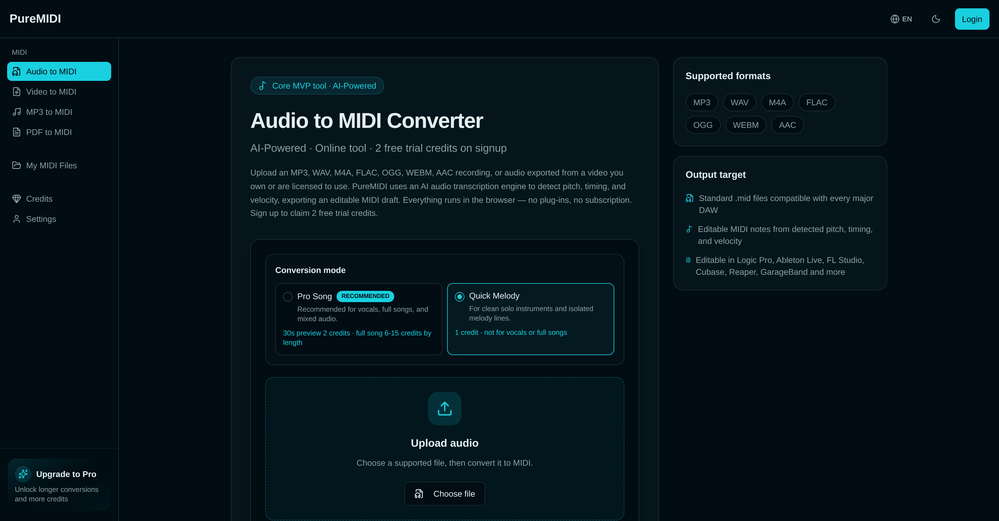









Verified tools
-
 High-quality stem splitting and voice cloning based on the world's #1 technologyOpenDecent stem splitting, but no better than free options, and definitely not worth paying for. The sound quality is so poor you cannot really use the output for anything apart from making karaoke tracks for personal enjoyment. Don't even think of using Lalal if you're a professional producer who needs to split a mixed song due to lost stems etc.
 -
"I was very disappointed to find out that although this AI claims to be free, it requires payment when downloading files. This was not clear upfront and felt misleading. Please provide clearer information about any charges before users get too far in the process."
-
- Sponsor
 Tripo AI 3D Generator
 -
 Open
Open -
The Agent is really handy. It's much more streamlined and convenient than canvas-based AI tools. There's a bit of a learning curve at the start, but once you get the hang of it, it's incredibly useful
-
I tried testing Seedance 2.0 on several platforms, but most of them required a membership upgrade first — even Dreamina. SeeGen AI offers a free trial, and that’s the main reason I recommend it.
-
Solid. Not perfect but it gets the job done and the updates have been pretty consistent
-
To just upload my song and have AI figure out the rest so I can share my songs on tiktok etc... As a Suno user I've wanted something simple and affordable, this is finally it. Other tools want $50 credits then it turns out it's not even enough to learn the tool, never mind just get a usable video out.
-
Ladies and gentlemen, welcome to Pak Udin's duck rice stall. The sun sets in the evening. Accidentally saw an apparition. As night falls, I wish you bon appetit. Where does love begin? From the eyes to the heart. Thank you for your time. Your presence means a lot.
-
Hi Marwa — thank you for the love on your first try and for the candid update. We’re sorry about the frustration with verification and downloads — that’s on us. A quick update based on your feedback: • We’ve removed the human‑verification step entirely. It was only in place during our early launch (before login) to prevent abuse; now that sign‑in is live, it’s no longer needed. • The free plan currently includes 2 song generations per day plus unlimited listening/streaming. (Downloads are available on paid plans.) AI music generation is expensive to run, so we can’t make unlimited usage completely free, but we’re committed to keeping a useful free tier and transparent pricing. If you decide to upgrade, use the code TAAFT at checkout for 20% off any plan. If anything still doesn’t work as expected, please email us at [email protected] — we’ll jump on it. Thanks again for helping us make Eleven Music better!
-
-
 Turn any song into scroll-stopping videos in minutes with AI-directed scripts andOpen🎬 BeatMV v2.6 — Product Update Turn any Suno or Udio song into a karaoke-ready lyric video — lyrics that hit every beat, baked right into the export. ✨ New Features 🎤 Synced Lyrics for Suno & Udio Paste a Suno or Udio song and BeatMV reads its word-level timestamps to lay out perfectly timed, line-by-line lyrics across your video. Uploaded or external tracks get AI-estimated timing automatically — no manual syncing. 🎬 Cinematic Subtitle Styles Style your lyrics like a real music video: 20+ display fonts (Anton, Bebas, Oswald, Montserrat, plus CJK), three sizes, color presets, top/center/bottom positioning, and smooth fade in/out — on by default. 📤 One-Click Lyric Video Export Lyrics burn directly into the final MP4 from the export dialog, so what you preview is exactly what you share — ready for TikTok, Reels, and Shorts. 🔧 Improvements & Fixes 🔁 Auto-Retry for Stuck Scenes Scenes that fail or stall (timeouts, page reloads) now retry automatically in the background — and you can hit Cancel on any retrying card to stop the loop instantly. 🎵 Smoother Suno / Udio Import Refined CDN extraction for cover art, audio, and metadata so imports land cleanly the first time.
 -
🚀 AirMusic AI Music Video Generator v2.5 23% Lower Video Cost, Mobile Optimization, and Smarter Generation Control AirMusic AI Music Video Generator v2.5 focuses on making AI music video creation more affordable, easier to use, and more reliable across devices. This update reduces the credit cost of music video generation, improves the mobile creation experience, refines the song upload and video style selection flow, and fixes reported video stuttering issues. 📌 Summary · AI music video generation now costs 23% fewer credits for the same video duration · Mobile-optimized workflow for creating music videos from phones · Improved song upload experience · Smoother video style selection flow · Cancel & regenerate support for slow image or video generations · No credits charged for cancelled or failed tasks · Fixes for reported video stuttering issues · AirMusic also adds 25+ AI music styles, making it easier to create songs before turning them into videos 💰 AI Music Video Cost Reduced by 23% AirMusic v2.5 optimizes the AI music video generation pipeline. Creating a video of the same duration now requires 23% fewer credits. This helps users create more music videos with the same credit balance, especially when testing different scenes, video styles, or versions of the same song. For creators who regularly make music videos for YouTube, TikTok, Instagram Reels, Shorts, or music promotion, this lowers the cost of repeated production. 📱 Mobile-Optimized AI Music Video Creation The AI Music Video Generator is now better adapted for mobile devices. Users can upload songs, choose video styles, adjust settings, and start generation more comfortably from a phone. This is useful for creators who produce and publish short-form music content directly from mobile workflows. 🎵 Improved Song Upload Flow The song upload experience has been refined to reduce friction at the first step of video creation. Users can move from uploading a track to choosing a video style more smoothly, whether they are using an original song, a Suno-generated track, or music created with AirMusic’s AI Music Generator. 🎨 Better Video Style Selection AirMusic v2.5 improves the video style selection experience. Users can choose the visual direction of the music video more clearly before generation starts. This helps when creating different types of videos, such as storytelling MVs, singing avatar videos, dance videos, lyric-style visuals, or social media clips. ⚡ Cancel & Regenerate Without Losing Credits If image or video generation is too slow, users can now cancel and regenerate without extra credit loss. This gives creators more control when testing different prompts, models, scenes, and visual styles. Instead of waiting for a slow generation to finish, users can restart the task and continue iterating. Cancelled or failed tasks do not consume additional credits. 🎬 Fixes for Video Stuttering Issues Based on user feedback, AirMusic v2.5 fixes a small number of reported video stuttering issues. This improves playback smoothness and helps exported music videos feel more stable, especially for social media publishing and music promotion. 🎶 25+ Music Styles for Better Music-to-Video Workflows AirMusic v2.5 also expands the AI Music Generator with 25+ music styles, including Pop, R&B, K-Pop, Hip Hop, Trap, Lo-Fi, House, Synthwave, Rock, Reggaeton, Afrobeats, Country, Jazz, Classical, Cinematic, and more. This helps users create music in a clearer style direction before turning it into an AI-generated music video. 🎯 Best For · Suno and AI music creators who want to turn generated songs into music videos with lower credit cost · YouTube, TikTok, Instagram Reels, and Shorts creators who need a mobile-friendly workflow for music-based videos · Artists and indie musicians who want to create promotional music videos without manual editing · High-volume creators and agencies who need lower per-video cost for repeated content production · Users testing multiple video styles who want to cancel slow generations and regenerate without wasting credits · Creators who experienced video stuttering and need smoother playback in exported music videos
-
Maybe you don’t have a subscription, so there are no credits on your account, and a lot of features require credits to use.
-
 Transform your music into stunning visual experiences with AIOpenThe generation effect is good, the pictures are exquisite, and the transition animations of the pictures are smooth The only drawback is that it would be better if the generation time were a little faster
 -
only the part of my own voice is not possible, but it's amazing as application
-
 Open
Open -
 OpenHi! I'm the founder of LyricEdits. After 20 years as a bass player and 20 years in software engineering, I finally combined both passions into one. I'd love to hear your comments and suggestions!
 -
-
"WriteSongAI offers an incredibly smooth end-to-end experience for music creation. The AI vocals sound remarkably human-like across different genres, and the ability to export studio-grade WAV files directly from the browser is a huge plus. Whether you are a beginner or a pro needing a quick arrangement, this tool delivers quality results in seconds."
-
This is surprisingly powerful. I can go from a vague idea to a polished track just by talking to Tunesona. The level of genre control and the instant adjustments make the whole process incredibly efficient.
-
 Skip the complexity. Create professional-quality music with simple prompts.Open
 -
-
1- No custom email sign up. 2- What is "Resona"? Do mean Persona? 3- Audio analyzing failes for no obvious reason. 4- Why can't I delete my creations, and why can't I delete my account?
-
Particularly useful in scenarios where human voices are clear but background noise is complex.
-
Phenomenal quality outputs, reasonable & kind permittance to utilize for free & I said phenomenal but it’s whatever word which is above phenomenal! Kudos!
-
Very simple and easy to use. The premium feature of Lyrics helper really helped me to write lyrics exactly the way i wanted.
-
 Generate full-length faceless YouTube videos from text and earnOpenNoodle Tomato is an amazing video creation tool. You can create shorts or full length videos on ANY subject. Choose your voice, bullet points about what you want the video to be about. It then creates the script, all of the videos into parts that are editable. After it compiles the video you can download it directly, post it to YouTube and it's that simple. You need 0 knowledge of AI prompting or video editing.
 -
 Open
Open -
 Open
Open -
AITextSong.com is a solid choice for creators who need high-quality music without a background in production. The ability to extend tracks up to 8 minutes is a standout feature, and the built-in vocal remover is a massive plus for those who want to remix or create karaoke versions. While it could use more vocal customization options, it’s one of the most efficient tools I've found for turning lyrics into fully produced WAV files.
-
Steer clear of this by any cost ! it gives you ONE video for free and then ask you for no less than FIFTY dollars a month for only FIVE videos ! they must be crazy with all the alternatives.
-
-
-
I paid for the subscription and the video generation has failed. I found no way to access support and the site says no refunds allowed. Hoping to find some help on here with this and I revisit my review
-
Terrible experience. Spent over $200 to produce a music video that Musid.ai was never able to complete. System crashed during the final production generation/rendering - over and over and over. Contacted [email protected] - no response whatsoever after 2 days. Don't touch it! UPDATE: minutes after posting this Musid.ai responded by reinstating all of the credits purchased. Doesn't compensate for the wasted time but better that a poke in the eye with a sharp stick! I'll review again once I get to the other side of this drama...
-
needed background instrumentals for a demo track and this delivered. the beats are clean and royalty free which is huge.
-
-
Well, it did give me an insanely good image, but you only get one free trial, i.e, generate one image for free. And the model is costly for someone who wants free AI tools. But it does the job if you're willing to pay.
-
Easiest lyrics and song generator there is for those that are just learning how to generate and play their own music. I absolutely love it.
-
✨ Key Advantages of Pixwith: 1. Wide range of AI models: From video generation to image creation, enhancement, and style transformation — you get access to a full suite of cutting-edge AI models in one place. 2. Affordable and transparent pricing: Our credit-based system is flexible and offers better value compared to many similar platforms. 3. Free trials available: Several models can be used for free, allowing you to test the quality before purchasing credits. 4.Beginner-friendly interface: Simple and intuitive design — generate high-quality content in just a few clicks. 5.Constant updates: We continuously add new models and features, ensuring you always have access to the latest AI capabilities.
-
 vocal remover, remove vocal, vocal remover online free, vocal remover AIOpen
 -
 Generate custom copyright-free music that fits to your video automaticallyOpenWe built Vidsembly’s Video Music-Score tool to make adding background music simple and fast. Upload your MP4 video, choose a music style, and get a copyright-free soundtrack that is automatically fit to your video and ready for export. No editing skills needed. You can try it free with 15 credits.
 -
Easy to use, good visuals and good price to videos ratio. Made a few with 10k views.
-
AISinging.net embodies AI's artistic frontier, where lyrics spark vocals. In a world of image and text gens, this nails singing, fusing tech with soul. Community potential: Share your vocals, collaborate on remixes, and build a forum. My first prompt? "Empowering anthem about dreams in upbeat pop with strong male vocals" – it delivered inspiration!
-
-
 OpenHere's the rundown. If you thought image editing like Photoshop or Affinity Photo, you were wrong. It's 100% insert a photo and put a filter over it or change it into another AI image. Signing up for an account gets you 4 credits. Enough for one image to image generation. Instead, you should go to aistudio.google.com. This Dreamega site is just using google to generate their stuff anyways. You can do this yourself without paying per generation, the only difference is you need to type the prompt yourself. Is it worth paying some overblown monthly subscription on Dreamega for something you can do yourself or something you'll probably only do once?
 -
Great that you like it! Due to a lot of abuse, we had to disable exports in the free trial. We do have a 14 day money back guarantee for one-time licenses, so you can try out all the features.
-
-
Hoox app is a very easy and simple app to navigate and generate your script video for social media. My experience so far has been top-notch and the customer service in the name of Alan Hoox is always pronto to assist whenever needed. I recommend it for anyone that want to create a faceless youtube Ai without editing, selecting or mixing all you details. All you need is just drop your script and wellah your video is ready .
-
super dope tool! the whole process was smooth and the track came out way better than I expected. the instrumentals were solid. definitely a cool way to cook up a song fast. 5 stars for this joint.
-
One platform gives me access to various high-quality video models — it’s been used to generate 110k viral social media posts.
-
 Transform selfies into artistic AI photos and videos. Fine-tuned for musicians.Openreally low quality. needs lots of development. I lost a month worth of membership. the images are so bad that it even altered the face although 33 images were uploaded perfectly outlining the person to creat a clown. oh my, the clone and pictures are from 1999
 -
Hi, We’re truly sorry to hear that you had a less-than-satisfactory experience with our product. Your feedback is very important to us, and we sincerely apologize for any inconvenience caused. If you’re encountering any specific issues or have suggestions for improvement, please don’t hesitate to reach out to us at [email protected]. Our team is committed to addressing your concerns and will do our best to assist you promptly. We’re always working to improve, and your input helps us get better. Thank you for giving us the opportunity to do so.
-
-
 Sync your sound, elevate your lyrics with AI-powered video creation.Open
 -
At least! I’ve always wanted an easy way to make karaoke tracks, and this app does exactly that. Everything I need is all in one place, and it’s super simple to use. My inner frustrated singer approves!
-
 Replace any song's lyrics with your new ideasOpenMusic Made Pro exceeded my expectations! Will nailed it. I was seeking to put custom lyrics to a song celebrating my love for my wife and children of over 30 years! It turned out so amazingly. My wife was in tears of joy and is loving this song so much. Worth every penny!!!!!!
 -
-
It did nothing after more than 20 minutes on a 90 seconds audio...
-
I tried out the AI music generator vlogmusic.io, and it’s absolutely amazing! You can actually generate 66 free songs every day—plus, vocal separation, the AI lyric generator, and commercial licenses are all free too. What’s even more incredible is that if you run out of credits, just email the vlogmusic.io team, and they’ll give you more credits for free. It’s totally unbeatable—I really hope this free period lasts longer!
-
(Only 6 one-time credits) The results are good, but to be honest, it's not worth the subscription. There are many free alternatives that offer more credits and better quality.
-
I’m honestly impressed with how far AI music maker has come. I’ve been using this web app daily for more than a week, and it has become an essential part of my workflow. The high-fidelity audio it generates is professional grade. I love that I can experiment with the free credits daily without worrying about copyright strikes. Yes, the downloads are behind a subscription, but given the "pro" output, I find it very reasonable.
























































































Other tools
-
I enjoyed the experience and it certainly cleaned up my audio files. I really wanted to find an AI driven auto-tuning app that would clean up my vocals. But haven't found one yet.
-
AudioStrip did exactly what I wanted to do, to isolate and denoise an important video I had, there was a lady talking loudly close to the camera but we needed the background conversations to be heard and the noise taken out, this did the job, free and fast!
-
 Apply spooky Halloween filters and scary makeup effects online for free.Open
 -
Seems to be working fine on my end. Maybe try again using a different browser or clear your cache, could've just been a temporary glitch.
-
Get one free song after signing up, after that its 1 credit for each song. There are package deals for 10/30/100/300 credits starting with $12 for 10.
- Didn't find the AI you were looking for?
-
1 credit and boom. greedy ai website wants you to pay for more IN SUCH A HIGH AMOUNT OMFG
-
-
I love LANDR. The mastering is top-notch and they distribute music very quickly.
-
I would not sign into Songdonkey as it was forcing me to allow notifications to do so.
-
as someone into djing and mixing, this was actually pretty fun to mess around with. cool seeing how different sounds work together. not sure how often i’ll use it, but def feels like it could be useful in production one day xD
-
Worked for me. Try it again might get a pleasant result.
-
MusicAura is an AI music generation tool designed to help creators quickly turn ideas into royalty-free music. It focuses on a simple workflow where users can generate music from text prompts in seconds, making it useful for content creators, indie developers, and marketers who need fast audio ideas without complex production tools.
-
Has anyone made anything with these tools they could share? Curious about the AI capabilities.
-
the tool charges per response not result, simply the 100 gratuity credits keeps decreasing every time i try to correct the action taken backend, may be i am stupid but if i am uploading a photo that cannot be altered in horizontal view, the tool should notify me that the outcome will be wrong due to the reference image, what really happened is that i was charged, the result even after i requested correction was the same for 3 times. and guess what the script was complete and i literally requested the assets to be added since i had none, the tool promised to get assets and show a preview,, but after charging ofcourse and again the result was wrong.. not recommended sorry!
-
-
Great tool! The most complete one if you want to create music video specifically.
-
Brilliant! I'm blow away... the quality and the vocals are on another level. I had my lyrics that I wrote years back. Then I decided to use this Ai to create the song for me... I'm still jamming on the song
-
I’ve used this product, and the AI video generation quality is excellent. Most importantly, it offers the best value for money I’ve ever seen. In addition, if you need help optimizing your video prompts, you can email their professional advisors for free consultation.
-
Spelling errors found throughout their website. If they can’t take the time to check for spelling, they can’t take the time to ensure the coding for security is accurate.
-
-
bait and switch. Said free and is not. I just want to try a photo before paying.
-
after uploading pictures, nothing can generated.
-
-
-
-
Transcriptions seem pretty accurate, especially Piano2Notes does a great job!
-
Fantastic product - it helped me increase my conversions on my website quite a bit. The support was really helpful too.
-
-
Hi there! This ACEStudio sound very cool! Please can we have the cloud-based version? Some of us doesn't have the system requirements for install the ACEStudio for windows.
-
You can't try and see how it sounds unless you pay, no free credits
-
There is nothing stable about this train wreck! Worst music generator ever!
-
Links do not work. Generated music is only 10 seconds long.
-
-
Probably good enough if your standards are low and you're not going to use the tracks for a professional project. If you're a producer, there are far better options out there, especially considering that they immediately want you to pay for credits to be able to download, share, etc.
-
-
tried submagic and it does the job, auto captions came out clean and it’s super easy to use. free trial lets you upload 3 vids which is enough to test it out, but the watermark on them means you can’t really use those exports anywhere. still, pretty solid tool overall :p
-
-
Hi, thank you for trying our service! I understand your frustration. Due to high abuse rates from certain regions, we've had to temporarily restrict free credits for new signups from some countries, including India. However, you can still use our service: Purchase credits or subscribe to a plan to start creating music We offer affordable pricing starting from just $9.99 (normally $19.99, now 50% off) Each plan includes up to 1,200 generations per month, commercial usage rights, and high-quality music generation We're working on better fraud prevention systems to restore free credits for all regions in the future. We appreciate your understanding! If you'd like to give it another try with a paid plan, we'd love to have you as a user. 🎵
-
 Transform photos into epic 3D cartoon characters.OpenSimply upload your photo; you don't need to type anything in the prompt field. Just click "generate" and watch the magic happen.
 -
 OpenVideo editing is the process of selecting, trimming, and arranging footage to create a cohesive story or visual narrative. Here are some fundamental concepts and techniques: Types of Video Editing Linear editing: A straightforward, sequential approach to editing, where clips are arranged in a linear timeline. Non-linear editing: A more flexible approach, where clips can be arranged and rearranged freely in a timeline. Key Video Editing Techniques Cutting: A transition between two clips, where one clip ends and another begins. Cutting on action: Cutting between two clips while an action is in progress, to create a seamless transition. J-cut: Cutting from one clip to another while audio from the second clip starts playing before the video cuts to it. L-cut: Cutting from one clip to another while audio from the first clip continues to play. Video Editing Software Popular video editing software includes: Adobe Premiere Pro: A professional-level editing software with advanced features and integration with other Adobe tools. Final Cut Pro: A professional-level editing software for Mac users, known for its user-friendly interface and advanced features. DaVinci Resolve: A free and paid editing software that offers advanced color grading and audio editing tools. Best Practices for Video Editing Plan your edit: Develop a clear vision and storyboard before starting to edit. Organize your footage: Label and categorize your clips to make them easily accessible. Keep it simple: Avoid overusing transitions and effects; focus on telling a clear story. Advanced Video Editing Techniques Color grading: Adjusting the color and brightness of footage to create a specific mood or atmosphere. Audio ducking: Automatically reducing the volume of background audio when dialogue is present. Motion graphics: Adding animated text, logos, or other graphics to enhance the visual narrative. Video editing involves selecting, trimming, and arranging footage to create a cohesive story. Linear and non-linear editing are two fundamental approaches. Key techniques include cutting, cutting on action, J-cuts, and L-cuts. Popular software includes Adobe Premiere Pro, Final Cut Pro, and DaVinci Resolve. Best practices involve planning, organizing footage, and keeping it simple. Advanced techniques include color grading, audio ducking, and motion graphics. Capcat pro Capcat pro Download image-to-image-generator generated imagetransparent pixel Image to Image Generator Image to Image Generator Download image-to-image-generator generated imagetransparent pixel Image to Image Generator Image to Image Generator Download image-to-image-generator generated imagetransparent pixel Image to Image Generator Image to Image Generator Download image-to-image-generator generated imagetransparent pixel Image to Image Generator Image to Image Generator Download image-to-image-generator generated imagetransparent pixel Image to Image Generator Image to Image Generator Download image-to-image-generator generated imagetransparent pixel Image to Image Generator Image to Image Generator Download image-generator generated imagetransparent pixel Image Generator Image Generator Copy Video Editing Basics Video editing is the process of selecting, trimming, and arranging footage to create a cohesive story or visual narrative. Here are some fundamental concepts and techniques: Types of Video Editing Linear editing: A straightforward, sequential approach to editing, where clips are arranged in a linear timeline. Non-linear editing: A more flexible approach, where clips can be arranged and rearranged freely in a timeline. Key Video Editing Techniques Cutting: A transition between two clips, where one clip ends and another begins. Cutting on action: Cutting between two clips while an action is in progress, to create a seamless transition. J-cut: Cutting from one clip to another while audio from the second clip starts playing before the video cuts to it. L-cut: Cutting from one clip to another while audio from the first clip continues to play. Video Editing Software Popular video editing software includes: Adobe Premiere Pro: A professional-level editing software with advanced features and integration with other Adobe tools. Final Cut Pro: A professional-level editing software for Mac users, known for its user-friendly interface and advanced features. DaVinci Resolve: A free and paid editing software that offers advanced color grading and audio editing tools. Best Practices for Video Editing Plan your edit: Develop a clear vision and storyboard before starting to edit. Organize your footage: Label and categorize your clips to make them easily accessible. Keep it simple: Avoid overusing transitions and effects; focus on telling a clear story. Advanced Video Editing Techniques Color grading: Adjusting the color and brightness of footage to create a specific mood or atmosphere. Audio ducking: Automatically reducing the volume of background audio when dialogue is present. Motion graphics: Adding animated text, logos, or other graphics to enhance the visual narrative. Video editing involves selecting, trimming, and arranging footage to create a cohesive story. Linear and non-linear editing are two fundamental approaches. Key techniques include cutting, cutting on action, J-cuts, and L-cuts. Popular software includes Adobe Premiere Pro, Final Cut Pro, and DaVinci Resolve. Best practices involve planning, organizing footage, and keeping it simple. Advanced techniques include color grading,
 -
 Transform messy lyrics into polished song structures.Open
 -
 Generate ultra-realistic 8K selfies with legendary rockstars.Open
 -
 Transform photos into electrifying Ozzy Osbourne rock art.Open
 -
Gives terrible instructions on what to do in Ableton Live. It tells you to set different things to values which don't exit in Ableton. For example something that can be set between -infinity and 0dB it tells you to set it to 50%. When corrected it will then give you the correct answer which was -12dB. Essentially, it's a very bad GPT and is not really helping me in any way more than any generic GPT could have done.
-
 Open
Open -
 Open
Open