Go to section
Sponsor
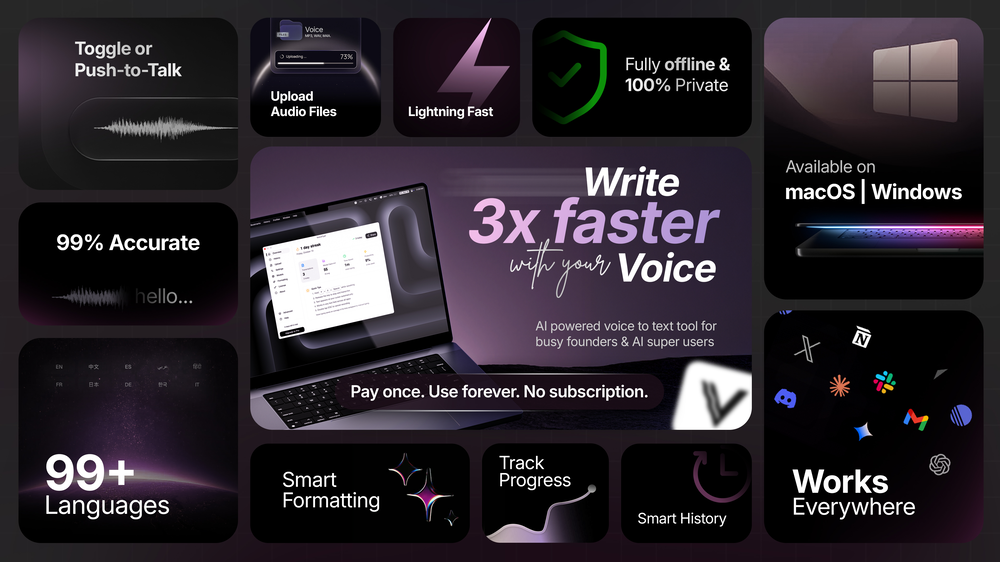
 Flow - 4x faster than typing
🎤 Dictation
Flow - 4x faster than typing
🎤 Dictation
The front page of AI.Used by 90M+ humans.

Generate image
Tasks
Generate text
Free mode
Trending
Leaderboard
Characters
 Mini tools
New
Featured
Lists
Agents
Requests
Jobs
Map
Newsletter
Starter pack
Free tools
Speech to text
Text translator
Remove background
Settings
Edit profile
My tools
Gallery
Dashboard
Inbox
Get featured
Contact TAAFT
For you
Popular
Job impact index
Most saved
Affiliate program
Submit AI tool
Notification preferences
Glossary
Home
Timeline
My profile
Create tool
Deals
Companies
Models
Robots
Papers
Fundraises
Repositories
Devices
Organizations
Events
Prompt Pack
Merchendise
APIs
Features
Tools
Countries
Collections
Videos
Mini tools
New
Featured
Lists
Agents
Requests
Jobs
Map
Newsletter
Starter pack
Free tools
Speech to text
Text translator
Remove background
Settings
Edit profile
My tools
Gallery
Dashboard
Inbox
Get featured
Contact TAAFT
For you
Popular
Job impact index
Most saved
Affiliate program
Submit AI tool
Notification preferences
Glossary
Home
Timeline
My profile
Create tool
Deals
Companies
Models
Robots
Papers
Fundraises
Repositories
Devices
Organizations
Events
Prompt Pack
Merchendise
APIs
Features
Tools
Countries
Collections
Videos
Mini tools
New
Featured
Lists
Agents
Requests
Jobs
Map
Newsletter
Starter pack
Free tools
Speech to text
Text translator
Remove background
Settings
Edit profile
My tools
Gallery
Dashboard
Inbox
Get featured
Contact TAAFT
For you
Popular
Job impact index
Most saved
Affiliate program
Submit AI tool
Notification preferences
Glossary
Home
Timeline
My profile
Create tool
Deals
Companies
Models
Robots
Papers
Fundraises
Repositories
Devices
Organizations
Events
Prompt Pack
Merchendise
APIs
Features
Tools
Countries
Collections
Videos

▼ State of the art
Coding tools
Free mode
100% free
Freemium
Free Trial
Other tools
-
Burt Shoue🙏 18 karmaSep 19, 2023@RunDiffusionRunDiffusion is different, the things I've made! My grandson got me into image generation a few months ago. This is his favorite and I can see why.
-
Honestly this is the GOAT, I tried this tool and it was able to either help debug or make scripts from the ground up. It has support for a lot of support languages too, which adds extra points to how good this tool is.
-
The fact that it's available through ChatGPT plugin actually helped me find a lot more AI tools to help me do certain tasks. Thanks.
-
Code varies from run to run. Still it is a helpful app. You can specify coding languages that are not in the dropdown menu.
- SponsorFlow - 4x faster than typing🎤 Dictation
-
-
 OpenI'm happy to help you with generating a manifest file and a Lua script based on your input. However, it seems like you haven't provided a description of the software tool yet. Could you please provide more details about what you need? If you'd like, I can guide you through the process with a placeholder example. Let's assume you want a simple tool that greets the user. Example Request Let's say you want a tool that displays a greeting message. Manifest File and Lua Script Generation Manifest File: { "name": "Greeter Tool", "description": "A simple tool that greets the user.", "author": "Your Name", "version": "1.0.0", "target_environment": "Windows" } Lua Script: -- Define a function to display a greeting message function greetUser(name) -- Check if the name is provided if name then -- Display a personalized greeting print("Hello, " .. name .. "!") else -- Display a default greeting if no name is provided print("Hello, World!") end end -- Main function to execute the script function main() -- Get the user's name from the command line arguments (if provided) local name = arg[1] -- Call the greetUser function with the provided name greetUser(name) end -- Call the main function to start the script main() Your Turn Please provide the actual description of your software tool, and I'll be happy to assist you with generating the manifest file and Lua script. Since no description was provided, here is a default example. Manifest File: { "name": "Example Tool", "description": "A default example tool.", "author": "AI Assistant", "version": "1.0.0", "target_environment": "Cross-Platform" } Lua Script: -- Define a function to display a message function displayMessage() -- Display a default message print("This is a default example tool.") end -- Main function to execute the script function main() -- Call the displayMessage function displayMessage() end -- Call the main function to start the script main()
 -
>Why is this website so ugly? Our goal is to rapidly make the software better, not to have a shiny website. Love it!
-
Purely magic. It increases the productivity by a lot and the process is pretty addictive. I've been building websites like there's not tomorrow.
-
Base44 is an AI-powered platform for building fully-functional apps with no code and minimal setup hassle. The platform leverages advanced AI technology to translate simple, natural language descriptions into working apps. Let’s make your dream a reality. Right now.
-
 Open
Open -
interesting ai tool, quickly let you create a good looking website.. thumbs up
-
best coding site!! best thing: it's free and it's INFINITE!
- Didn't find the AI you were looking for?
-
Rocket is fast as heeeelll for spinning up prototypes when an idea hits. I've shipped small tools and MVPs with this as the foundation, saves days of boilerplate setup. Great one :)
-
-
 Open
Open
-
-
-
no free option available... packages shown after spending ..not cool
-
 Build web apps and websites without writing any code.OpenHey! My name is Domantas and I invite all fellow solopreneurs, business and product owners to try Hostinger Horizons. Using it is super simple - you are creating a website or application just by prompting - chatting with AI. No struggle, code or design skills are needed. You can literally have your website live in few minutes. Looking forward for your feedback!
 -
It gets 2 stars for actually being able to deploy an app. But I'd give it negative 5 stars because it will cause pure rage when it starts to break your app and won't reference what is currently deployed or it will break backups. Wtf?!?!
-
Really impressed by the multi-model planning and code review. Having different models collaborate instead of relying on just one actually leads to better decisions. You can feel the difference on more complex tasks.
-
-
Absolutely love this tool! It helps me apply to jobs so quickly and is so easy to use
-
 I’m really sorry for your bad experience. At that time we had an unusual load of users and support emails, and yours may have been missed that’s on us. I’ve checked and your payments have been fully refunded.
 -
 Open
Open -
Way easier to use since it finds relevant files for you.
-
-
Since the VSC extension became available, I've been using IDEs just to install the extension and run Claude Code in them. In the peak of my dev frenzy, I was running nine Claude Code instances in three projects on two computers. Cognitive strain was also extreme, but the amount of code and solutions deployed at that time was extreme as well.
-
 Open
Open -
 Ready-to-use AI Teams for Your Automation NeedsOpen
 good!A different kind of AI tool that has been very helpful for my work!
 -
-
Another ClawdBot inversion, love it. Gotta hope for safety!
-
Tried it out today. The speed is definitely the standout part. Pasting a Google Maps link and getting a usable website so quickly is impressive, especially for businesses that have no site at all. That said, it is more of a strong starting point than a finished website. The generated result looked clean, but I’d still want more control over layout, branding, sections, and finer edits before publishing. For some users that may be enough, but others will want deeper customization. Overall though, the idea solves a real problem: many small businesses delay getting online because websites feel expensive or complicated. If Wowable keeps improving the editing side while keeping the setup this simple, it has real potential.
-
-
I'm non-technical and I've tried Lovable, Emergent, Bolt. Nothing comes close to imagine.bo right now. The UI is clean and dead simple: type your idea, watch it build a real full-stack app in minutes. But what actually blew me away? Whenever I got stuck and had no idea what to do next, I clicked Hire a Human and a real engineer jumped in and sorted it out. No Fiverr. No agency. One platform, start to finish.
-
 Approve/reject Claude code permission requests from anywhere on MacOpen
 -
-
Love how direct the name is. “EduSolver” instantly tells you what problem it’s trying to solve 👀
-
 AI-powered code generator for efficient development.OpenIf you just started using python or coding this could help you a lot! I remember first time searching for a string of code and... it wasnt the most easy task at all.
 -
-
Great tool, easy to get started building AI-native apps, and it has a depth of features needed for production usage
-
-
id like to be able to provide my own code. also i dont like that i have to have my own chat gpt membership in order to actually make it work
-
 Open
Open -
-
 Assisting with OpenAPI Schemas through JSON examples, tips and best practices.Open
 -
 Mastering Deluge Functions for Zoho CRM.Open
 -
 Crafting cutting-edge web applications with seamless integration.Open
 -
 Open
Open -
-
 I provide Java interview prep and conduct mock interviews.Open
 -
 Open
Open -
 Open
Open -
 Open
Open -
 Open
Open -
 Expert on Google cloud services with Javascript.Open
 -
-
 Open
Open -
 Defines and explains function calls from a knowledge source.Open
 -
 Open
Open -
 Open
Open -
 Generates UUIDs, ULIDs, and NanoIDs on request.Open
 -
 Open
Open -
 Offering complete coding solutions for Apple MapKit.Open
 -
 Streamlining development with multi-language support, code execution, and debugging.Open
 -
 Scripting made extraordinary with Shell ScripterOpen
 -
 Scout profitable GitHub projects for solo devs.Open