
 Mini tools
▼ Popular
Document
Free mode
100% free
Freemium
Free Trial
Featured matches
-
 Stanislav M🙏 27 karmaJun 12, 2024@docAnalyzerI have been using this application for some time now, and it pleasantly surprises me. At first, this tool seemed to be just something like a smart document search, but I was wrong. It is able to generate brief contents of books and documents. With it, I will be able to create my own knowledge base in various areas, which will be built only on the data I uploaded, which I am sure of. Overall, the app is great, and I can safely recommend it. How do I personally use this product: For example, to summarize medical research and books. I intend to use it for academic research to save time searching for answers to specific questions and searching for links (documents, pages, comments), and I have to say that I am impressed. I upload not only PDF documents, but also transcribe videos of specialists in the right subject and upload them together to the service. Thus, I make my personal library, knowledge base and the quality of knowledge deeper. More recently, I came up with the idea to use the knowledge of some specialists who run their social networks and tell me the information I am interested in on their pages, because I can also collect their posts on social networks. networks in one document and upload to the service. What I liked especially: 1. Simple and user-friendly interface. Everything is in its place and nothing superfluous. 2. The algorithm does not come up with answers, but proceeds from the data in the document, allowing you to ask contextual questions and receive point-to-point answers in real time. Very often, language models sin against this. 3. Unlimited questions in the "chat" You can ask as many questions as you want in real time without using any credits. 4. Unlimited daily download. 5. I can upload documents in any language and get answers in my own. I can make full use of knowledge from all over the world, not just in my language. 6. The file viewer and links work well. Just click on the link and you will open the document in exactly the right place! 7. Chat with documents is quite accurate and fast. 8. The idea of labels is quite convenient and it is possible to add multiple labels to a file. 9. After downloading the document, it will warn you which pages were not recognized or have little content. 10. Understands the context of the correspondence, and does not answer the last question. 11. Responsive support. 12. API Access 13. OCR. 14. Automation of the workflow. 15. The ability to use your OpenAI API key 16. There is a promising roadmap. Separately, I would like to tell you about the workflow automation function, with the help of, when working with a group of documents, which can be processed separately only the necessary sections of documents. This makes it possible to access several documents at once. This is a super opportunity to gain deeper knowledge from documents uploaded to the service. It should be noted that in the end, a lot depends on how correctly you ask the question. This is both a plus and a minus. An experienced user will always be able to bring the algorithm to the conclusions of interest. For novice researchers, it will be a little more difficult to set the right direction to find the right information. My dreams: 1. Although I have no problems with the document loading time, it would be cool to speed up the document processing time. 2. I would like more free language models. At the moment, the service uses OpenAL GPT 3.5 Turbo and Anthropic Claude 3 Haiku. In principle, this is enough, but it would be good if more advanced language models were included, which will allow you to study your documents even more deeply. 3. I would like to be able to add ready-made template queries to documents. 4. I would like to be able to mark the best answers, which I can quickly refer to later. 5. I would like to be able to create folders in the Documents and Options section cataloging my knowledge. 6. I would like to be able to change the title of the document. 7. I would like to have an internal search system for documents or labels, which will become very numerous over time. 8. It would be very useful to be able to add people to work together with configured access rights. 9. The opportunity to create your own knowledge base and post it on your website via html code would be very useful. 10. I would like to be able to highlight the desired fragment or keywords in the document when you click on the link in the response to the document request. What I wanted to draw attention to: It seemed to me that OCR does not work quite correctly, after downloading the document, it writes "you have not enough credits to use OCR", although there are credits. Maybe I was doing something wrong. I'll figure it out. In general, I would like to rate the usage experience at 5 stars. I recommend everyone to try it!
 -
 NextDocs v1.7.0 - Motion Animations, Video Export, and More Released: March 2026 Animate any object on your slides. Export to video. Present with confidence. NextDocs v1.7.0 adds motion animations to presentations. Select any element on the canvas and assign entrance, exit, or emphasis animations. Preview directly in the editor, then present full-screen with keyboard controls. The AI assigns appropriate animations automatically when generating slides. Describe what you need. AI generates animated presentations. You get ready-to-present results. --- Motion Animations Every object on the canvas can be animated. Text, images, shapes, charts, diagrams. Select an element, open the motion panel, and choose an animation. Animations are organized in beats. Logical groups that play together. Each presentation supports up to 20 beats, reorderable by dragging in the sidebar. What makes this powerful: - Stagger animations: group objects and have them animate one by one with a delay - Drag-and-drop ordering: rearrange animation sequences visually - In-editor preview: see animations without entering presentation mode - Auto-play after generation: AI picks sensible animations and plays them automatically - Keyboard navigation: arrow keys to advance, spacebar to play, escape to exit Use cases: - Pitch decks: reveal key numbers one at a time for dramatic effect - Lecture slides: step through formulas and diagrams progressively - Sales presentations: build visual stories that guide attention - Conference talks: control pacing so the audience focuses on what you are saying --- Video Export Create animated content and export the full sequence as an MP4 file. No external video editing software needed. What you can create: - Short explainer videos for social media - Animated infographics for reports - Product walkthroughs and demos - Educational video content for courses The AI generates motion-ready slides designed for video output. The export pipeline handles concurrent frame capture and produces a clean MP4 you can share directly. --- Page Transitions Presentations now support smooth fade and slide transitions between pages. Combined with motion animations, your slides flow naturally from one to the next. --- Also in v1.7.0 Keyboard Shortcuts Full keyboard control in presentation mode. Arrow keys, spacebar, escape. Faster Template Browsing Images preload in the background for instant display. WebP Blog Images Blog pages load faster with optimized image formats. i18n System New unified management system with audit tooling across 13 languages. About Page New company About page with full localization. Redesigned Marketing Pages New hero section, animated statistics, improved template browsing with category chip labels. Mobile responsiveness improved across all pages. --- Who is this for? Business Professionals Pitch decks, sales presentations, and quarterly reviews with animated reveals. Teachers and Professors Lecture slides with progressive reveal of complex concepts. Students Thesis defenses and coursework presentations with professional animations. Content Creators Animated explainer videos and social media content, exported as MP4. Engineers and Designers Technical walkthroughs and product demos with controlled pacing. --- Try It Go to nextdocs.io. Open a presentation. Add your first animation. If you have ever wished your AI-generated slides had more visual storytelling, v1.7.0 delivers that. - The NextDocs Team
 -

-
 Extract data from any document automatically with AI.Open
 The tool worked really well for us. It was easy to upload our first PDFs and set up an automated flow through the API
 -
 made a presentation for my site with just 1 prompt, lol how did the AI get so much information out of my website lol
 -
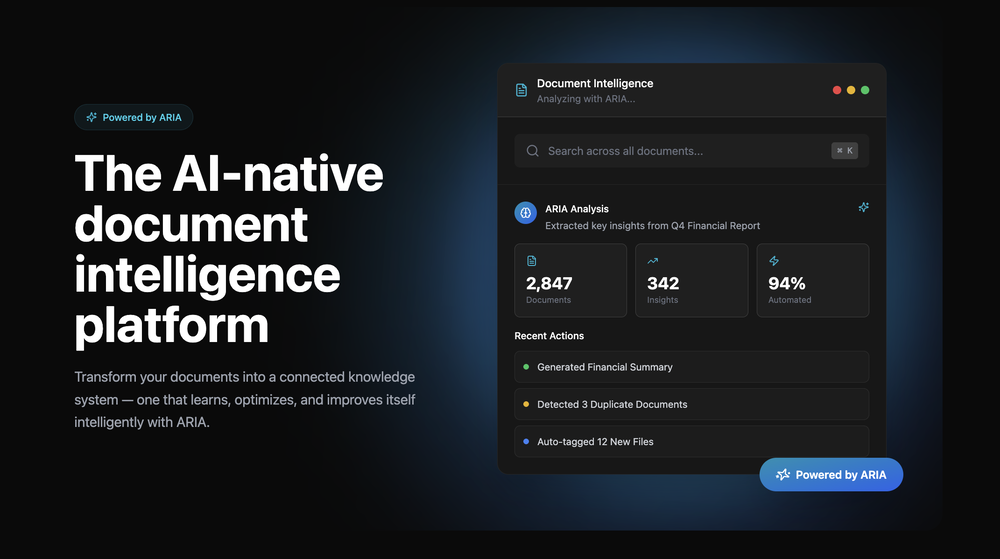 Great platform! Very impressed by the ability to combine documents to generate full research reports or extract data in large PDF files.
 -
-
-

-
 Extract structured data from images and PDFs into usable tables with AIOpen












Other tools
-
Nice interface, but no good at PDF answers, especially tables data.
-
-
 OpenAnythingLLM is easy to use, and allows us to build private databases using several (any) kinds of media (text, pdf, audio, etc) and use it as a source of knowledge for any LLM you might wonder to experiment!
 -
Used it for PPT generation and performed extremely well, especially the numbers and data part.
- Sponsor
 Base44 Superagents-AI agent that does it all
 -
Excellent chatbot, very functional and easy to teach. It took me a while to vary the prompt, but I ended up getting a great result when I put it through a stress test. I give 4 stars because I think this AI can still improve. In any case I recommend it.
-
-
Gave it a quick try and it seems like a useful tool. I'm not 100% sure how accurate it is yet, will get a paid account to test more. An article I put in as a test that was written by AI but manipulated a few times and passed other AI detectors scored 99% AI in this app. Pretty huge difference! They way they quote pricing is misleading. They say 1 credit for 100 words BUT that is for AI detection OR plagiarism/readability. If you have both turned on, it is double that. Still a fairly reasonable price but not thrilled with how they quietly slip in a 100% price increase.
-
Good to use even for free. Gives answers related directly to the info in the document, along with references to pages where it can be found. Also does well at analyzing graphs and charts
-
Using it on day-to-day basis to create presentations for my real estate clients. It's good.
-
Great tool. I like their free AI slogan generator. You don't even need to sign up to use it. I made a video on it recently https://youtu.be/ApK-UHMGKDM
- Didn't find the AI you were looking for?
-
Of all the chatbot platforms this has the most features and is most polished.
-
I had the pleasure of using ChatFast: an exceptional tool that simplifies website crawling and enables customizable Q
-
No answer. I sent the documents several times and got no reply.
-
 Create high-quality multimodal eLearning in minutes from text prompts or documentsOpenIt's an amazing product that generates eLearning from a document or text prompt. It also has a full editor for tweaking after the generation. We use this exclusively for producing our commercial eLearning. Ready in minutes.
 -
Had several issues with app, beginning with a refresh needed to find the upload (figured out while waiting for help desk). Relatively straightforward conversion, rearranged fields, merged integer and text field. Conversion was Ok on first 30 lines and 2 pages, second 25 lines needed more manual editing. Was going to rate lower, tried Parseur was even worse.
-
 Instantly detect plagiarism and AI-generated content.Open
 -
-
OpenAI Sora 2 cost 200 USD /month this tool is just 12 USD / month
-
We're live folks! Do check us out and drop your feedback or requests.
-
My companies handle lots of data and I needed an AI tool that could assist with my team’s workload. I cannot recommend arches over any other competitor. The owner is super responsive to any type of inquiry that pops up. He’s always responding well to all feedback as well and the product improves more and more as time passes. Keep up the great work!
-
5/5 very easy, it translated all the text very easily and in 5seconds
-
love that it's still super usable even on the free plan. clean translations, different modes that actually make a difference. a good one right here.
-
 Chain AI tasks with no-code into workflows for chatbots, video, documents, andOpenThis tool removes all of the prep work of getting an LLM API endpoint running. I can try out ideas quickly and see within minutes whether an endpoint concept actually works. And when it does, moving it into a production app is about as easy as it gets.
 -
Very unique document parser. Works extremely well even on complex PDF tables and emails
-
This is a very useful tool, especially for me as a small business owner. It keeps everything in one place
-
Pro plan has 100~image gen, other features still I haven't reached the limit
-
Transcriptmate is an outstanding transcription service, especially for those who value simplicity and convenience. What sets it apart from other platforms is that you don’t need to register or create an account to use it. This makes the whole process super fast and easy – perfect for people who just want to upload their audio or video and get a transcript without any hassle. Another great feature is its pay-as-you-go model. There are no hidden fees or monthly subscriptions. You simply pay for the transcription you need, whenever you need it. This flexibility ensures that you only pay for what you use, making it a highly efficient and cost-effective option. Overall, Transcriptmate offers a seamless and user-friendly experience for anyone needing quick, accurate transcriptions without the burden of signing up for yet another service. Highly recommended!
-
I like it. It answers simple questions accurately and by the book. The Ref (reference) page is not usually accurate though. I'll keep you updated on how it responds to complex questions.
-
 Open
Open -
🚀 Supercharge Your AI Workflow with Keymate! AI enthusiasts, researchers, and productivity power-users — meet Keymate, your new favorite AI-powered assistant to collect, manage, search, and chat with your digital knowledge. ✨ Why Keymate? 🔹 Collect any source – PDFs, Google Docs, YouTube videos, emails, web links — all in one private memory space. 🔹 Chat with your content – Ask complex questions and get grounded answers directly from your own documents. 🔹 Add notes and organize collections – Structure your memory the way you think. 🔹 Boost with AI context – Keymate uses a 128K context window and multi-LLM setup to deliver better, focused results. 🔹 Secure
-
-
-
Cool tool. I hope you continue to develop this tool to reach its full potential. Keep it up
-
-
 OpenAthennian is a tidy hub for entity records, officers, filings and org charts. Alerts keep annual returns and registrations on schedule, and exports help with partner updates. Not a case research tool, more a corporate housekeeping system, so pair with your legal research stack.
 -
Handles long texts really well. Super useful if you’re into detailed content but want the quick version without losing key info.
-
 AI-native OCR platform, 95%+ accuracy, zero prompt engineering, flags uncertain fields.OpenWe are a team of founders who worked before in data extraction, with traditional manual review of each document to check accuracy / errors. We are so excited about AI and the new LLM models because we have created DeepRead using those and the accuracy is 95% and we flag uncertain fields so no one has to manually review entire documents (whew), only the exceptions! We hope you try it out and please share your review, comments and feedback. Looking forward to hearing from users!
 -
 HIPAA-compliant AI that secures, summarizes, and streamlines healthcare workflows.OpenI Had a chance to use Hathr... Great tool... healthcare compilance can be tricky.. They solved it...
 -
KlearStack is a great tool to extract documents that you process manually. We process many invoices from KlearStack and there's no human intervention required! Previously, we used to involve humans to do all these tasks! It's accuracy is far better than Nanonets and Docsumo! Try it out:)
-
 AI documentation that stays fresh and reduces support tickets.Open






















































































Post





