Go to section
Spotlight SureThing.io - "OpenClaw" for BeginnersTask automation

 Mini tools
New
Featured
Lists
Agents
Requests
Jobs
Map
Newsletter
Starter pack
Free tools
Speech to text
Text translator
Remove background
Settings
Edit profile
My tools
Gallery
Dashboard
Inbox
Get featured
Contact TAAFT
For you
Popular
Job impact index
Most saved
Affiliate program
Submit AI tool
Notification preferences
Glossary
Home
Timeline
My profile
Create tool
Deals
Companies
Models
Robots
Papers
Fundraises
Devices
Organizations
Events
Prompt Pack
Merchendise
APIs
Features
Tools
Countries
Collections
Videos
News
Investors
Repositories
Mini tools
New
Featured
Lists
Agents
Requests
Jobs
Map
Newsletter
Starter pack
Free tools
Speech to text
Text translator
Remove background
Settings
Edit profile
My tools
Gallery
Dashboard
Inbox
Get featured
Contact TAAFT
For you
Popular
Job impact index
Most saved
Affiliate program
Submit AI tool
Notification preferences
Glossary
Home
Timeline
My profile
Create tool
Deals
Companies
Models
Robots
Papers
Fundraises
Devices
Organizations
Events
Prompt Pack
Merchendise
APIs
Features
Tools
Countries
Collections
Videos
News
Investors
Repositories

Pdf document
Featured matches
-
 Batch rename files by content — private AI for Mac & WindowsOpen
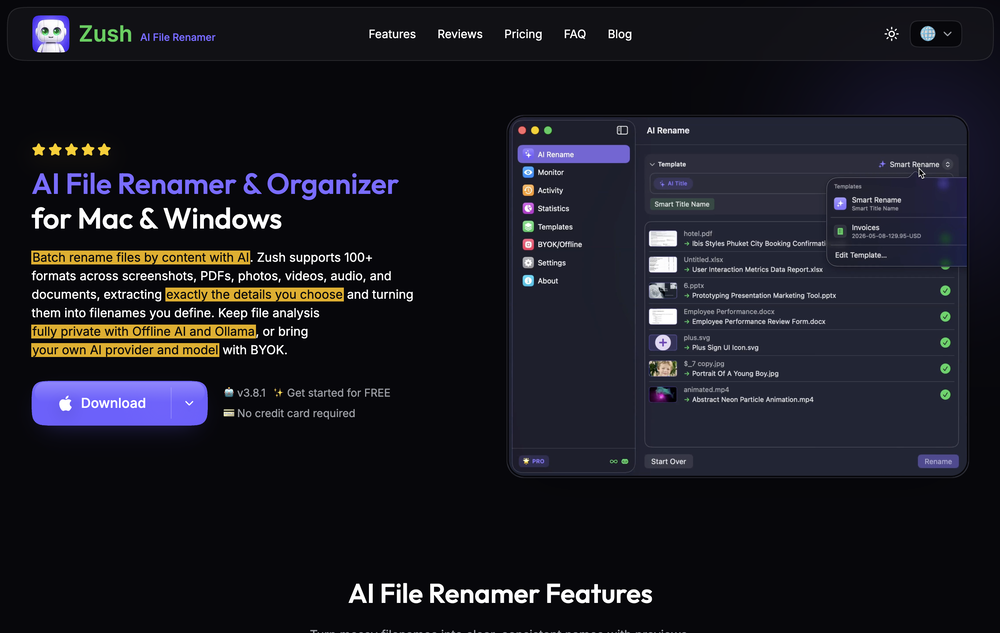 deviruchi🙏 1 karmaJul 14, 2026@Zush AI File Renamer & OrganizerGreat experience, exceeded all expectations!
 -

-
-
-
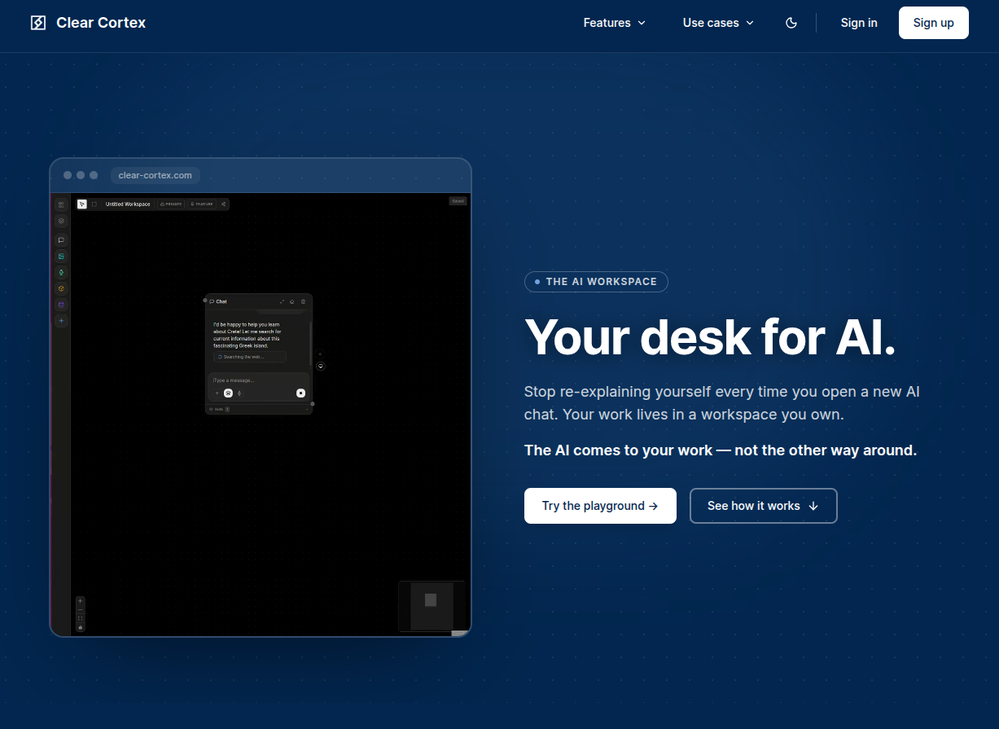 Founder here 👋 I built Clear Cortex because the chat window is the wrong shape for real work. Every new conversation starts from zero — you re-paste the same context, re-explain the same project, and the good answers disappear into scrollback you'll never find again. So the model here is flipped: your work lives in a workspace you own, and the AI comes to it. Every leading model — chat, image, audio, code — works from the same canvas behind one login and one pot of credit. And every answer is cited back to the exact source it was built from, so you can open it a week later and still trust it.
 -
-
-
-
-









Verified tools
- SpotlightSureThing.io - "OpenClaw" for BeginnersTask automation
-
High quality, really fast and generous free tier. Great tool! Comes even with speaker annotation!
-
 You ask hard questions, five expert AIs debate, you win breakthrough answersOpenI can use five different models thread to dissect and cross-check my ideas in the same thread. The selling point for me is seeing AIs catch one another's hallucinations and making corrections - critical for reports I want the answer stress-tested, not just generated.
 -
 Open
Open -
 OpenWe built Continua because every "chat with PDF" tool we tried failed the same way: retrieval grabs a few chunks, answers confidently, and misses the qualifier on page 1,847. In high-stakes documents that's not an inconvenience — it's a lost case, a bad acquisition, a rejected claim. So we went the opposite direction: no RAG at all. Continua reads 100% of every page (up to 1B tokens in one task), returns a report where every claim cites its exact page, and — the part we're proudest of — flags where your documents contradict each other. Every finding is inspectable and tagged: cited, conflicted, duplicated, or unused. Where it shines today: medical chronologies, acquisition diligence, RFP compliance, insurance claim rebuttals. Where it's still rough: reports take minutes (we read everything — that's the cost), no API yet, English-optimized. We're in public beta and genuinely want hard feedback — bring your nastiest document pile and tell us where it breaks. I'll answer every comment here.
 -
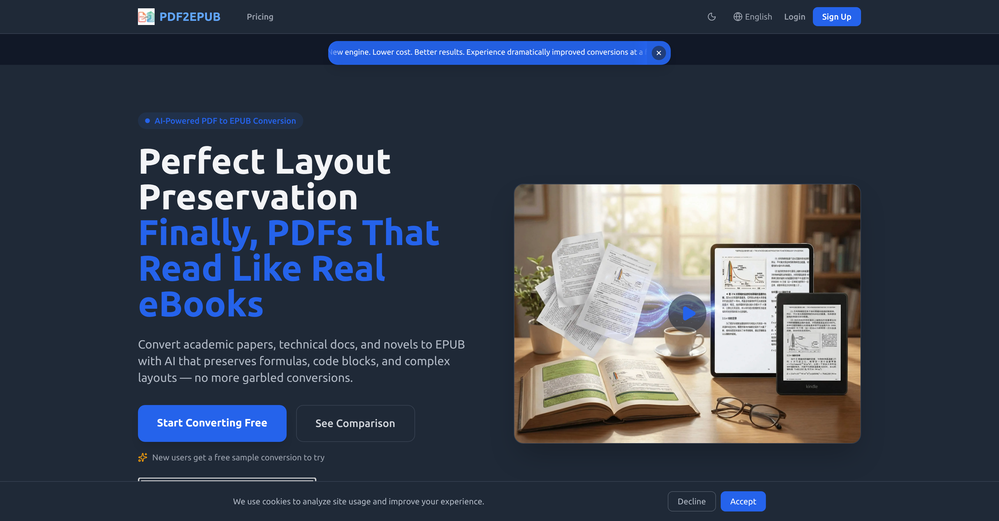
We've shipped a major update that turns our PDF summarizer into a full document summarizer.
Now more than just PDFs — 14 formats supported You can now summarize far more than PDFs. In addition to PDF, the tool now handles:
-
Documents & spreadsheets: Word (DOCX), Excel (XLS, XLSX), PowerPoint (PPTX), TXT, Markdown (MD), HTML
Images: JPG, JPEG, PNG, GIF, WEBP
E-books: EPUB, FB2, MOBI
Upload almost any file and get the same clear, structured summary with key points in seconds. -
New languages
Added full localizations for Thai, Korean, and Indonesian, so more users can summarize and read results in their own language. -
Bigger files
Increased the maximum file size from 10 MB to 50 MB — summarize longer reports, books, and spreadsheets without splitting them.
As always: 100% free, no registration, and no usage limits.
-
-
made a presentation for my site with just 1 prompt, lol how did the AI get so much information out of my website lol
-
A very simple-to-use, yet very powerful app. It made my work so much easier, my scanned and downloaded files are no longer a mess.
-
I have been using this application for some time now, and it pleasantly surprises me. At first, this tool seemed to be just something like a smart document search, but I was wrong. It is able to generate brief contents of books and documents. With it, I will be able to create my own knowledge base in various areas, which will be built only on the data I uploaded, which I am sure of. Overall, the app is great, and I can safely recommend it. How do I personally use this product: For example, to summarize medical research and books. I intend to use it for academic research to save time searching for answers to specific questions and searching for links (documents, pages, comments), and I have to say that I am impressed. I upload not only PDF documents, but also transcribe videos of specialists in the right subject and upload them together to the service. Thus, I make my personal library, knowledge base and the quality of knowledge deeper. More recently, I came up with the idea to use the knowledge of some specialists who run their social networks and tell me the information I am interested in on their pages, because I can also collect their posts on social networks. networks in one document and upload to the service. What I liked especially: 1. Simple and user-friendly interface. Everything is in its place and nothing superfluous. 2. The algorithm does not come up with answers, but proceeds from the data in the document, allowing you to ask contextual questions and receive point-to-point answers in real time. Very often, language models sin against this. 3. Unlimited questions in the "chat" You can ask as many questions as you want in real time without using any credits. 4. Unlimited daily download. 5. I can upload documents in any language and get answers in my own. I can make full use of knowledge from all over the world, not just in my language. 6. The file viewer and links work well. Just click on the link and you will open the document in exactly the right place! 7. Chat with documents is quite accurate and fast. 8. The idea of labels is quite convenient and it is possible to add multiple labels to a file. 9. After downloading the document, it will warn you which pages were not recognized or have little content. 10. Understands the context of the correspondence, and does not answer the last question. 11. Responsive support. 12. API Access 13. OCR. 14. Automation of the workflow. 15. The ability to use your OpenAI API key 16. There is a promising roadmap. Separately, I would like to tell you about the workflow automation function, with the help of, when working with a group of documents, which can be processed separately only the necessary sections of documents. This makes it possible to access several documents at once. This is a super opportunity to gain deeper knowledge from documents uploaded to the service. It should be noted that in the end, a lot depends on how correctly you ask the question. This is both a plus and a minus. An experienced user will always be able to bring the algorithm to the conclusions of interest. For novice researchers, it will be a little more difficult to set the right direction to find the right information. My dreams: 1. Although I have no problems with the document loading time, it would be cool to speed up the document processing time. 2. I would like more free language models. At the moment, the service uses OpenAL GPT 3.5 Turbo and Anthropic Claude 3 Haiku. In principle, this is enough, but it would be good if more advanced language models were included, which will allow you to study your documents even more deeply. 3. I would like to be able to add ready-made template queries to documents. 4. I would like to be able to mark the best answers, which I can quickly refer to later. 5. I would like to be able to create folders in the Documents and Options section cataloging my knowledge. 6. I would like to be able to change the title of the document. 7. I would like to have an internal search system for documents or labels, which will become very numerous over time. 8. It would be very useful to be able to add people to work together with configured access rights. 9. The opportunity to create your own knowledge base and post it on your website via html code would be very useful. 10. I would like to be able to highlight the desired fragment or keywords in the document when you click on the link in the response to the document request. What I wanted to draw attention to: It seemed to me that OCR does not work quite correctly, after downloading the document, it writes "you have not enough credits to use OCR", although there are credits. Maybe I was doing something wrong. I'll figure it out. In general, I would like to rate the usage experience at 5 stars. I recommend everyone to try it!
-
This is truly a wonderful experience that brings joy and delight.
-
I'm absolutely blown away by the design quality of the presentations they look so vibrant and stylish. I was also pleasantly surprised that the AI asks lots of clarifying questions to make sure the final result is exactly what I wanted, not just something random. Vibes 🔥
-
We're live folks! Do check us out and drop your feedback or requests.
-
 AI fills out your PDF forms — then notarizes them by videoOpen
 -
 Debating AI models, tireless agents, and workspaces. Unlocked, pay-as-you-go.Open
 -
I’ve been using Collate to go through technical PDFs, and it’s been surprisingly handy. Summarizing docs and being able to ask questions directly saves me time, especially when I’m skimming through research or API references. No sign-ups, works offline, and everything stays on my device — which I appreciate.
-
Highly recommend it for anyone dealing with high-volume document processing. Simplifies the process of extracting data from multiple PDFs into clean, accurate spreadsheets.
-
-
-
Started building this to make presentation creation less repetitive. It's become one of the tools I use the most myself.
-
I’ve tried almost every AI slide generator out there, and Tosea is in a league of its own. Most tools just scrape the surface, but Tosea actually digs into my research PDFs. It captures the nuance and logical flow of the original document without the usual AI hallucinations. The slides it produced for my last project were surprisingly deep and well-structured. Plus, being able to export directly to PPTX and make my own tweaks is a lifesaver. It’s easily saved me hours of manual formatting this week.
-
PDF Digest is a helpful AI tool that makes working with PDF files easier and saves time.
-
-
 AI-native OCR platform, 95%+ accuracy, zero prompt engineering, flags uncertain fields.OpenWe are a team of founders who worked before in data extraction, with traditional manual review of each document to check accuracy / errors. We are so excited about AI and the new LLM models because we have created DeepRead using those and the accuracy is 95% and we flag uncertain fields so no one has to manually review entire documents (whew), only the exceptions! We hope you try it out and please share your review, comments and feedback. Looking forward to hearing from users!
 -
Process patient referral documents way faster now. Pulls key medical history and relevant details instantly instead of me scanning through pages. Still review everything carefully but it flags what matters first.
-
 Transform unstructured documents into actionable data instantly.Open
 -
 Chain AI tasks with no-code into workflows for chatbots, video, documents, andOpenThis tool removes all of the prep work of getting an LLM API endpoint running. I can try out ideas quickly and see within minutes whether an endpoint concept actually works. And when it does, moving it into a production app is about as easy as it gets.
 -
-
The translation is good enough. It's free, so waiting longer for the result is not a problem
-
 Create, Edit, and Apply Professional Signatures with AI in SecondsOpenThis product comes with great preset styles, which helps me avoid designing without direction. However, at the same time, the presets also limit creativity to some extent.
 -
-
tried quickdata on a stack of rent rolls (pdf+xls), a couple T12s and one chunky OM. setup's just an excel add in, super barebones ribbon button and it goes straight to work (no gimmicks). it mapped a lot of line items correctly and dumped them into my model fast. i like that it plugs into your existing model instead of forcing theirs. a clearer "why" for each auto category would be good.
-
 OpenThe PowerPoint presentation I made met my expectations very well
 -
-
🚀 Supercharge Your AI Workflow with Keymate! AI enthusiasts, researchers, and productivity power-users — meet Keymate, your new favorite AI-powered assistant to collect, manage, search, and chat with your digital knowledge. ✨ Why Keymate? 🔹 Collect any source – PDFs, Google Docs, YouTube videos, emails, web links — all in one private memory space. 🔹 Chat with your content – Ask complex questions and get grounded answers directly from your own documents. 🔹 Add notes and organize collections – Structure your memory the way you think. 🔹 Boost with AI context – Keymate uses a 128K context window and multi-LLM setup to deliver better, focused results. 🔹 Secure
-
This AI PDF Summarizer worked really well
-
-
Every student must try this. It really saves me before final exams.
-
No answer. I sent the documents several times and got no reply.
-
 Transform YouTube videos into polished documents and quizzes.OpenSuper helpful tool for content creators like myself. I have a Patreon where I give my Patreons quizzes and video summaries based on my YouTube video and this website speeds the whole process up tremendously.
 -
10 MB Limit does limit usability best if .pdf contains NO images.
-
 Read aloud PDFs, GDocs, & more using text-to-speech to boost productivityOpengreat app, in school that is fully online to career switch and this app has really saved my degree. it helps me do all my assigned readings alongside my busy job, and has been a lifesaver.
 -
 OpenUnable to tried its functionality as its keep asking to pay
 -
 Chat with any PDF, ask questions, summarize and extract insights effortlessly.OpenThe maximum number of pdf pages for the free tier is 10, which is a bit small. Generally, I think people need this service for pdf documents over 50 pages or so.
 -
5/5 very easy, it translated all the text very easily and in 5seconds

































































Other tools
-
Not bad, its freemium and the feature is good like private pdf and support OCR
-
 Open
Open -
Instafill excels at filling out lengthy legal and government forms, provided the PDF form is fillable. The app accepts multiple source files in various formats, such as PDFs, images, and text files, to extract the necessary information for form completion. It has exceeded my expectations and saves a tremendous amount of time when filling out forms.
-
- Didn't find the AI you were looking for?
-
-
I’m the developer of ClaviSay, and I’ve always struggled with learning foreign languages. But since I need to use them for work, I wondered if I could create an AI that would help me read more efficiently and save unfamiliar words—all while I’m actually reading content like BBC or Medium. Now I’ve made it happen—ClaviSay. All features are free, so feel free to use them as you like. You can also provide feedback at any time; ClaviSay offers a dedicated feedback channel. Thank you all.
-
 Open
Open -
 Open
Open -
 Translate Excel files into any language instantly.Open
 -
 Open
Open -
It’s more than just a presentation maker, it also helps organize information.A great alternative to PowerPoint or Google Slides when you need something fast and professional. It has become part of my daily workflow at the office.
-
Great for skimming research papers and reports
-
I really like SignatureGen.ai — it makes creating a clean, professional-looking signature super easy, and the download options are genuinely useful for documents, email signatures, and branding.
-
 Transform lengthy content into concise, purpose-driven summaries.Open
 -
-
-
 AI-powered PDF assistant for summarizing, translating, and creating content.Open
 -
Way better than most Chat with PDF tools I tried
-
I like it. It answers simple questions accurately and by the book. The Ref (reference) page is not usually accurate though. I'll keep you updated on how it responds to complex questions.
-
I tried it out!! AI TranslateDocs is really much better than other document translation platforms I tried out.
-
There is no way to tell how good this AI Text to MP3 service is without paying up front. Maybe it's good, maybe it's not.
-
Highly recommended. It saves a lot of time. Their PDF chat feature is very user-friendly.
-
This is the finest PDF translation service I have utilized, with exceptional preservation of document formatting.
-
-
Free version is limited to 5 pages for PDFs. I could not find a file short enough to even test this product. I give up.
-
Good to use even for free. Gives answers related directly to the info in the document, along with references to pages where it can be found. Also does well at analyzing graphs and charts
-
-
 Open
Open -
Unfortunately I just cannot get this to process any PDF I upload - it just fails. Tried editing source to exactly their recommendations, and no go. Keep getting errors. Would love to have this work. Tried to contact developer. Any suggestions welcome.
-
 OpenI used this tool it is such an amazing tool if you are in search of any tool which can convert your document accurately then u are at a right place
 -
 Assists with PDF and template formatting for a professional look.OpenThough doesn't format pdf correctly, however saved my time, so far good tool
 -
 APIs and Libraries expert, offers learning, comparisons and more.Open
 -
 Specialist in Full Stack Kick Ass Application developmentOpen
 -
 Open
Open -
A good app that let me reset some metadata on a pdf to keep the author name private. I'm going to try to use it for other things as well. It was also able to find a way for me to re-download the pdf after the modification, when the default way would not work. Very handy!