Go to section
Spotlight SureThing.io - "OpenClaw" for BeginnersTask automation

 Mini tools
New
Featured
Lists
Agents
Requests
Jobs
Map
Newsletter
Starter pack
Free tools
Speech to text
Text translator
Remove background
Settings
Edit profile
My tools
Gallery
Dashboard
Inbox
Get featured
Contact TAAFT
For you
Popular
Job impact index
Most saved
Affiliate program
Submit AI tool
Notification preferences
Glossary
Home
Timeline
My profile
Create tool
Deals
Companies
Models
Robots
Papers
Fundraises
Devices
Organizations
Events
Prompt Pack
Merchendise
APIs
Features
Tools
Countries
Collections
Videos
News
Investors
Repositories
Mini tools
New
Featured
Lists
Agents
Requests
Jobs
Map
Newsletter
Starter pack
Free tools
Speech to text
Text translator
Remove background
Settings
Edit profile
My tools
Gallery
Dashboard
Inbox
Get featured
Contact TAAFT
For you
Popular
Job impact index
Most saved
Affiliate program
Submit AI tool
Notification preferences
Glossary
Home
Timeline
My profile
Create tool
Deals
Companies
Models
Robots
Papers
Fundraises
Devices
Organizations
Events
Prompt Pack
Merchendise
APIs
Features
Tools
Countries
Collections
Videos
News
Investors
Repositories

Editing video
Featured matches
-
-
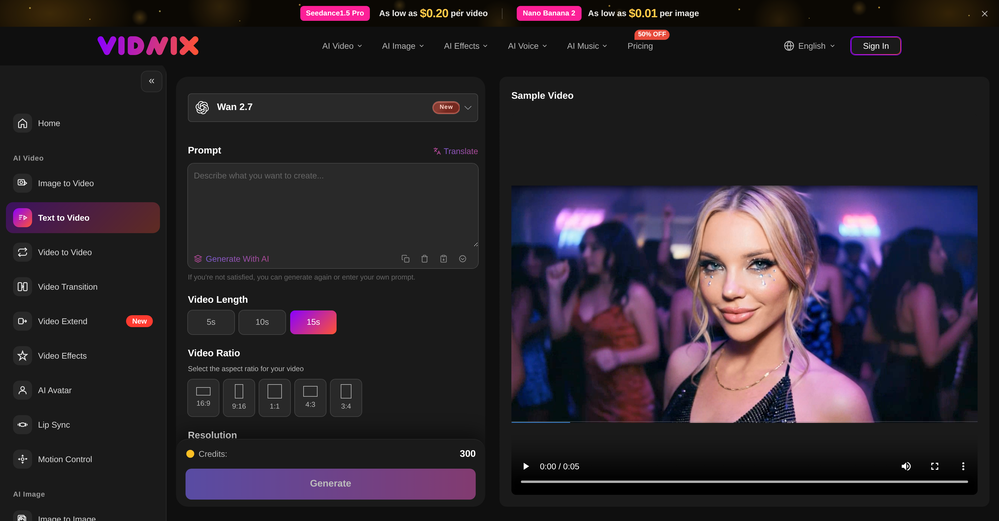 smith tom🙏 23 karmaJun 9, 2026@Vidnix | AI Text to Video GeneratorSolid. Not perfect but it gets the job done and the updates have been pretty consistent
 -
-
-
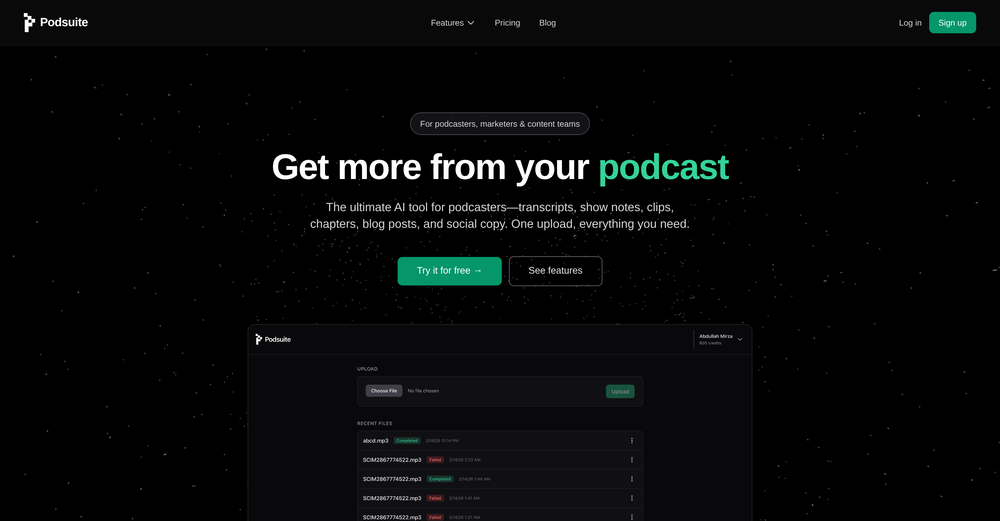 I think it delivers on all of its claims, specially the transcription and Blogs.
 -
-
-
 Thank you for the feedback, Bella Blast. All of the issues you mentioned have been addressed, and the Learn My Voice engine has been fixed and improved. We really appreciate you taking the time to share this — feedback like yours helps us make the experience better.
 -
-










Verified tools
- SpotlightSureThing.io - "OpenClaw" for BeginnersTask automation
-
 Turn property photos into scroll-stopping videos that sell homes faster.Open
 -
One thing we kept noticing with AI music: Great songs were being generated… but most of them still looked like demos when shared online. We built LyricMV to help turn AI-generated music into something that actually feels publishable — cinematic lyric videos with synced visuals, emotional pacing, and short-form friendly formats. Would love feedback from the AI music community 👀
-
You are absolutely right. There are a lot of founder and certain types of tools that assume their users are experts, making their products very technical. GeekLink is not that kind of product. A creator shouldn't have to know the exact parameters, meanings, and depths behind it. All of that is handled behind GeekLink.
-
-
 Open
Open -
 Turn a Suno song into a music video with beat-synced auto-editingOpen
 -
GoFaceless turns a single prompt into a finished, ready-to-post video — script, AI voiceover, B-roll, music, titles, and captions, fully assembled. No timeline to wrestle with, no stock clips to hunt down.
New in this release:
- Edit by chatting — change the voice, script, pacing, language, or any setting just by typing, and it re-renders instantly.
- Full timeline control when you want it — trim, split, reorder, and adjust volume on any track.
- Reusable AI presenters + faceless B-roll — pick a character once, reuse it across every video.
- 30+ languages, vertical and landscape (16:9), with grounded visuals that match real places and facts.
Describe your video, get a finished one back, then refine it in plain English. Faceless content on autopilot.
-
Been using Playyy for a while now and it's become a core part of my design workflow. I'm juggling a few different brands and projects at once, a clothing label's brand identity book, podcast cover art, poster design, and the brand kit feature has been a lifesaver for keeping each one's visual style separate and consistent. No more mixing up palettes or fonts across projects.
-
The Agent is really handy. It's much more streamlined and convenient than canvas-based AI tools. There's a bit of a learning curve at the start, but once you get the hang of it, it's incredibly useful
-
tried it for a quick edit and it was super easy to figure out. saved me a bunch of time cutting out the boring parts lol. would be nice to have a few more options for tweaking things, but overall it gets the job done :))
-
Pay-as-you-go without subscription
-
 AI video translation with dubbing and lip-sync.Open
 -
 OpenI was struggling to create some free Christmas and New Year's e-cards, and these templates are really good. I recommend giving them a try. The only downside is that each free template can only be used once.
 -
Vireel offers the best realistic ai image to video and ai text to video tools. Incredible no watermark quality!
-
I tried testing Seedance 2.0 on several platforms, but most of them required a membership upgrade first — even Dreamina. SeeGen AI offers a free trial, and that’s the main reason I recommend it.
-
Works wonders for anime, has me taking it in consideration for a tool rotation.
-
This is not good, it is randomly adding 3 seconds video before the given video. Not related to the video, so not good.
-
 Web platform for video translation, text-to-speech conversion, image creation, media editingOpenGenerated a pretty accurate video translation. Also, was quite impressed with a price tag.
 -
Love Dadan's new AI features. I used to hate searching through videos to find specific points and actions. Now I just get AI Assist to transcribe them and use one of the meeting templates to find what I need in a few seconds.
-
it removed the watermark cleanly while keeping the original quality.
-
To just upload my song and have AI figure out the rest so I can share my songs on tiktok etc... As a Suno user I've wanted something simple and affordable, this is finally it. Other tools want $50 credits then it turns out it's not even enough to learn the tool, never mind just get a usable video out.
-
 Edit smarter, faster and easier with Filmora’s powerful AI video tools.Open
 -
 OpenGoEnhance's production from video to animation is impressive. It can go up to 2k 60fps, so exciting.
 -
 OpenTried it with one photo and was surprised how natural the video looked — lots of effects and models to play with too
 -
I am the builder of WUI.AI, an innovative content repurposing application designed to help global individual creators transform their text, audio, and video content into platform-optimized short and long videos for YouTube, TikTok, Reels, and more, with automated publishing capabilities. I try to build in public so any feedbacks will be appreciated
-
 Turn baby photos into talking podcast videos.OpenWow, The AI tool is so interesting for the AI talking baby podcast. I like it. Thank you for the AI
 -
-
I created this platform to solve a problem I saw everywhere: AI videos that looked too unnatural. AI Kiss is designed for high-quality, lifelike animation. We capture the subtle details of intimacy, specifically the eye contact between partners, making the moment feel truly authentic. Founder of AIKiss.Art Cherry
-
Added an AI camera that cuts, frames, and captions every clip for you
Added burned-in captions, auto-placed text hooks, and silence trim
Added publishing and scheduling to YouTube and TikTok, plus one-tap share links
Added Kick and Google Drive alongside YouTube, Twitch, and uploads
Improved analysis to about 2x faster, with clips streaming in as they are found
-
 Open
Open -
Hey Jack, fair question! The AI is the "Wingman" feature inside the video call. Instead of transcribing the audio (which would violate our privacy policy), the AI is an on-demand agent powered by GPT-4o. You toggle modes like 'Roast' or 'Spicy', and it generates context-aware conversation cards to save the date if things get awkward. We prioritized user privacy over an 'always-listening' AI assistant. Give the Roast mode a try—it's pretty ruthless!
-
It's got a lot of potential...but glitchy right now (Sept 25). Unable to generate background video at the last line of the text. Eventually, if you tinker with the editing a few dozen times, the subtitles stop highlighting the current word.
-
-
Currently, generating course videos is basically free, and everyone is welcome to use it! If you have any problems during use, you can complain and we will quickly iterate! Thank you~!
-
Generating captions was super fast like seconds. Wish they had Anton font though
-
-
-
Smarter Music Analysis, Better AI Music Videos, and Lyrics Video Creation
AirMusic v2.6 introduces major improvements across music analysis and video creation workflows.
This update upgrades AI Music Analyzer with deeper song insights, improves the AI Music Video Generator experience, adds subtitle editing for MVs, and introduces a new Lyrics Video Maker for creating lyric-based music videos.
🎵 AI Music Analyzer — Deeper Music Understanding
AirMusic’s AI Music Analyzer has been redesigned with more detailed song analysis capabilities.
The analyzer now provides:
- BPM analysis — detect the tempo and rhythm of your track
- Key detection — identify the musical key of the song
- Genre analysis — understand the main music category
- Mood analysis — identify emotional tone and atmosphere
- Style analysis — understand the overall musical direction
- Detailed instrument analysis — detect instruments used in the track
- Vocal style analysis — analyze singing characteristics and vocal expression
- Song structure analysis — identify sections such as intro, verse, chorus, bridge, and outro
- Style description — generate a detailed description of the song’s sound and creative direction
These improvements help creators better understand their music and provide richer input for AI-powered music creation and video generation.
🎬 AI Music Video Generator — Cleaner Interface, Smoother Workflow
The AI Music Video Generator interface has been redesigned with a cleaner and more intuitive layout.
Improvements include:
- Simplified page structure
- Clearer creation steps
- Easier video style selection
- More focused controls for music video generation
The updated workflow makes it easier to go from song upload to finished AI music video.
💬 Subtitle Editing for AI Music Videos
AirMusic now supports subtitle editing for generated music videos.
Creators can customize subtitles and lyrics display to better match their video style, making it easier to create:
- Lyric-based music videos
- Social media music clips
- Performance videos with synced lyrics
🎤 New Lyrics Video Maker
AirMusic v2.6 introduces Lyrics Video Maker, a new tool for creating engaging lyric videos from songs.
Users can turn their music into visual lyric content with synchronized text and AI-generated visuals, making it easier to create shareable videos for:
- YouTube music uploads
- TikTok and Instagram Reels
- Song promotion and artist branding
🛠️ Bug Fixes & Improvements
Based on user feedback, AirMusic v2.6 also includes multiple bug fixes and stability improvements.
These updates improve overall reliability across music analysis, video generation, and content creation workflows.
🎯 Best For
- Musicians and independent artists who want deeper insights into their songs and better tools for promoting their music
- AI music creators who need detailed song analysis before generating music videos
- YouTube, TikTok, and Instagram creators who want to create lyric videos and music content faster
- Suno and AI-generated music users who want to transform songs into polished visual content
- Creators producing multiple music videos who need a simpler and more efficient workflow
With AirMusic v2.6, creators get a more intelligent music analysis system, a smoother AI music video creation experience, and new ways to turn songs into engaging visual content.
-
This release introduces Flint, a new family of each::labs image models designed to deliver frontier-quality results with production-ready economics.
- flint-image: Generate four distinct images from a single prompt in one call for $0.20, compared with $0.60 for a standard generation.
- Flexible output controls: Set the output format and aspect ratio for each run, so generated images fit directly into your layout.
- Available across each::labs: Access Flint through the API at api.eachlabs.ai or the visual no-code AI Flows builder, with pay-per-call pricing and no subscription required.
- Coming next: Additional Flint models for clean 4K image generation and editing, available at the same $0.20 per-call price.
-
 Generate custom copyright-free music that fits to your video automaticallyOpen
-Complete redesign with the new AI Soundtrack experience.
-Improved soundtrack generation workflow from upload to export.
-Better preview and audio controls for fine-tuning your soundtrack.
-Numerous performance improvements, bug fixes, and UI refinements.
-
 Turn any song into scroll-stopping videos in minutes with AI-directed scripts andOpen
 -
 Turn your slides into narrated videos with AI voiceoverOpen
 -
 Start from real examples. Turn one good clip into a full video.OpenI was surprised by MotionGen's image2 model. I've uploaded a photo and it accurately suggested hairstyle variations I actually loved. Didn't expect that at all.
 -
Best Free Movie Maker App on the Market
-
Clean UI, multiple video models in one place, and fair credit refunds when generations fail. Nice that you can try it for free before committing.
-
 Transform your music into stunning visual experiences with AIOpenThe generation effect is good, the pictures are exquisite, and the transition animations of the pictures are smooth The only drawback is that it would be better if the generation time were a little faster
 -
-
AIReel provides a convenient way to generate videos or images from text prompts or photos using several AI models in one place. When trying different prompts and images, the platform produced AI creations with noticeably different visual styles depending on the model selected. Compared with accessing many AI video models directly on their native platforms, the overall cost is more affordable, making it easier to experiment with AI-generated content, including both AI videos and AI images.
-
 Instantly create professional screen recordings in perfect English.OpenHi folks - I'm Charles, the founder of Wizardly. I built this app to help marketing, product, and sales teams instantly create polished product videos without requiring expensive professional video editing. Try it out to see how to turn a quick screen recording into professional, customer-ready video today. We have lot's of cool features in the pipe but feel free to share feedback and suggestions once you give the app a spin! 🙏🏻
 -
 High-quality stem splitting and voice cloning based on the world's #1 technologyOpenDecent stem splitting, but no better than free options, and definitely not worth paying for. The sound quality is so poor you cannot really use the output for anything apart from making karaoke tracks for personal enjoyment. Don't even think of using Lalal if you're a professional producer who needs to split a mixed song due to lost stems etc.
 -
 Open
Open -
It works surprisingly well. Clean plus you can actually try it first without having to drop money right away. helps if you are not sure it'll fit your needs. Solid stuff.
-
-
 OpenHi! I'm the founder of LyricEdits. After 20 years as a bass player and 20 years in software engineering, I finally combined both passions into one. I'd love to hear your comments and suggestions!
 -
Thanks for the feedback. We would love to know more about your issue. Could you please provide more details at [email protected] ?
-
best part? it doesn't fight my process. i can iterate fast, try different moods and play with compositions while the idea's still hot.
-
-
Misleading! Said you dont need credit card to start for free. when I signed up it was not available and I had to buy credits to try the tool.
-
Can't test without entering a credit card directly after sign up, I won't be using without testing it first. sorry!
-
 Open
Open -
 Turn prompts into polished images and videos, instantly.Open
 -
 Turn images into videos with advanced AI All with Fylia AI.Open


























































































































Other tools
-
 AI-powered video editing for YouTube creators.OpenSelamat siang saya akan membagikan tutorial gimana caranya mengedit video di aplikasi capcut
 -
Been using Knowcast to keep up with new ideas and information, and I like how easy it is to discover and revisit useful content. The experience feels straightforward and helps cut through a lot of the noise, making it easier to stay informed without getting overwhelmed.
-
 Apply spooky Halloween filters and scary makeup effects online for free.Open
 -
Bro, Captions is actually straight fire for short-form content. Script in, clean captions and edits out, and it makes talking-head clips feel way more polished in minutes. Big w for creators
-
the tool charges per response not result, simply the 100 gratuity credits keeps decreasing every time i try to correct the action taken backend, may be i am stupid but if i am uploading a photo that cannot be altered in horizontal view, the tool should notify me that the outcome will be wrong due to the reference image, what really happened is that i was charged, the result even after i requested correction was the same for 3 times. and guess what the script was complete and i literally requested the assets to be added since i had none, the tool promised to get assets and show a preview,, but after charging ofcourse and again the result was wrong.. not recommended sorry!
- Didn't find the AI you were looking for?
-
-
The one day free version works really well and hepls you a lot by searching and optimizing your search time, good to considerate to pay for the long time version
-
AutoEditor is a tool powered by AI that allows users to create highly customized short videos. It is primarily designed to make video editing easier and more efficient, thus enabling users to focus more on content creation. Distinct features include the automatic generation of subtitles in more than 40 languages, detection of silence or non-relevant content in videos, and the ability to enhance videos by adding b-rolls, watermarks, and other effects. The platform provides an easy-to-use interface for video editing, putting users in complete control of their content. Users can change text, styles, and various other aspects of their videos without prior knowledge in video editing. Furthermore, AutoEditor supports editing of long videos, which can be broken down into smaller parts without pre-cutting them. Videos for editing can be directly processed from YouTube, eliminating the need for separate downloading websites. Users can also customize their captions, save their unique styles as presets, and create videos with a few simple clicks for a fast editing experience. AutoEditor's pricing is designed to be simple and affordable, with plans tailored to suit different needs. Users can also access a free tier to get started. Flexibility is one of its key advantages, providing users the means to edit their videos exactly how they want them. The software works best with videos containing any type of voice or talking, such as podcasts, talk shows, documentaries, educational videos, or speeches.
-
-
 AI video editor that transforms raw footage into multilingual presentations.Open
 -
 Open
Open -
-
-
-
Appears to be a full-featured video editor. It tried hard…but chose such shit B-roll.
-
-
I forgot to take videos on my trip, so I gave this a shot with just the photos I had. Surprisingly, it created a short clip that actually looked real, super cool. Just wish it didn’t take forever to render
-
-
-
The demo of this AI zagent is pretty stunning. The agent understand what I am saying zand is replying on the spot. Very interesting. The sky seems to be the limit. But how can a small company use this kind of tool in practice.
-
too expensive for me, I just want to make memes, not pay that much
-
tried veo 3 today and it honestly feels like a sneak peek into the future. one short prompt and it gave me a crisp 4K video with perfect audio and cinematic camera moves. not flawless yet, but wow.
-
I recently started using Napkin AI, and I couldn't be more impressed! This tool is incredibly user-friendly and intuitive, making it easy to generate clear visual representations from text. Moreover, the interface is clean and visually appealing, which enhances the overall user experience. Napkin AI is a fantastic companion. Highly recommended for anyone looking to elevate their creative process!
-
-
Hey SFS, it seems the app works with credits via an API key, priced at $0.01 per credit. The lowest generation cost is 0.9 credits, and the highest is 8 credits. We’ve also updated the app’s price description. Thank you very much!
-