 PDFClean.ai
 Mini tools
▼ Popular
Apresentation
Free mode
100% free
Freemium
Free Trial
Featured matches
-
 Qurate is an AI-powered quote discovery platform that helps you find theOpen
 Carlos Yadav🛠️ 1 tool 🙏 39 karmaJun 2, 2025@Qurate: Elevate your writing, speeches, and presentations with impactful quotesfree version's already solid and i didn't expect to get that much out of it without paying. lifetime deal for 25 isn't bad at all either, might actually get it. w
Other tools
-
There is nothing here that meets the presentation requirements. The slides are monotonous and boring; it's as if I just copied my entire text and pasted it onto 10 slides - there's no value in that. The information is inconvenient and uninteresting to read. It's even summarised and organized worse than I could do it in 5 mins. It's better to use free GPT and put all into slides then use this. Omg it's really very bad, extremely poor, and I will never use it again.
-
-
Makes it easy to get started with a presentation if you have an outline, but as soon as you want more control, you're better off using Google Slides. Gamma's feature that I used the most was image generation - you can select among a variety of models (Ideogram, Flux, DALL-E, but not Midjourney), and it shows 3 variations to choose from. Performance is slow and a little janky, even in Chrome. Prompts and settings are often not respected - e.g. you set it to "preserve text" and just generate slides, and it goes onto dumping an entire 3 paragraphs of text in one slide. You can't overlay text over images (e.g. for image attribution), and there's no precise positioning control, or grouping elements. No way to control table layout, e.g. to have two images slide-by-side in full bleed mode. I tried Gamma for a new presentation, but next time I need to make a presentation, I'll go back to Google Slides and generate images independently.
-
Too limited in caracters, visuals and prompt application
- Spotlight: PDFClean.ai (PDF to Spreadsheets)
-
It does it's job and I love that it has a lifetime plan
-
You spent half of hour on describing how your presentation should look like, and just after that getting informed that you need to pay subscription to proceed. Who’ll pay my time back?
-
When testing out the free version it looked promising, but as soon as I purchased the largest package for more characters the slides were unusable with text running vertically up and beyond my slides (1 character per line). When I reached out to the supplier, they wouldn't refund me because it had been more than 48 hours since my purchase. Waste of money and time.
-
Should offer a free trial.. so much competition out there and alot with substandard results. I need to try it before I buy it.
-
Presentations clearly feel and look AI generated not good enough for work.
-
Hello Lalith! Try refreshing the page and giving it another shot,the app seems to be working fine.
-
 Generate professional presentations in seconds with AIOpenDid not allow to download the slides.... ideally they should keep it free till sufficient traffic hits the platform and allow people to share feedback.
 -
- Didn't find the AI you were looking for?
-
ppt.ai has saved me at least 80% of the time spent on making PPTs. I just need to submit rough ideas or drafts to ppt.ai, and it can create a relatively usable PPT. This is simply amazing! Although some revisions and optimizations are still needed afterward, it’s already a huge relief compared to starting from scratch.
-
Very intuitive and easy to use tool, that will allow whoever wants to create presentations a wide range of templates to add cool graphics and design in very little time. The cons are that as a web based app, you have to store your presentations online and depend on having good internet connection to present. It does give you the option to download a PDF or PPTX document, but transitions, videos and audio doesn't download. The AI generator for images is not quite there yet, but the prompts to create slides is very good. Tip: Create slide by slide if you are going to use AI. The command to generate a whole presentation from a prompt is still not very accurate in my experience.
-
-
Test based on an actual teaching topic of Social Media Marketing based on a textbook. Perhaps my prompt was not detailed enough because the .ppt output had a minimalist layout. Some textual explanations were acceptable however, the AI does not yet have enough depth to use for an education environment. The results were very fast and produced 12 slides. Images were presentation quality however, two images were repeated and the text-to-image ratio was only a 1/2 grid.
-
-
Would be better if they let you use your own text as an option.
-
It's helps you get started on a presentation. Likely need to edit photos and text.
-
An AI that can present slides! I used to only use AI that could create PowerPoint presentations, but this is the first time I've encountered an AI that can present slides for me! I hope it will provide even more help with my work in the future.
-
This is the first slide creator I found that actually creates an outline, and nice looking slides with images. The one negative/con is it takes yoursubject and title and generates an outline, but it doesn't allow you to put in your own outline
-
Using it on day-to-day basis to create presentations for my real estate clients. It's good.
-
-
The current version is not yet stable. Glimmer is working on improving the performance and features. Just signed up for notifications. Am hoping for the best...
-
impressive :O quite easy to use and great designs overall
-
Wow, I can't believe it, how much can a human being cheat? You get a free data tag, you register on the site, so you don't get paid, you can't do anything. I really feel sorry for humanity.
-
 OpenThe PowerPoint presentation I made met my expectations very well
 -
 OpenI want a presentation on the topic **Travel**. I want words that are easy to read and pronounce and have an expressive, useful and scientific meaning.
 -
At the moment it works for me, perhaps try again?
-
-
-
-
It easy to use and you can create beautiful presentations but you can't share professionally without a HUGE cost of 50 per month thats billed annual! they try and force you to buy. Will not use as it is NOT easy to share
-
Takes input (full presentation text in my case) as prompt and generates its own copy. Poor image quality. Boring layout. No bullets etc. You can try once with your free credits. no fun
-
It has improved a lot. When it was launched, it was just a tool for presentation. Now, I have been using it for more than 6 months and can create professional and engaging presentations and documents in just 1 minute
-
-
A very useful AI slides tool! The content it generates is genuinely smart.
-
You can't do anything without paying
-
It’s more than just a presentation maker, it also helps organize information.A great alternative to PowerPoint or Google Slides when you need something fast and professional. It has become part of my daily workflow at the office.
-
Thanks for your note. Pi is independently developed, with more than Gamma: richer themes, interactive surveys, AI copilot. 7-day free trial—try it to see! We value innovation and users.
-
 Create stunning presentations in seconds with AIOpen
 -
 Turn your slides into narrated videos with AI voiceoverOpenWe built Vidsembly to make video creation from presentations as simple as having a conversation. Just upload your slide deck, pick a voice, and get a clean narrated video in minutes. No editing software or mic needed. Great for creators, educators, and sales teams who want their message to land. You can try it free with 30 credits.
 -
It works great! I like it so far, awesome concept and easy to use.
-
Surprisingly Powerful & Underrated I originally used TeraBox just to back up my photos and save lecture materials—but the new AI features blew me away. The built-in paraphrasing tool has become my go-to for refining academic writing. It’s a hidden gem that deserves way more attention!
-
It suponer to be free but i need to pay for the download
-
Generate decks in seconds that are indistinguishable from top consulting firms. Using only verified data and credible sources. Xavier specializes exclusively in business and consulting presentations, unlike general AI presentation tools.
-
-
 Build professional, on-brand decks — 10x faster. Inside PowerPoint or online.Open
 -
Xpptx: Your One-Click Professional PowerPoint Solution. Making PowerPoint & Slides Creation Easier
-
It’s a decent tool for making slide presentations. A bit complicated at first, but once you get used, it gets better. Offers some nice features
-
 Transform subjects into stunning mixed-media collages.Open
 -
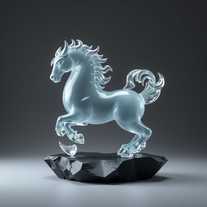 Transform ideas into surreal glass-slate sculptures.Open
 -
bad for creative presentations just copy paste the content in form of ppt , can't humans just not do Ctrl C and Ctrl V now ? No designs , no images, no transitions or animations, and saying bs in the chat that i am doing this not that now on your previous command blah blah ...
-
 Creating professional PowerPoint slides tailored to your tone.Opensimple, easy and effective. Thanks
 -
 OpenI'm hoping it's me and a user error so I can make this 5 stars but I was able to enter information, prompts seemed to show it was understanding the task but any attempt to generate a presentation failed
 -
 Automates clear and understandable PPT content extraction and structuring.Open
 -
Plus AI makes creating engaging presentations a breeze. I’m impressed by the smart suggestions that align perfectly with my needs. It’s like having an AI co-worker always ready to help!
-
 Crafting stunning, detailed PowerPoint presentations from research to final product.Open
 -
 OpenCould be helpful. Currently seems to have frequent networking and communication issues. Slides tend to be very basic currently.
 -
 Crafting stunning PowerPoint presentations from research to product.Open
 -
 Enhanced PowerPoint Assistant for comprehensive, linked outlines.Open
 -
 Crafting PowerPoint presentations tailored to your needs.Open
 -
 Expert in PowerPoint structures, slide descriptions, and speaker notes.Open
 -
 Upload your paper, get a crafted PPT presentation storyline.Open
 -
it did not meet my expectations, ai could not create and add visuals.
-
Does little more than create an outline, which you should already have..
-
 Data-driven analysis and PPT creation for all industriesOpen
 -
 Educational PPT creator specializing in Kagan activities.Open
 -
 Aiding in design, formatting, and creative PowerPoint slide ideas.Open
 -
 Open
Open -
 Creating effective PowerPoint presentations with design and content advice.Open
 -
 Improves PowerPoint presentation in content and timing.Open
 -
 Expert in creating tailored clinical psychology workshop presentations.Open
 -
 Upload your startup presentation, get a Silicon Valley-style Elevator PitchOpen
 -
 Adaptable to your Level of experience Google Slides Assistant.Open
 -
-
 Crafting best presentations by enhancing narrative and visuals.Open
 -
 Creative ideas for plating dishes with visual appeal and practicality.Open



















































































































Post





