 Rocket
 Mini tools
▼ Most saved
Team productivity
Free mode
100% free
Freemium
Free Trial
Featured matches
-

-
 Jessin Sam s🛠️ 1 tool 🙏 10 karmaOct 24, 2025@1UIThank you everyone for trying 1UI! If you haven't yet, give it a spin and use code ‘TAAFT’ to get $5 credits to try 1UI.
 -
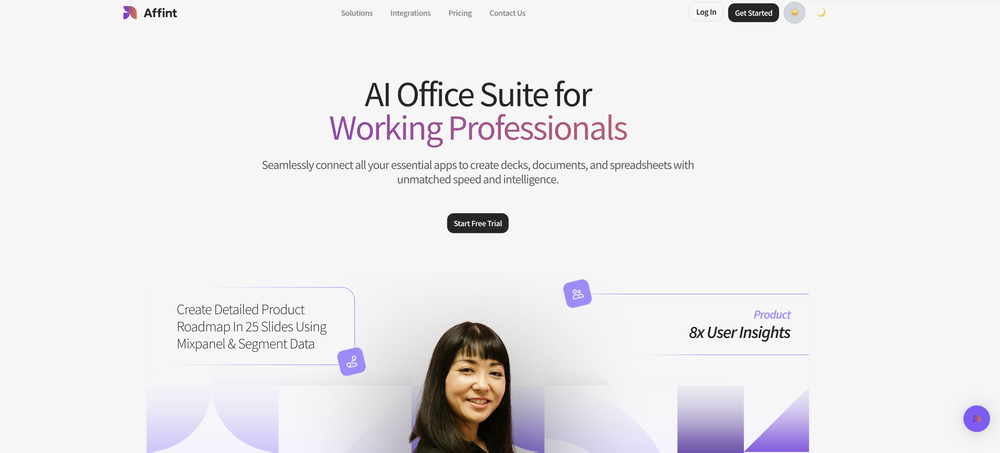 Just tried yesterday. The first productivity tool which allowed me to create professional slides, reports, and sheets with my data in a few minutes. Was able to connect 20 of my tools in less than 5 minutes.
 -
-

-
-
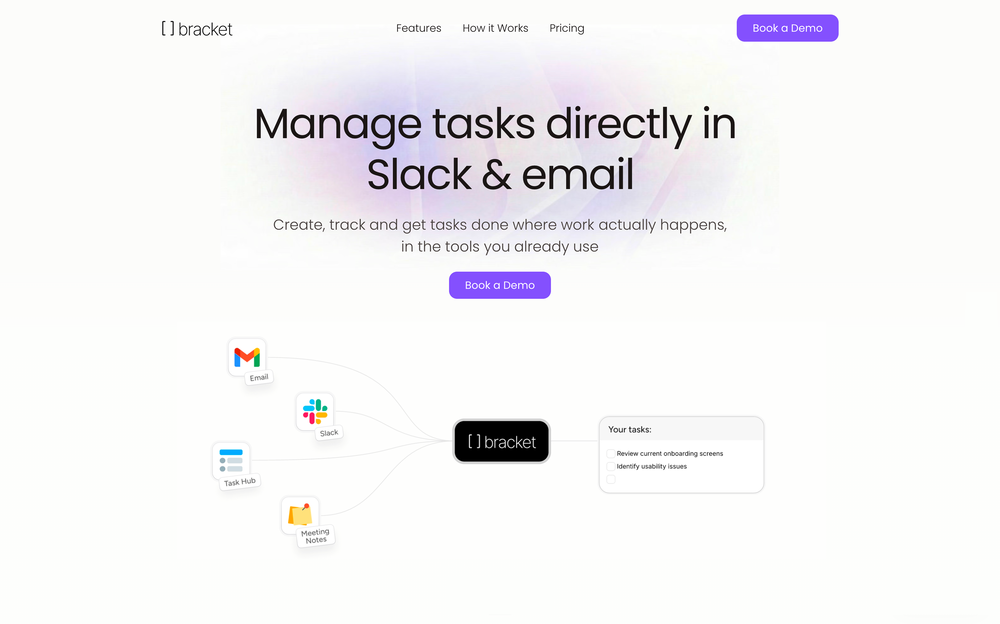 Weesp makes your task list proactive. Instead of hunting tasks across tools, Weesp captures them straight from Slack and Email (for now :P). It automates follow-ups, takes accountability for your tasks, and eliminates the hours wasted maintaining task systems. Operate where your work happens —> no context switching, no dropped balls, just a team that actually follows through. Try Weesp free, sign up to the waitlist today.
 -

-

-












Other tools
-
Use full workspaces multiple people can use this ai
-
1. Actually saves time (like, for real) 2. Not as confusing as other AI tools 3. Lots of ready-to-use stuff 4. Support team doesn't sound like robots
- Sponsor:Rocket
-
Awesome tool! Way better than chatgpt because everything is in one place, it can browse, superfast file upload for my own knowledge base. Perfect!
-
-
I've been using it for a few months, primarily for research, content generation and writing for both internal docs and public posts, and searching for data from weeks prior. It's been a game changer.
-
This tool makes my team write about their work. AI summaries on top of daily reports are surprisingly helpful.
-
Used it for PPT generation and performed extremely well, especially the numbers and data part.
-
I loveeeee this idea but sadly it does not send the email so i couldnt log in and try it... tried 2 different devices with different emails...
- Didn't find the AI you were looking for?
-
I’ve been playing with cogmi for a week and it’s really cool what insights it’s giving me about performance. Usually I don’t even think about when to stop, but now there’s some data to focus on. It’s like keeping tabs on circardian rhythm but for brain performance.
-
I think Hatch is the perfect blend of LLMs and creativity. Even though presentations might not be its main focus, it does an outstanding job with them
-
Process Street has increased my efficiency in ways I didn't even know was possible especially with the AI-powered workflow builder and the insanely large template library!
-
-
I am able to summarize a complex paper into a one-pager visual. Before this tool: hours of reading and summarizing. After this tool: I grasp something complex in seconds. Thank you!!!
-
 Find and ask all your documents and emails in one AI workspace.OpenImpressive, looks like what I needed all these years... Finally I found something useful!
 -
# 🚀 NextDocs v1.3 – Custom Themes & Pageless Document Editor **Released:** December 2025 This release brings brand consistency and document flexibility to NextDocs. Create custom themes that reflect your brand identity, and use the new pageless editor for flowing content like reports, proposals, and articles. Your documents. Your brand. Your way. --- ## 🎨 Complete Theme System Create branded documents that look unmistakably yours: - **12 Built-in Themes** – Professionally designed themes ready to use, from Academic Ivory to Midnight Blue - **Custom Theme Creation** – Define your own fonts, colors, and styling - **AI Theme Generation** – Describe your brand, get a complete theme instantly - **One-Click Application** – Transform your entire document with a single click - **Theme Management** – Edit, duplicate, and delete themes as needed - Works across presentations, documents, posters, and more Example: "Modern tech startup, clean and minimal with blue accents" → Complete theme with fonts and colors generated instantly. --- ## ✏️ Define Your Brand Identity Full control over every visual element: ### Fonts - **Primary Font** – For headings, titles, and display text - **Secondary Font** – For body text and paragraphs - **50+ Google Fonts** – Curated collection that exports perfectly to PDF and Google Slides ### Colors - **Primary Color** – Your main brand color for headings and key elements - **Secondary Color** – Supporting accent for highlights and emphasis - **Background & Foreground** – Page and text colors (supports gradients) - **Extended Colors** – Tertiary, muted, card, border, and shadow colors - **Smart Derivation** – Optional colors are automatically derived if not specified Set up your brand once, and every document follows your guidelines automatically. --- ## 📝 Pageless Document Editor A new way to create documents without page boundaries: - **Continuous Flow** – Content flows naturally without awkward page breaks - **Full Theme Support** – Apply any built-in or custom theme - **AI-Powered Writing** – Generate and edit content with chat commands - **Rich Formatting** – Headings, lists, tables, code blocks, images, and more - **Real-Time Saving** – Auto-save with visible status so you never lose work - **Version History** – Track changes and restore previous versions Perfect for business reports, proposals, technical documentation, meeting notes, and articles. --- ## 🖼️ Professional Image Filters Apply professional-grade filters to any image: - **Blur** – Soften images for background effects - **Brightness** – Control overall lightness - **Contrast** – Adjust light and dark differences - **Grayscale** – Convert to black and white - **Invert** – Reverse colors for creative effects - **Sepia** – Apply warm, vintage toning - **Adjustable Intensity** – Fine-tune every filter - **Export Preservation** – Filters maintained in PDF and Google Slides exports --- ## 📤 Export Anywhere Take your documents everywhere: - **PDF Export** – Professional output with theme colors and fonts preserved - **HTML Export** – Web-ready format with responsive styling - **Google Slides** – Seamless export with full formatting - **Google Docs** – Continue editing in Google's ecosystem - Theme styling preserved across all formats --- ## 🌟 Everything in v1.3 ✅ 12 professionally designed built-in themes ✅ Custom theme creation with fonts and colors ✅ AI theme generation from text descriptions ✅ Theme management (edit, duplicate, delete) ✅ AI instructions per theme ✅ Pageless document editor ✅ Continuous document flow (no page breaks) ✅ AI-powered content generation ✅ Rich formatting and tables ✅ Real-time saving with version history ✅ 6 professional image filters ✅ Multi-format export (PDF, HTML, Google Slides, Google Docs) ✅ Bug fixes and performance improvements --- Ready to create branded documents? 👉 **[Start Creating with NextDocs v1.3](https://nextdocs.io)** Questions or feedback? We're here to help: **[email protected]** --- _Your brand. Your documents. Your way._ **— The NextDocs Team**
-
-
 Open
Open -
 AI-powered code reviews that accelerate pull requests and improve code qualityOpenI signed up for early access and have been using codoki for a few months now, eventually brought it into my team as well. Great tool, simple to use, not overwhelming and has caught things in a way thats actually digestible
 -
 OpenLove this app! So great at implementing several proven concepts to help with efficiency, productivity, and the ability to be consistent with tracking, rewards and gasification. Game changer in this space.
 -
 AI assistant records, transcribes, and summarizes meetings automatically.Open
 -
I use it for a few years now, for me it´s a great "all-in-one" tool especially if you like to build apps. Build-in AI is also great and at all the price is fair. no-Coder.io
-
i cant live without it, using it more then a year now. Love it!
-
-
-
It’s a fantastic tool that makes collaboration seamless and super productive by bringing AI-powered assistance directly into shared workspaces. Highly recommended!
-
These guys are onto something solid. Life changing for me having been in the professional services industry my entire life and soooo over project/admin time tracking.
-
Project Scope sbout Pet Adaption Application
-
 Open
Open -
Definitely worth trying. Using for weeks now.
-
-
I have read their documentation, specifically the basics of how to get started and the test script commands. Surprisingly the commands are easy to read and understand. I may need to do a bit more exploring, I think I saw a blogpost that you can also use javascript with this tool like many other tools, so I'll check that out as well. But for now, this tool seems to be promising enough for QA Testers and Automation testers who want to work faster and more efficient.
-
 Elevate team performance with data-driven project managementOpen
 -
 Transform sales conversations into actionable Salesforce data.Open
 -
 Boost support with AI: Increase productivity and elevate customer service.Open
 -
 Open
Open -
 Open
Open -
 Notion template and integration advisor, avoiding legal/financial adviceOpen
 -
 Open
Open -
 Open
Open -
 Your professional coach and analyst for engineering managers.Open
 -
 Open
Open -
 Your co-pilot and advisor for remote work strategy.Open
 -
 All-in-one coach for enhancing productivity with AI and ChatGPT.Open
 -
 Creating and running productive design thinking sessions.Open
 -
 Your Expert in Microsoft Teams Communication AnalysisOpen
 -
 Open
Open
















































































































































































Post





