
 Mini tools
▼ Latest
Data extraction
Free mode
100% free
Freemium
Free Trial
Featured matches
-
-
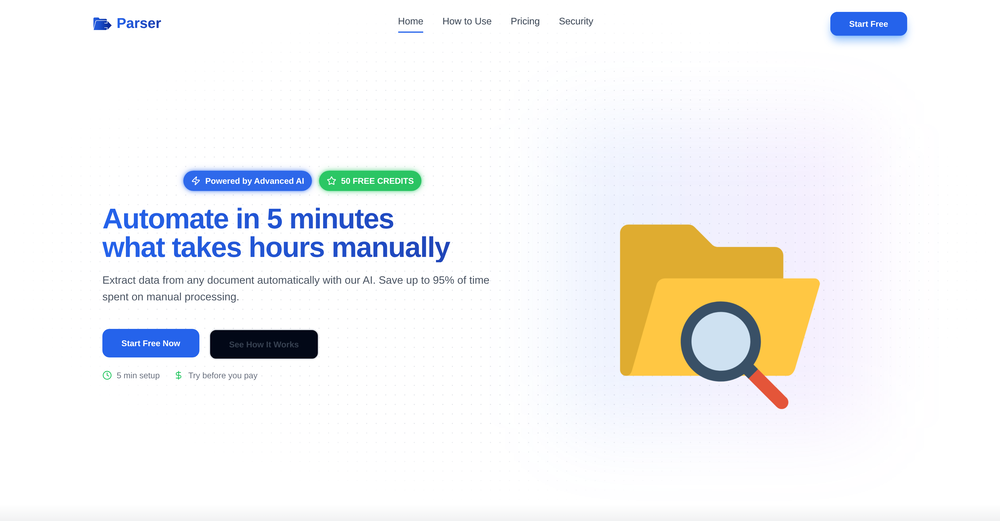
 Extract data from any document automatically with AI.Open
 Eduardo🙏 1 karmaNov 28, 2025@Parser by bix-tech.comThe tool worked really well for us. It was easy to upload our first PDFs and set up an automated flow through the API
 -
 Incredibly easy way to connect to Amazon products and pull information
 -
-
 Open
Open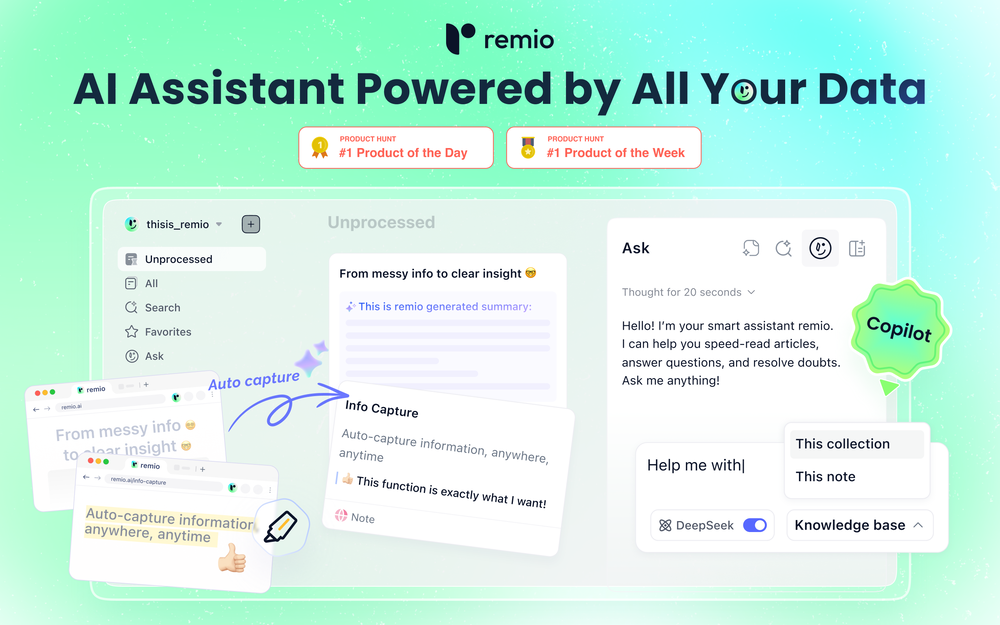 remio is a comprehensive note taking app that store all data locally for security. One of remarkable remio's feature is auto capture for web pages.
 -
 Open
Open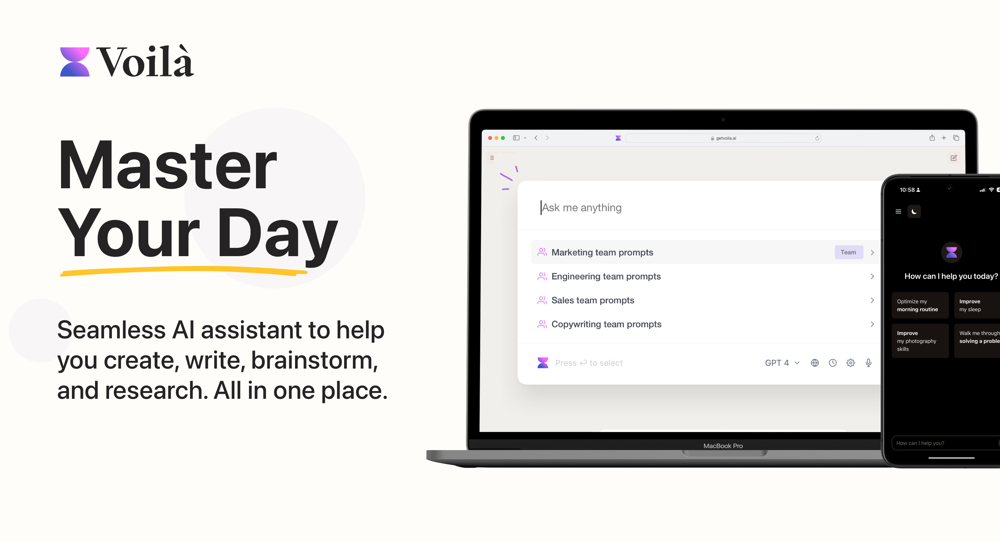 I love this extension, mobile app and desktop software! I use it everyday and everywhere. Generated text are amazing. Well done to the team and continue your incredible work! For me, Voilà is the best AI assistant, copilot and AI writer on the market. I stopped my ChatGPT plus subscription since I discoverer it.
 -
-
Waitlist
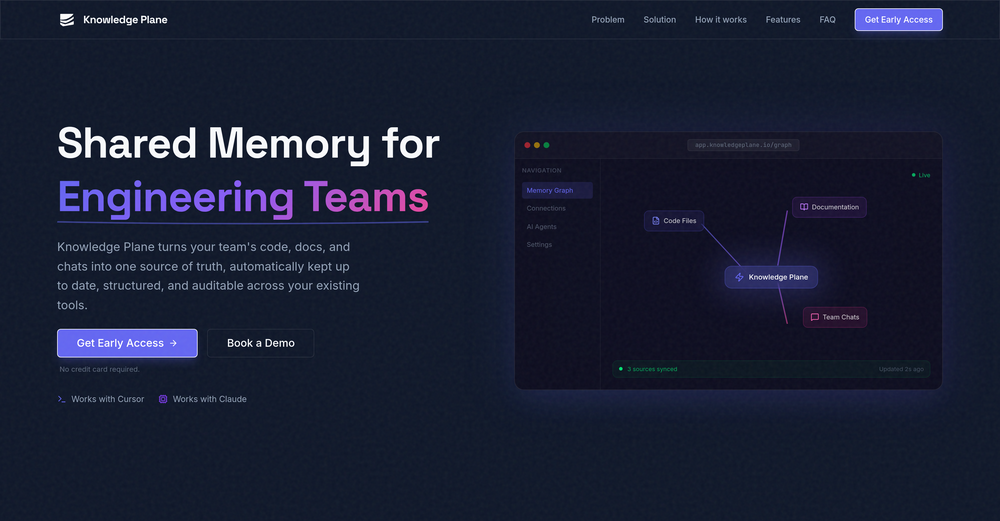 I'm in early beta and I'm managing to orchestrate my 3 openclaw agents with my 2 claude code sessions. It's cool, maybe this is the future.
 -
-
 Instant access to Chinese university admissions data.Open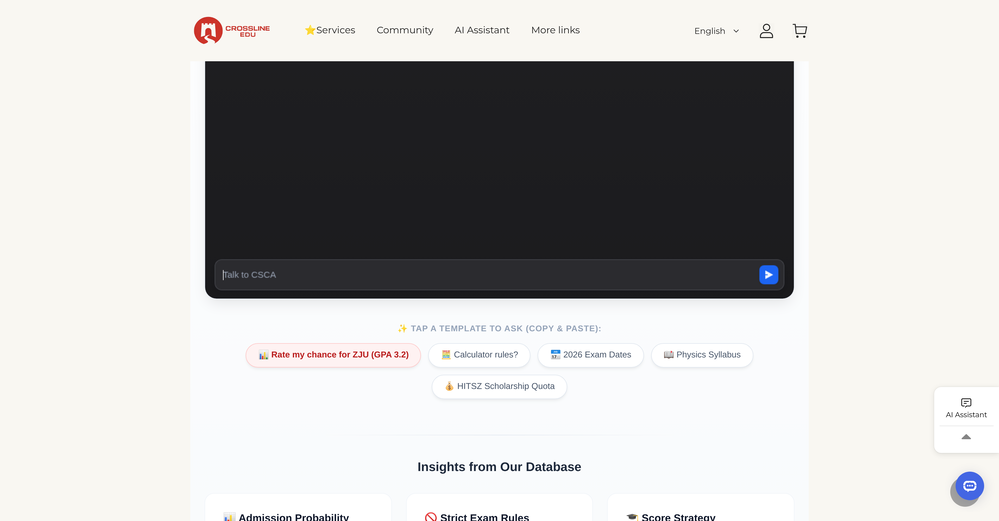








Verified tools
-
I’ve used ChatGPT, I’ve tried scraping tools, and this just blew my mind. Chat4Data is like GPT got tired of talking and started doing things. I literally type ‘get me all the product listings from this page’ — and boom, it’s done. No code. No setup. Just results. 10/10 would recommend.
- Sponsor
 MongoDB - Build AI That Scales🗄️ Database
 -
 One API to track mentions, sentiment, and visibility across top LLMs.Open
 -
 AI browser assistant for intelligent automation.Open
 -
I was part of the beta trials and TidyDocs has made it so much easier to manage my receipts and invoices.
-
 PDF Bank Statements to Spreadsheets with High Accuracy AI & SecurityOpenHighly accurate.. Superb!
 -
was surprised that this tools handles handwritten invoices, still has a room for improvement but it works
-
I have been using this application for some time now, and it pleasantly surprises me. At first, this tool seemed to be just something like a smart document search, but I was wrong. It is able to generate brief contents of books and documents. With it, I will be able to create my own knowledge base in various areas, which will be built only on the data I uploaded, which I am sure of. Overall, the app is great, and I can safely recommend it. How do I personally use this product: For example, to summarize medical research and books. I intend to use it for academic research to save time searching for answers to specific questions and searching for links (documents, pages, comments), and I have to say that I am impressed. I upload not only PDF documents, but also transcribe videos of specialists in the right subject and upload them together to the service. Thus, I make my personal library, knowledge base and the quality of knowledge deeper. More recently, I came up with the idea to use the knowledge of some specialists who run their social networks and tell me the information I am interested in on their pages, because I can also collect their posts on social networks. networks in one document and upload to the service. What I liked especially: 1. Simple and user-friendly interface. Everything is in its place and nothing superfluous. 2. The algorithm does not come up with answers, but proceeds from the data in the document, allowing you to ask contextual questions and receive point-to-point answers in real time. Very often, language models sin against this. 3. Unlimited questions in the "chat" You can ask as many questions as you want in real time without using any credits. 4. Unlimited daily download. 5. I can upload documents in any language and get answers in my own. I can make full use of knowledge from all over the world, not just in my language. 6. The file viewer and links work well. Just click on the link and you will open the document in exactly the right place! 7. Chat with documents is quite accurate and fast. 8. The idea of labels is quite convenient and it is possible to add multiple labels to a file. 9. After downloading the document, it will warn you which pages were not recognized or have little content. 10. Understands the context of the correspondence, and does not answer the last question. 11. Responsive support. 12. API Access 13. OCR. 14. Automation of the workflow. 15. The ability to use your OpenAI API key 16. There is a promising roadmap. Separately, I would like to tell you about the workflow automation function, with the help of, when working with a group of documents, which can be processed separately only the necessary sections of documents. This makes it possible to access several documents at once. This is a super opportunity to gain deeper knowledge from documents uploaded to the service. It should be noted that in the end, a lot depends on how correctly you ask the question. This is both a plus and a minus. An experienced user will always be able to bring the algorithm to the conclusions of interest. For novice researchers, it will be a little more difficult to set the right direction to find the right information. My dreams: 1. Although I have no problems with the document loading time, it would be cool to speed up the document processing time. 2. I would like more free language models. At the moment, the service uses OpenAL GPT 3.5 Turbo and Anthropic Claude 3 Haiku. In principle, this is enough, but it would be good if more advanced language models were included, which will allow you to study your documents even more deeply. 3. I would like to be able to add ready-made template queries to documents. 4. I would like to be able to mark the best answers, which I can quickly refer to later. 5. I would like to be able to create folders in the Documents and Options section cataloging my knowledge. 6. I would like to be able to change the title of the document. 7. I would like to have an internal search system for documents or labels, which will become very numerous over time. 8. It would be very useful to be able to add people to work together with configured access rights. 9. The opportunity to create your own knowledge base and post it on your website via html code would be very useful. 10. I would like to be able to highlight the desired fragment or keywords in the document when you click on the link in the response to the document request. What I wanted to draw attention to: It seemed to me that OCR does not work quite correctly, after downloading the document, it writes "you have not enough credits to use OCR", although there are credits. Maybe I was doing something wrong. I'll figure it out. In general, I would like to rate the usage experience at 5 stars. I recommend everyone to try it!
-
SheetAI was very handy in sorting, fixing and all sorts of tools. This tool is also well documented, so if you need help figuring something out, chances are they will have the info you need.
-
Best tool to interact with local AI and search your local files. Instant insights from files and loved the inline citation feature so that I know where the answer is coming from. I can easily verify answer and know more about the context.
-
-
This extension can be now found from Chrome Web Store: https://chromewebstore.google.com/detail/talk2page/pdjbnohihikolhhdecagoajacbhflacl
-
A great tool without a doubt. However I prefer to have something that stays under my sight, like a separate app or a browser extension.
-
-
I've been using Octoparse for a few months now, and I must say, it has exceeded my expectations. As someone with limited coding knowledge, I was initially hesitant to try web scraping. However, Octoparse made the process incredibly easy with its intuitive interface and powerful features. I've been able to extract data from multiple websites without any hassle, and the automation capabilities have saved me a ton of time. The customer support team has also been incredibly helpful whenever I've had questions or encountered issues. Overall, I highly recommend Octoparse to anyone looking for a reliable and user-friendly web scraping tool. Another notable aspect of Octoparse is its versatility, catering to both beginners and advanced users alike. Its pre-built templates and workflows streamline the scraping process, while advanced users can leverage its customization options for more complex scraping tasks. Additionally, Octoparse offers scheduling and automation features, allowing users to automate repetitive scraping tasks and save time.
-
Highly recommend it for anyone dealing with high-volume document processing. Simplifies the process of extracting data from multiple PDFs into clean, accurate spreadsheets.
-
 Extract Wisdom from Any Link -- 6 AI Models, Haiku 4.5 SynthesizedOpenExtract wisdom from YT, websites, PDFs, any link. Multiple models catch what single perspectives miss. Organized thematically. Honest about uncertainty. Built for understanding, not compression. All feedback welcome!
 -
Data extraction is accurate and incredibly efficient. Plus, it's super easy to use - no setup, no onboarding forms, perfectly simple UI. We started using it right away. The bank statements feature quickly imports, categorizes, and matches transactions. Their automatic categorization and matching process fully automates the reconciliation flow in our team.
-
 Turn a 5-minute screen demo into automationOpenIntroducing Moss, your AI engineer Every Komos account now includes Moss, an AI assistant that builds automations from a conversation. Describe what you need and Moss creates the automation, picks the right integrations, and tests it. When something breaks, Moss diagnoses the root cause and fixes it. 100+ API integrations Komos now supports over 100 native integrations (Google Workspace, Slack, Salesforce, HubSpot, and more). The AI agent decides when to use a direct API call vs browser automation for each step, so your tasks run faster and more reliably. Other improvements - Improved execution plan reliability and auto-healing - Better document parsing for downloaded files - Self-hosted runner support for Windows and macOS
 -
 Schedule without effort: speak, snap, paste — plan and adapt as youOpenGood job dud good job , i wanna try sure
 -
 Open
Open -
 API to personalize your product with logos, colors, and company info fromOpen
 -
 Transform documents into interactive knowledge bases using advanced AI.OpenThis tool is expected to evolve rapidly, we are also taking all feature requests so submit what you like and we'll build it if it aligns with our product vision! Have fun with the tool and let us know what you think!
 -
This is one of the best scrapers I have ever seen, especially considering that Cloudflare explicitly advises against scraping their pages. What makes this scraper stand out is that it opens a virtual machine and runs an agent on top of it, which allows it to bypass bot detection errors effectively. This advanced approach enables it to grab the text content reliably, even from websites with strong anti-scraping measures. By simulating a real user environment, it avoids common blocks and restrictions.
-
 Revolutionizing expense tracking with AI-powered receipt management.Open
 -
 AI-native OCR platform, 95%+ accuracy, zero prompt engineering, flags uncertain fields.OpenWe are a team of founders who worked before in data extraction, with traditional manual review of each document to check accuracy / errors. We are so excited about AI and the new LLM models because we have created DeepRead using those and the accuracy is 95% and we flag uncertain fields so no one has to manually review entire documents (whew), only the exceptions! We hope you try it out and please share your review, comments and feedback. Looking forward to hearing from users!
 -
We have conducted a practical test on this software, and its comprehensive operational performance is excellent. Despite being a newly launched product, it boasts outstanding operational stability; crucially, it adopts a budget-friendly pricing model with prominent cost performance, which makes it highly adaptable and user-friendly for startups and independent AI developers.
-
Insanely fast. I tried 3 other 'free' tools that all failed or asked for my email at the last second. PDFClean just worked and that’s why I made it public
-
-
I use Olostep to gather data from millions of e-commerce pages for my AI shopping assistant service and it's the most cost-effective and reliable product on the market
-
tried quickdata on a stack of rent rolls (pdf+xls), a couple T12s and one chunky OM. setup's just an excel add in, super barebones ribbon button and it goes straight to work (no gimmicks). it mapped a lot of line items correctly and dumped them into my model fast. i like that it plugs into your existing model instead of forcing theirs. a clearer "why" for each auto category would be good.
-
It’s a fast, sleek, and feature-rich browser that makes multitasking effortless and browsing more enjoyable. Highly recommended!
-
 Extract data instantly: Grab text, images, emails & links from any websiteOpen
 -
 Unlock faster financial workflows with AI automationOpen
 -
We use it at Ucademy with 10 gmail accounts and works like a charm
-
This tool is different. I was impressed with its ability to process different file formats and the quality delivered.
-
 Open
Open -
Faster than sifting through reddit myself. TY for building.
-
 OpenUnable to tried its functionality as its keep asking to pay
 -
 Chat with any PDF, ask questions, summarize and extract insights effortlessly.OpenThe maximum number of pdf pages for the free tier is 10, which is a bit small. Generally, I think people need this service for pdf documents over 50 pages or so.
 -
I really like DataLine, but I'm kinda biased cause I built it.
-
 OpenI like some of the ideas it showed, but i'm stuck thinking about the initial investment some of them need. Is there a way you can add that info later?
























































Other tools
-
Very unique document parser. Works extremely well even on complex PDF tables and emails
-
-
 Transform unstructured documents into actionable data instantly.Open
 - Didn't find the AI you were looking for?
-
 Extract contact data from email signatures using AI.Open
 -
Had several issues with app, beginning with a refresh needed to find the upload (figured out while waiting for help desk). Relatively straightforward conversion, rearranged fields, merged integer and text field. Conversion was Ok on first 30 lines and 2 pages, second 25 lines needed more manual editing. Was going to rate lower, tried Parseur was even worse.
-
-
KlearStack is a great tool to extract documents that you process manually. We process many invoices from KlearStack and there's no human intervention required! Previously, we used to involve humans to do all these tasks! It's accuracy is far better than Nanonets and Docsumo! Try it out:)
-
This one was really nice. In that it could also generate a white paper to go with the diagram
-
Tried using it to clean up a messy dataset and generate some quick formulas. It actually got most of them right, but sometimes overcomplicates simple stuff. Still, way faster than doing it all manually.
-
 Open
Open -
It can only capture a box in a page, but if the page is longer than the screen, and it has scrolling text, the tool cannot handle it wholly. Then the user has to scroll and do the job piece by piece, making this extension useless. I have also encountered several issues with extracting data from a web page with tables and pasting it onto an Excel file, the formatting was not kept and I have spent hours on portions of the texts just to be able to paste it into an excel file correctly. This last issue might be due solely to the web page I have tried the extension on, but the fact that the tool cannot capture the whole page, still stands.
-
-
 Open
Open -
quick magic ai motion capture is amazing, so smooth, very great
-
It's just a one-time output, and the roast was good, but it could be better. It should be more like a debate between the user and the AI, not just a single roast.
-
-
 AI-powered research assistant for diverse content analysis.Open
 -
Convenient tool to work with contracts. The most useful Crab’s feature for me is the opportunity to access my docs online and on mobile phone. Big love to developers of this tool!
-
I have been using ProNoto for over an year, the extension has helped a lot with my meetings and presentations.
-
Nice app, it is like MCP for people who dont want to code
-
-
 Open
Open -
 Expert in systematic review and data extraction from PDFs.Open
 -
 Extract LabCorp blood work into google sheets effortlessly.Open
 -
 Open
Open -
-
 Intelligently handles OSINT searches, data extraction, and link provision.Open
 -
 The ultimate tool for regex command pattern matching and data extractionOpen
 -
 Engage, gain insights, and automate tasks with ChatGPT.Open
 -
 Analyzing and extracting data from property management documents.Open
 -
 Open
Open -
 Specialist in postgraduate Environmental Science data from Brazil.Open
 -
 Translate document photos into your desired language.Open
 -
 Specializes in comparing insurance policies and providers.Open
 -
 Generates queries to extract data from OpenStreetMap.Open
 -
 Recognizing flight tickets, providing terminal information.Open
 -
 Assisting in academic queries with reliable knowledge and relevant sources.Open
 -
 Expert in CVEs and cybersecurity vulnerabilities, providing precise information.Open
 -
 Open
Open -
 Open
Open
















































































































Post





