Go to section
Spotlight SureThing.io - "OpenClaw" for BeginnersTask automation
The front page of AI.Used by 90M+ humans.

Generate image
Tasks
Generate text
Free mode
Trending
Leaderboard
Characters
 Mini tools
New
Featured
Lists
Agents
Requests
Jobs
Map
Newsletter
Starter pack
Free tools
Speech to text
Text translator
Remove background
Settings
Edit profile
My tools
Gallery
Dashboard
Inbox
Get featured
Contact TAAFT
For you
Popular
Job impact index
Most saved
Affiliate program
Submit AI tool
Notification preferences
Glossary
Home
Timeline
My profile
Create tool
Deals
Companies
Models
Robots
Papers
Fundraises
Devices
Organizations
Events
Prompt Pack
Merchendise
APIs
Features
Tools
Countries
Collections
Videos
News
Investors
Repositories
Mini tools
New
Featured
Lists
Agents
Requests
Jobs
Map
Newsletter
Starter pack
Free tools
Speech to text
Text translator
Remove background
Settings
Edit profile
My tools
Gallery
Dashboard
Inbox
Get featured
Contact TAAFT
For you
Popular
Job impact index
Most saved
Affiliate program
Submit AI tool
Notification preferences
Glossary
Home
Timeline
My profile
Create tool
Deals
Companies
Models
Robots
Papers
Fundraises
Devices
Organizations
Events
Prompt Pack
Merchendise
APIs
Features
Tools
Countries
Collections
Videos
News
Investors
Repositories
Mini tools
New
Featured
Lists
Agents
Requests
Jobs
Map
Newsletter
Starter pack
Free tools
Speech to text
Text translator
Remove background
Settings
Edit profile
My tools
Gallery
Dashboard
Inbox
Get featured
Contact TAAFT
For you
Popular
Job impact index
Most saved
Affiliate program
Submit AI tool
Notification preferences
Glossary
Home
Timeline
My profile
Create tool
Deals
Companies
Models
Robots
Papers
Fundraises
Devices
Organizations
Events
Prompt Pack
Merchendise
APIs
Features
Tools
Countries
Collections
Videos
News
Investors
Repositories

▼ Latest
Email productivity
Free mode
100% free
Freemium
Free Trial
Featured matches
-
 First General AI Agency. Designed for long-horizon tasks.Open
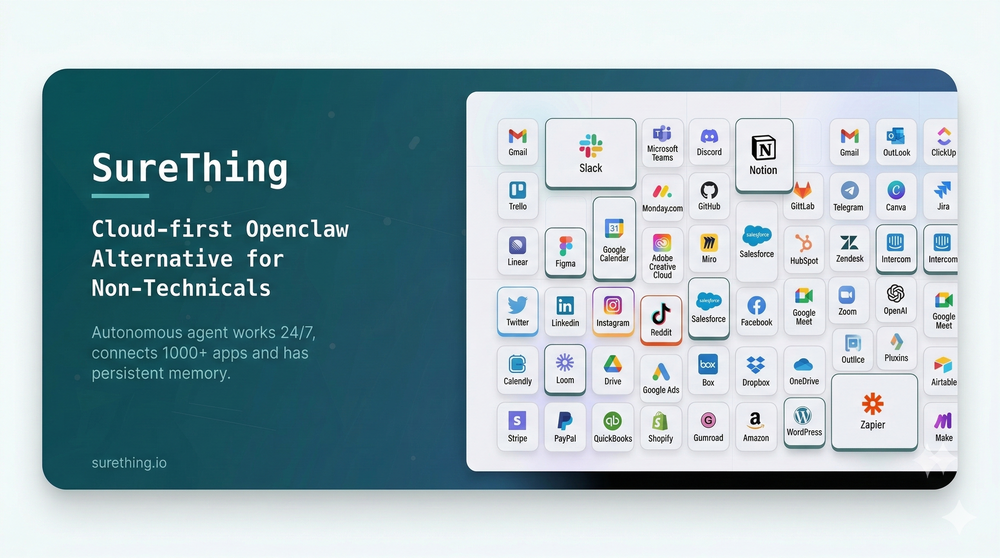 Bonnie🙏 32 karmaMar 5, 2026@SureThing.io - "OpenClaw" for BeginnersI've put about 30-40 hours into SureThing, and it's seriously been a game-changer, basically acting like a virtual COO for my business!
 -
 Great tool! Was very helpful in content production
 -
-
📧 Foundation for Email Management
- New APIs introduced for customer email account management
- Lays the groundwork for future email administration directly from the hosting panel
- Simplifies future account and communication management workflows
-
-
-
-
 Pay-as-you-go productivity. Meeting transcription at $0.25/hour, AI tasks, document search — noOpen
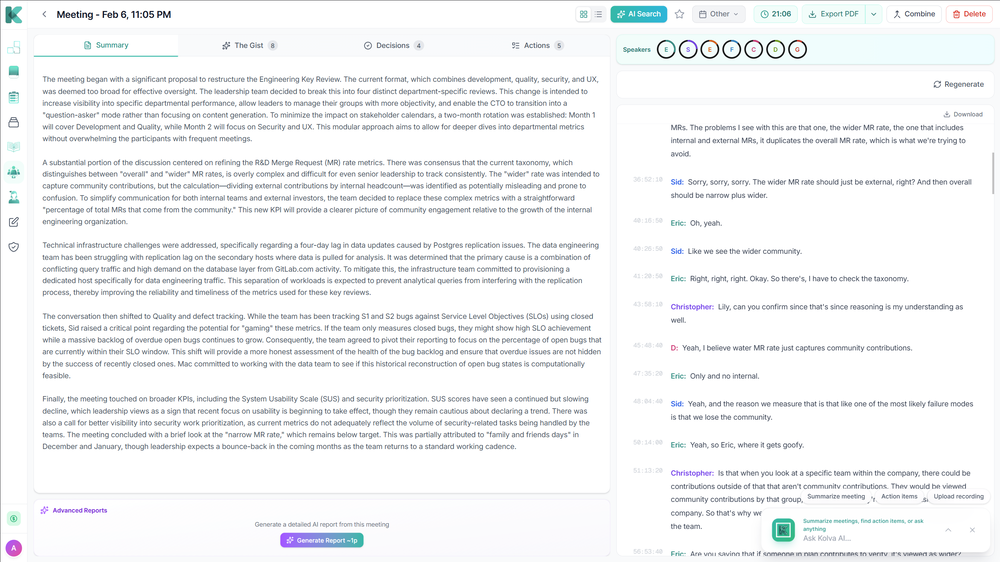 Kolva is a game changer! I use it almost every day and works every time! can't recommend it enough! I use it for every meeting. Give it go!
 -
-
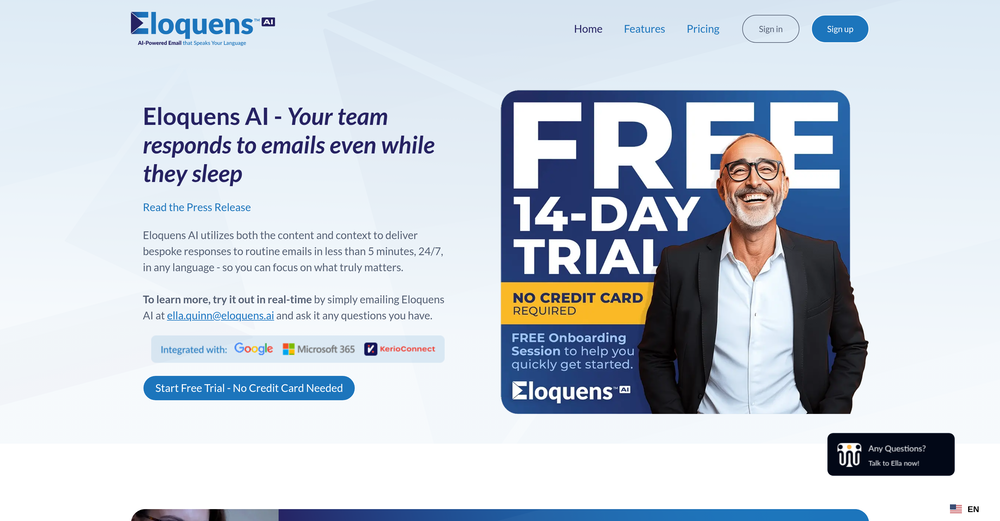 Worth the $60 monthly if you're a small business especially because it sends email on your behalf - doesn't just draft and keep it in your inbox (that option also exists). Mails composed are accurate, it's as if the tool is thinking on your behalf too. Learns and understands your writing style, job role, etc. and tailors the response.














Verified tools
- SpotlightSureThing.io - "OpenClaw" for BeginnersTask automation
-
It just feels seamless when I ask it to generate my Q2 marketing docs and polish my email replies. I mean you don't need to write a long prompt and copy all the Re:Re:Re:Re email to it like other LLMs do. You just give a clear instruction and it gets things done.
-
I get immediate peace of mind that my email is right!
-
amaiko finally makes AI feel native to Teams. Instead of another chatbot bolted onto your workflow, amaiko lives right inside Microsoft Teams and actually gets things done — reading your email, digging through Microsoft 365, researching the web, and drafting documents through a team of specialist agents that remember who you are and how you work. It's everything Copilot promised, but sharper, faster, and genuinely useful. If you live in Teams, amaiko is the AI colleague you've been waiting for. 🚀
-
 ⚡ Your everyday writing companion: Fix grammar, Reply emails, Paraphrase, and more...Open🧩 TextWisely was born from a personal itch ⚠️ Sending numerous Emails and Slack messages daily, I found myself constantly switching apps and re-entering the same prompts into ChatGPT to refine my writing 💡 This inspired me to create TextWisely to boost writing speed, reduce context switching, and improve quality with instant text actions: → Grammar corrections → Email drafts → Structured writing → Tone changes → Translations ...and more 👉 It's a native macOS desktop app – shortcut-heavy for power users, but also click-friendly for those just starting out 🚀 Give it a try – Share your feedback and experience 👋 Edgar, creator of TextWisely
 -
-
 Open
Open -
Saves me from rewatching hour-long recordings just to find one decision point. The recap feature is clutch when back-to-back calls pile up and I need to remember who committed to what.
-
 AI-powered task list: Dictate tasks, integrate with Gmail, Slack, ChatGPT & Calendar.OpenEasy to use and the AI does its work but it is not something extraordinary. But the AI can do nothing more as it does right now
 -
SheetAI was very handy in sorting, fixing and all sorts of tools. This tool is also well documented, so if you need help figuring something out, chances are they will have the info you need.
-
My inbox was flooded before AImReply—and it’s not anymore! Thanks, AImReply
-
 AI note taker that fixes broken meetings.OpenTeamsMaestro boosts my productivity by automatically generating clear meeting summaries with key takeaways and action points. It keeps everything organized in one place, making follow-ups easy. Highly recommend!
 -
 OpenI love this extension, mobile app and desktop software! I use it everyday and everywhere. Generated text are amazing. Well done to the team and continue your incredible work! For me, Voilà is the best AI assistant, copilot and AI writer on the market. I stopped my ChatGPT plus subscription since I discoverer it.
 -
 AI-powered outreach and multimedia delivery to help sales and marketing teams close.Open
 -
 LinkedIn Email Finder & Copilot (DeepSeek Inside)OpenLinkedCRM is a practical tool, especially its email finder feature, which is quite accurate and has saved me a lot of time searching for client emails. The one-click sync to CRM is also convenient, eliminating the need for manual copy-pasting. The AI email writing feature, while free, works surprisingly well, helping me draft emails quickly.
 -
Now Scottie can write newsletters digests in your own language (Portuguese, Japanese, Spanish, Korean, French and more) - get daily digests customized for you!
-
-
 Schedule without effort: speak, snap, paste — plan and adapt as youOpenGood job dud good job , i wanna try sure
 -
Works well and connects with my apps easily. I’m considering using it for daily reports and posts
-
 OpenEasily saves me an hour every day - I no longer have to type long winded “professional” sounding email replies to my colleagues, I just speak roughly with minimal effort 👏
 -
Hey AI fans, I am Kalo, co-founder of Breezemail. If your inbox is anything like mine, you spend at least 20% of your life opening, answering, and unsubscribing from emails. Arguably, the only thing more tedious than this is fixing your grandma’s Windows XP (arguably). Or you just gave up, and your inbox app has a cute red dot with a truncation ellipsis (…), also known as the symbol of inbox doom. Either way, the whole inbox situation is an absolute disaster. We wanted to solve this challenge using AI. Breezemail will help you enter the holy land of Inbox Zero. It’s an email categorizer tool that keeps important emails in your inbox and categorizes the rest into folders using natural language prompts. How does it work? 1. Breezemail has a default Important category which leaves all your real human emails in your inbox. 2. Everything else is organized into AI folders (or labels). Labels using natural language prompts, for example, “All emails from my family”. 3. We give you a bunch of pre-defined categories to start with, and you can create your own custom categories, the same way you would write a ChatGPT prompt (yes, our tool also uses ChatGPT). We’ve been testing it in-house for both our personal and business emails, and it worked so well that I no longer hate link builders and outreach people because their requests are neatly organized into a couple of folders. For my personal inbox, I can finally see all my receipts in one place, and all stock newsletters are ready for daily review in a different folder. Go try it out now for free. We’d love to hear your feedback, so please don’t be shy and drop me a line back. Currently, the tool is only available for Outlook, but we are working on a Gmail app, too. If you’d like to try it for Gmail, please let us know. Thank you, Kalo
-
-
 AI-powered Gmail assistant. Get instant email summaries, task extraction, replies +moreOpen
 -
Maybe making an browser extension to integrate directly into mail clients would be great here :)
-
 Chain AI tasks with no-code into workflows for chatbots, video, documents, andOpenThis tool removes all of the prep work of getting an LLM API endpoint running. I can try out ideas quickly and see within minutes whether an endpoint concept actually works. And when it does, moving it into a production app is about as easy as it gets.
 -
Quick update: Verify is now live on the Microsoft Edge Add-ons store in addition to Chrome. Same one-click resume red flag check in seconds. Same free first-day trial. Now available in whichever browser your team uses most. Recruiters are already catching issues their ATS missed... sometimes on the very first resume they check. If you’ve been meaning to test it, this is your sign → https://microsoftedge.microsoft.com/addons/detail/hiiappghgofoiionoeloemlkcankbpka
-
I love the smart formatting and multi language support. It fits perfectly into my workflow and feels thoughtfully built for real world use.
-
-
Clever email management design and easy to use. I love the kanban board style with summarize and auto response.
-
Good idea, very mediocre execution. Not there yet. Contextual search is a complete joke, task generation from emails do not recognise taks owners (if I ask someone to do something or if someone asks me to do something). Useless at this stage. Will revisit it in an year, hopefully with some money form YC they can develop the product.
-
-
I've known WebFill for a while, I use it almost every day, the interface is pretty good, what I like the most is that it solves any MCQ. Congratulations on the launch!
-
Since discovering this tool in January 2024, my workflow as an entrepreneur, educator, and content creator has undergone a complete transformation, becoming far more efficient. With a total of +13,617 snippets used, I have managed to save +3,811 hours of work that were previously spent on repetitive and tedious tasks. Its ability to combine web scraping features with AI Blaze instructions makes it far superior and more user-friendly compared to other technical alternatives. This system has truly become a bridge for me to stop worrying about exhausting operational details and shift my focus entirely to things that are essential in my career. Although the features that currently exist are already very solid and comprehensive, I see a great opportunity for improvement if AI Blaze supported open-source models like DeepSeek or GLM. Giving users the option to add external API keys independently would be an amazing update that provides unlimited flexibility for users. Overall, this is the best productivity solution that continues to provide exceptional value to my community even after two years of active use.
-
My every morning lecture - specially valuable are the public newsletters that give me a perfect overview of the day.
-
 AI-native operating system for strategic execution in founder-led B2B companiesOpenSuper cool, super useful, super use friendly!
 -
 OpenI had the opportunity to use Trimbox for 4 months now, and I must say, I am thoroughly impressed by its simplicity and efficiency. The tool has significantly aided me in composing emails, consistently leaving a positive impression (if I provided a well-thought-out prompt that is). Additionally, the one-click unsubscribe feature, which allows for unsubscribing without the need to open the emails, and the option to delete all emails from a sender with also just one click, have been invaluable in managing my inbox quickly and effectively. And as for me, the price is 27,99 € a year with both features in an unlimited version.
 -
Dash AI has saved me countless hours. It has proven to be more useful than chatgpt or any other AI tool I've tried.
-
Still crashes on Mac Silicon. No response from emails to support about crashes with logs. Indexing takes forever and ai not that good once completed.
-
Very unique document parser. Works extremely well even on complex PDF tables and emails
-
Love FlowChai. I save so much time on writing content for my website.
-
Great for having GPT directly inside your notes.
-
Very convenient tool. They have this "prompt wizard", kind of like a template selector so it's easy to generate outputs without coming up with prompts just to generate what I need.
-
 OpenAmazing! This is exactly what I‘ve been looking for for years

















































































Other tools
- Waitlist
-
 Improve Your Productivity with Copilot–Your AI-Powered ChatAssistantOpenCopilot on mobile keeps me sharp during sales calls. I use it to quickly draft follow up emails right after meetings or pull contract language on the fly. Voice input works smooth and it formats responses professionally.
 -
Great tool to write emails faster and answer emails faster. It's very easy to use and fast!
-
Registration before trial is a bad 1st impression and even worse user experience.
- Didn't find the AI you were looking for?
-
Really impressed with audien.to so far. I dropped in a meeting recording and got a clean transcript plus useful notes in just a few minutes, without having to tweak much. The speaker tags and filler cleanup make it way easier to share with the team.
- Waitlist
-
 Open
Open -
Keepy has been a game-changer for my business. The effortless data entry and reliable automation have streamlined our processes and saved us countless hours. Keepy's seamless integration with Google Sheets makes it easy to access and manage our financial data. It's an essential tool for any organization looking to boost efficiency and productivity. I highly recommend Keepy.
-
 OpenSo what's the point of writing a comment saying it? :D
 -
couldn't even use it... i signed up, had to rewrite my prompt, but then i had to sign in, then rewrite my prompt, then sign in...
-
 Enhance your email communication with artificial intelligence.Open
 -
This is an inbox game changer. I combined 4 inboxes into one, and set up custom tags using prompts. It actually saved me from missing a message that I would have never otherwise cought. Support is also great, had a connection issue and it resolved quickly.
-
It is important to be cautious when a website does not provide pricing information upfront and instead prompts you to download something before asking for payment. This could be a red flag for a potential scam or deceptive marketing tactics. It is always a good idea to research the company or product further before providing any payment information.
-
What's new about this app? Apple's Notes app does a similar task and it's totally free with unlimited audio
-
Very limited functionality and not easy to configure. No predefined configs. Ugly UI
-
very free to use the app for everyone letting them know if this AI was very useful
-
Ready to Send is the best thing I’ve seen in a while. I wake up every morning to drafts written to my important emails 🤯
-
Teams use text shortcuts, but without clear impact on pipeline metrics that tool becomes a cost center → usually drops enterprise conversions by ~15–25% vs solutions tied to revenue outcomes. Are buyers asking how you move the needle on revenue, or just “does this save typing”?
-
A spotlight-ish and unique design styled app for Mac with support for local LLMs and the major flagship LLM models via API key like OpenAi, Anthropic, xAi, Groq, Google, perplexity and last but not least Deepseek. The UI blends perfectly with the MacOS UI. Has support for keyboard shortcuts. It has Some design decisions adding a touch of uniqueness. You can contextually talk with it, like, with files, audio, and document texts. So far so good.
-
I really appreciate it has a Chrome extenstion, besides just the app, as well as the user guide. I haven't yet seen it giving suggestions while writing, but i'm excited to try it out more
-
Confusing to start, but eventually it made sense. I would consider using this to design your own brand's email
-
 Crafting polite declines to 'quick question' emails.Open
 -
 Unparalleled manager for documents, images, and social media.Open
 -
 Compose effective support emails with structured guidance.Open
 -
 Maximize efficiency with Mojju's AI Personal Assistant.Open
 -
 Your warm virtual executive assistant for email and task management.Open
 -
 Open
Open -
 Streamline your email and social network correspondences.Open
 -
-
 Discover opportunities to save time with automation at work.Open