
 Mini tools
▼ Latest
Api productivity
Free mode
100% free
Freemium
Free Trial
Featured matches
-
 Open
Open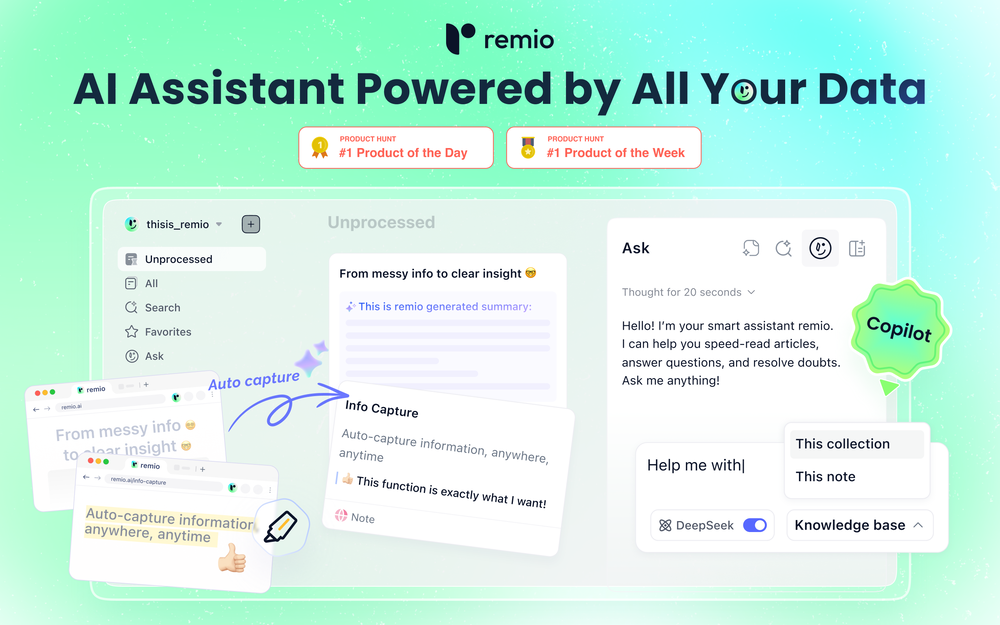 remio v2.10.0 Early Spring Update! With a limited time 30% discount! 1.📱remio Mobile App is now live on the App Store & Google Play Capture notes, voice memos, and photos anytime, anywhere—so every spark of inspiration goes straight into your knowledge base. Everything you add or save on your phone will automatically sync to your computer. 2.🍌Nano Banana Image Generation Unleash your creativity. Generate infographics and design assets directly within your knowledge base using Nano Banana. 3.💬Ask with Chat History Context Your AI chats are no longer isolated. Reference historical chats in your Q&A for deeper context. Adding to favorites/later & rename are also supported to keep your chats organized. 4.📧Outlook Email Sync Expand your knowledge net. Sync, search, and chat with your Outlook emails just like you do with Gmail. 5.📈Enhanced Slides Parsing & Preview Enjoy upgraded parsing accuracy and full visual rendering for all your .pptx presentations. 6.⬆️More experience improvements Q&A prompt suggestions on the Chat home screen, LaTeX formula rendering, and enhanced multilingual meeting features, plus more.
 -

-
 Geo Burlibasa🙏 38 karmaSep 13, 2025@biela.devPurely magic. It increases the productivity by a lot and the process is pretty addictive. I've been building websites like there's not tomorrow.
 -
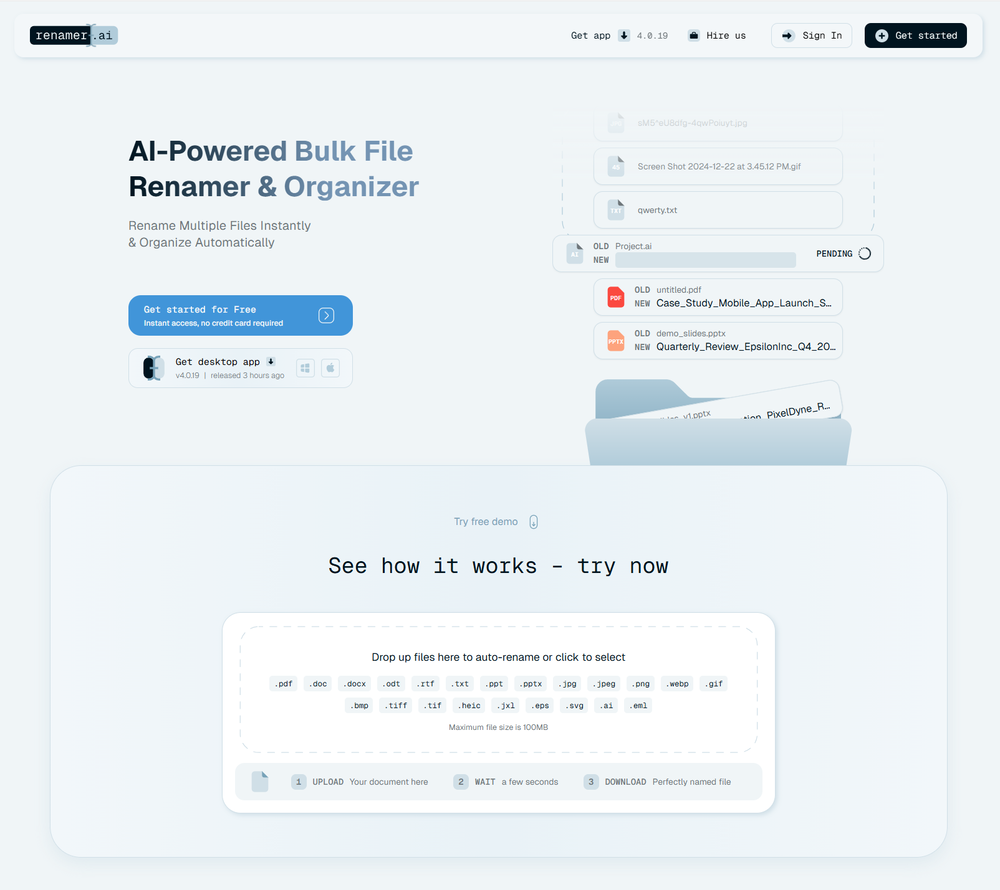 A very simple-to-use, yet very powerful app. It made my work so much easier, my scanned and downloaded files are no longer a mess.
 -
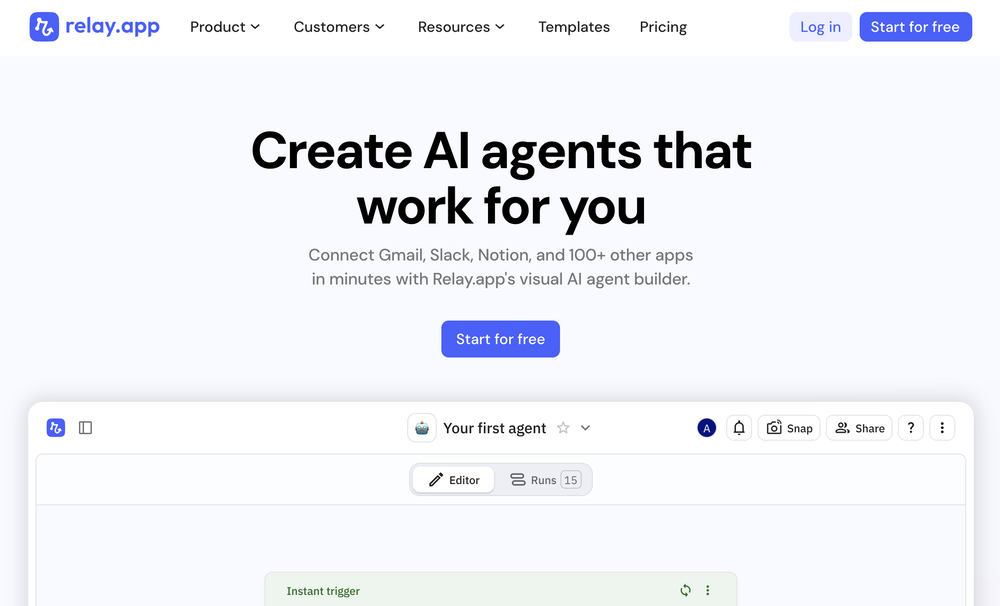 Relay.app fills the gap between AI and actually using it. It allows you to build your own custom flows and agents, unlocking a level of customisation that was previously only achievable through custom code. It's a game changer, and the free plan is so generous - go try it!
 -

-
 Approve/reject Claude code permission requests from anywhere on MacOpen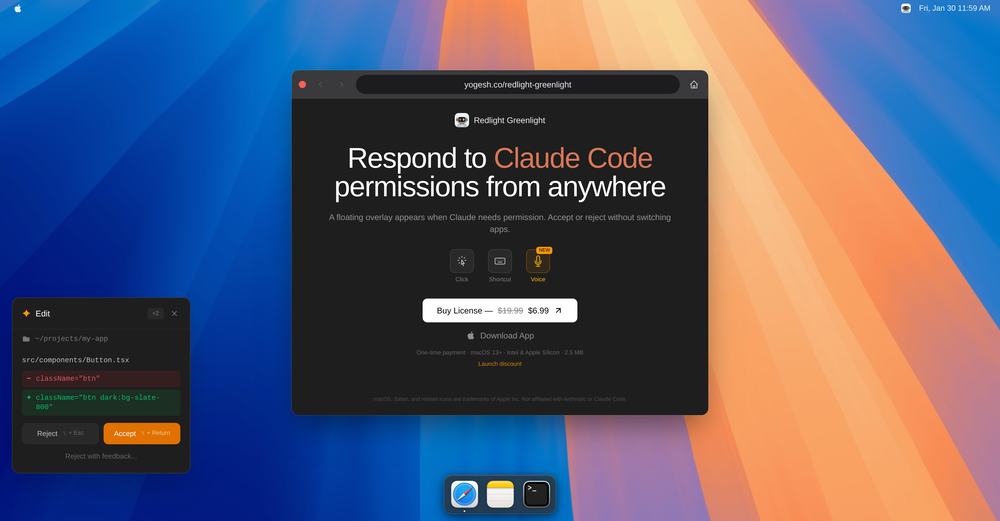
-
 Modular & Cross-Platform Vibe Coding Editor and Workflow Automation on Any DeviceOpen
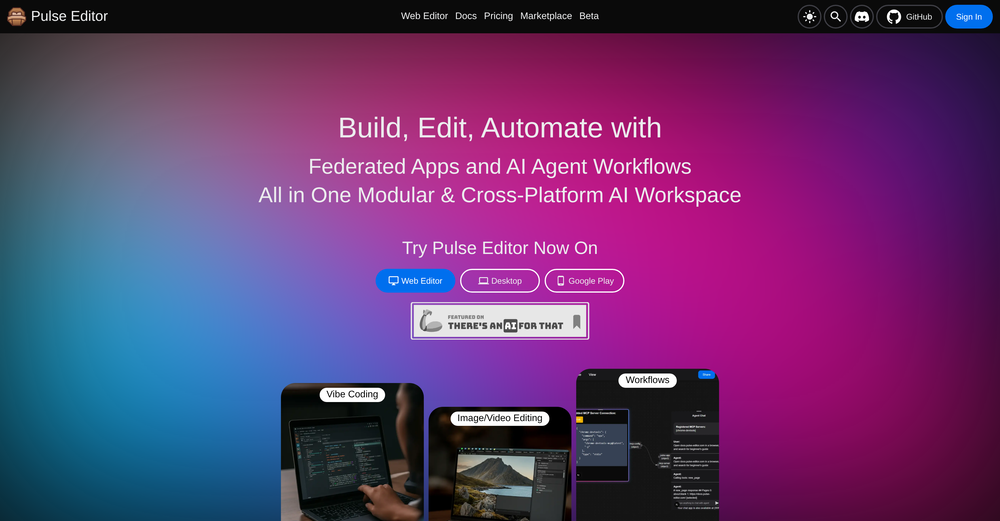 good!A different kind of AI tool that has been very helpful for my work!
 -
 Great meeting assistant, everything what is necessary! 3 different Notetaker solutions, Meeting Insights, People insights and task manager
 -
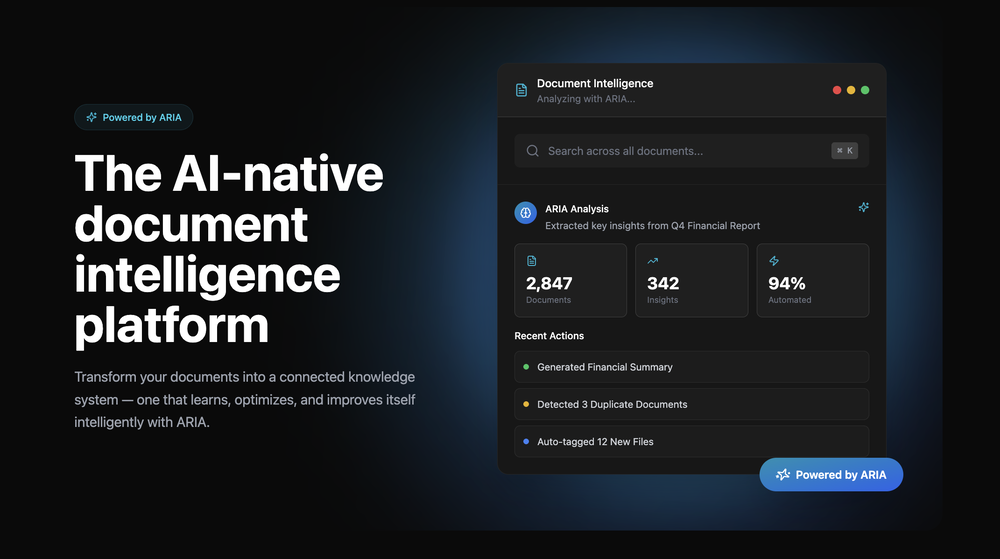 Great platform! Very impressed by the ability to combine documents to generate full research reports or extract data in large PDF files.











Verified tools
- Sponsor
 Wispr Flow-Now on Android!🎤 Dictation
 -
A Game-Changer for Deep Work and Creativity! Flowith has completely transformed my workflow. The infinite canvas is an intuitive and powerful way to interact with AI, moving beyond the limits of traditional linear chats. I can now explore multiple ideas in parallel, compare outputs from different AI models like GPT-4o and Claude 3.5 side-by-side, and visually organize complex projects. The personal knowledge base feature is incredible. By simply uploading my own documents, the AI generates content that is perfectly tailored and context-aware, which has significantly boosted the quality and relevance of its outputs. It's the ultimate tool for long-form content generation, brainstorming, and real-time collaboration. Highly recommended for anyone looking to enhance their productivity and creativity with AI.
-
SheetAI was very handy in sorting, fixing and all sorts of tools. This tool is also well documented, so if you need help figuring something out, chances are they will have the info you need.
-
Used it for PPT generation and performed extremely well, especially the numbers and data part.
-
Email Replies - FastBots can now automatically respond to your inbound emails using everything you have trained it on about your business! Password Protect Your ChatBot - Now you can have users have to enter a password before they can start a chat with your chatbot.
-
We're live folks! Do check us out and drop your feedback or requests.
-
Hey everyone! We're making VIP mobile friendly, team-friendly (added support for organizations). We've added semantic search and better bulk analysis, and we're soon adding real-time camera feeds and API access for custom integrations. Try it out for free and let us know what you think!
-
CoSupport Customer is a game-changer for businesses looking to improve their customer service. The AI-powered chatbot handles routine inquiries across email, chat, social media, and messaging apps, allowing businesses to provide quick and accurate responses 24/7. It’s amazing how it can handle so many queries automatically, even in multiple languages, and still deliver personalized answers using company data. Plus, it’s easy to integrate with existing systems, and it keeps customer data safe. Overall, it helps reduce costs, improve efficiency, and free up human agents for more complex issues. Highly recommend!
-
 AI assistant that gets your tasks done. Smarter than ChatGPT.OpenAthena has been a useful product for travel and product recommendations. Additionally, it has helped me with my daily tasks.
 -
Whiteboard by Athena AI is a user-friendly, AI-powered tool that makes digital collaboration seamless. supports real-time brainstorming, and integrates easily with other apps—ideal for teams, educators, and remote learners alike.
-
Using it on day-to-day basis to create presentations for my real estate clients. It's good.
-
 Turn campaign briefs into launch-ready assets instantly.Open
 -
 Openthey only allow work email as of now
 -
 Chain AI tasks with no-code into workflows for chatbots, video, documents, andOpenThis tool removes all of the prep work of getting an LLM API endpoint running. I can try out ideas quickly and see within minutes whether an endpoint concept actually works. And when it does, moving it into a production app is about as easy as it gets.
 -
 HIPAA-compliant AI that secures, summarizes, and streamlines healthcare workflows.OpenI Had a chance to use Hathr... Great tool... healthcare compilance can be tricky.. They solved it...
 -
-
Hoox app is a very easy and simple app to navigate and generate your script video for social media. My experience so far has been top-notch and the customer service in the name of Alan Hoox is always pronto to assist whenever needed. I recommend it for anyone that want to create a faceless youtube Ai without editing, selecting or mixing all you details. All you need is just drop your script and wellah your video is ready .
-
-
-
 Transform your codebase into comprehensive, beautiful documentation automatically.Open
 -
The best home renovation tool with a great user experience and stunning 4K outputs, to visualize imagination into reality.
-
Absolutely love MindMac, I have been giving large amounts of feedback and support to help improve the app for some time now, and the only reason why I am doing that out of my own time, without any incentive is to help the community, but I also want to help this app succeed. Having small developers, like MindMac's is incredible, to create something as powerful and helpful, for users that do not need a computer science degree just to operate it I find very exciting. The developer listens and actions requests that are helpful, and reasonable, and that is something you won't get with the larger developers for months. Keep it up MindMac!
-
 'AI-powered Business, Work & Study Assistant' + AI Customer Support Chat WidgetOpen
 -
Use full workspaces multiple people can use this ai
-
 " AI-powered test management that simplifies bugs, tests, and releases.”OpenUsing @Bugasura has been a game-changer for our QA workflow. The AI automatically generates precise issue descriptions, assesses impact, and suggests assignments, cutting down bug logging time by more than half while keeping everything organized and collaborative across teams.
 -
Too limited in caracters, visuals and prompt application
-
It is the bet transcription tool I’ve ever used. I quit taking notes after I discovered Transkriptor.
-

















































Other tools
-
 Open
Open -
 Open
Open - Didn't find the AI you were looking for?
-
Clipmove text to video is the best Ive tried so far,turned out better than expected. It can generate 2k 60fps engaging videos with captions, I'm impressed 👍
-
 Open
Open -
-
Did you install the extension through the chrome web store? It shouldn't add anything to your desktop or send you an email haha. If you look at the extension page it says my email is [email protected], please shoot me a line and I'll help figure out what's going on
-
-
-
Very unique document parser. Works extremely well even on complex PDF tables and emails
-
Very limited functionality and not easy to configure. No predefined configs. Ugly UI
-
Extremely excited about this project and all the possibilities that follow!
-
-
Process Street has increased my efficiency in ways I didn't even know was possible especially with the AI-powered workflow builder and the insanely large template library!
-
If you are just starting a company and need an All in one place for your operation, this is the tool you need!
-
A spotlight-ish and unique design styled app for Mac with support for local LLMs and the major flagship LLM models via API key like OpenAi, Anthropic, xAi, Groq, Google, perplexity and last but not least Deepseek. The UI blends perfectly with the MacOS UI. Has support for keyboard shortcuts. It has Some design decisions adding a touch of uniqueness. You can contextually talk with it, like, with files, audio, and document texts. So far so good.
-
Seems to work fine for me, maybe try and give it another chance :D
-
Great tool. I like their free AI slogan generator. You don't even need to sign up to use it. I made a video on it recently https://youtu.be/ApK-UHMGKDM
-
I use it for a few years now, for me it´s a great "all-in-one" tool especially if you like to build apps. Build-in AI is also great and at all the price is fair. no-Coder.io
-
BEST AI CO-PILOT FOR YOUR DAY TODAT WORK ON THE INTERNET IT'S FOR EVERYONE
-
-
Contradictory, even misleading ad. They claim ”unlimited Messages” and then they cap it with 100000 words.
-
Hey I'm the creator of the app! Thanks for sharing. Happy to answer any questions or concerns :)
-
no free option available... packages shown after spending ..not cool
-
 All-in-one coach for enhancing productivity with AI and ChatGPT.Open
 -
 Effortlessly converse with your favorite apps and boost productivity.Open
 -
 Assisting with OpenAPI Schemas through JSON examples, tips and best practices.Open











































































































Post





