 VeriIA
 Mini tools
▼ Most saved
Text video editing
Free mode
100% free
Freemium
Free Trial
Featured matches
-

-
 Apply spooky Halloween filters and scary makeup effects online for free.Open
-

-
-
 Alex Rivera🙏 13 karmaNov 5, 2025@Fineshare Sora Watermark Removerit removed the watermark cleanly while keeping the original quality.
 -
-

-
-

-
 Skip the complexity. Create professional-quality music with simple prompts.Open





Other tools
-
They're dreaming if they think I'd give them my credit card info just for a free trial. Most useless thing ever...
-
Way too expensive for anything but short form or casual use.
-
 Create lifelike AI voices for compelling storytelling.Opentoo expensive for me, I just want to make memes, not pay that much
 -
I completely agree with the previous comment. I first purchased the $5 package and then upgraded to the Pro package, hoping to create videos longer than 3.5 minutes. However, I was disappointed to find out that I needed to purchase the $99 package to create longer videos. It was not clear that the 5000 characters of script only equated to 3.5 minutes of video. To make things worse, the company has a strict no-refund policy, which feels unfair. They seem more focused on taking your money than providing quality service. I would highly recommend avoiding this service at all costs.
- Spotlight: VeriIA (AI content detection)
-
-
I recently started using Napkin AI, and I couldn't be more impressed! This tool is incredibly user-friendly and intuitive, making it easy to generate clear visual representations from text. Moreover, the interface is clean and visually appealing, which enhances the overall user experience. Napkin AI is a fantastic companion. Highly recommended for anyone looking to elevate their creative process!
-
-
-
-
Instantly deleted my account after first video failed to generate and when tried second time, it says you've reached the limit. NEED MORE IMPROVEMENT
-
-
Can't test without entering a credit card directly after sign up, I won't be using without testing it first. sorry!
- Didn't find the AI you were looking for?
-
5 star and Ai is the best to guide anybody Ai helps many things like hardwork is easy due to use of Ai .You help in your study
-
 Create Celebrity voices and voiceovers in 120 languages with 800+ AI voices.OpenThis is a cool little generator for a quick clip! Could see some potential quick use cases if you needed to generate something with an accent on the fly. Not a bad little tool!
 -
Rizzle's Podcast to Video tool has expanded my audience and boosted engagement with its user-friendly interface and impressive video results.
-
Amazing app and really easy-to-use! It has all the things I need to create a neat, functional, and clear-cut mindmap.
-
The ability to create a short video as a demo of the output is great. It had good imagery and it created a good script.
-
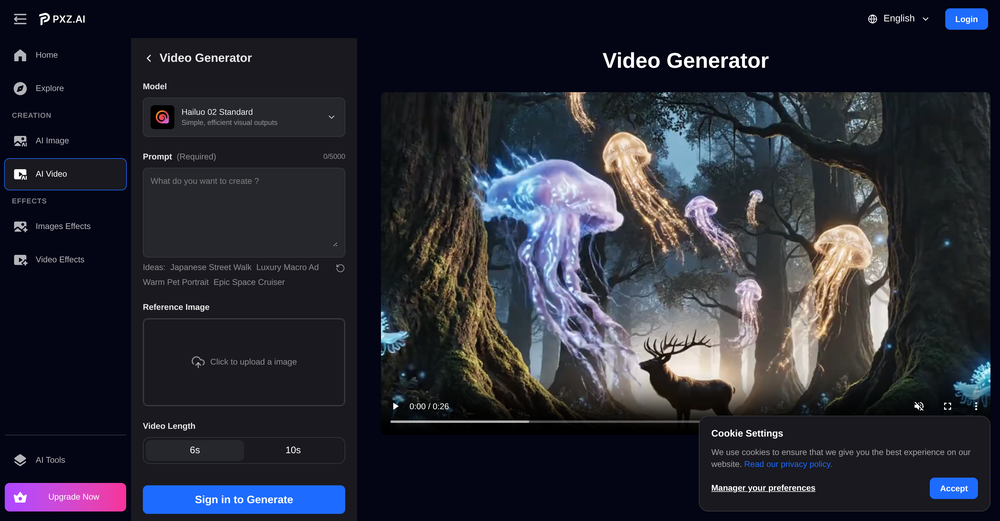
 AI Video Generator by RenderFlow AI - Wan, Sora 2, Kling etc.OpenHello. Thanks for your feedback. The amount of credits coming with the free plan still covers 1 video from either Kling 2.1 standard model or Hailuo 2 standard model. It also can cover a couple of images from all image models. Hope this could help. Thanks
 -
-
-
This is so encouraging — thank you! ❤️ We’re putting everything into the next version to make it even better.
-
Really useful for podcast work. the transcription is accurate and speeds things up a lot.
-
excellent to use! very helpful in my content creation journey. the UI is elegant and easy to navigate, plus the founder keeps on shipping new features faster than I can imagine. love the product 👏
-
-
Wonderful tool for generation short videos may add options for more voices
-
AutoEditor is a tool powered by AI that allows users to create highly customized short videos. It is primarily designed to make video editing easier and more efficient, thus enabling users to focus more on content creation. Distinct features include the automatic generation of subtitles in more than 40 languages, detection of silence or non-relevant content in videos, and the ability to enhance videos by adding b-rolls, watermarks, and other effects. The platform provides an easy-to-use interface for video editing, putting users in complete control of their content. Users can change text, styles, and various other aspects of their videos without prior knowledge in video editing. Furthermore, AutoEditor supports editing of long videos, which can be broken down into smaller parts without pre-cutting them. Videos for editing can be directly processed from YouTube, eliminating the need for separate downloading websites. Users can also customize their captions, save their unique styles as presets, and create videos with a few simple clicks for a fast editing experience. AutoEditor's pricing is designed to be simple and affordable, with plans tailored to suit different needs. Users can also access a free tier to get started. Flexibility is one of its key advantages, providing users the means to edit their videos exactly how they want them. The software works best with videos containing any type of voice or talking, such as podcasts, talk shows, documentaries, educational videos, or speeches.
-
 Powerful speech-to-text tool for video captions, subtitles and audio transcription.OpenGreat product, very useful for captioning a large volume of influencer videos at work, highly accurate transcription tool, would recommend.
 -
 Sync your sound, elevate your lyrics with AI-powered video creation.Open
 -
Watch out! I canceled the trial period 2 or 3 days before its end but I was still charged.
-
 Transforming creativity and automation with AI-powered image, video, and content editing toolsOpen
 -
Really cool and intuitive tool, it helps me a lot with my articles!
-
One platform gives me access to various high-quality video models — it’s been used to generate 110k viral social media posts.
-
Videos made with vmagic go viral on social media.
-
Results are ok, you maynget nothing younget results thatbare barley acceptable, but they are very generous with their free offerings.
-
good platform to create my short video
-
Supertranslate est un outil basé sur l'IA qui permet aux utilisateurs d'ajouter automatiquement des sous-titres anglais aux vidéos dans n'importe quelle langue. Il est alimenté par Whisper d'OpenAI, le moteur de synthèse vocale le plus précis au monde. Le processus est simple et direct : les utilisateurs peuvent télécharger une vidéo dans n'importe quelle langue sur la plateforme, générer des sous-titres, puis télécharger le fichier .srt ou .vtt. La plateforme dispose également d'un éditeur de sous-titres intuitif qui permet aux utilisateurs de diviser, fusionner et ajuster les codes temporels des sous-titres générés. Supertranslate est gratuit, sans carte de crédit requise et peut être annulé à tout moment.
-
translation to spanish is poor. no motion graphics. 15 seconds choice was 6 seconds
-
 Transform YouTube videos into polished documents and quizzes.OpenSuper helpful tool for content creators like myself. I have a Patreon where I give my Patreons quizzes and video summaries based on my YouTube video and this website speeds the whole process up tremendously.
 -
good one compare with others as it clearly refelect what it said even hindi was clear and perfect where most software fail to produce correct prononciation ramesh rajani
-
-
-
You can make video narrations in so many different languages and in any style you want! Awesome!
-
-
-
It doesn't create the subtitles and it doesn't let you upload them. You can only create them manually
-
- Generate AI Images with latest AI models incl. Google Nano Banana, Flux 2 etc - Generate AI Video clips with latest AI models incl. Google Veo 3.1, Sora 2, Kling etc - Updated AI video genie to generate explainer videos automatically
-
-
Glitched output at best, that can’t even be exported unless you pay.
-
Appears to be a full-featured video editor. It tried hard…but chose such shit B-roll.
-
TopView is a very good tools to make tiktok/youtube/ig ads video, ecommerce video.
-
-
-
-
VideoWeb AI is an useful AI tool for my video creation. I like the video to video feature that I can create the anime video with my videos.
-
 All-in-one AI Video Generator of Veo3,Hailuo,Seedance,Kling and more.OpenYa I would like to receive them as well
 -
Step 1 . Registered first for you to have an access. Make sure you let people in your advert first that registration is required. Not misleading them .
-
-
I forgot to take videos on my trip, so I gave this a shot with just the photos I had. Surprisingly, it created a short clip that actually looked real, super cool. Just wish it didn’t take forever to render
-
I’ve used this product, and the AI video generation quality is excellent. Most importantly, it offers the best value for money I’ve ever seen. In addition, if you need help optimizing your video prompts, you can email their professional advisors for free consultation.
-
It is absolutely a game-changer in terms of providing stylish captions to your videos
-
-
This ai is insane, i recommended it to everyone. It's pretty fast, have alot of options and the cost of it is low for what it gave. Really good.
-
 Open
Open -
Looks great, I really appreciated that it gives you credits to test it out first, not many video tools do that. Makes it way easier to actually see what it can do before paying. Nice experience overall :)
-
UI is chill, export is fine. Free credits disappear fast if you experiment. 3/5 for now, nothing extremely special :j
-
 OpenThe features are incredibly comprehensive. I really love it — the AI videos I created got a ton of praise when I shared them. Likes galore!
 -
OMG! One of the worst "terms of use" i have ever seen. Basicly They we own your a**. They have every right for your creations on their platform. They can use your creations as however, whenever, whereever they want. Plus if you make money from a creation from their platform, you will end up giving them. Because they are saying you cannot do anything commercially that you have created on their platform unless you made a special agreement on paper.
-
Hey everyone 👋 I’m excited to introduce VidFab, an AI-powered tool that turns text and images into cinematic videos in seconds. We built VidFab to help creators and startups make beautiful videos without complex editing or long render times. Just type an idea — and our AI brings it to life. I’d love to hear your feedback and ideas for what features you’d like to see next. Your thoughts really help us shape the future of VidFab!
-
Mega expensive (charged in euro). There's nothing for free...
-
Glad to see LitVideo listed here. Have been using it for a while. Easy to use, and LitVideo provides a relatively low-cost entry point into AI video creation.
-
Thank you very much for the feedback. We will continue to optimize and update our content to create better audio experiences.
-
Great tool! It has troubles in the subtitle editor tho. Needs improving.
-
 Edit smarter, faster and easier with Filmora’s powerful AI video tools.OpenNew Features, Enhancements & Improvements: - AI Extend Effortlessly extend video and audio clips directly on the timeline. Generates seamless, natural-looking continuations for smoother storytelling. - Pen Tool Draw custom paths and shapes with full stroke controls. Bind paths to clips to create dynamic motion tracking and advanced visual effects. - Animated Charts Create animated data visuals with one-click data import. Includes adjustable styles, presets, and motion options for presentations and info-driven videos. - Source & Timeline Preview Editing Dual-preview workflow with a Source Monitor for reviewing raw footage and a Timeline Monitor for project playback. Enables faster, more accurate editing decisions. - Dual-Timeline Editing Work with multiple timelines through tabs, making it easier to manage compound clips, navigate edits, and organize complex projects. - Import Subprojects Import multiple Filmora project files as compound clips to support multi-project workflows and cross-project material reuse. Optimized Performance: - AI Object Remover Upgrade Introduces the new Magic Box engine with significantly improved removal results. Removes watermarks, subtitles, people, and distractions while maintaining natural clarity. - Smart Cutout Upgrade Improved edge detection and smudging interaction for cleaner extractions and fewer repetitive adjustments. - Dynamic Captions Enhanced subtitle editing with batch text processing and new, exclusive animation presets. - 32-Bit Audio Pipeline New high-fidelity audio processing engine with greater dynamic range. Projects needing V14 compatibility can be saved as Legacy Projects. System & Compatibility Improvements: - Improved overall system stability, faster rendering performance, enhanced GPU utilization, and better compatibility across supported devices for a smoother editing experience.
 -
-
 OpenHere's the rundown. If you thought image editing like Photoshop or Affinity Photo, you were wrong. It's 100% insert a photo and put a filter over it or change it into another AI image. Signing up for an account gets you 4 credits. Enough for one image to image generation. Instead, you should go to aistudio.google.com. This Dreamega site is just using google to generate their stuff anyways. You can do this yourself without paying per generation, the only difference is you need to type the prompt yourself. Is it worth paying some overblown monthly subscription on Dreamega for something you can do yourself or something you'll probably only do once?
 -
✨ Key Advantages of Pixwith: 1. Wide range of AI models: From video generation to image creation, enhancement, and style transformation — you get access to a full suite of cutting-edge AI models in one place. 2. Affordable and transparent pricing: Our credit-based system is flexible and offers better value compared to many similar platforms. 3. Free trials available: Several models can be used for free, allowing you to test the quality before purchasing credits. 4.Beginner-friendly interface: Simple and intuitive design — generate high-quality content in just a few clicks. 5.Constant updates: We continuously add new models and features, ensuring you always have access to the latest AI capabilities.
-
-
 Turn scripts into creator-style videos instantly.OpenI built this because I had a spare RTX 5090 sitting idle and friends in e-commerce kept telling me UGC videos were too expensive. Most AI UGC tools cost 80 to 110 dollars a month, about 10 dollars per video. My prototype can already create 3-minute videos, but it takes almost an hour on one GPU, so I limited the public version to 30 seconds while I scale to 4 GPUs. Would love feedback on the best pricing model and go-to-market.
 -
 vocal remover, remove vocal, vocal remover online free, vocal remover AIOpen






























































































































































































Post





